 foxxcyber/docs
External Assessments
Create a local-only engagement for a client that doesn't use Bedrock CMMC.
Not every client can hand you a Bedrock CMMC package export. An outside engagement lets you run the same assessment workflow — readiness checklist, controls, objectives, evidence, findings, and exports — for any client, entirely inside your instance. The full CMMC Level 2 catalog (110 requirements, 321 objectives) is seeded automatically.
Create an outside engagement
- In the sidebar, click Engagements.
- Click External Assessment in the top-right.
- The Create Outside Engagement dialog opens.
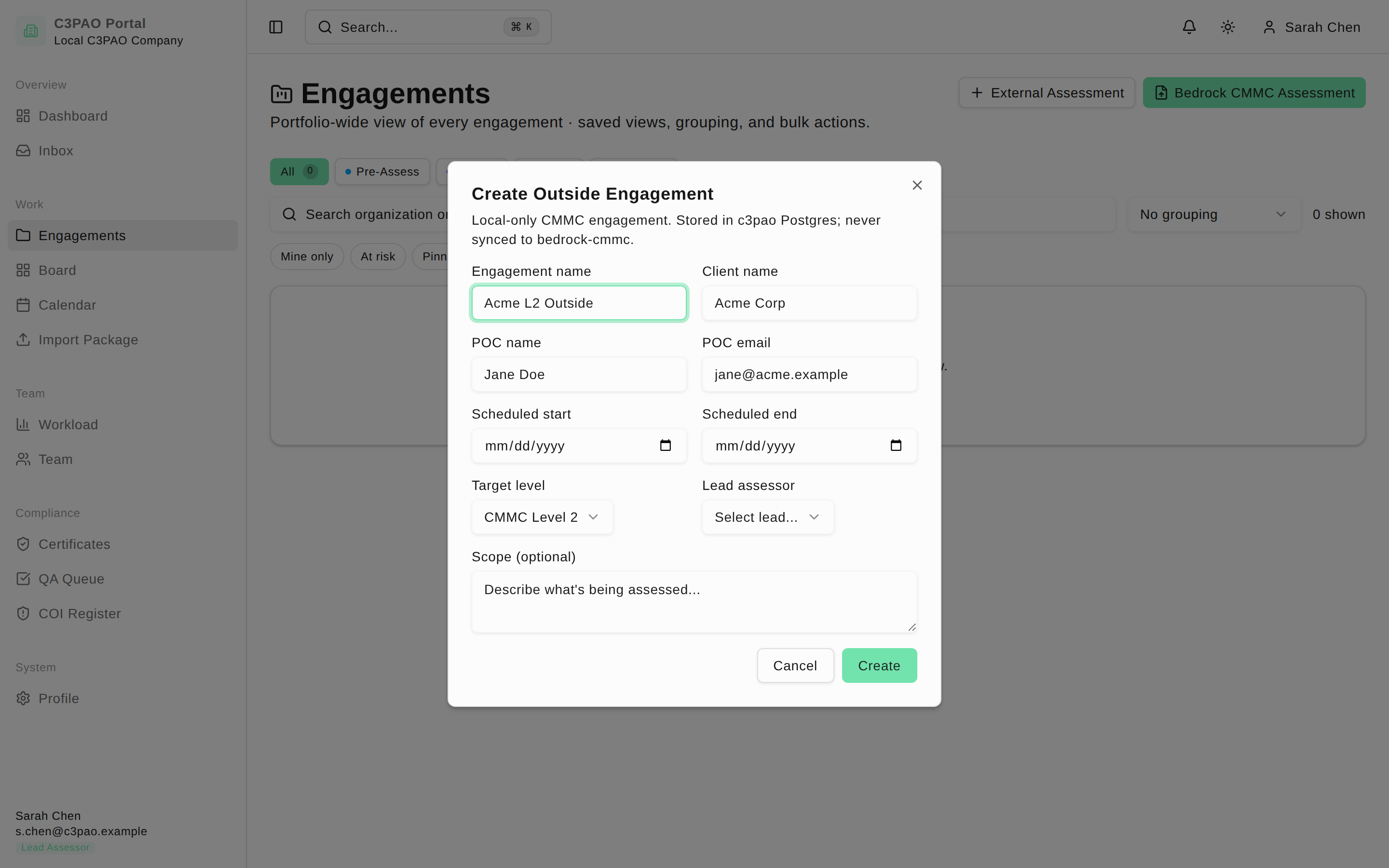
Fill in the fields:
- Engagement name and Client name
- POC name and POC email — your client point of contact
- Scheduled start and Scheduled end dates
- Target level — CMMC Level 1, CMMC Level 2, or CMMC Level 3
- Lead assessor — pick from your team. If the dropdown is empty, add someone on the Team page first.
- Scope (optional) — a free-text description of what's being assessed
- Click Create. The engagement opens immediately.
Outside engagements are stored only in this instance and are never sent to the Bedrock CMMC platform.
How outside engagements differ
The workspace for an outside engagement is the same as for an imported one, with two differences:
- There is no Package Data section — there's no OSC-submitted package to review. The workspace opens on the Assessment section instead.
- The Assessment section gains an Evidence tab where you upload evidence collected from the client yourself, since none arrives in a package.
The pre-assessment readiness checklist also uses an outside-specific item set (scoping, kickoff, interview list, on-site logistics, evidence request, and a readiness sign-off) instead of the package-review items.