 foxxcyber/docs
Reports and share links
Making a report for a client, an insurer, or your board, what each one includes and leaves out, sharing it by link, and the one-page summary.
When a customer, an insurer, or a prime contractor asks how you handle security, you can send them a document built from your own records instead of filling in a questionnaire from scratch.
Making a report
Open Reports and, under Make one, click Generate next to the kind you need. It takes a second, and you can make as many as you like.
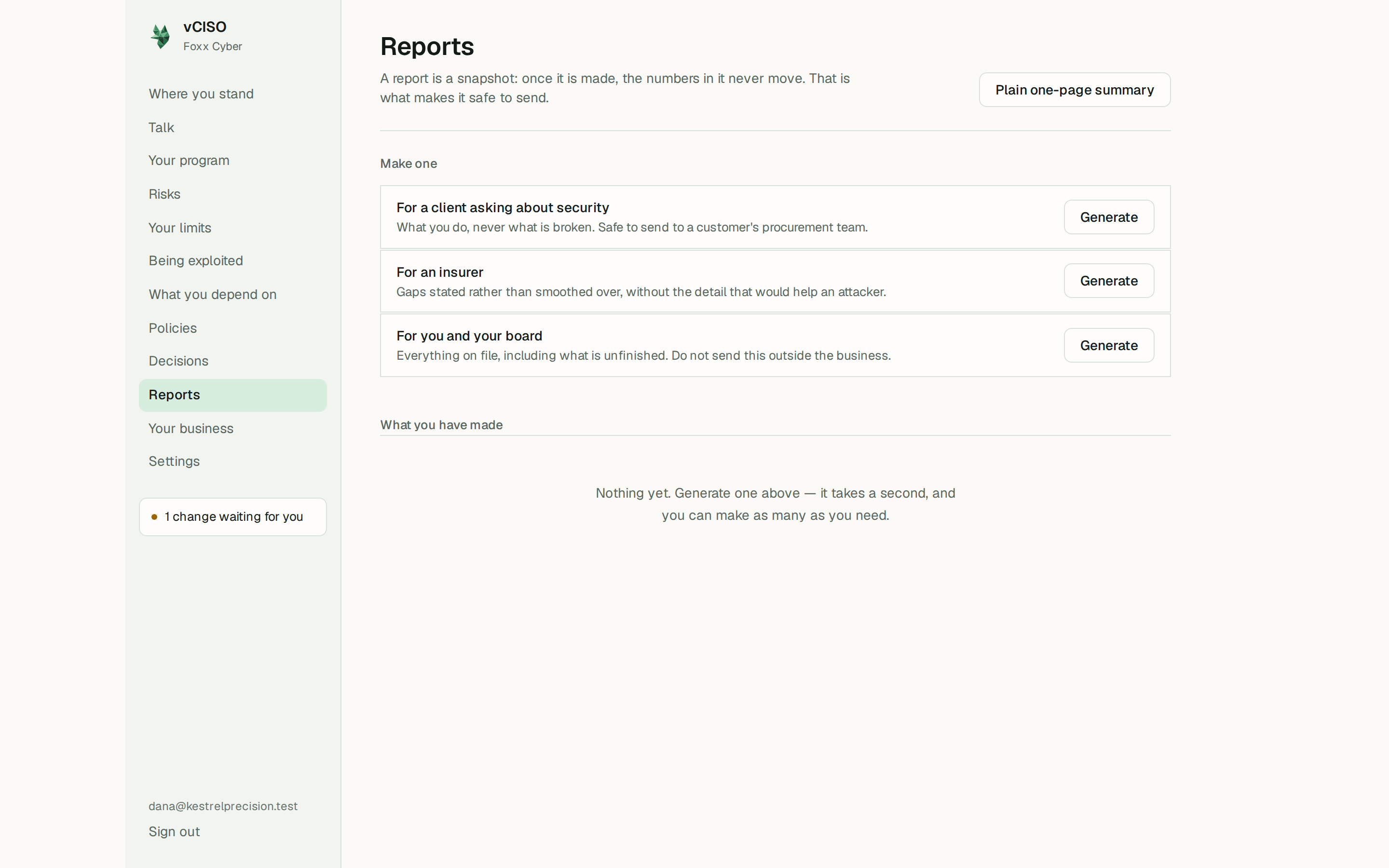
A report is a snapshot. Once it is made, the figures in it never change, even as your records do, so what you send is exactly what you reviewed. Make a new one when you want to send something current.
The three kinds
Each kind decides separately what a reader in that seat should see. When in doubt it leaves something out, and a section at the end, What this leaves out, says what and why.
| Report | Written for | Includes | Leaves out |
|---|---|---|---|
| For a client asking about security | A customer's procurement or security team. Written to be sent outside the business. | How the six areas are organised, policies in force (titles only), suppliers who can reach client data, and the line you set for accepting risk. | Individual risks, costs and budgets, what systems are worth, your never-accept list, and suppliers who cannot reach client data. |
| For an insurer | An insurance application or renewal. | Policies, the risk register described by area, score, and treatment, your suppliers, what you depend on, and your risk line and statement. Gaps are stated rather than smoothed over. | The wording of each specific weakness, which would help an attacker, plus budgets and what systems are worth. |
| For you and your board | You. Not for sending outside the business. | Everything on file, including what is unfinished, the full register, policy text, what systems are worth, your never-accept list, and what you spend. | Only closed risks and retired policies. |
The board report holds everything, including what is unfinished and what you spend. It is marked not for sending outside for a reason. Use the client or insurer report for anyone outside the business.
Every report says it was generated from your own records on a given date, and that it is a working security summary, not a CMMC assessment.
Click Read it to see a report exactly as a recipient will. To save it as a PDF, print the page; the navigation and notes are left out.
Sharing a report by link
- Under a report, open Share a link.
- In Who is it for?, name the recipient, for example "Acme procurement". This label is only for you.
- In Works for, choose how many days the link lasts: 30 by default, anything from 1 to 180.
- Click Make a link.
The page then shows the link once, with Here is the link. Copy it now.
Copy the link straight away. It is not stored anywhere Foxx Cyber can read, so it cannot be shown again. If you lose it, make another link and revoke the old one.
How a share link behaves:
- Anyone who has the link can open the report, without signing in. Treat it like a password and send it only to the person it is for.
- They see that one report and nothing else. There is no way from it into your account or your other records.
- It shows the snapshot. The figures are as at the date the report was made and do not change. The page tells the reader when the link stops working.
- You can see whether it has been opened. Under the report, each live link shows its label, never opened or how many times it has been opened and when last, and its expiry date.
- You can stop it at any time. Click Revoke beside the link. Withdraw removes the report itself, and every link to it with it.
- Links also stop when they expire, and while your subscription is suspended or cancelled.
A link that has expired, been revoked, or been withdrawn shows the reader This link is not available. It may have expired, or been withdrawn by whoever sent it. Ask them for a new one.
The plain one-page summary
Plain one-page summary, at the top of Reports, is a simpler document built from your records as they are right now: the six areas, policies in place, risks being managed, risks accepted deliberately, suppliers with access, and recent decisions.
Unlike a report, it is not a frozen snapshot and it has no share link. It includes accepted risks, on purpose: a business that can name what it is deliberately carrying is more credible than one claiming to have covered everything. Print it to save it as a PDF. It says at the foot that it reflects what the business has recorded, not an independent audit.