 foxxcyber/docs
Your security program
The six areas, how your vCISO judges where each one stands, and how to set your own call.
Your program shows your security program as six areas, one row each. Your vCISO fills it in from your conversations. There is no checklist to work through.
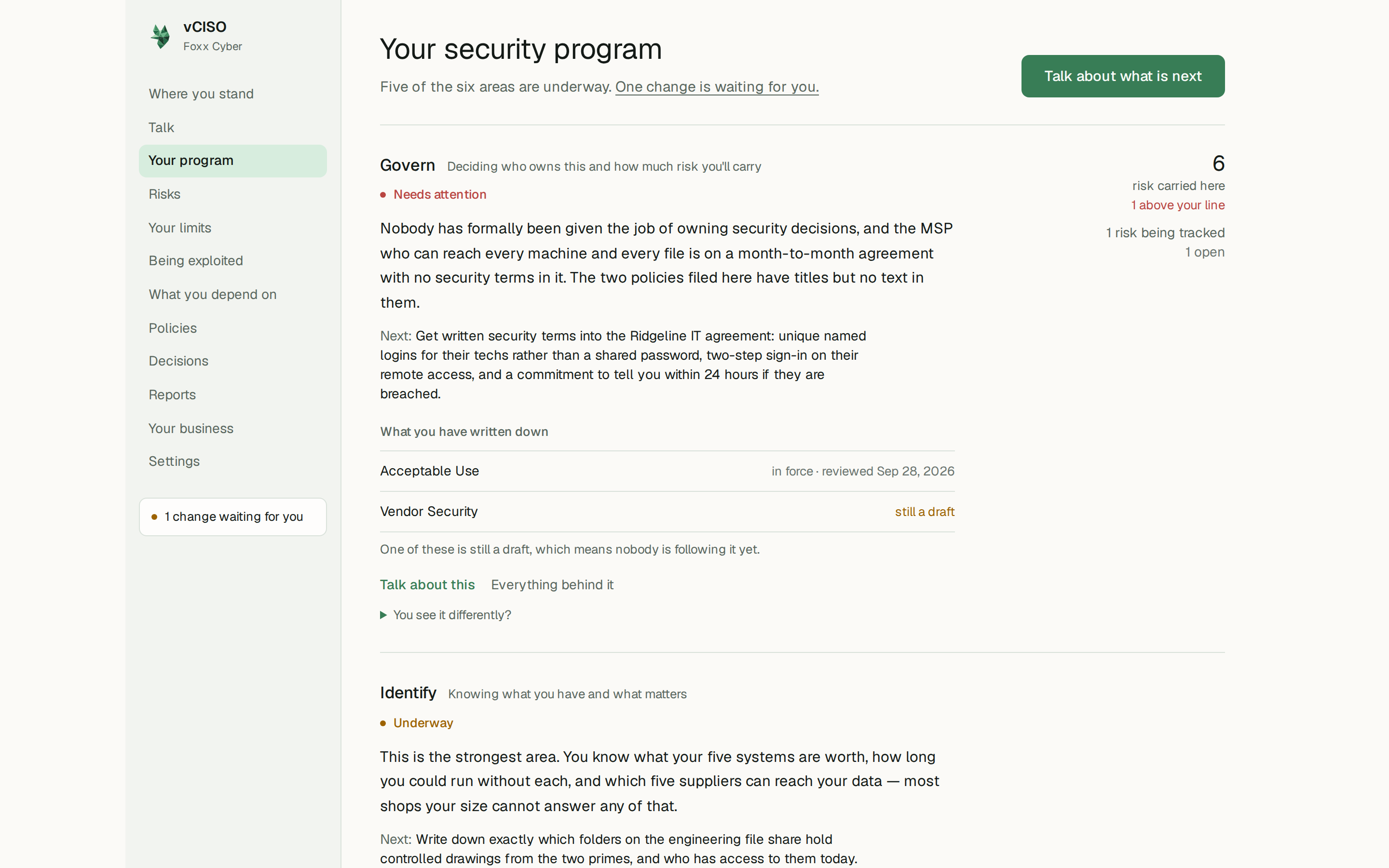
The six areas
| Area | In plain words |
|---|---|
| Govern | Deciding who owns this and how much risk you'll carry |
| Identify | Knowing what you have and what matters |
| Protect | Keeping the important things safe |
| Detect | Noticing when something goes wrong |
| Respond | Handling it when it does |
| Recover | Getting back on your feet |
What each row shows
- Where it stands: Not started, Underway, Needs attention, or In good shape. This is your vCISO's read of the area from what it knows about your business, not a compliance rating.
- A short summary in your vCISO's words, and the Next step for that area.
- What you have written down: the policies in that area, whether each is in force or still a draft, and when it was last reviewed. A draft means nobody is following it yet.
- On the right, the risk carried here, how many of those risks are above your line, how many risks are being tracked, the money committed, and how many decisions are recorded.
Each row has Talk about this, which opens a conversation about that area, and, once there is something behind it, Everything behind it, which opens the area's own page with its policies, risks, and decisions in full.
Talk about what is next, at the top of the page, opens a conversation about the area that needs the most attention.
Setting your own call
If you see an area differently, open You see it differently? under it, choose where you think it stands, and click Set it. The row is then marked your call.
Your vCISO keeps its own view and will say if it still disagrees. You can also just tell it in a conversation. It will change the status, or propose the change if you have it set to ask first, and remember why.
Whether your vCISO may change an area's status on its own is the Judging where you stand row on Settings. See You decide.