 foxxcyber/docs
What you depend on
Recording your systems and suppliers, saying what each is worth to you, and the flaws being exploited right now that match what you run.
What you depend on lists the systems you run and the suppliers who can reach your data. Your vCISO fills it in as it learns; add anything it has missed.
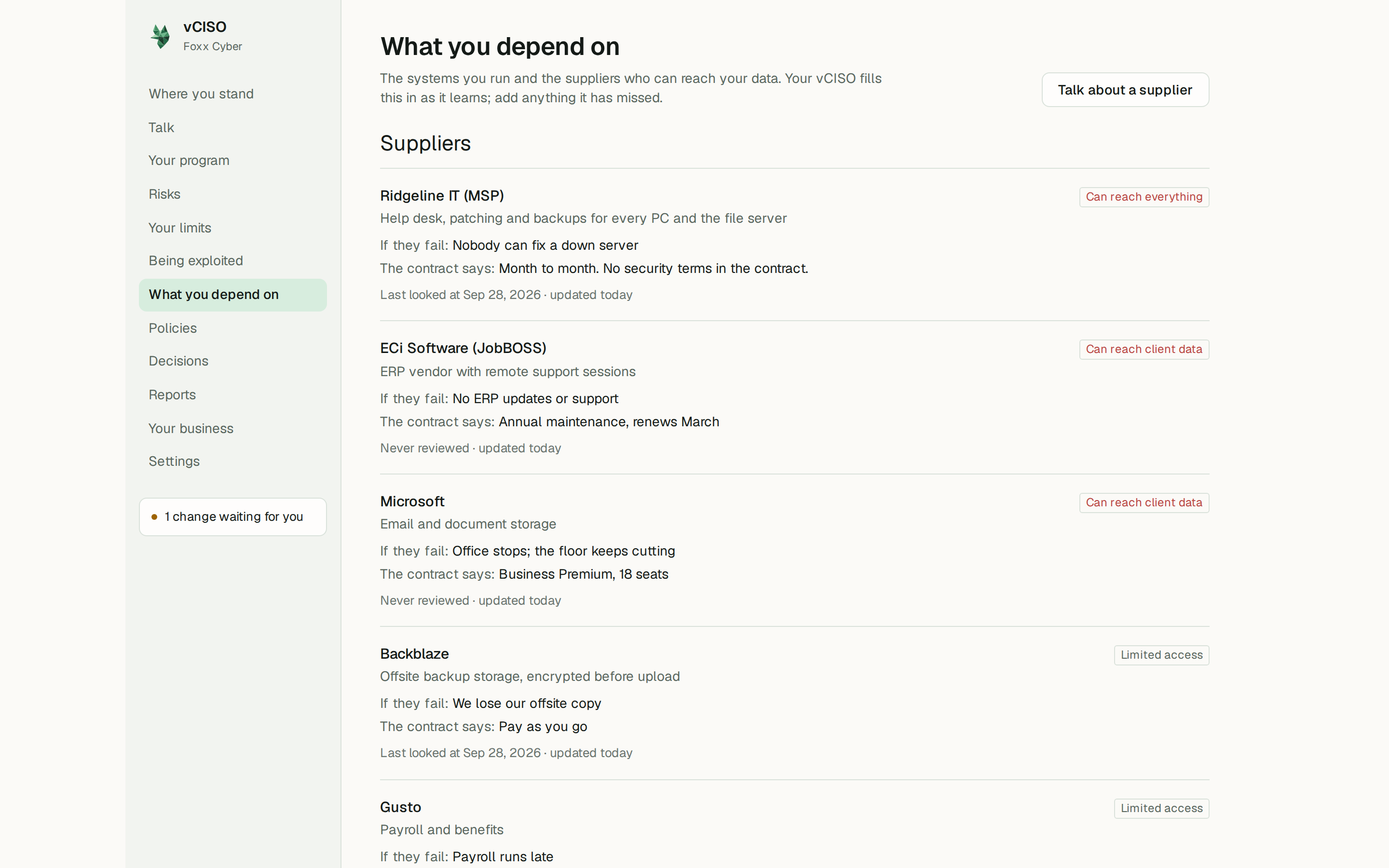
Suppliers
Each supplier shows what you use them for, what they can reach, what happens if they fail, what the contract says, and when it was last reviewed.
What they can reach is one of:
- Can reach everything
- Can reach client data
- Limited access
- No access to your data
- Nobody has checked
For a business your size, suppliers are usually the largest exposure nobody is managing: anyone who can reach your client data or your systems. While any supplier is marked Nobody has checked, Where you stand keeps pointing at it.
To add one, open Add a supplier and fill in who they are, what you use them for, what they can reach, what happens if they go away or go wrong, and what the contract commits either side to, such as how fast a breach must be reported. Click Add supplier. Or click Talk about a supplier and describe them to your vCISO.
Systems you run
Each system shows what you use it for, who looks after it, and whether it holds client data or can be reached from outside the business.
To add one, open Add a system, give its name, what you use it for, and who looks after it ("Nobody, currently" is a fine answer), tick the boxes that apply, and click Add system.
Use the product's real name. "Microsoft 365" or "QuickBooks" is far more useful than "email" or "accounts".
Saying what a system is worth
Open Say what it is worth under a system. These are the questions that decide where protection should go first:
- How long could you keep working if this stopped on a Monday morning? A few hours at most, about a day, about a week, you could carry on without it, or I do not know.
- What would one day without it cost you? Lost work, idle staff, invoices not going out. A rough number beats no number. Leave it blank if you do not know; it is not recorded as zero.
- If it were gone, could you get it back?
- What would happen if what is in it were gone for good?
- What would happen if outsiders read it? "Nothing much" is a useful answer: it tells your vCISO where not to spend.
Click Save what it is worth. Your answers feed What it would hurt to lose and What the money is against on Where you stand.
Being exploited right now
Being exploited in the sidebar lists flaws that attackers are actively using, filtered to the things you run. It draws on public lists of known exploited flaws, including the one kept by CISA, the US government's cybersecurity agency, and refreshes daily.
Each entry shows:
- what the flaw is and what it affects,
- What to do about it, where a fix is published,
- the flaw's reference number and which of your systems it matched on,
- the US federal fix deadline, where there is one.
Matching works on names, so it is only as good as your lists. It checks the product names in Systems you use on Your business, and the page stays empty until at least one system is recorded here on What you depend on. Keep both current and it gets sharper.
If nothing matches, the page says so. That is a real answer, though it only covers known, published flaws, which are not the only way things go wrong. Click Ask about these to talk any of them through.