 foxxcyber/docs
Audit log
The workspace-wide activity trail — every create, update, delete and import, who did it, and exactly which fields changed.
Every write in Bedrock RMF is recorded twice: in the package's own Activity tab, and in the workspace-wide Audit Log under the Admin Panel. The audit log is the one an assessor will ask for — who changed this POA&M's completion date, and when? — and it is the one you cannot edit.
Reading the log
Admin → Audit Log — Workspace-wide activity trail — is a paginated
table (?page= in the URL) with two filters, user and action, and
these columns:
| Column | What it holds |
|---|---|
| Timestamp | When the change was committed |
| User | The account that made it — a person, or a team's AI Agent service user when the change came through an API key |
| Action | create, update, delete, import, … |
| Entity Type | What was touched: poam, cloud_service, implementation, … |
| Entity ID | The record's identifier |
| Details | JSON of the changed fields, plus the packageId the record belongs to |
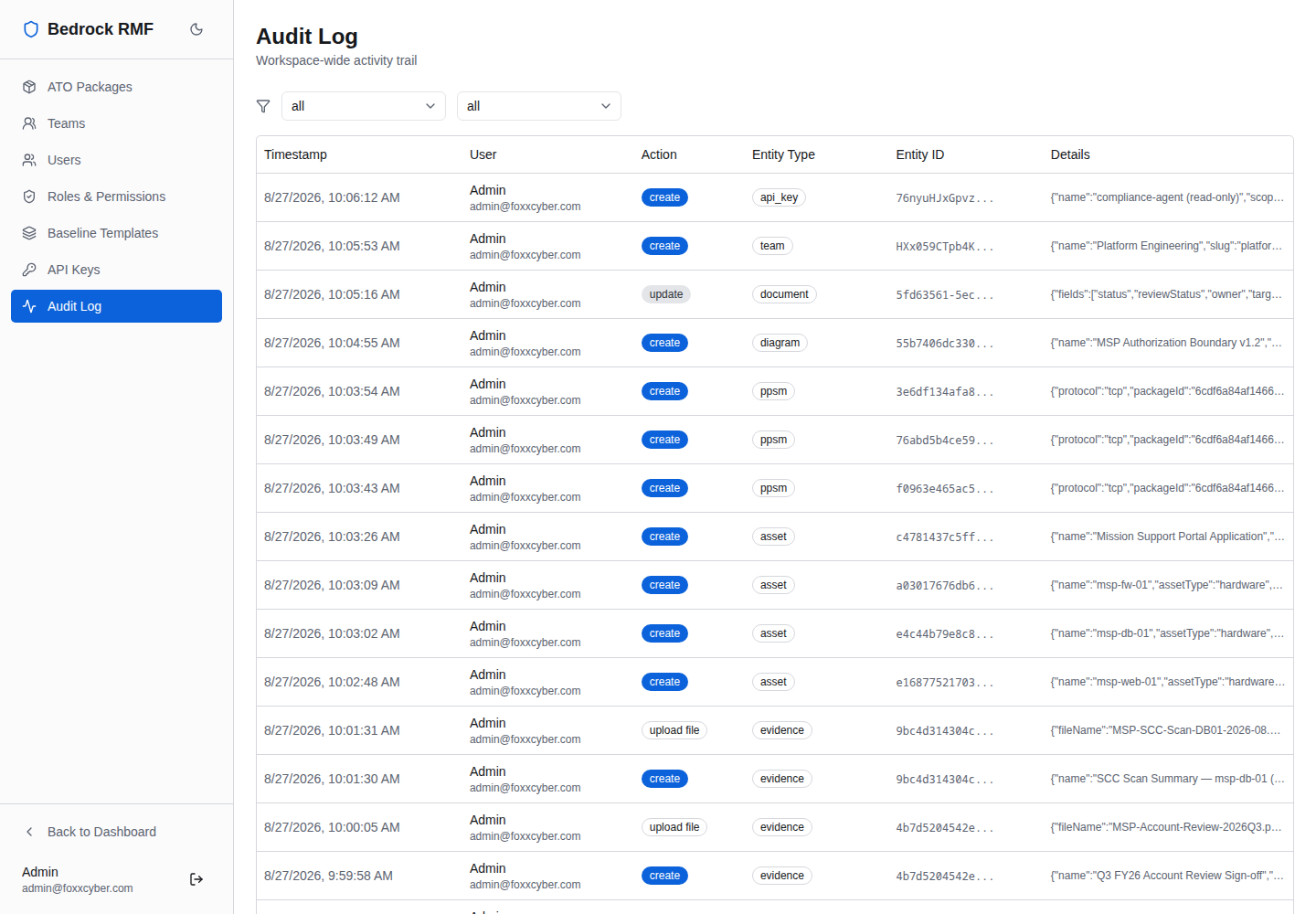
Filter by user to reconstruct one person's day; filter by action
delete to review everything that was removed; combine with a package's
Activity tab when you need the same trail scoped to one system.
What it is good for
- Assessment support — the JSON in Details shows the before and after of a field, so you can show an assessor that an implementation statement was updated on a given date and by whom.
- Change control — deletions of evidence, POA&Ms or assets are visible here even after the record is gone from its list.
- API oversight — anything an API key did appears under the team's AI Agent user, so automated changes are never mixed in with a person's.
Entries are permanent
There is no way to edit or delete an audit entry from the application; it grows with the database and is backed up with it. If your retention policy requires pruning, do it against a database export, not the live log.
Related
- Changing a password revokes a user's other sessions, and enrolment in two-factor shows in the MFA column of Admin → Users — see Users, teams and roles.
- Key creation, rotation and revocation are logged too — see API keys.