 foxxcyber/docs
Evidence and Artifacts
Create evidence records, upload the files behind them, and map them to controls so the SCTM, the CCI responses and the POA&Ms all point at the same artifact.
Evidence is the artifact an assessor asks for: the screenshot, the export, the signed memo, the scan report. In Bedrock RMF an evidence item is a named record with one or more files and a set of mapped controls, and the same item can be referenced from CCI responses and POA&Ms. Open Evidence in the package sidebar.
Creating an evidence item
The list shows the package's evidence with New Evidence top right. The form asks for Evidence Name * and Description; click Create Evidence. The file is added afterwards, on the evidence page.
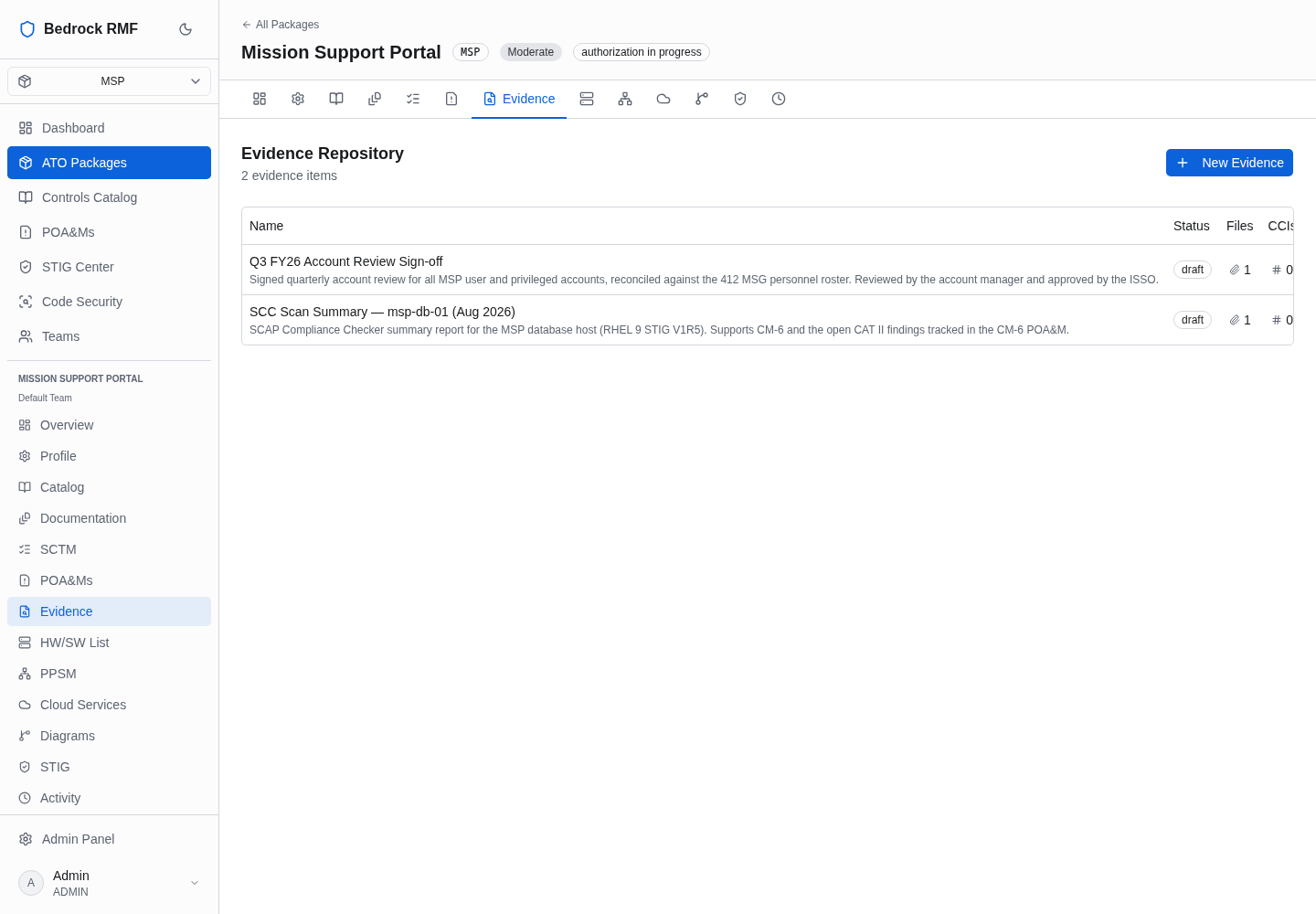
Name evidence for what it proves and when — "Quarterly account review, 2026 Q3" — rather than for the file name; the file can change, the claim should not.
The evidence page
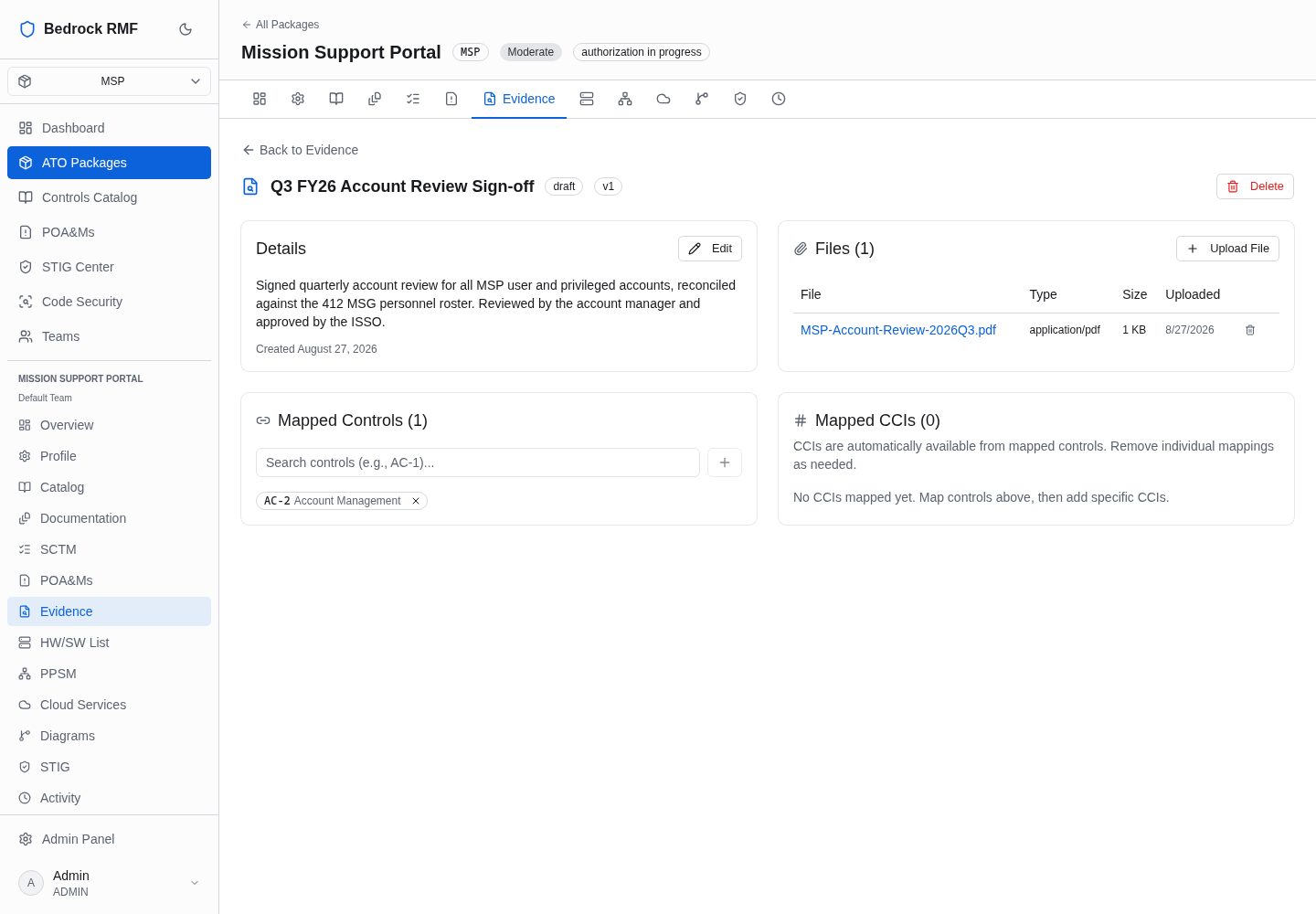
The page shows the name with draft and v1 badges and a Delete
button, and four panels:
- Details — Edit, the description and the created date.
- Files (n) — Upload File opens the native file picker; the table lists File, Type, Size and Uploaded. PDFs, images and exports upload as they are.
- Mapped Controls (n) — type a control ID in "Search controls (e.g., AC-1)…", click the + button beside the box, then click the small add button on the result row that appears under the search box.
- Mapped CCIs (n) — "CCIs are automatically available from mapped controls": once a control is mapped, its CCIs can be linked from the response editor with + Link Evidence (see Control Implementations).
The evidence count badge in the SCTM's EVID. column and the Evidence column of the POA&M list both count these mappings.
Where the files go
Files travel straight from the browser to object storage (MinIO in the
default stack, or AWS S3) using presigned URLs; the application never
proxies the bytes. That is why BEDROCK_S3_URL must be an address the
user's browser can reach — see
Deployment Quickstart.
One item per claim, versioned
The v1 badge is the item's version. When an artifact is refreshed for the
next assessment cycle, add the new file to the same evidence item rather
than creating a second one, so the control mapping and the audit history
stay in one place.