 foxxcyber/docs
Hardware, Software and PPSM
Maintain the hardware and software inventory inside the authorization boundary, and register the ports, protocols and services the system uses.
Two of the appendices every ATO package needs live here: the HW/SW List (the inventory of what is inside the boundary) and PPSM (the ports, protocols and services registration). Both are per package, and both tie into the rest of the tool — assets are what STIG checklists bind to, and PPSM entries reference assets as their source and destination.
Hardware & Software inventory
Open HW/SW List in the package sidebar. The page reads Hardware & Software Inventory — n assets in the authorization boundary, with counts for Hardware / Software / Approved, filters (name, hostname, IP or vendor; All Types; All Statuses) and + Add Asset.
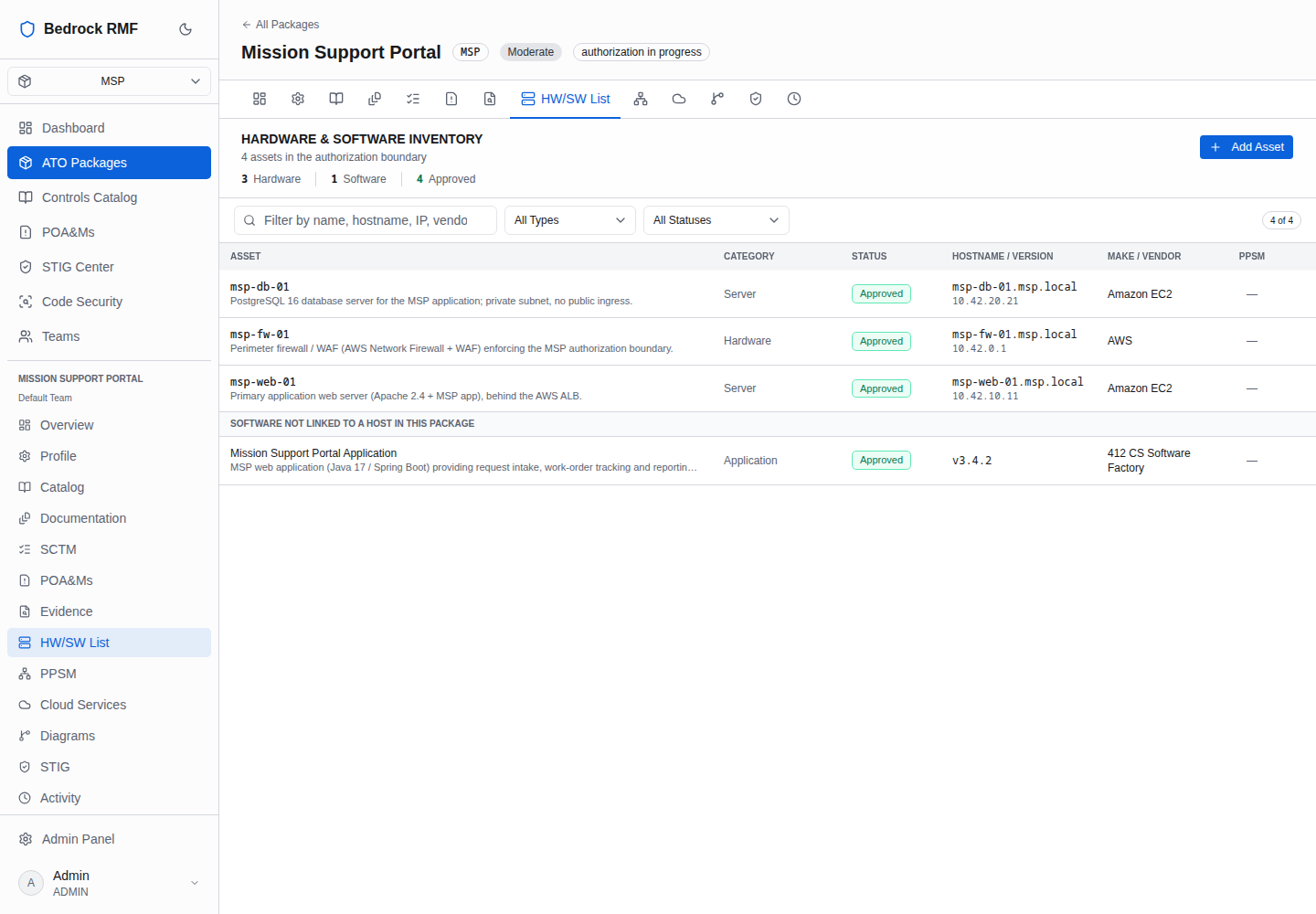
Columns: ASSET (name and description), CATEGORY, STATUS (Approved / Pending pill), HOSTNAME / VERSION (with IP), MAKE / VENDOR, PPSM. Software that is not tied to a host is grouped under SOFTWARE NOT LINKED TO A HOST IN THIS PACKAGE.
Adding an asset
+ Add Asset opens a form with a toggle between Hardware ("Servers, workstations, network devices, VMs") and Software ("Applications, databases, middleware, tools"). Common fields: Asset Name *, Description, Approval Status (pending / approved) and STIG Applicability.
- Hardware adds Hardware Type (Server, Workstation, Network Device, Virtual Machine, Container, Appliance, Virtual), Hostname, IP Address, MAC Address, Operating System, Location, Make, Model, Serial Number, Firmware, End of Life.
- Software adds Category (for example Application), Vendor, Version, Patch Level, License Information.
Click Add Asset. The asset page — General Information — Identity and compliance details for this asset, Hardware Details, Network, Delete — is where you come back to edit it.
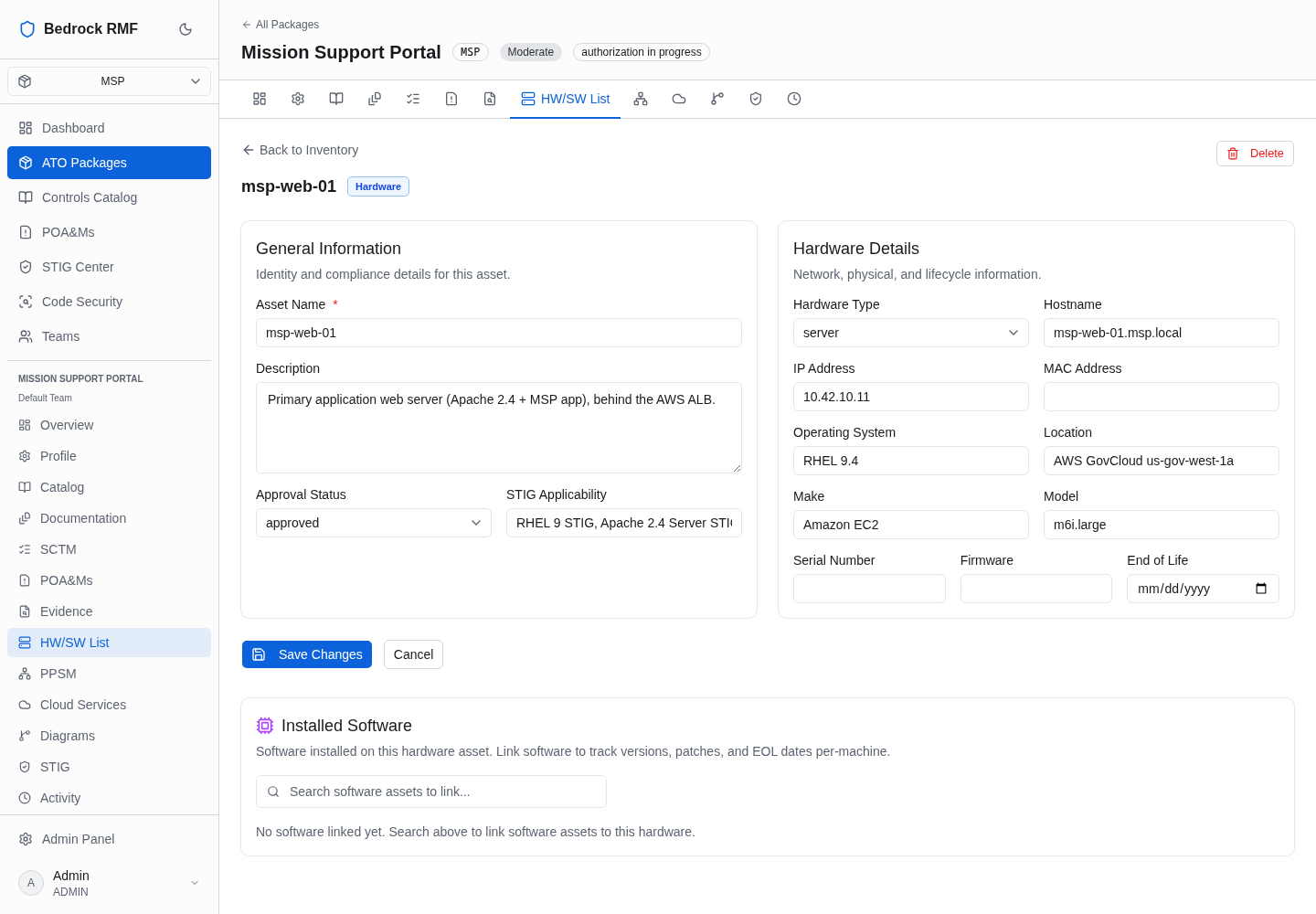
Hosts and STIG checklists
The Hostname is the join key for the STIG Center. A host you add here shows up under STIG Center → Hosts as never scanned until a checklist for that hostname is imported, and imported checklists bind only to hosts that exist in the package inventory — so add the host first, then import. There is no "Firewall" hardware type; use Network Device or Appliance.
Ports, Protocols & Services
Open PPSM in the package sidebar. The page reads Ports, Protocols & Services — n PPSM entries documented, with Add Entry, counts for Approved / Pending / Boundary Crossing / Encrypted, and three filters.
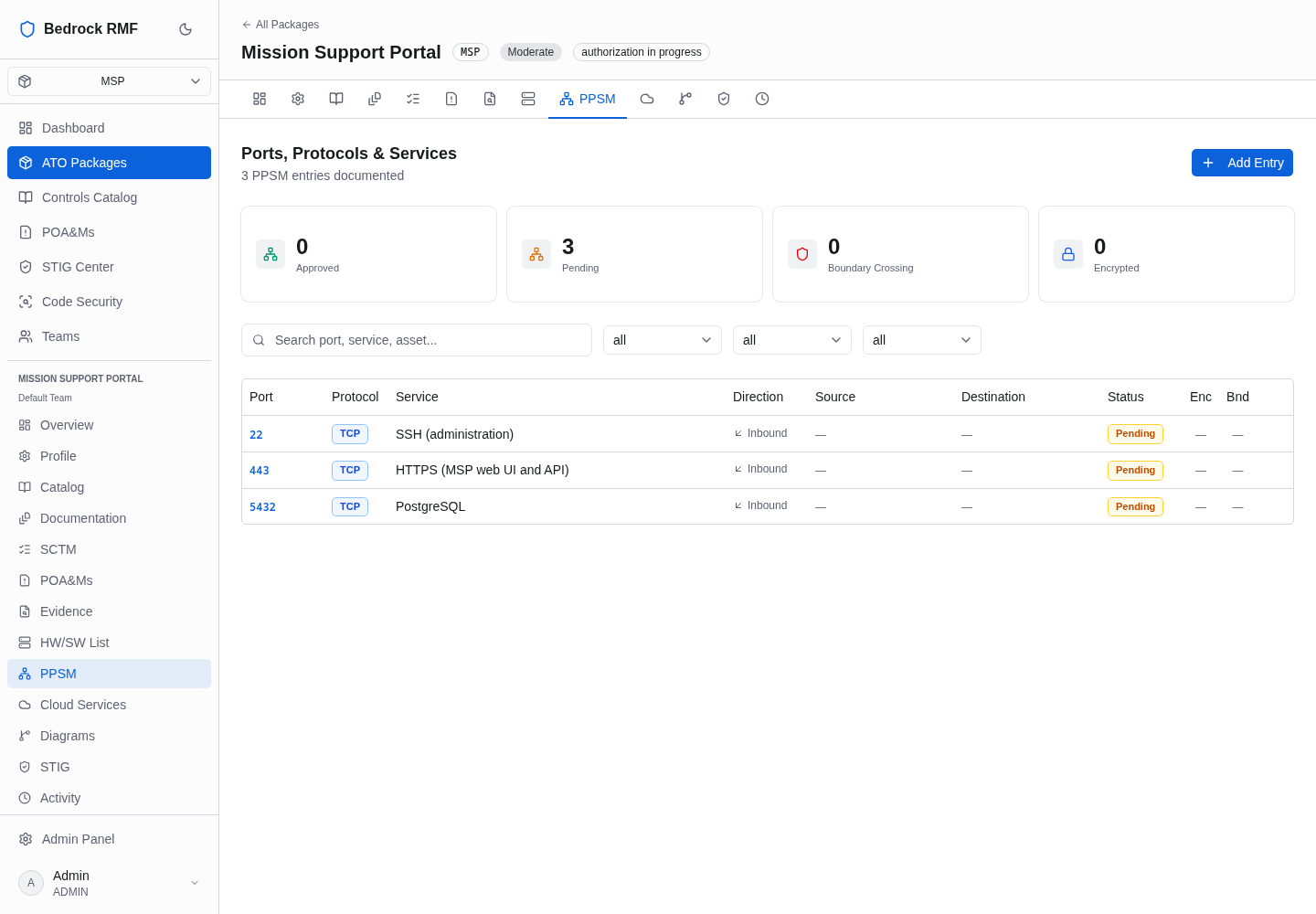
Columns: Port, Protocol, Service, Direction, Source, Destination, Status, Enc (encrypted), Bnd (boundary crossing).
Adding an entry
Add Entry asks for:
- Port / Range * — a single port or a range
- Protocol — TCP, UDP, ICMP or Other
- Direction — Inbound, Outbound or Both
- Service Name *
- Business Justification — why the flow exists; this is what the reviewer reads
- Approval status — pending by default
- Source Assets and Destination Assets — picked from the inventory, which is why the inventory comes first
Click Add PPSM Entry. Entries are created as Pending; open the entry to approve it once the flow has been reviewed. The Approved and Pending counts at the top of the page track the register's review state.