 foxxcyber/docs
Features
Turning optional modules — STIG, Vulnerability Center, Code Security, Cloud Services — off and on for the whole instance, and locking them off from the deployment for an air-gapped enclave.
Not every instance needs every module. An ISSO running Bedrock RMF on an air-gapped enclave has no cloud services to inherit from and no CI pipeline to import scan reports from, yet Cloud Services and Code Security would still sit in every package's tab bar. Admin → Features is where a site administrator turns an optional module off for the whole instance — and back on later, with nothing lost.
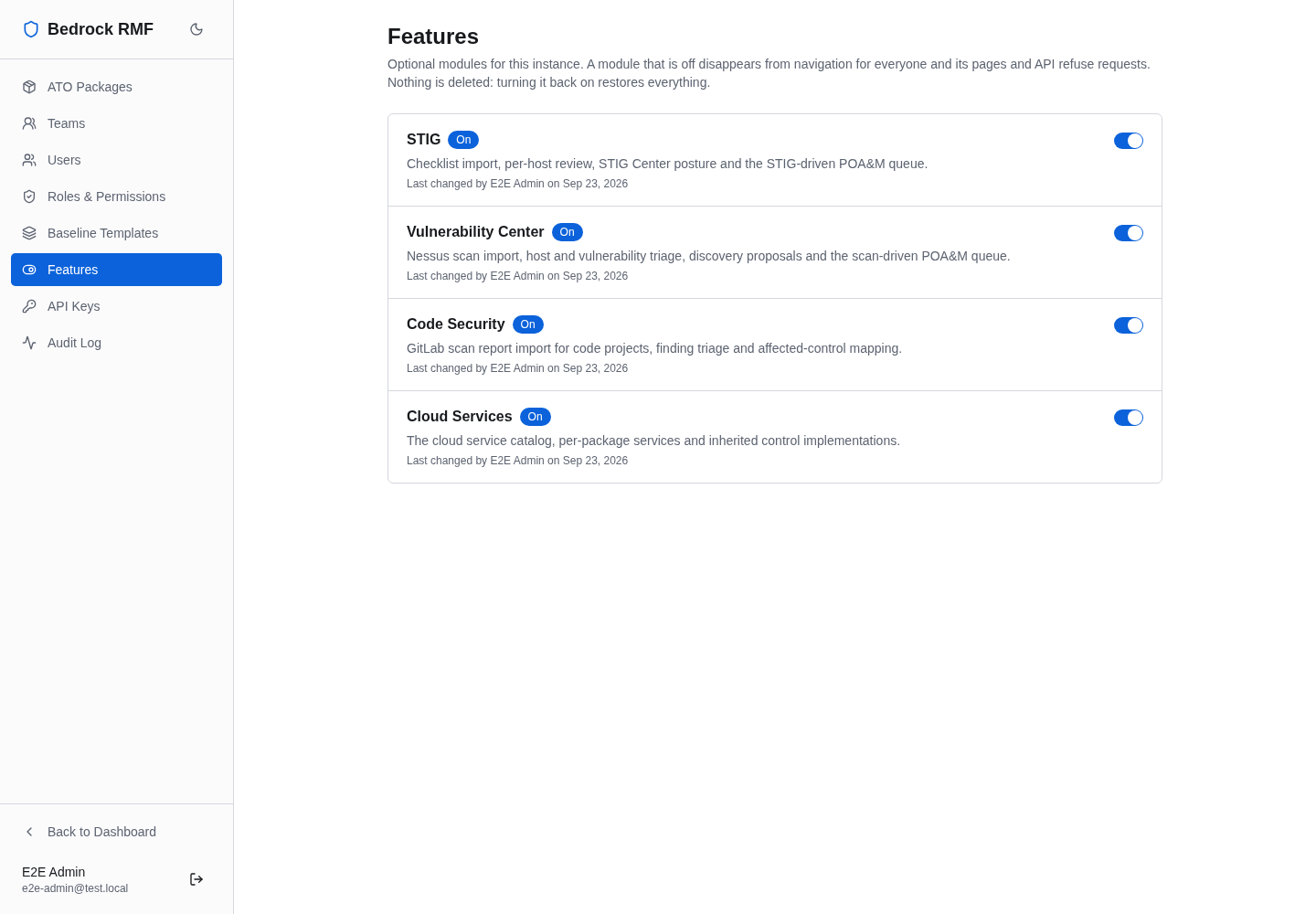
What can be turned off
| Module | What it covers | Where it shows |
|---|---|---|
| STIG | Checklist import, per-host review, the STIG Center, STIG posture on the dashboard, the STIG-driven POA&M queue | STIG Center in the sidebar; the STIG tab in every package |
| Vulnerability Center | Nessus scan import, host and vulnerability triage, discovery proposals, the scan-driven POA&M queue | Vulnerability Center in the sidebar; the Vuln Scans tab in every package |
| Code Security | GitLab scan report import for code projects, finding triage, affected-control mapping | Code Security in the sidebar |
| Cloud Services | The cloud service catalog, per-package services, inherited control implementations | The Cloud Services tab in every package |
Everything else — the dashboard, ATO packages, the controls catalog, the SCTM, POA&Ms, evidence, the hardware/software list, PPSM, documentation, diagrams, activity, teams and the Admin Panel — is core and cannot be turned off.
The page
One row per module: its name, a sentence on what it covers, a state chip (On, Off or Locked off), who last changed it and when, and the switch.
- Turning a module off asks first — Turn off Cloud Services? It disappears for everyone and its pages and API refuse requests. No data is deleted; turning it back on restores everything. — because the change is instance-wide and immediate.
- Turning a module on applies at once.
The sidebar and the package tabs pick up the change on the next page you open; nobody needs to sign out or reload. Only a user with the global admin role can open the page or flip a switch; an ISSM who can reach the rest of the Admin Panel cannot.
What "off" means
A module that is off is gone from navigation, and every page and every
server function that belongs to it refuses to answer. Someone who follows
a bookmark into it lands on a page that says STIG is turned off and, for
administrators, offers the way back to Admin → Features. The STIG
import and export endpoints under /api/stig/* answer 403 with the same
sentence, so a script that tries to import a checklist learns why rather
than failing quietly.
No data is deleted
Off means hidden and refused, never removed. Every scan, finding, checklist, code project, cloud service and control override stays exactly where it was; the module's tables are not touched. Turn the module back on and it is restored as it was — including the POA&Ms that scanner findings already produced, which are ordinary POA&Ms and were never hidden in the first place.
Every switch writes an entry to the audit log
— module.disabled or module.enabled, on the instance_module entity —
with who did it and when.
Locking a module off from the deployment
For an enclave where a module must never be available, do not rely on a
switch someone can flip back. The container reads
BEDROCK_DISABLED_MODULES, a comma-separated list of module ids, and
locks those modules off:
# docker compose: an air-gapped enclave with no cloud and no CI scanners
services:
  app:
    environment:
      BEDROCK_DISABLED_MODULES: cloud_services,code_security
or, with the published docker-compose.yml, simply
BEDROCK_DISABLED_MODULES=cloud_services,code_security docker compose up -d.
The ids are stig, vulnerability, code_security and cloud_services.
A locked module shows as Locked off on the Features page with its
switch disabled and a note naming the variable; it cannot be turned on
from the UI, and the audit log records nothing because nothing can change.
Remove the id from the variable and restart, and the module follows the
administrator's last choice again.
An unknown id stops the start
BEDROCK_DISABLED_MODULES=cloud-services (a hyphen instead of an
underscore) is not silently ignored: the app refuses to start and the log
names the unknown id and the four valid ones. That is deliberate — a typo
here must not leave a module on that you believed was off.
The variable is passed through by the published docker-compose.yml and
listed with the rest in the deployment guide's variable table.
Upgrading to a version with this page
Nothing changes on upgrade. A fresh install and an existing one both start with every module on, exactly as before; the Features page only records a choice once an administrator makes one.