 foxxcyber/docs
Packages and baseline templates
The workspace-wide package view for administrators, and the baseline and overlay templates that decide which controls a package starts with.
Two Admin Panel pages shape what every ISSM and ISSO sees: ATO Packages is the whole workspace at a glance, and Baseline Templates holds the control sets a package is built from.
ATO Packages
Admin → ATO Packages reads n packages across the workspace and lists every package regardless of team — the one place an administrator sees them all. Four stat cards count packages by authorization state — Authorized, In Progress, Not Started, Denied / Revoked — and three more total the work across them: Total POA&Ms, Total Implementations and Total Evidence Items.
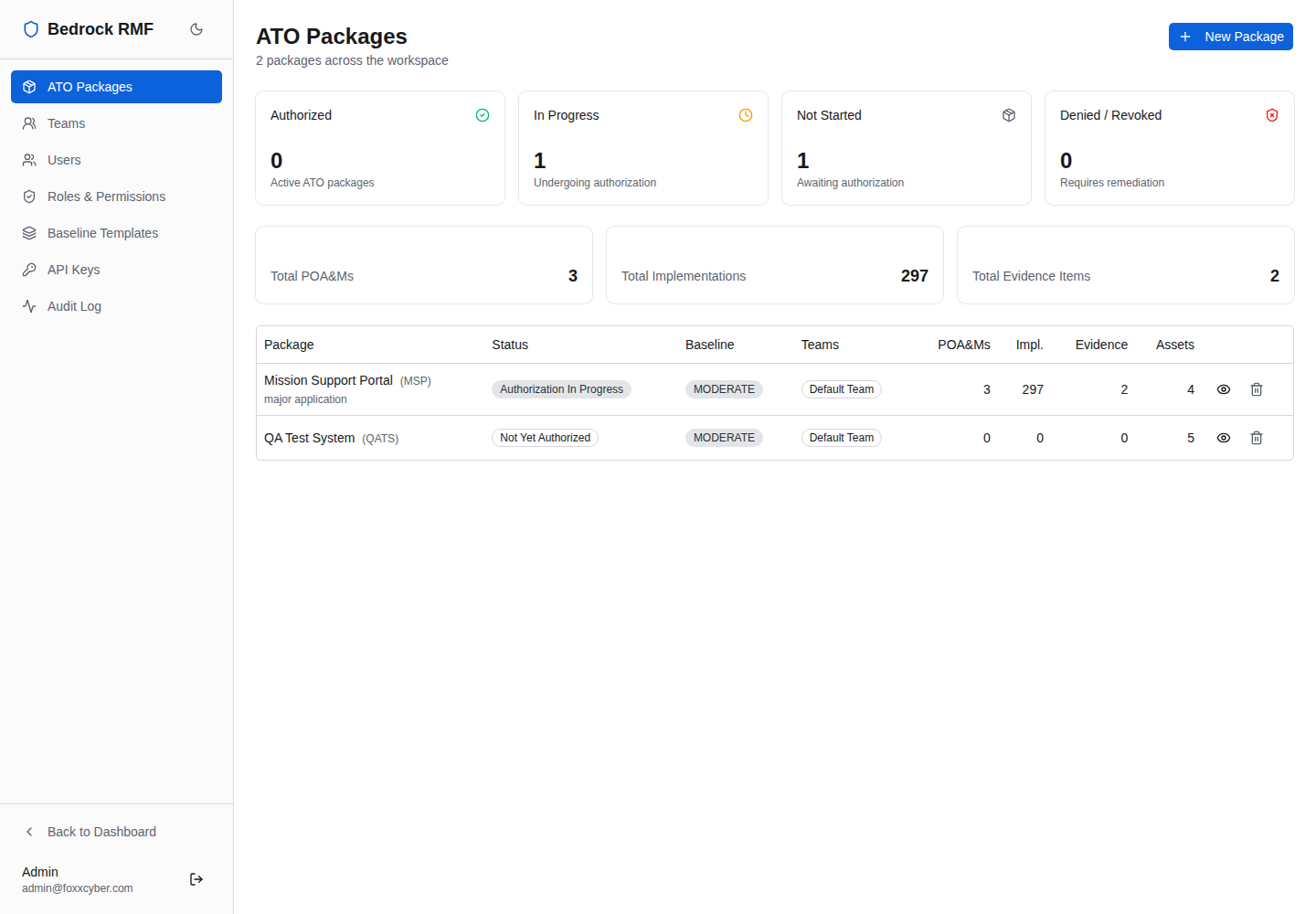
The table shows Package, Status, Baseline, Teams, POA&Ms, Impl., Evidence and Assets. New Package here is the same form ISSMs use from the main ATO Packages page; see Creating a package for the fields and what each status means.
Use this page to spot a package with no team (nobody can reach it), a package that has been Not Started for months, or evidence counts that have not moved since the last assessment.
Baseline templates
A package's SCTM starts from a baseline template — the NIST SP 800-53B control selection for its impact level — plus any overlays applied on top. Admin → Baseline Templates is where those live: Control baselines and overlays ISSM/ISSOs can apply to ATO packages. Built-in NIST templates are read-only — clone to customize.
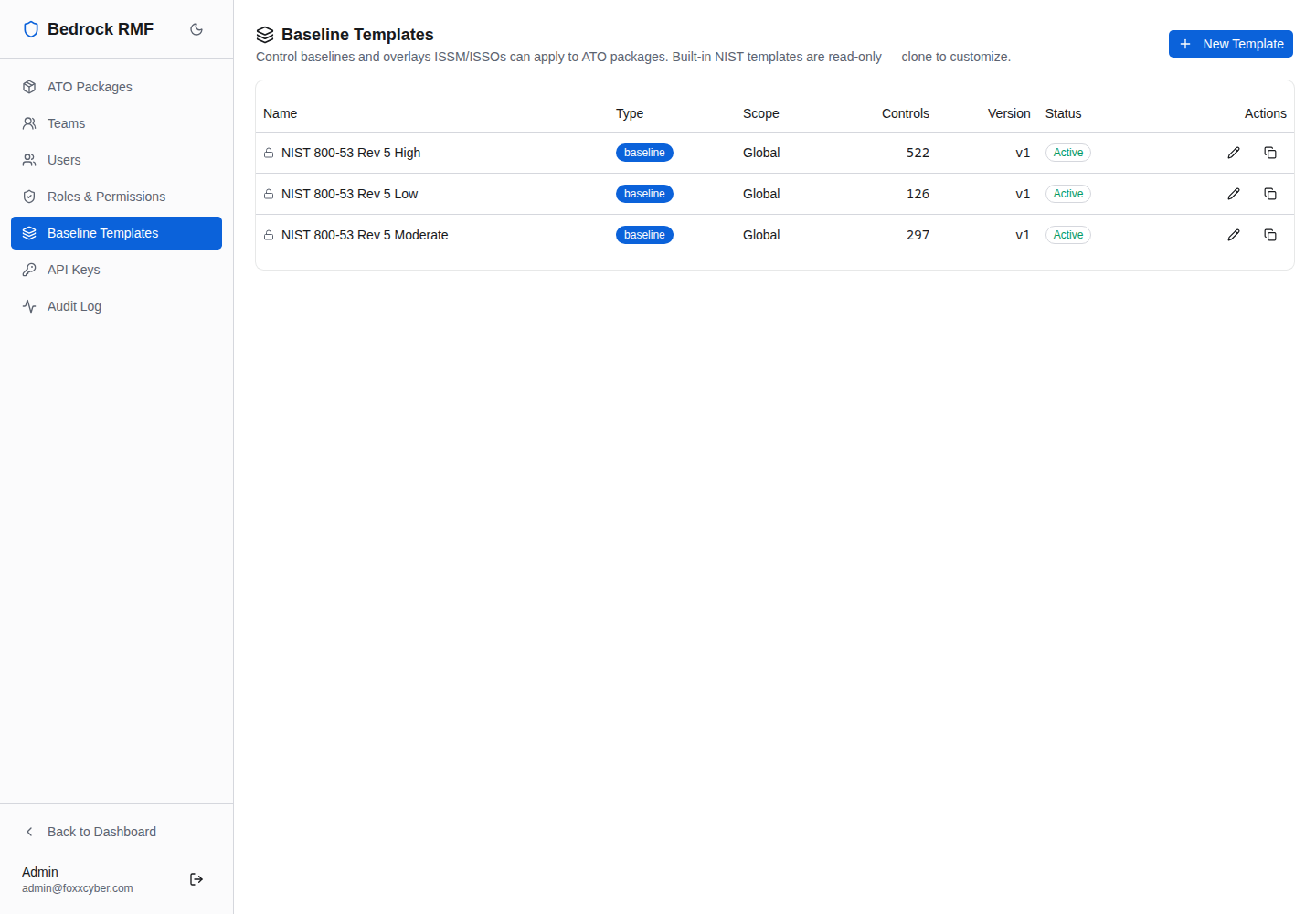
The table shows Name, Type (baseline or overlay), Scope
(Global), Controls, Version, Status and Actions. The
built-in baselines carry the standard counts: High 522, Moderate
297, Low 126. The right one is selected for a package from its
confidentiality, integrity and availability impact levels.
Tailoring for your program
The built-ins cannot be edited, which keeps the NIST baselines trustworthy. To tailor, use Clone on the template closest to what you need (or New Template), then add or remove controls. A cloned overlay — say, a program-specific control set from your authorizing official, or the additional controls a CNSSI 1253 overlay requires — appears in the package's Apply Baseline Template dialog alongside the built-ins, so ISSMs apply it the same way.
Overlays, not edited baselines
Keep the NIST baseline as the base and express your tailoring as an overlay. When a package is reviewed, "Moderate plus the XYZ overlay" is a sentence an assessor understands; "a modified Moderate" is a question.
Applying a template to a package and what happens to the SCTM afterwards is covered in Control implementations.