 foxxcyber/docs
Tracking code security projects
Track SAST and dependency findings per codebase, pull scan reports from GitLab CI or import them by hand, and triage findings against the controls they affect.
Most of an ATO package describes infrastructure. The Code Security module covers the part that is code: it keeps one project per codebase you scan, imports the reports your CI already produces, and turns findings into something an ISSO can triage and an assessor can read.
What the module tracks
For each project, Bedrock RMF keeps:
- Scans — every imported report, so progress is visible over time rather than as a single snapshot. Reports from GitLab SAST, Trivy filesystem (dependency and secret scanning) and Trivy image (container CVEs) are supported, including reports from a pipeline that failed its gate — which is precisely when the findings matter most.
- Findings — each vulnerability with its severity and location, triaged with permanent dispositions that survive re-imports: a finding you have accepted or marked as a false positive stays that way when the next scan reports it again.
- Report — a per-project summary suitable for handing to an assessor.
- Affected controls — findings map to the NIST SP 800-53 families that own them (SA, SI and RA), so code security shows up where the rest of the package lives.
The projects list
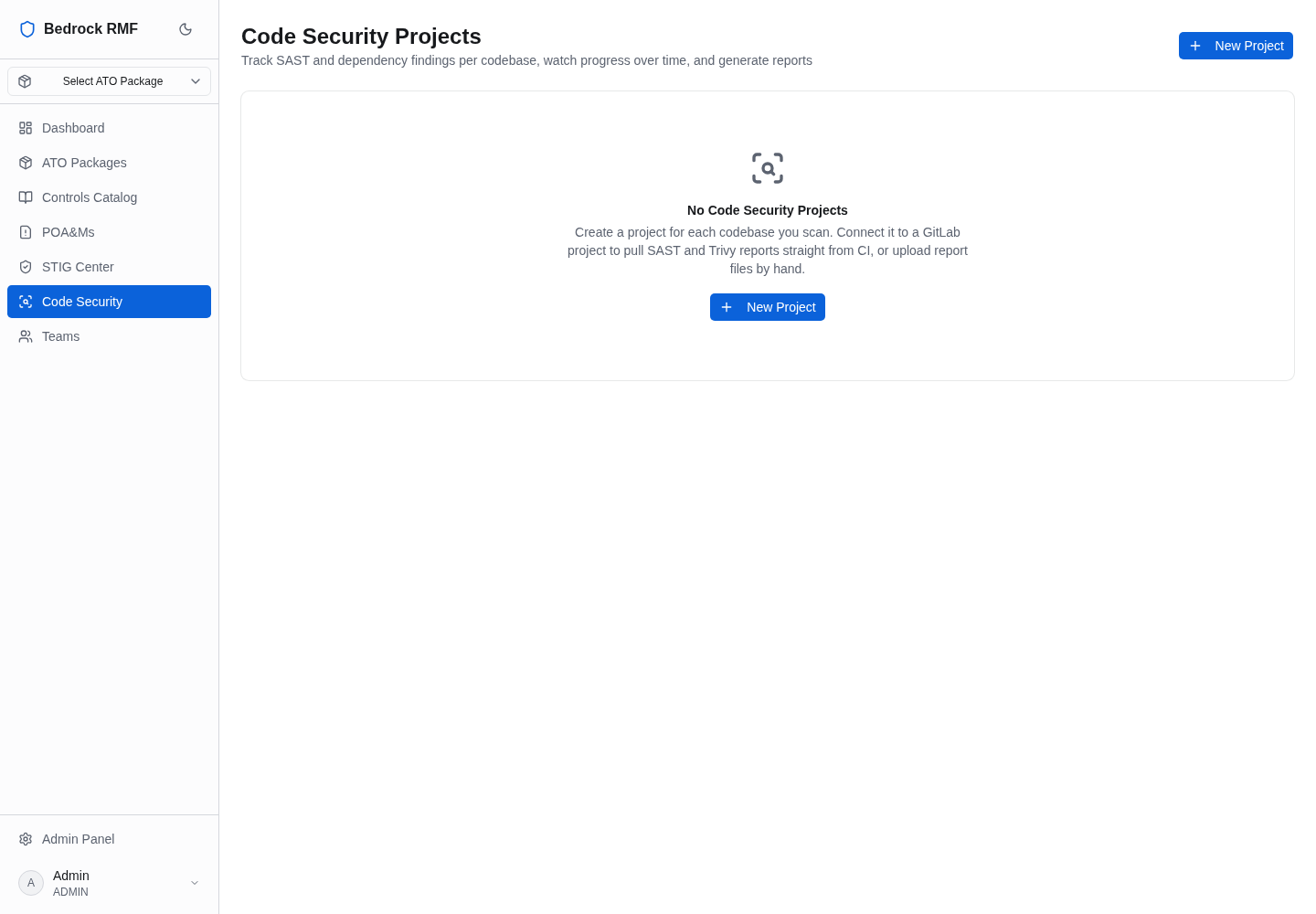
Code Security in the main sidebar opens Code Security Projects — Track SAST and dependency findings per codebase, watch progress over time, and generate reports. Until you add one, the page explains the model: Create a project for each codebase you scan. Connect it to a GitLab project to pull SAST and Trivy reports straight from CI, or upload report files by hand.
Creating a project
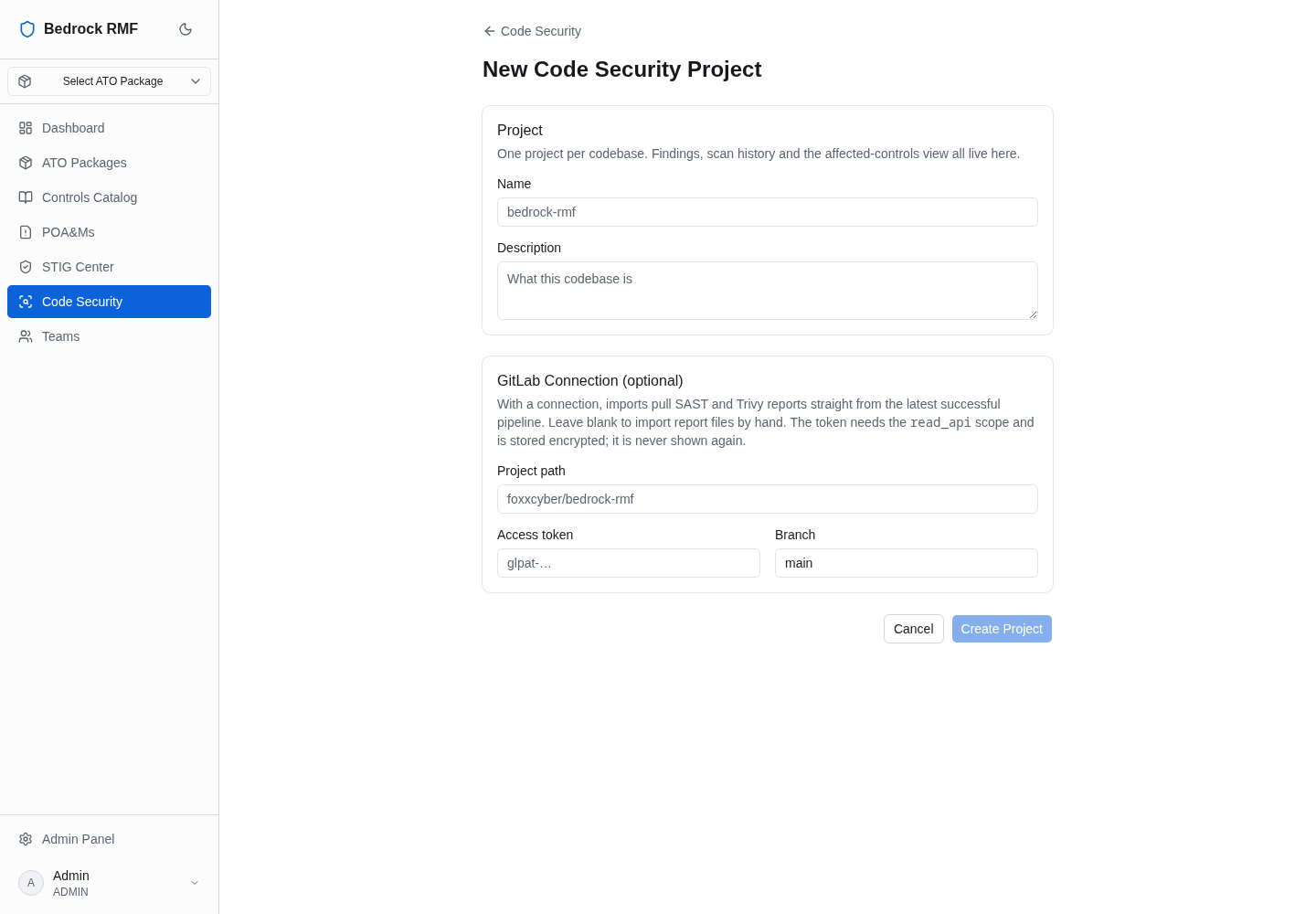
Click New Project. The form has two parts.
Project — a Name and a Description. One project per codebase. Findings, scan history and the affected-controls view all live here. Do not lump several repositories into one project; the report and the trend line are only meaningful per codebase.
GitLab Connection (optional) — With a connection, imports pull SAST
and Trivy reports straight from the latest successful pipeline. Leave
blank to import report files by hand. The token needs the read_api
scope and is stored encrypted; it is never shown again.
- Project path — the GitLab path, e.g.
group/project. - Access token — a GitLab token with the
read_apiscope, which is what lets Bedrock RMF read the project's pipelines and download their job artifacts (thegl-sast-report.json,trivy-fs.jsonandtrivy-image.jsonfiles your CI publishes). - Branch — the branch whose pipelines to read.
Click Create Project (or Cancel).
The token is the only credential involved
Use a project or group access token scoped to read_api and nothing
more, with an expiry. Bedrock RMF only ever reads pipelines and
artifacts with it. If you would rather not store a token at all, leave
the connection empty and import the report files by hand after each
pipeline.
Reports must be published as job artifacts
GitLab's SAST analyzers declare their report only under
artifacts:reports:sast, which the artifact download API refuses (403).
The pipeline must also publish gl-sast-report.json as a plain artifact
path for the connection to fetch it. Bedrock RMF's own pipeline does this
in its sast_codequality job; copy that pattern.
After the project exists
A project's pages are Findings, Scans, Report and Settings. Import a scan (from the GitLab connection or by uploading a file), then work the findings: set a disposition, add a note, and let the affected-controls view tell you which SCTM entries need their narrative updated.
The screenshots on this page show the module before any project was created — the demo instance had no GitLab token to connect. Your projects list will show scan counts and last-import times per project.