foxxcyber/docs
Diagrams, Documentation Matrix and Activity
Keep boundary diagrams (Mermaid or images), track the 201 policies, procedures and records NIST 800-53 expects, and read the package activity log.
The last three tabs of a package hold what an assessor reads around the controls: the boundary diagrams, the documentation matrix of required policies and procedures, and the activity log that proves who changed what. Assessments is also here, as a placeholder for now.
Boundary diagrams
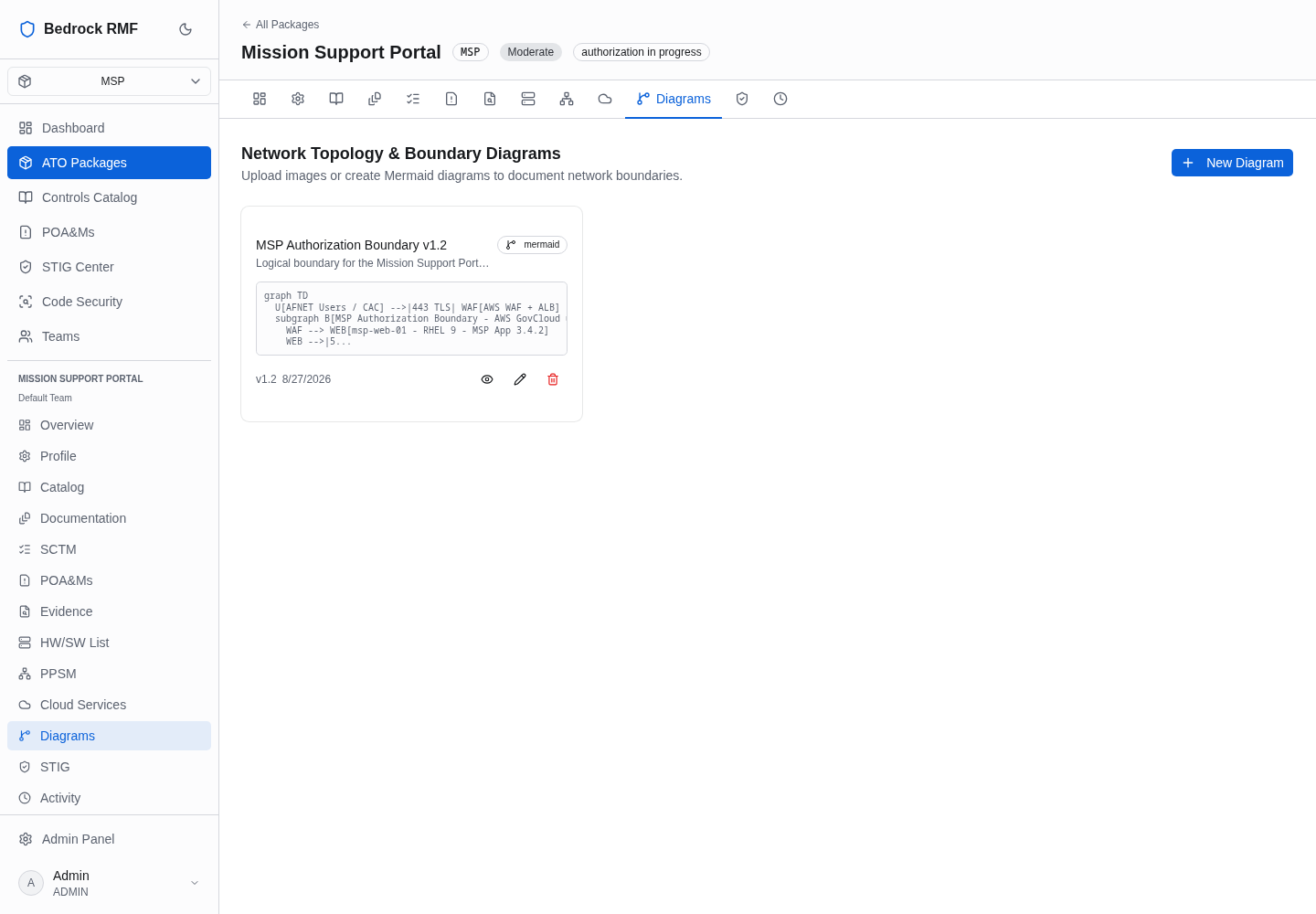
Open Diagrams in the package sidebar. The page reads Network Topology & Boundary Diagrams — Upload images or create Mermaid diagrams to document network boundaries. with + New Diagram.
The dialog asks for Name ("e.g., Network Boundary Diagram v1"), Type
(mermaid or image upload), Description, Version ("e.g., 1.0")
and, for Mermaid, the Mermaid Source (the placeholder shows a sample
graph TD) with a live Preview. Click Create Diagram.
Each diagram card shows the name, a type badge, the description, a source preview, the version and date, and three icons: view (eye), edit (pencil) and delete. The eye opens the rendered diagram inline, with Edit and a close button.
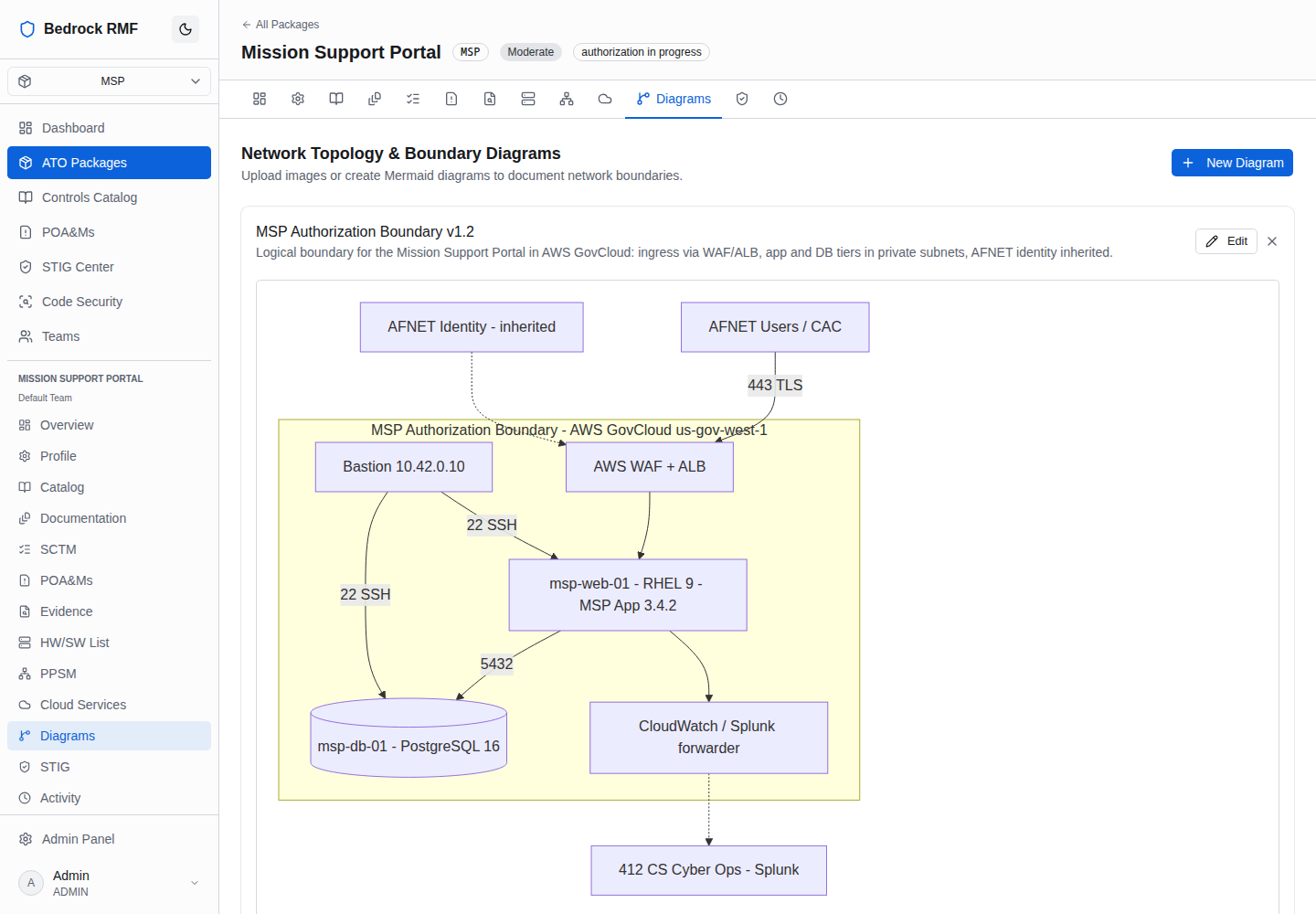
Mermaid keeps the diagram reviewable
A Mermaid diagram is text: it diffs, it can be copied into the SSP, and the version field plus the audit trail show exactly when the boundary changed. Use an image upload when the diagram comes from a network tool you cannot reproduce in Mermaid.
The documentation matrix
Open Documentation in the package sidebar. On first visit the page shows Initialize Documentation Tracker — Load the NIST 800-53 documentation matrix for this ATO package. This creates 201 document tracking entries mapped to controls across all 20 families. Click Initialize Documentation.
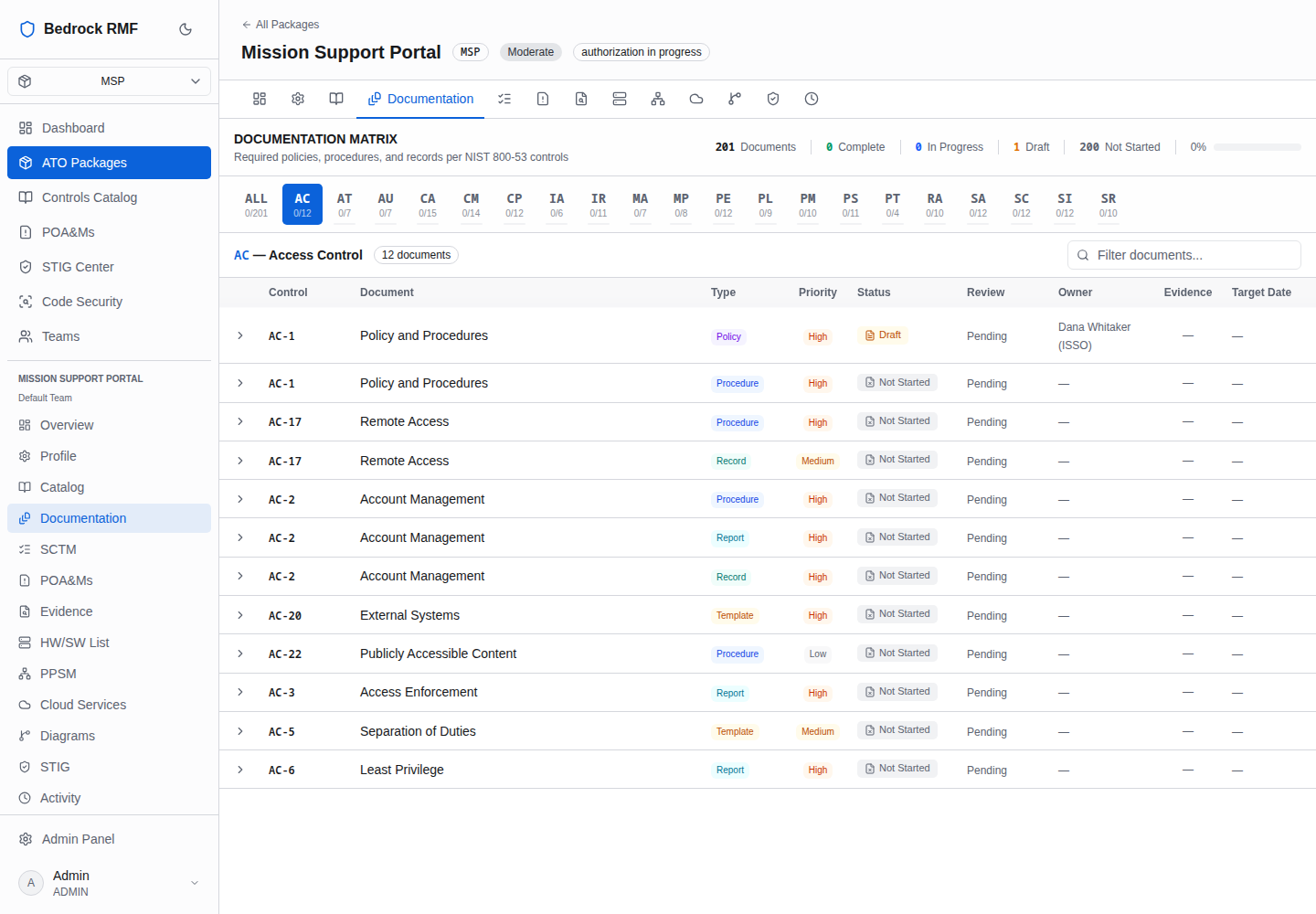
After that the page reads Documentation Matrix — Required policies, procedures, and records per NIST 800-53 controls, with counts for Documents / Complete / In Progress / Draft / Not Started and a completion percentage, family buttons (ALL 0/201 …) and Filter documents….
Columns: Control, Document, Type (Policy / Procedure / …), Priority, Status, Review, Owner, Evidence, Target Date. Click a row to expand it:
- Status — not_started, draft, in_progress, complete
- Review Status — pending …
- Owner — "Assign owner…"
- Target Date
- Evidence Location — "URL or path…"
- Notes
- Attached Document — a URL or file name
- Linked Evidence — Link Evidence to an item from the package's Evidence tab
- Save
Activity
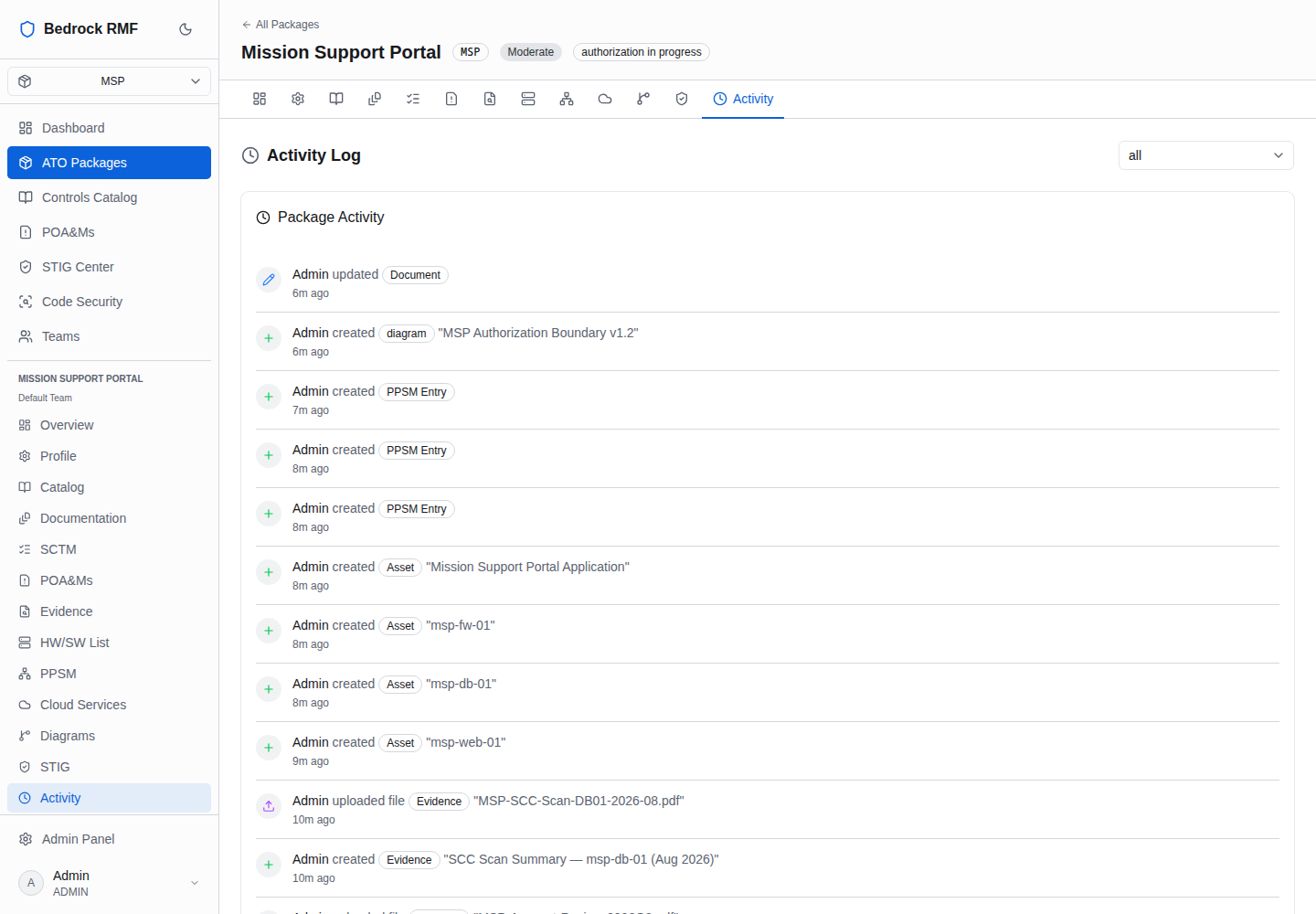
Activity is the package-scoped view of the audit trail — an Activity Log with an "all" filter and entries such as "Admin updated POA&M · 2m ago" or "Admin updated Implementation (complianceStatus)". The workspace-wide log, with every package, is Admin → Audit Log.
Assessments
The Assessments tab is a placeholder in this release ("coming soon"). Until it lands, assessment work is tracked through the SCTM's VALIDATION methods (Examine / Interview / Test) and the STIG Center's test plans — see STIG posture.