 foxxcyber/docs
From findings to POA&Ms
Turn open STIG findings into RMF outcomes — the control impact view and Apply to SCTM, POA&M proposals and dismissals, and Security Test Plans you can sign.
A checklist full of open findings is not yet an RMF artifact. The RMF wants two things from it: which NIST controls are actually affected, and a POA&M for every weakness you intend to fix. The package's STIG page has one tool for each, and a third — Security Test Plans — for the assessment event that proves the fixes. All three start from the same live checklist data, so none of them can drift from the scans.
Control impact
Choose Control impact on the package's STIG page. The page explains its own rules: Derived from the current scan of every live host, by walking each failing rule to the CCIs it cites and on to the NIST control. Computed on read and never saved — nothing here has changed your SCTM.
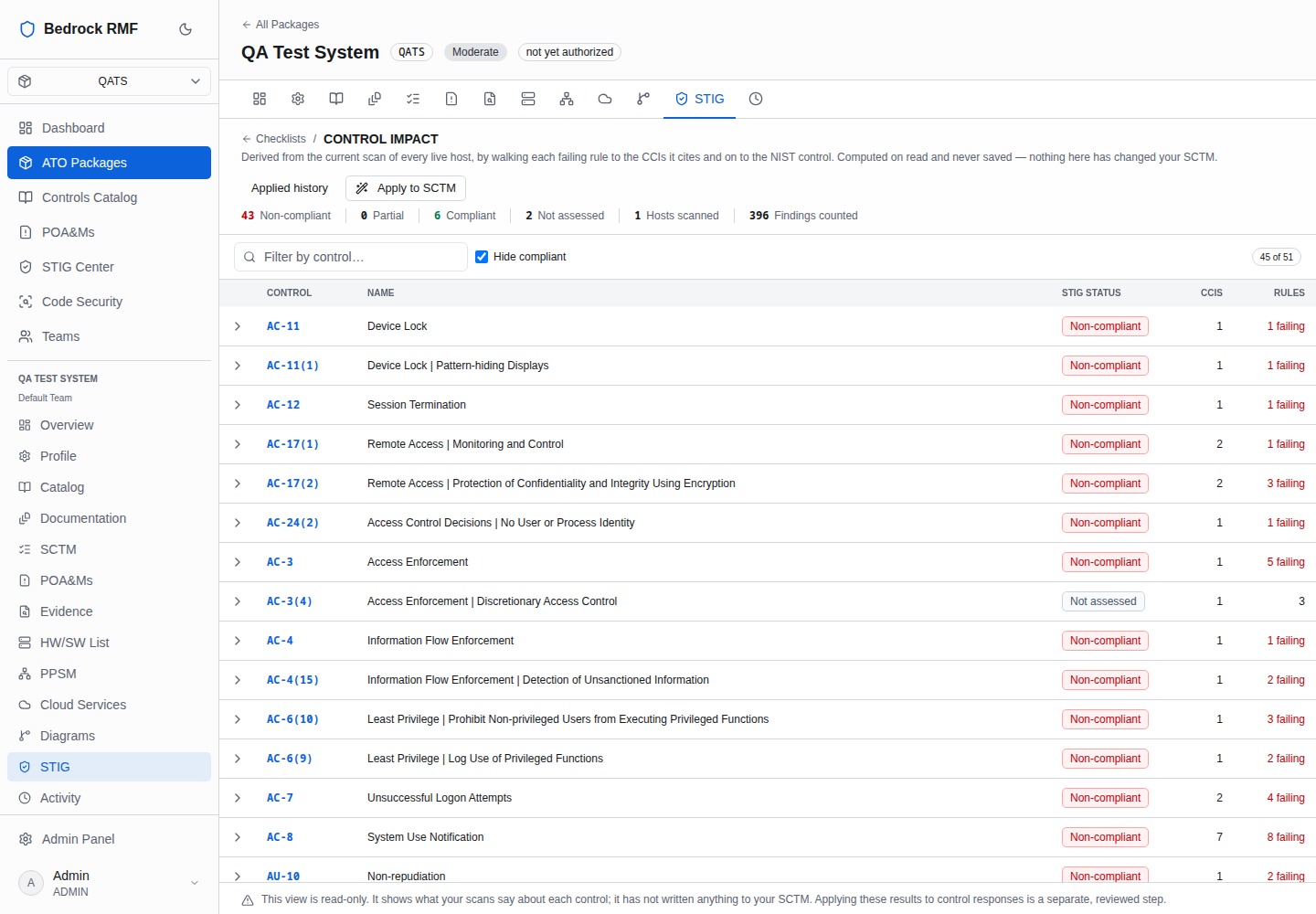
The counts across the top summarise the package: Non-compliant, Partial, Compliant, Not assessed, plus Hosts scanned and Findings counted. The Hide compliant toggle leaves only the controls with something to fix.
| Column | Meaning |
|---|---|
| Control / Name | the NIST SP 800-53 control reached through the CCIs |
| STIG status | what the checklists say about it: Non-compliant if a cited rule is open on any live host, Partial if some are, Compliant if none, Not assessed if no rule for it has been reviewed |
| CCIs | the CCIs the failing rules cite |
| Rules | the rules themselves |
This is read-only until you say otherwise. Two buttons act:
- Apply to SCTM writes the derived status into the SCTM's STIG column for every listed control. Your assessed COMPLIANCE column is untouched; the STIG column sits beside it so a control marked Compliant by narrative but Non-compliant by scan is visible at a glance.
- Applied history lists every previous apply, so you can see when the STIG column last changed and from which scans.
Apply is a snapshot
The impact view recomputes every time you open it; the SCTM column only changes when you apply. After a new import, come back and apply again if you want the SCTM to reflect it.
POA&M proposals
Choose POA&M proposals. Every open finding proposes one. Nothing becomes a POA&M until you accept it. The same rule failing on several hosts is one line here, because that is one write-up.
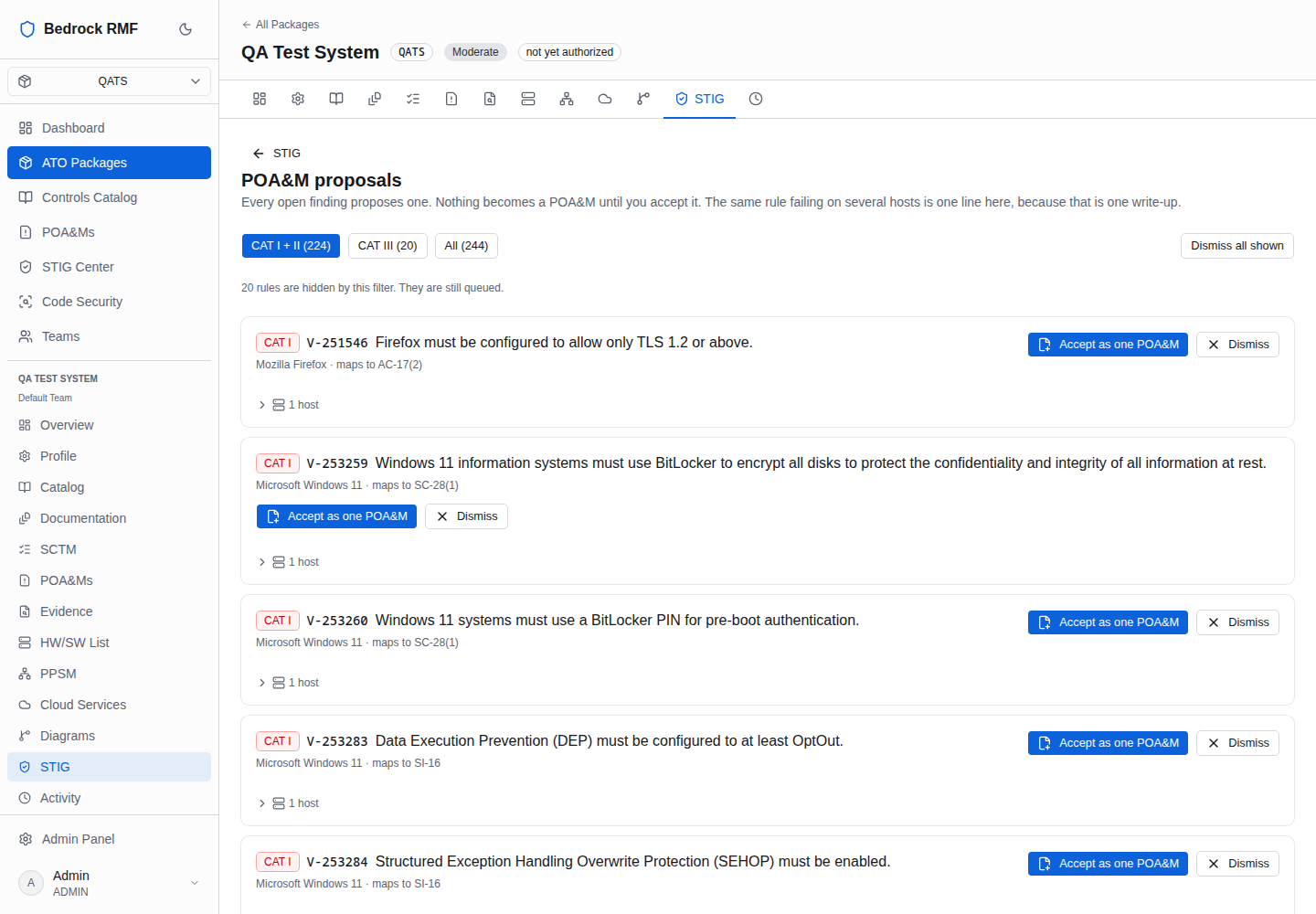
Filter the queue with CAT I + II (n), CAT III (n) or All (n). Each card shows the CAT badge, the V-id, the rule title, the benchmark, and the control it maps to (maps to AC-17(2)). Then decide:
- Accept as one POA&M creates a single POA&M for that rule across every host it is open on, pre-filled from the finding. It then lives with the package's other plans — see POA&Ms — where you set the scheduled completion, milestones and resources.
- Dismiss removes the proposal without creating anything. Dismiss all
shown does the same for the current filter. Dismissed proposals are kept
under the package's dismissed list (
…/stig/poam-dismissed), so a dismissal is reviewable, not silent.
Work the queue top-down
Filter to CAT I + II first. Those are the findings an authorizing official will expect a POA&M — or a documented Not Applicable — for; CAT III can follow once the serious ones have owners and dates.
Security Test Plans
Choose Test plans. A scoped, assigned test event you can sign. Signing freezes the findings in scope, so the report and the system never disagree.
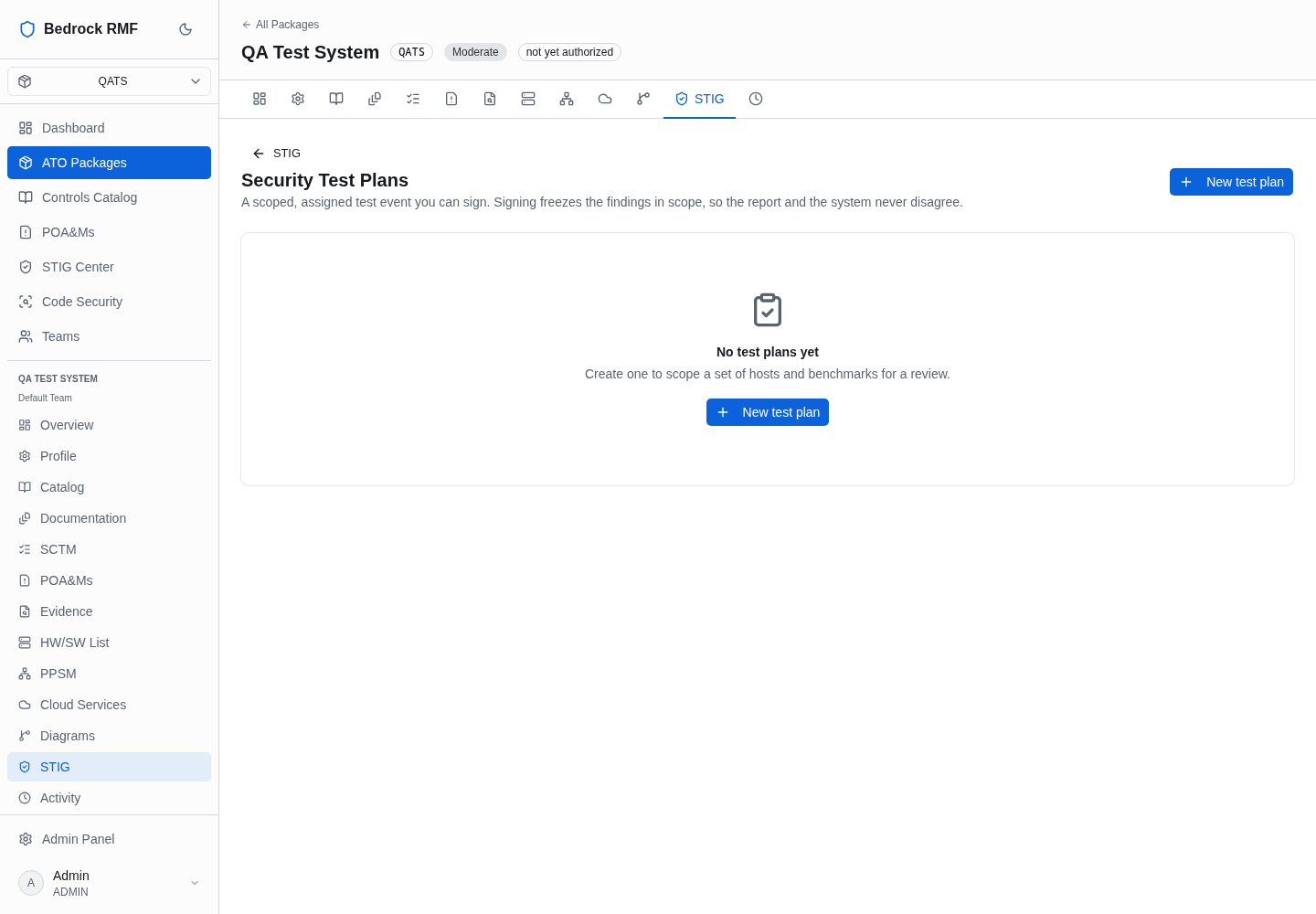
New test plan lets you scope the event to specific hosts and benchmarks, assign it, and later sign it. Signing takes a frozen copy of the findings in scope at that moment. That is the point of a test plan in RMF: the assessment report describes a fixed state, and later scans must not rewrite what the report said.
The flow, end to end
- Import the checklist — Importing STIG checklists.
- Review the rules; mark false positives Not Applicable with a comment — Reviewing findings.
- Open Control impact, Apply to SCTM so the STIG column reflects the scan.
- Open POA&M proposals, accept the CAT I/II findings as POA&Ms, dismiss what does not need one.
- When the fixes are in, re-scan, re-import, and scope a Test plan over the hosts and benchmarks you want to certify; sign it when the results are what the report will say.