 foxxcyber/docs
POA&Ms and Milestones
Track plans of action per package and across the workspace: severity, schedule, responsible POC, milestones, status stepper and the evidence that closes them.
A POA&M (Plan of Action and Milestones) is how a known weakness is acknowledged, scheduled and driven to closure. In Bedrock RMF every POA&M belongs to a package, is tied to a control, and carries its own milestones and evidence. Open POA&Ms in the package sidebar.
The package POA&M list
The page is titled Plan of Action & Milestones — n POA&Ms tracked, with + New POA&M top right. Stat cards show Open, Ongoing, Overdue and High/Very High. Filter with Search weaknesses or controls…, the severity filter and the status filter.
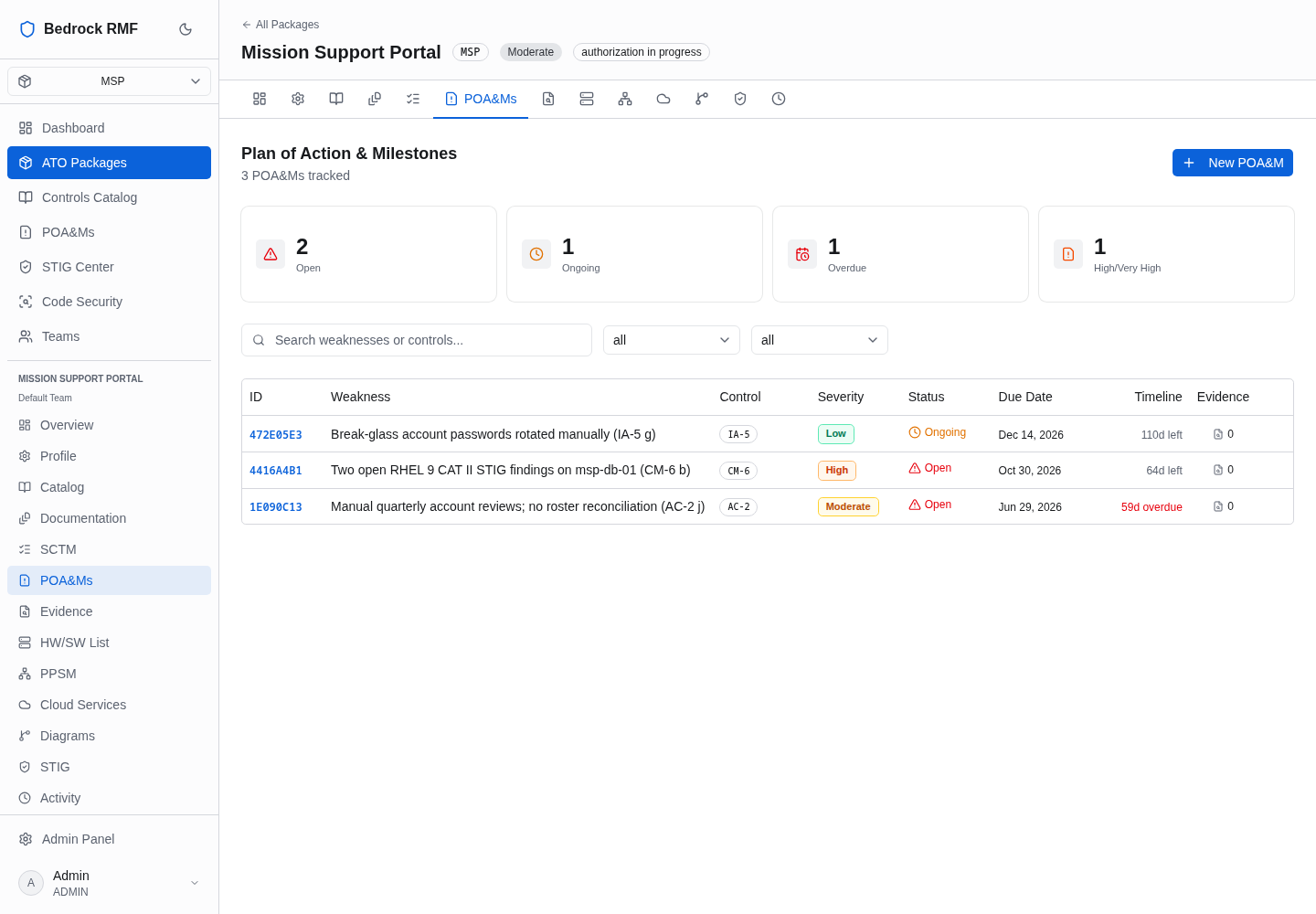
| Column | What it shows |
|---|---|
| ID | 8-character link to the POA&M |
| Weakness | The weakness description |
| Control | The associated control, as a badge |
| Severity | Coloured pill — Very Low, Low, Moderate, High, Very High |
| Status | Open / Ongoing / Completed / Cancelled, with an icon |
| Due Date | Scheduled completion |
| Timeline | "64d left", or red "59d overdue" |
| Evidence | Count of attached evidence |
Keep the weakness to one line
The table does not wrap the Weakness column — a paragraph-long weakness pushes the other columns off screen. Use a one-line title for the weakness and put the detail in Comments on the POA&M.
Creating a POA&M
Click + New POA&M.
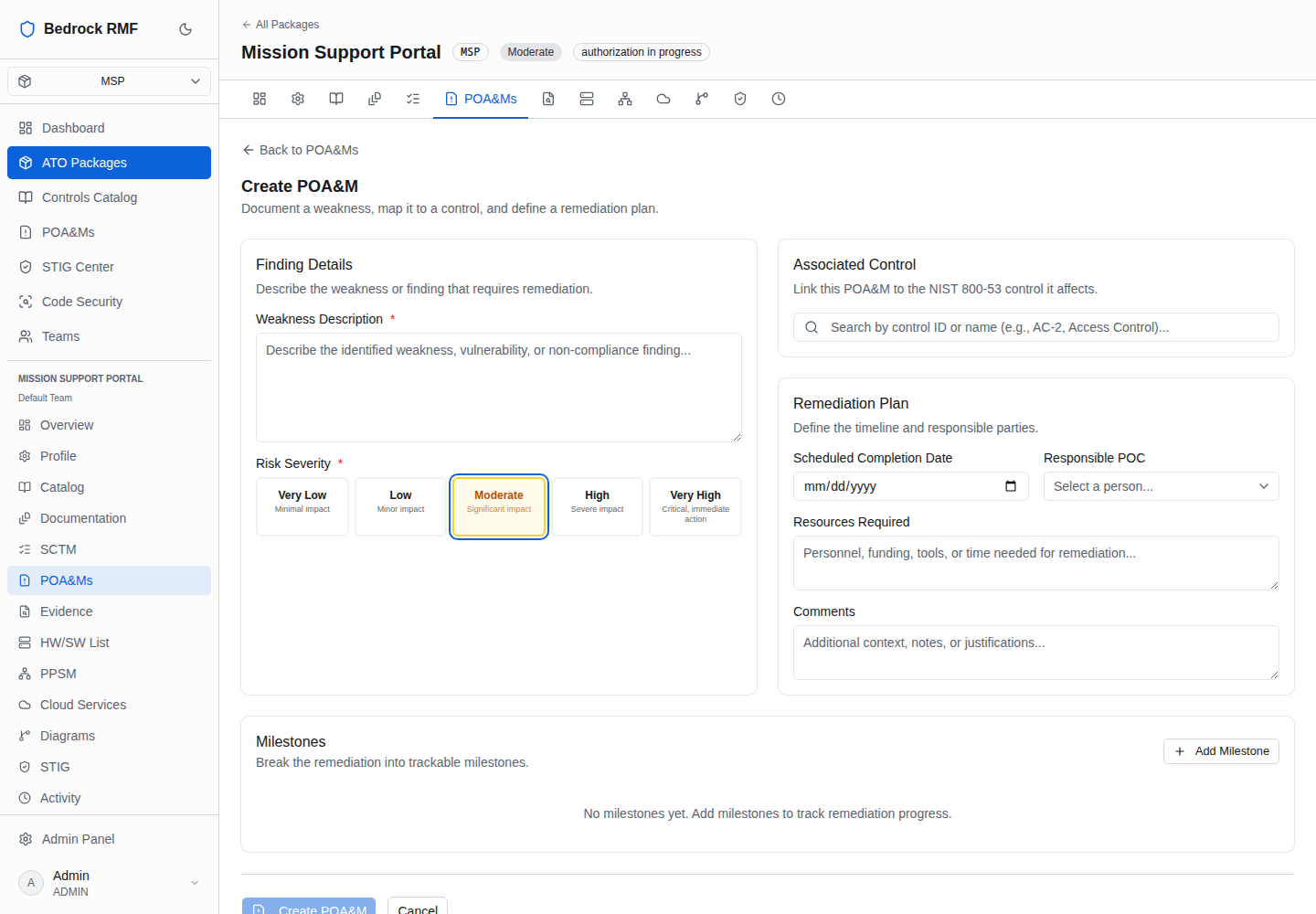
- Weakness Description * — the finding, in one line (see above).
- Risk Severity * — buttons Very Low ("Minimal impact"), Low ("Minor impact"), Moderate ("Significant impact"), High ("Severe impact"), Very High ("Critical, immediate action"). Severity drives the POA&M by Severity chart on the Dashboard and the High/Very High stat card.
- Controls — "Search by control ID or name (e.g., AC-2, Access Control)…", then pick from the results; the selected control shows as a badge.
- Remediation Plan — Scheduled Completion Date, Responsible POC ("Select a person…"), Resources Required, Comments.
- Milestones — Add Milestone adds a row with "Milestone description…" and a date. Add the intermediate steps now; they become the progress fraction on the POA&M.
Create POA&M is disabled until the weakness and severity are set. New POA&Ms start Open.
The POA&M page
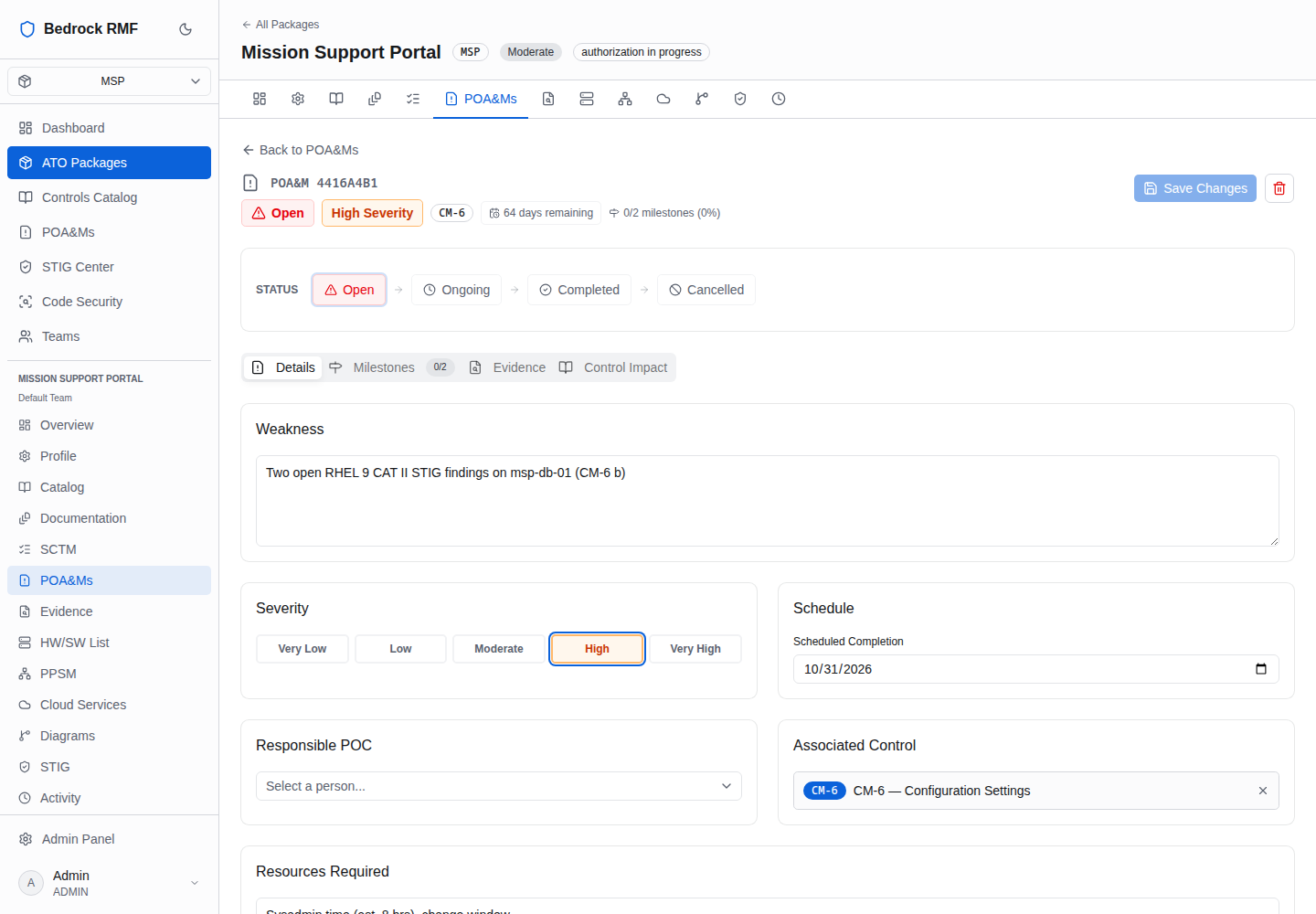
The header reads POA&M <ID> with badges for status, severity (High Severity), the control, the time position ("64 days remaining" or "n days overdue") and the milestone fraction ("0/2 milestones (0%)"), plus Save Changes and a delete (trash) button.
The STATUS stepper — Open → Ongoing → Completed → Cancelled — is how the plan moves. Click the new state, then Save Changes. Move a POA&M to Ongoing as soon as remediation starts; the Dashboard's POA&M Completion figure counts Completed against the rest.
Four tabs:
- Details — Weakness (editable), Severity buttons, Schedule (Scheduled Completion date), Responsible POC, Associated Control (removable), Resources Required, Comments.
- Milestones x/y — "Remediation Milestones — x of y completed", Add Milestone; each row has a description, a date, a status combobox (Not Started / In Progress / Completed / Cancelled), "Assignee…" and "Notes (optional)…".
- Evidence — the artifacts that prove closure.
- Control Impact — how this weakness bears on the associated control.
Fixed in 1.0.1
On 1.0.0, setting a milestone to Completed was silently reverted (issue #1). Upgrade to 1.0.1 or later; milestone status now saves with its completion date.
Every POA&M, every package
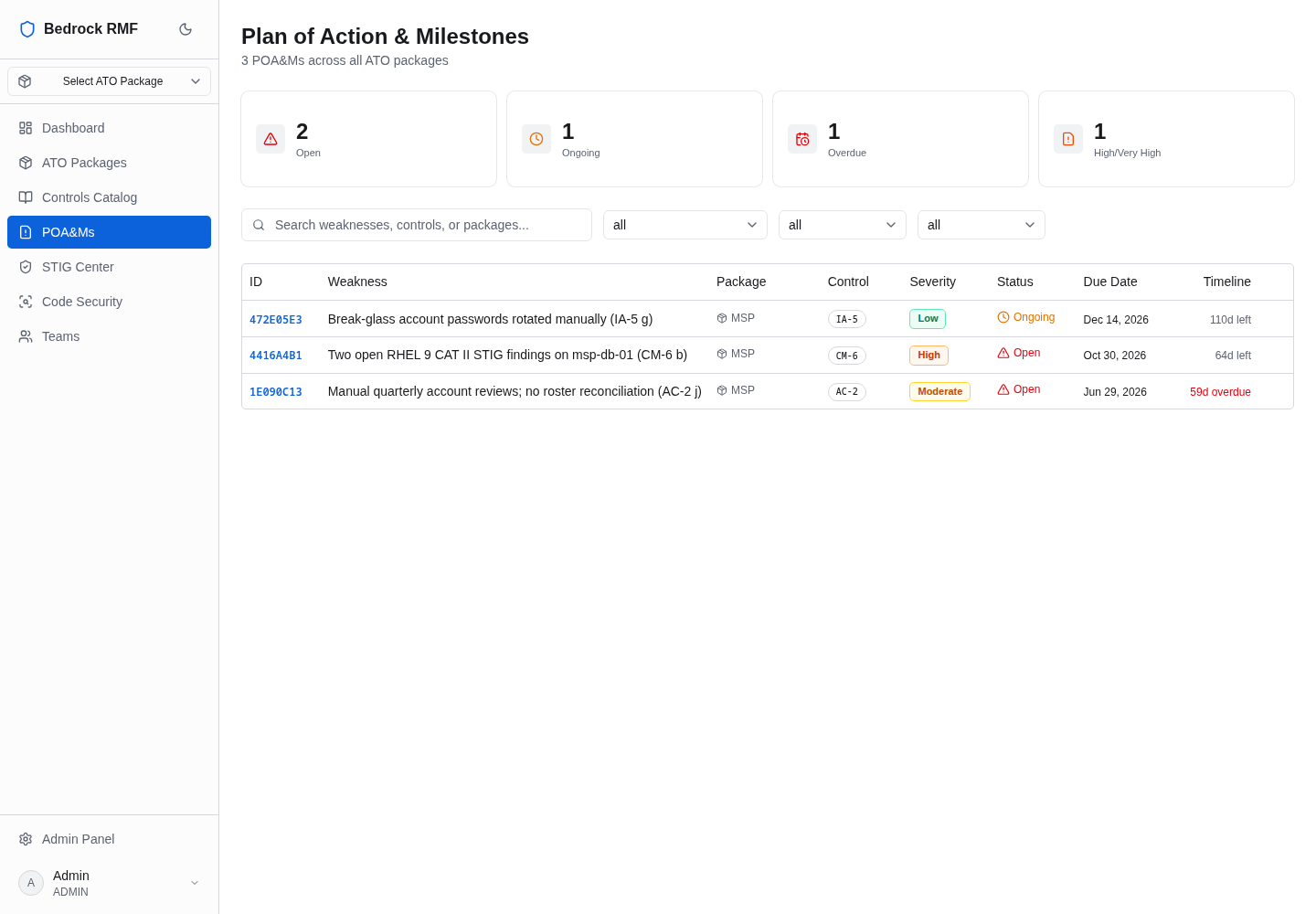
POA&Ms in the main sidebar (/poams) is the workspace-wide list — the
same columns plus the package — for the "all systems" view an ISSM wants
before a status meeting.
Dates
Dates are entered as YYYY-MM-DD and rendered in US format. (1.0.0 showed them one day early in US time zones; fixed in 1.0.1 — issue #3.)