 foxxcyber/docs
The STIG Center
The workspace-wide STIG view — every host and every affected NIST control across the packages you can reach, with never-scanned hosts and per-benchmark rollups.
Each package's STIG page answers "how is this system doing?" The STIG Center in the main sidebar answers the question an ISSM actually gets asked: "how are all of them doing?" It rolls up every current checklist across every package you can reach — Every host and every affected NIST control, across the packages you can reach — without you opening the packages one at a time.
Choose STIG Center in the left sidebar.
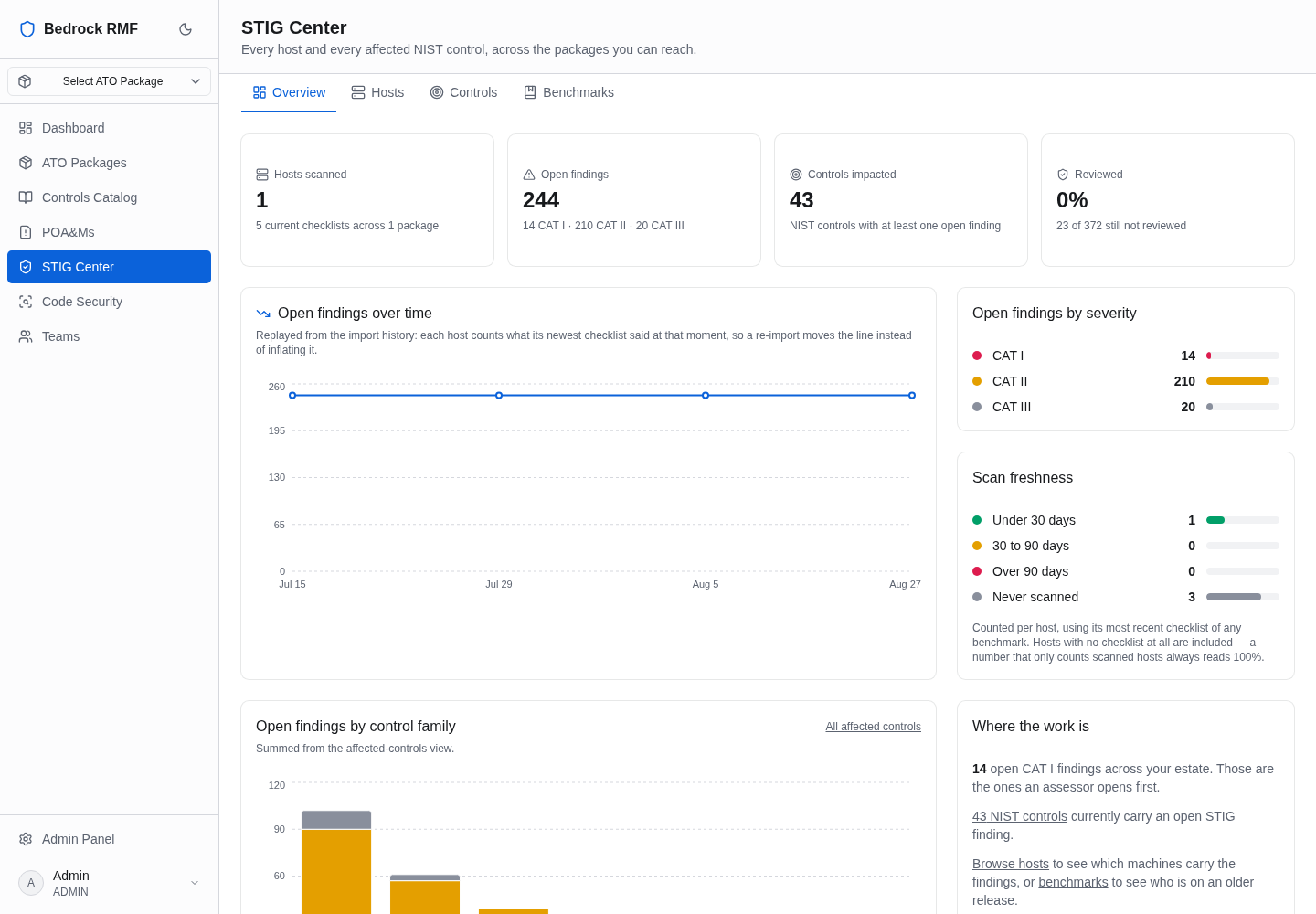
Overview
Four cards summarise the workspace:
- Hosts scanned — n current checklists across n packages.
- Open findings — with the CAT I / II / III split.
- Controls impacted — distinct NIST controls reached by open findings.
- Reviewed — the percentage of rules with a review status.
Below them is the same open findings over time chart the package pages use, at workspace scale. Its rule is stated on the page: each host counts what its newest checklist said at that moment, so a re-import moves the line instead of inflating it. A host that was re-scanned three times contributes one value per point in time, never three.
Hosts
The Hosts tab is the inventory-versus-scans reconciliation. Filter with All packages and All hosts; the header calls out n never scanned.
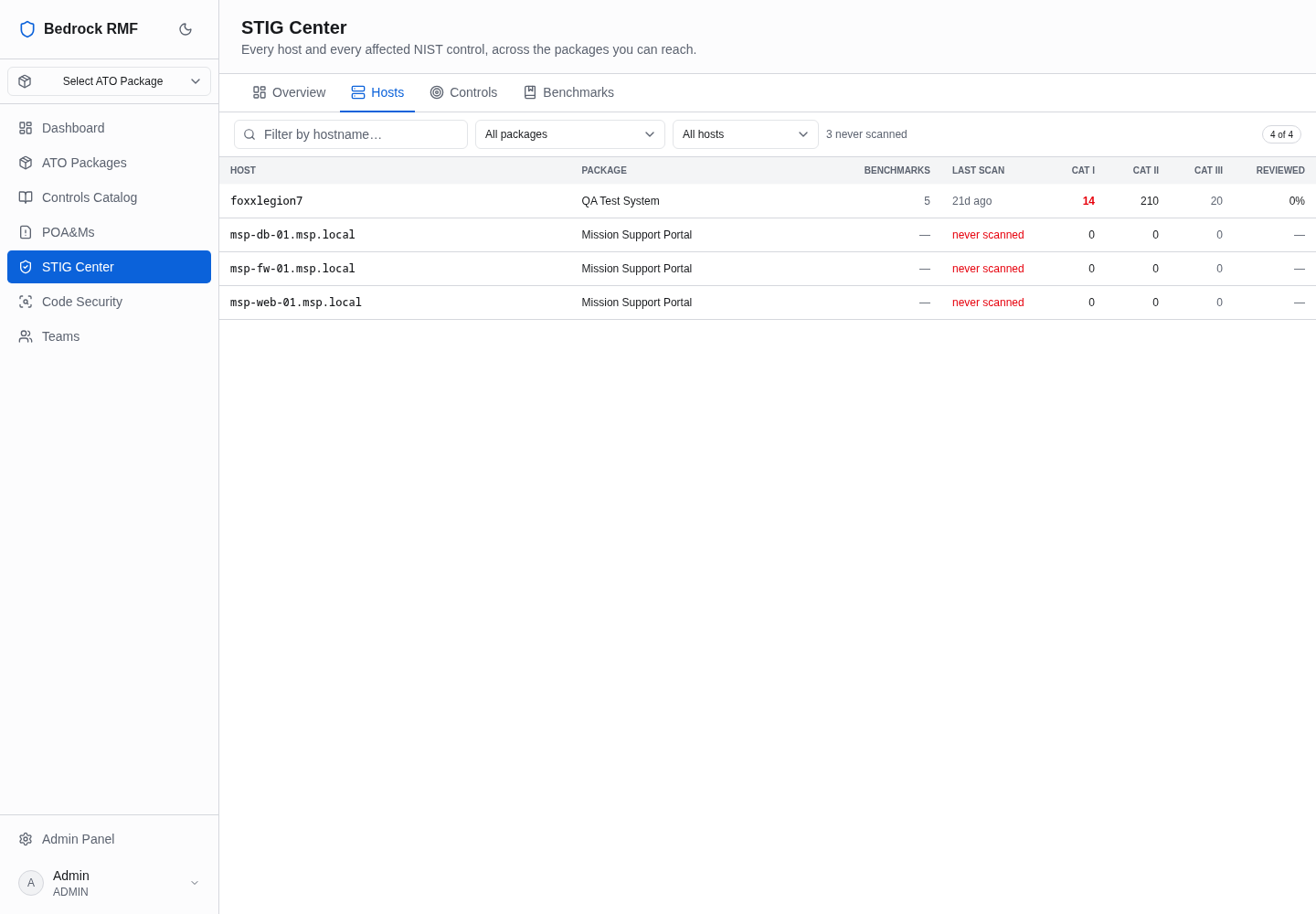
| Column | Meaning |
|---|---|
| Host | the inventory hostname |
| Package | which ATO package it belongs to |
| Benchmarks | how many benchmarks have a current checklist for it |
| Last scan | date of the newest checklist |
| CAT I / CAT II / CAT III | open findings by severity |
| Reviewed | share of rules with a review status |
Hosts that exist in a package's HW/SW List but have no checklist show never scanned. That is the list to hand to whoever runs the scanners: those hosts are inside an authorization boundary with no technical evidence behind them.
Never scanned is a coverage gap, not a clean bill
A host with zero open findings because it has zero checklists is worse than one with ten CAT IIIs. Treat this tab's never-scanned count as a finding in its own right.
Controls and Benchmarks
The Controls tab lists the NIST SP 800-53 controls affected by open findings across the workspace — the same CCI walk each package's control impact view performs, aggregated. Use it to see which control families are failing everywhere versus in one system.
The Benchmarks tab groups the same data by STIG benchmark, so you can see, for example, how every host running a given operating system is doing against that OS's STIG regardless of package.
How the numbers stay honest
Everything in the STIG Center is derived from checklists on live hardware assets, using each host's newest revision per benchmark. Superseded checklists are kept for history but never counted. Nothing here is entered by hand, which is why it can be shown to an assessor as-is.
To act on what you see, go to the package: import a checklist for a never-scanned host (Importing STIG checklists), or open its STIG page to turn findings into POA&Ms (From findings to POA&Ms).