 foxxcyber/docs
STIG posture
Read a package's STIG posture page — hosts scanned, open findings by CAT severity, scan freshness, and the per-host checklist grid.
The STIG page of a package is its technical-compliance dashboard: how many of the package's hosts have a current checklist, how many findings are open and how severe they are, and how stale the scans are. It is computed from the newest checklist of every live host, so it always reflects what the scanners last said — not a status someone typed.
Open a package and choose STIG in the sidebar (or the STIG tab under the package header).
The headline
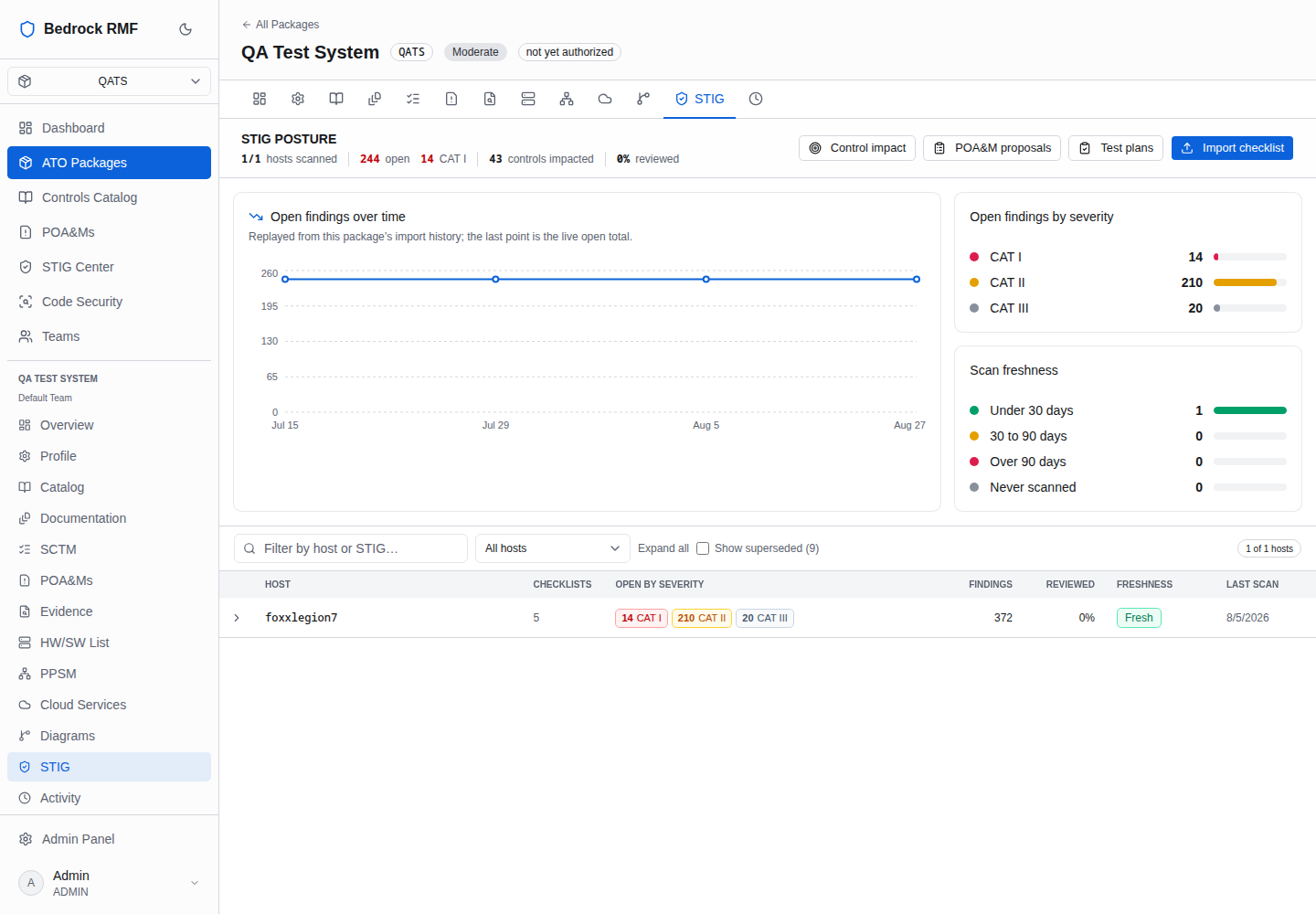
The page title reads STIG POSTURE followed by the numbers that matter: x/y hosts scanned · n open · n CAT I · n controls impacted · n% reviewed.
- Hosts scanned — hosts in the inventory that have at least one imported checklist, out of all hosts in the package.
- Open — findings currently in Open status across the newest checklists.
- CAT I — the count of those that are Category I. In STIG terms CAT I is a weakness that directly and immediately leads to loss of confidentiality, integrity or availability; CAT II can lead there; CAT III degrades protections. CAT I open findings are what an assessor asks about first.
- Controls impacted — how many NIST SP 800-53 controls the open findings map to, via the CCIs each failing rule cites.
- Reviewed — the share of rules that have a recorded review status rather than Not Reviewed.
Four buttons sit in the header: Control impact, POA&M proposals, Test plans and Import checklist. The first three are covered in From findings to POA&Ms; the last in Importing STIG checklists.
The three panels
Open findings over time — Replayed from this package's import history; the last point is the live open total. Every import is a point on the line, so the chart is the burn-down (or the regression) across scans. A re-import for a host replaces that host's contribution rather than adding to it.
Open findings by severity — the open total split into CAT I, CAT II and CAT III.
Scan freshness — hosts bucketed by the age of their newest checklist: Under 30 days, 30 to 90 days, Over 90 days and Never scanned. A host in the inventory with no checklist at all counts as never scanned.
The host grid
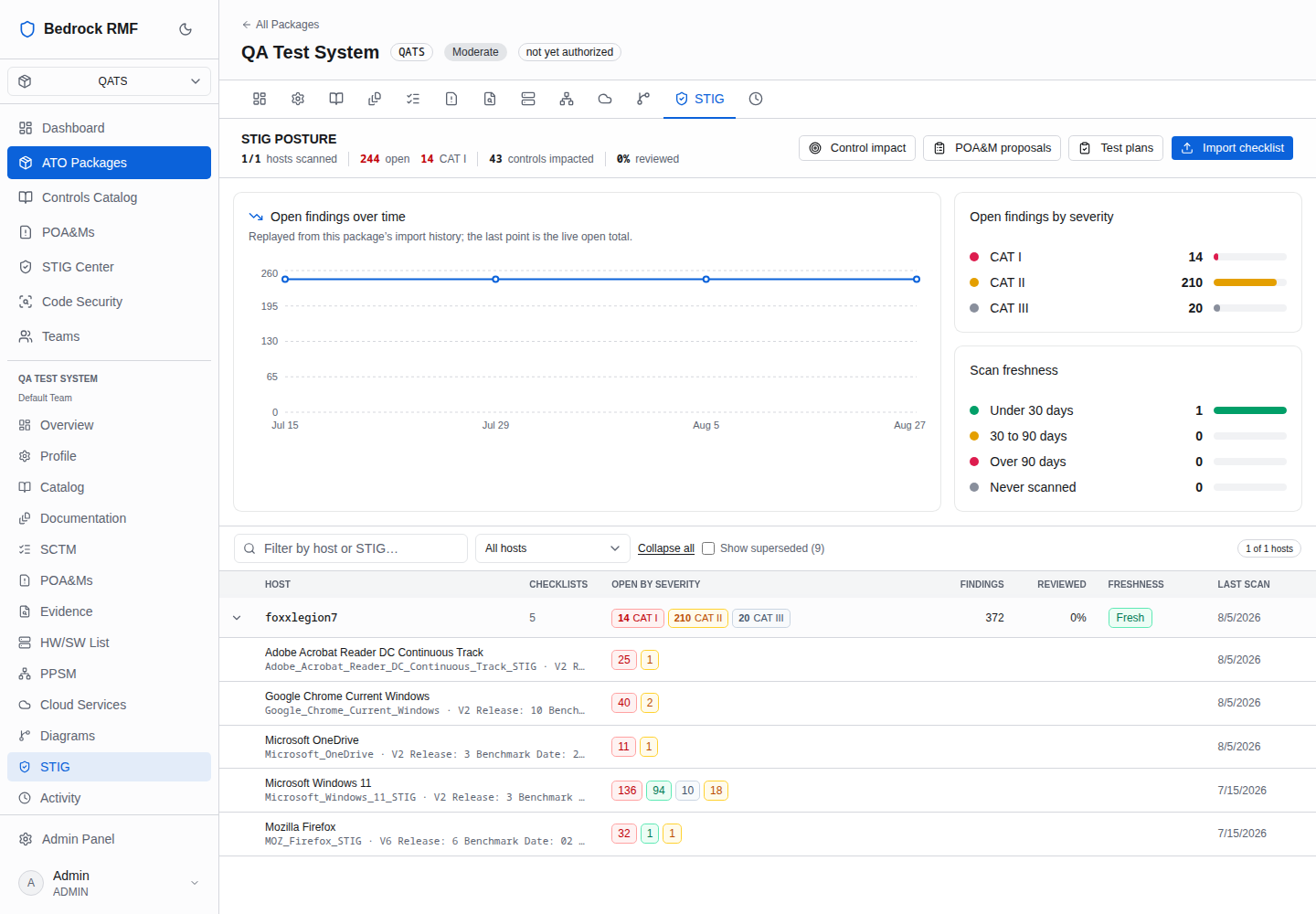
Below the panels is one row per host, with a filter box, an All hosts selector, Expand all, and Show superseded (n) to reveal checklists that a later import replaced.
| Column | Meaning |
|---|---|
| HOST | the inventory hostname the checklists bound to |
| CHECKLISTS | how many benchmarks have a current checklist for this host |
| OPEN BY SEVERITY | CAT I / II / III pills for the host's open findings |
| FINDINGS | total rules recorded for the host |
| REVIEWED | share of rules with a review status |
| FRESHNESS | Fresh or Stale, from the newest checklist's date |
| LAST SCAN | date of that newest checklist |
Expand a host to see each of its checklists — benchmark name, revision and import date — and click one to open the scan detail.
Stale is a prompt, not a verdict
Freshness only tells you the scan is old. Re-run the scanner on the host, export the checklist, and import it; the new revision supersedes the old one and the freshness bucket updates on its own.
Where to go from here
- Open a checklist to work the findings one by one — Reviewing findings.
- See which NIST controls the open findings affect and turn findings into POA&Ms — From findings to POA&Ms.
- Compare hosts across every package you can reach — The STIG Center.