foxxcyber/docs
Finances
See what a client's assets are worth, the yearly loss its risks carry, what treating them costs and the security budget, stacked asset by asset, with a check that protection never costs more than what it protects.
Finances (a client tab, after Assets) puts the client's money picture on one page. It reads what you already record: asset values from Assets, losses and treatment costs from Risks, and cost estimates from the Roadmap. The only thing you type here is the security budget.
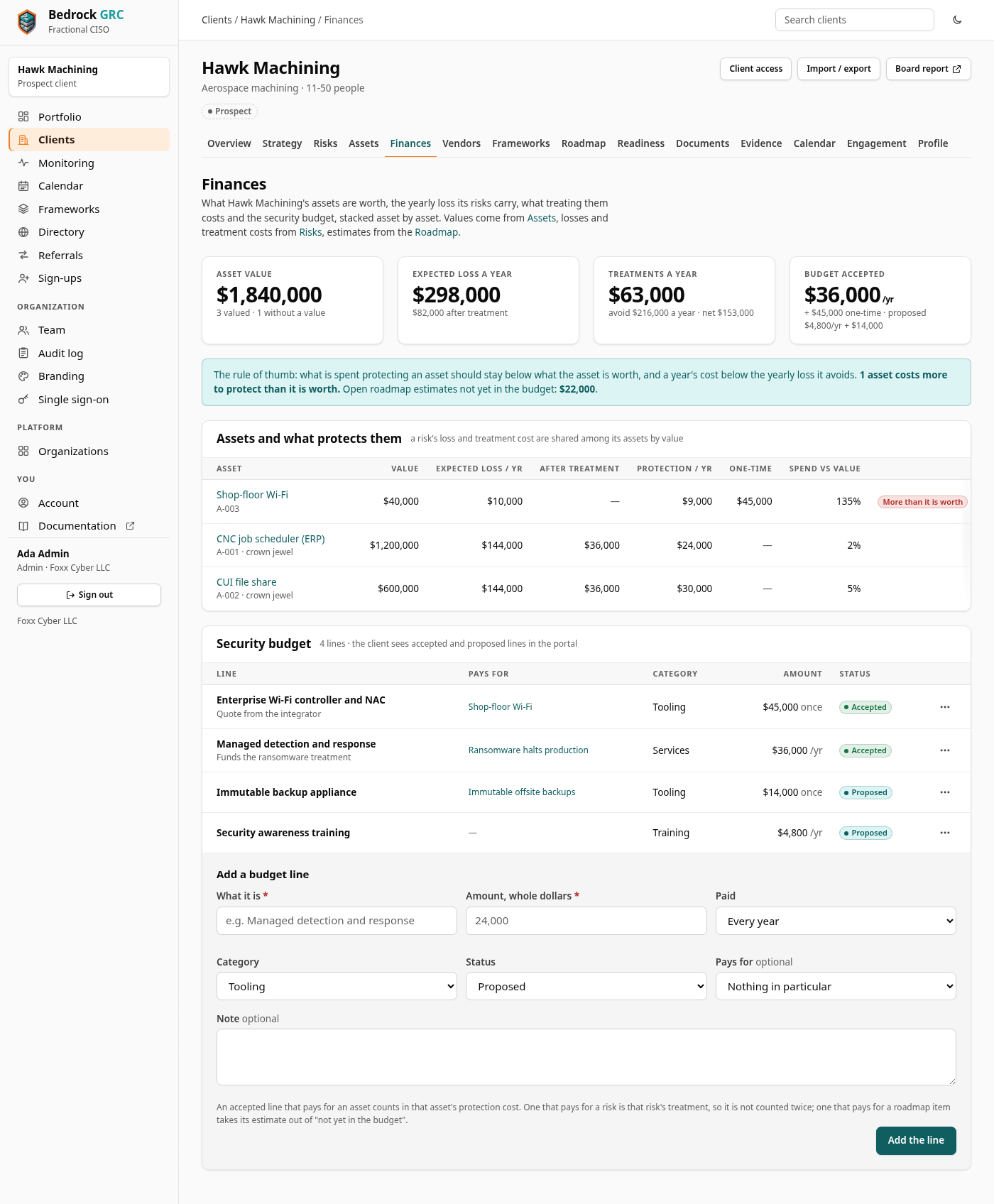
The totals
| Tile | What it adds up |
|---|---|
| Asset value | The value of every live asset that has one, and how many have no value yet. |
| Expected loss a year | The live risks' annual loss expectancy (ALE), and what it would be after their treatments. |
| Treatments a year | What the risks' treatments cost each year, the loss they avoid, and the net: avoided loss less cost. |
| Budget accepted | Accepted budget lines, yearly and one-time, and what is still proposed. |
The rule of thumb
What is spent protecting an asset should stay below what the asset is worth, and a year's cost below the yearly loss it avoids. The note under the tiles says how many assets break the first rule, how much of the open roadmap's estimates no budget line pays for yet, and the treatment costs of risks with no valued asset to carry them.
Assets and what protects them
Each valued live asset, with its value, its share of the expected loss now and after treatment, what protecting it costs a year, any one-time cost, and that spend as a share of its value. Two flags:
- More than it is worth: the first year's spend (yearly plus one-time) is above the asset's value.
- More than the loss it avoids: the yearly cost is above the yearly loss the treatments remove. This shows only when a risk on the asset has a residual exposure factor or rate, so the treatment's effect is known.
A risk linked to several assets shares its loss and its treatment cost among them by value: an asset worth twice as much carries twice the share.
The security budget
Each line is something the client pays for, or is asked to pay for:
| Field | |
|---|---|
| What it is | Up to 120 characters. |
| Amount | Whole dollars. |
| Paid | Every year or Once. |
| Category | Tooling, Services, People, Training, Insurance or Other. |
| Status | Proposed, Accepted by the client or Declined. |
| Pays for | Optional: one asset, one risk or one open roadmap item. |
| Note | Optional. |
How a line counts depends on what it pays for:
- An asset: once accepted, it adds to that asset's protection cost.
- A risk: it is that risk's treatment, already counted from the risk's treatment cost, so it is not added again.
- A roadmap item: accepted or proposed, it takes the item's estimate out of "not yet in the budget".
- Declined lines count nowhere.
Add a line with the form under the list; edit or delete one from its row menu. People who can edit the client can change the budget, and every change is in the audit log. Budget lines are part of the client's backup.
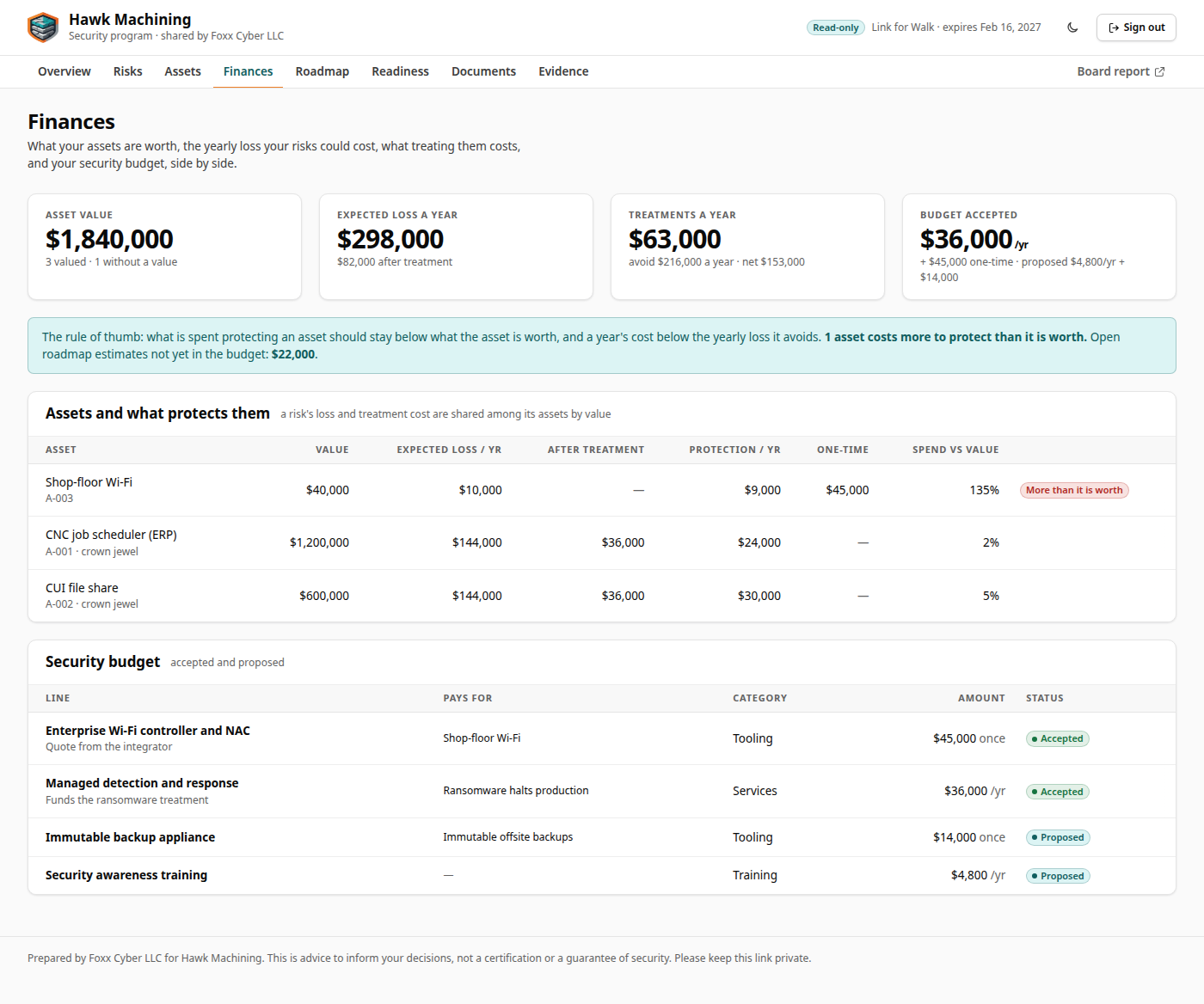
In the client portal
The portal has a read-only Finances page with the same totals, the same asset-by-asset table and the accepted and proposed budget lines (declined ones are left out). It appears once the client has a valued asset or a budget line.