 foxxcyber/docs
The MSP Workspace
Manage many client packages from one portal, with a fleet-wide dashboard and package cloning.
MSPs sign in on the MSP tab of the login page. The MSP workspace mirrors the contractor workspace — the same package pages (Overview, SSP, Controls, POA&Ms, Assets, Evidence, ConMon, Export, Assessment) — plus MSP-only tools: a fleet dashboard, package cloning, and guest access. The sidebar header reads Bedrock CMMC with an MSP tag beneath it.
Packages in the MSP workspace belong to your MSP organization — you own and edit them directly. Use one package per client engagement (plus one for your own compliance), and use Guest Access to show a client where they stand.
The Portfolio dashboard
Click Dashboard in the sidebar to open the Portfolio page — "Fleet-wide compliance at a glance."
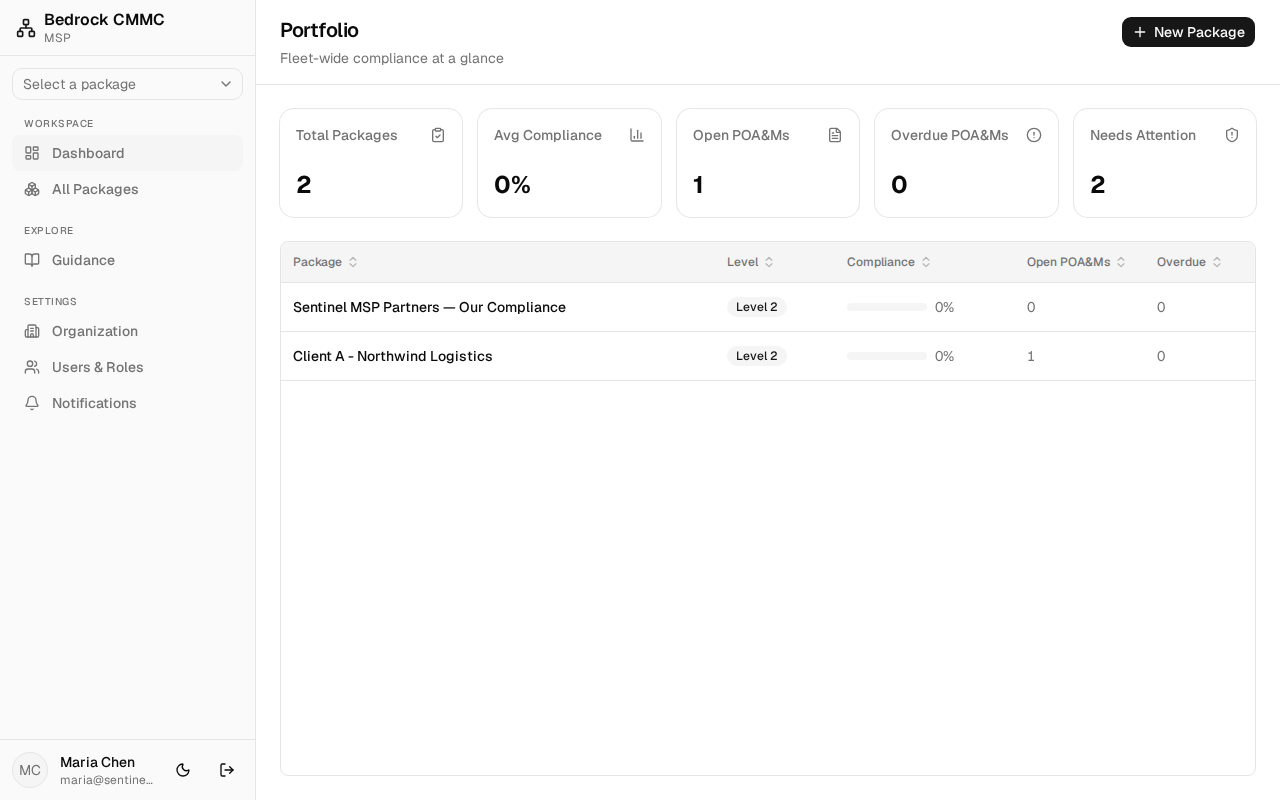
- Five KPI cards: Total Packages, Avg Compliance, Open POA&Ms, Overdue POA&Ms, and Needs Attention.
- A table of every package with Package, Level, Compliance, Open POA&Ms, and Overdue columns. Click a row to open that package's overview.
- New Package in the top-right creates a package (the form is titled New ATO Package).
The package list
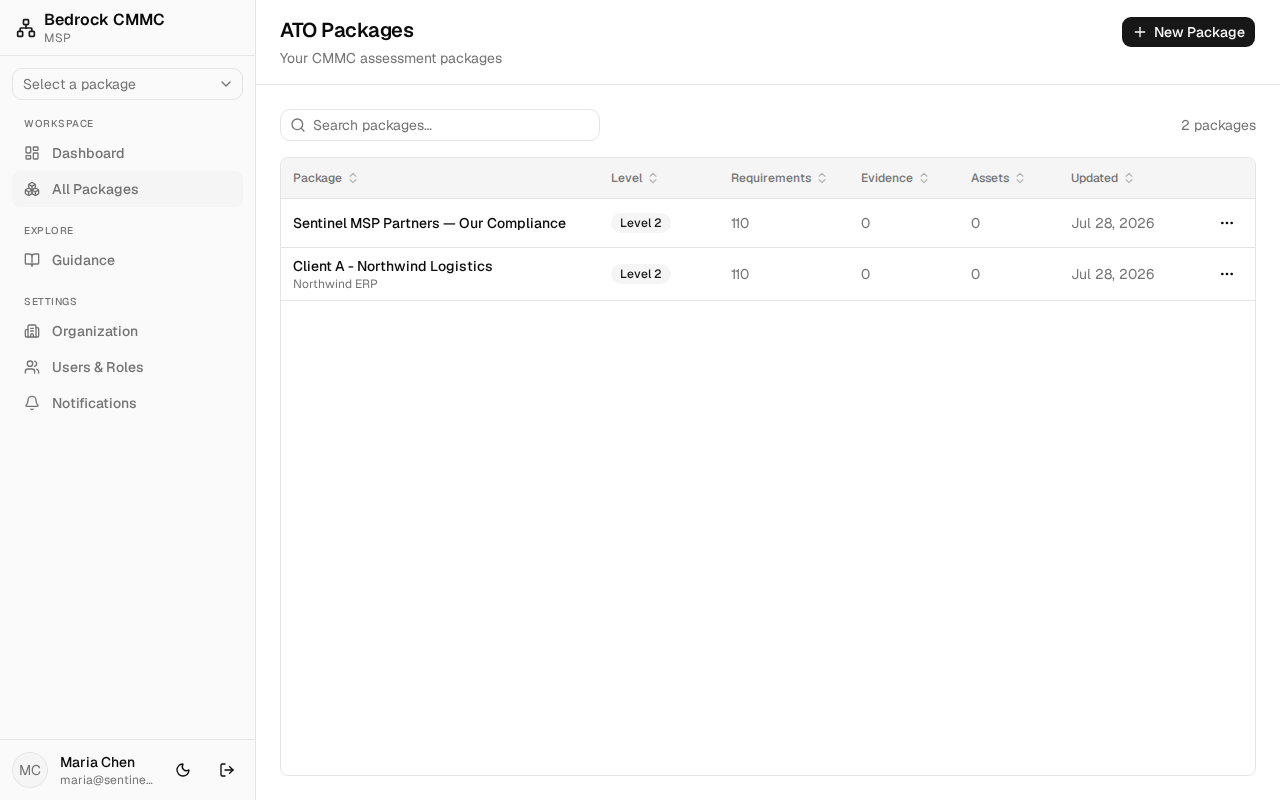
Click All Packages to open the ATO Packages list — the same search and table as the OSC list, with one addition: each row's actions include a clone option.
Cloning a package
Cloning is how you stamp out a new client package from a template or an existing engagement:
- In the ATO Packages list, click the ⋯ actions button at the end of the source package's row and choose Clone. The Clone package dialog opens.
- Set the Package name (defaults to "Clone of source name").
- Choose the Copy options:
- System profile (owner, ISSO, boundary, description)
- Control posture (objective statuses + notes)
- Assets (hardware, software, network inventory)
- Click Clone package.
- A Package cloned summary reports how many objectives and assets were copied. Click Go to package to open the new package, or Retry if any items failed to copy.
Evidence and POA&Ms are never copied — they are specific to the original package.