 foxxcyber/docs
Package List & Overview
Find your packages and read a package's health at a glance.
The package list
Click All Packages in the sidebar to open the Eval Packages page.
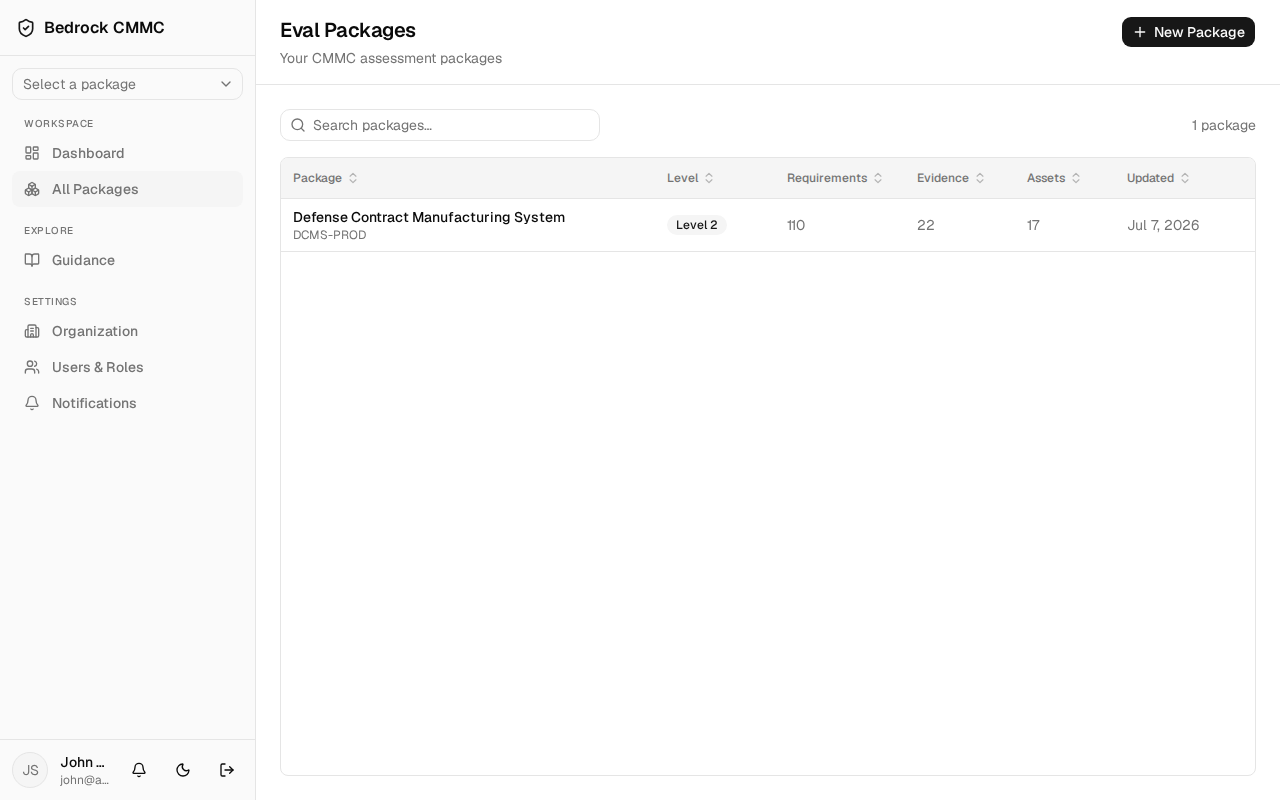
- Use the Search packages… box to filter by name.
- The table shows Package (name and system name), Level, Requirements, Evidence, Assets, and Updated columns. Click any column header to sort.
- Click a row to open that package's Overview.
- New Package in the top-right starts a new package.
The package overview
Selecting a package (from the list, the dashboard, or the sidebar's package selector) opens its Overview page. The header shows the package name, its level badge, and a Controls shortcut button.
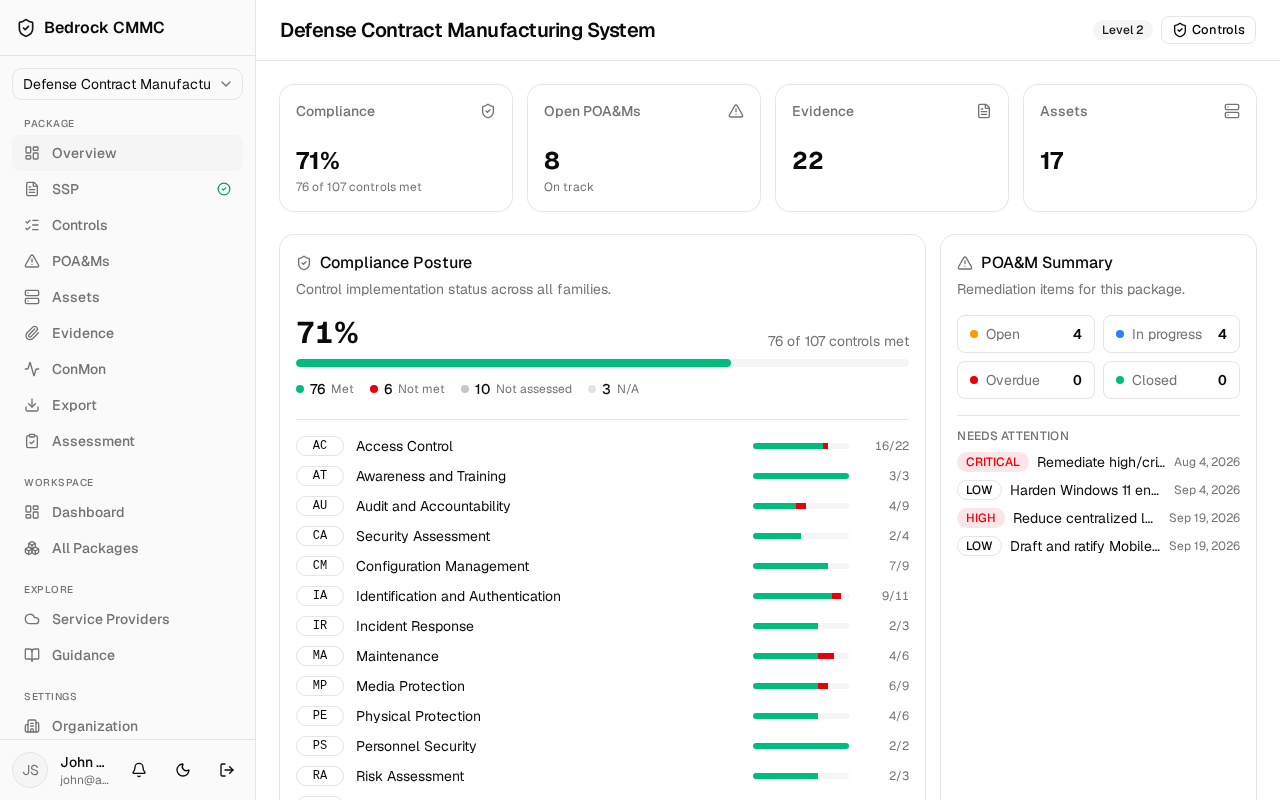
From top to bottom:
- Four stat cards: Compliance (percent of assessable controls met), Open POA&Ms (with an overdue count when applicable), Evidence, and Assets.
- Compliance Posture — a per-family breakdown of control implementation with progress bars for each control family (AC, AT, AU, and so on).
- POA&M Summary — counts of Open, In progress, Overdue, and Closed remediation items, plus a "Needs attention" list of upcoming deadlines.
- Recent Activity — the latest changes in the package.
- System Information — the system name, owner, security officer, boundary, and description you entered when creating the package.