 foxxcyber/docs
Creating your account
Sign up as a coach or an athletic director, verify your email, and sign in.
Signing up
On the sign-up page, first pick what kind of account you need.
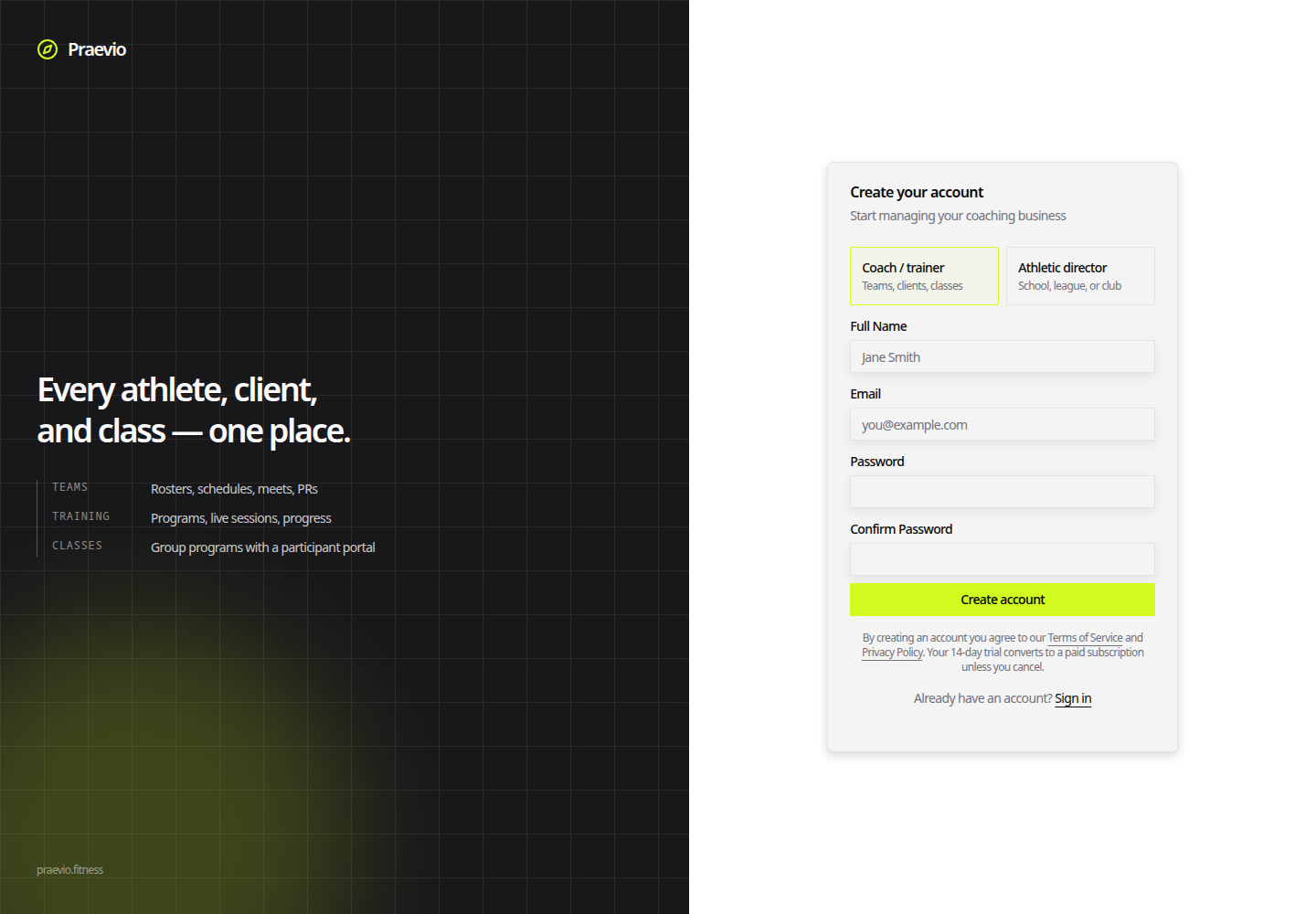
- Coach / trainer — teams, clients, classes. This is the account that gets the coach app.
- Athletic director — a school, league, or club. This account creates an organization and oversees the teams that attach to it. See The organization workspace.
Then fill in Full Name, Email, Password, and Confirm Password. A strength meter under the password field updates as you type. Below the Create account button are links to the Terms of Service and Privacy Policy, and a reminder that your 14-day trial converts to a paid subscription unless you cancel.
Verifying your email
After you submit, the page changes to Check your email and shows the address the verification link went to. Open the link to activate the account.
You cannot sign in until the address is verified. Attempting to sign in first shows an Email not verified screen instead of the app.
If the message doesn't arrive, check spam first. The verification link is good for 24 hours; you can request a fresh one from the verification screen.
Signing in
The sign-in page takes your email and password. If you have turned on two-factor authentication, the form then swaps to a single Authenticator Code field — enter the six-digit code from your authenticator app and click Verify. Setting that up is covered in Profile and security.
Once you are in, a coach account goes to the welcome wizard the first time and to the home dashboard after that. See Setting up your practice.
Forgotten passwords
Click Forgot password? next to the password field, enter your email, and open the link that arrives. The reset link expires after one hour; request another if it lapses.
Who does not sign up here
The sign-up page creates coach and athletic-director accounts only. Everyone else is brought in by the person coaching them:
- Personal-training clients get an emailed invitation from their coach and set a password from that link. See Managing clients.
- Athletes and parents never set a password at all. They join with a team code or an emailed link. See Invitations and join codes.
If someone you coach lands on the sign-up page by mistake, send them the right link rather than having them create a second, unconnected account.