 foxxcyber/docs
Overview
What Praevio is, who uses it, and how the pieces fit together.
Praevio is one application for people who coach: school and club team coaches, personal trainers, and group-fitness or class instructors. The people they coach — athletes, parents, and personal-training clients — get their own way in, so a coach isn't the only person who ever sees the plan.
The four surfaces
- The coach app is where you do the work: rosters, schedules, results, clients, programs, waivers, and reports.
- The client app is what a personal-training client signs into. They see the programs you assigned, log their own workouts, track measurements, and message you privately.
- The athlete and parent portal is a passwordless, phone-friendly view of a team: schedule, results, announcements, team chat, and — for the athlete themselves — assigned workouts.
- The organization workspace is for athletic directors overseeing a school, league, or club. It rolls up every team attached to the organization without exposing a coach's private client data.
Avenues
Praevio calls the things you coach avenues, and you can run more than one side by side:
- A team — a school or club roster with a schedule, meets, results and personal records, and portal access for athletes and parents.
- Individual clients — personal training, with programs, logged sessions, body measurements, medical intake, and waivers.
- A class or group program — group fitness through a gym or community program: a roster, a schedule, and announcements.
Teams and classes use the same workspace; a class hides the competitive tabs. Each active team, each active class, and personal training as a whole count as separate avenues for billing — the public pricing page lets you dial each one up or down and shows the resulting monthly total.
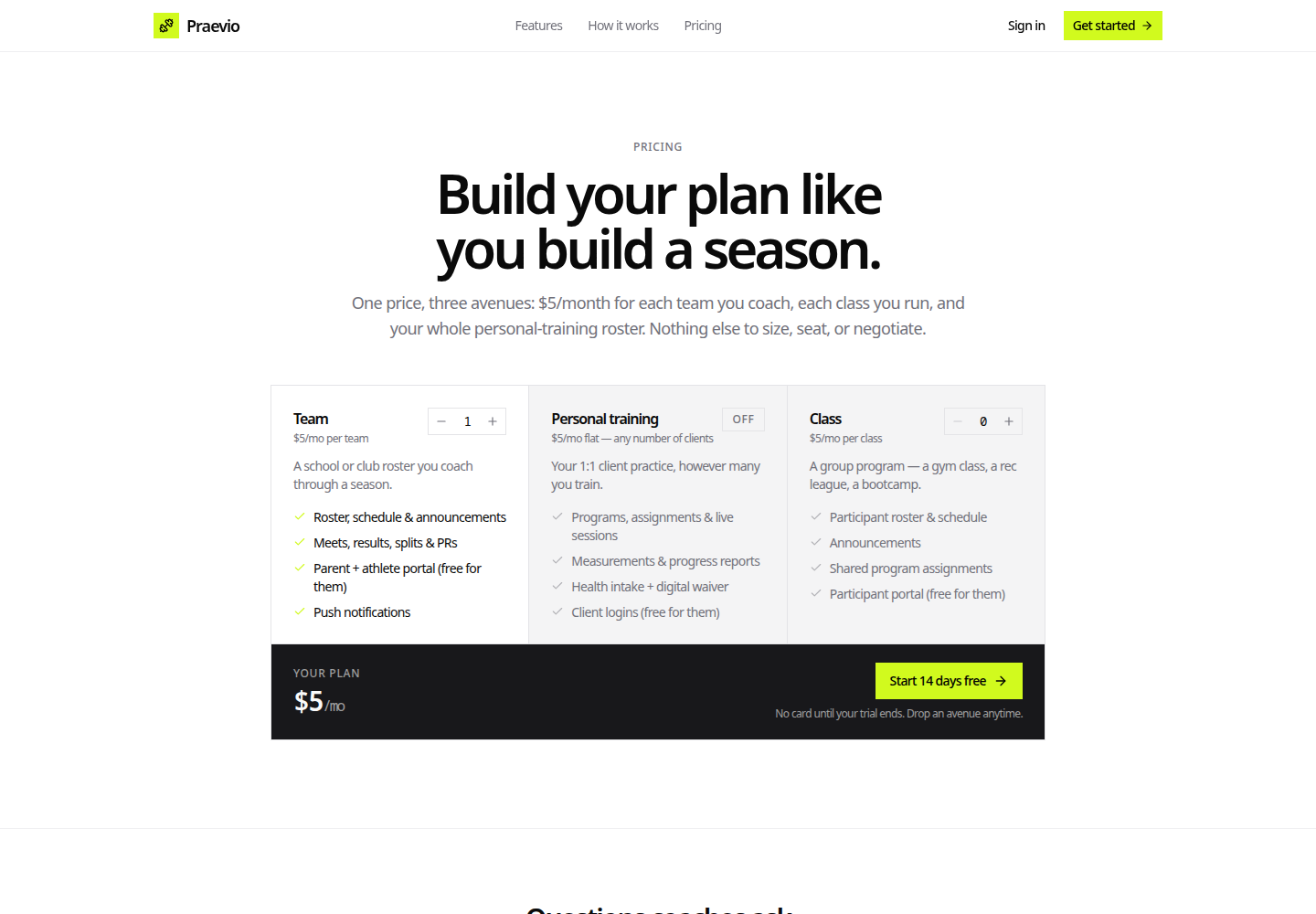
See Billing and plans for how this looks once you are signed in.
One library, every avenue
Your exercise library and your program library are not per-team or per-client. You build an exercise once and use it anywhere; you build a program once and assign it to a personal-training client, to a single athlete, or to a whole team.
Assigning is a copy, not a link. Each person gets their own snapshot of the program at the moment you assign it, so revising the source program later never rewrites work already in progress. See Assigning programs.
Everything anyone logs — a session you run in person, a client's own workout, an athlete's workout in the portal — lands in the same place and feeds the same progress charts and adherence views.
Where to go next
- Creating your account — sign up, verify your email, and sign in.
- Setting up your practice — the welcome wizard and the setup checklist.
- How the portal works — what athletes and parents see.