 foxxcyber/docs
Building programs
Assemble workouts and exercises into a reusable training program.
A program is an ordered set of workouts. Each workout is an ordered set of exercises drawn from the exercise library. Programs live under Library in the sidebar and are reusable — build once, assign to as many people as you like.
Creating a program
Start a new program and give it a Program Name and, optionally, a description. Then build it out under Workouts.
Workouts
Each workout has a Workout Name and its own list of exercises. A Muscles Targeted map sits at the top of the workout, updating as you add exercises so you can see the balance of a session at a glance.
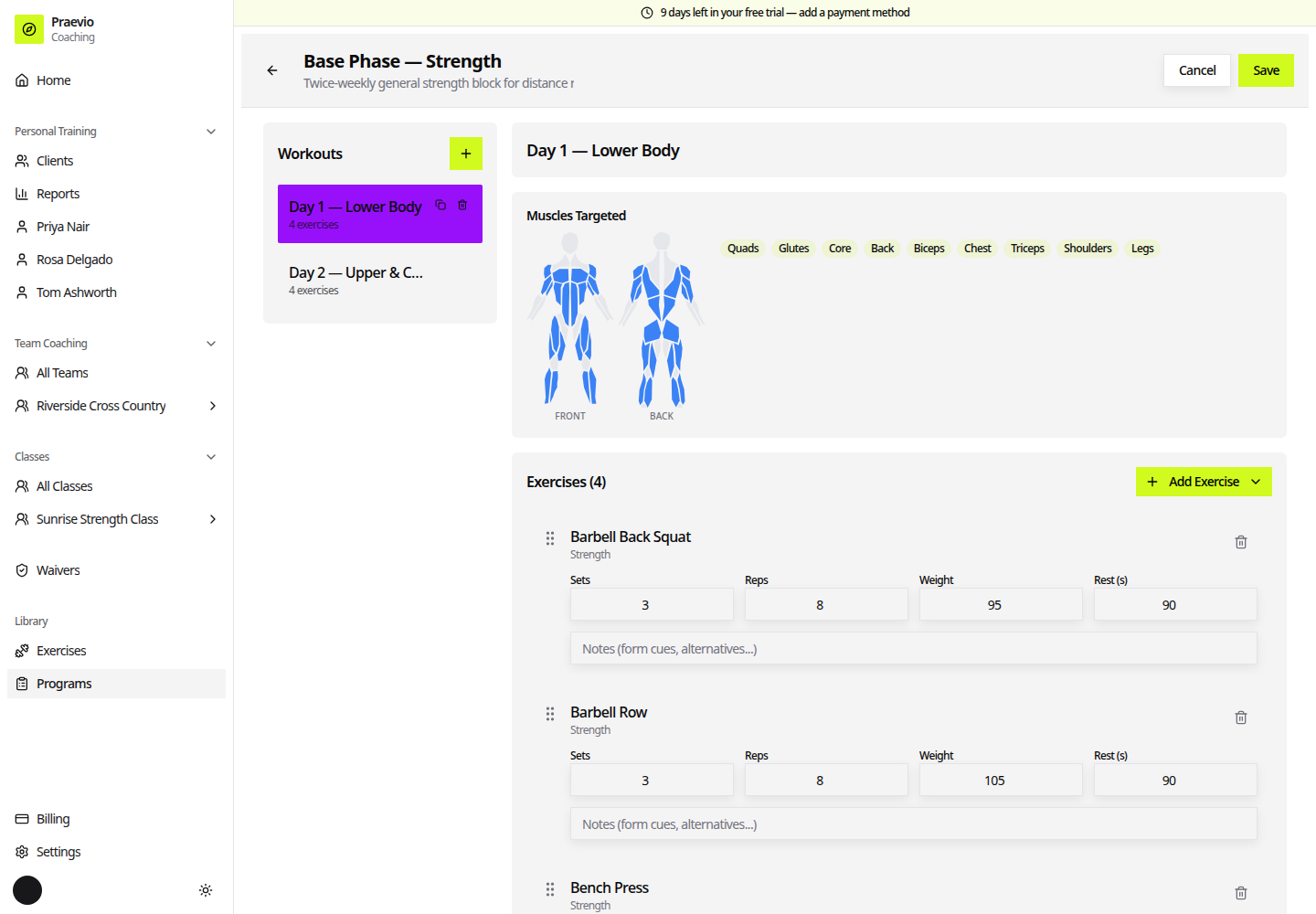
Add exercises with the Search exercises… box. Drag the handle on the left of a row to reorder exercises within the workout.
Exercise fields
Which fields appear depends on the exercise's type:
- Weight exercises: Sets, Reps, Weight, Rest (s).
- Timed exercises: Duration (min).
- Cardio exercises: Duration (min) and Distance (mi).
Every exercise also takes a free-text note — form cues, alternatives, anything the person doing the work should read at that point in the session.
Editing and deleting
Reopen a program to edit it at any time. Deleting is confirmed with a Delete Program? dialog.
Editing a program does not reach back into work you have already handed out. Assignments are snapshots taken at the moment of assigning, so a client mid-way through last month's block keeps the version they were given. To push changes to someone, assign the program to them again — see Assigning programs.
Next
- Assigning programs — get a program in front of a client, an athlete, or a whole team.
- Running a live session — what the workout looks like when someone actually does it.