 foxxcyber/docs
Measurements & progress
Logging body measurements, reading the trends, and what the client sees on their own progress page.
The Measurements tab on a client record is where body measurements are recorded over time, and the raw material behind most of what the client sees on their own progress page.
Logging a measurement
Click Record to open the Record Measurements dialog. It takes a Date and seven optional fields:
- Weight (lbs)
- Body Fat %
- Chest (in)
- Waist (in)
- Hips (in)
- Arms (in)
- Thighs (in)
Fill in only what you actually measured — blanks are skipped rather than recorded as zero. Save adds the entry.
Reading the results
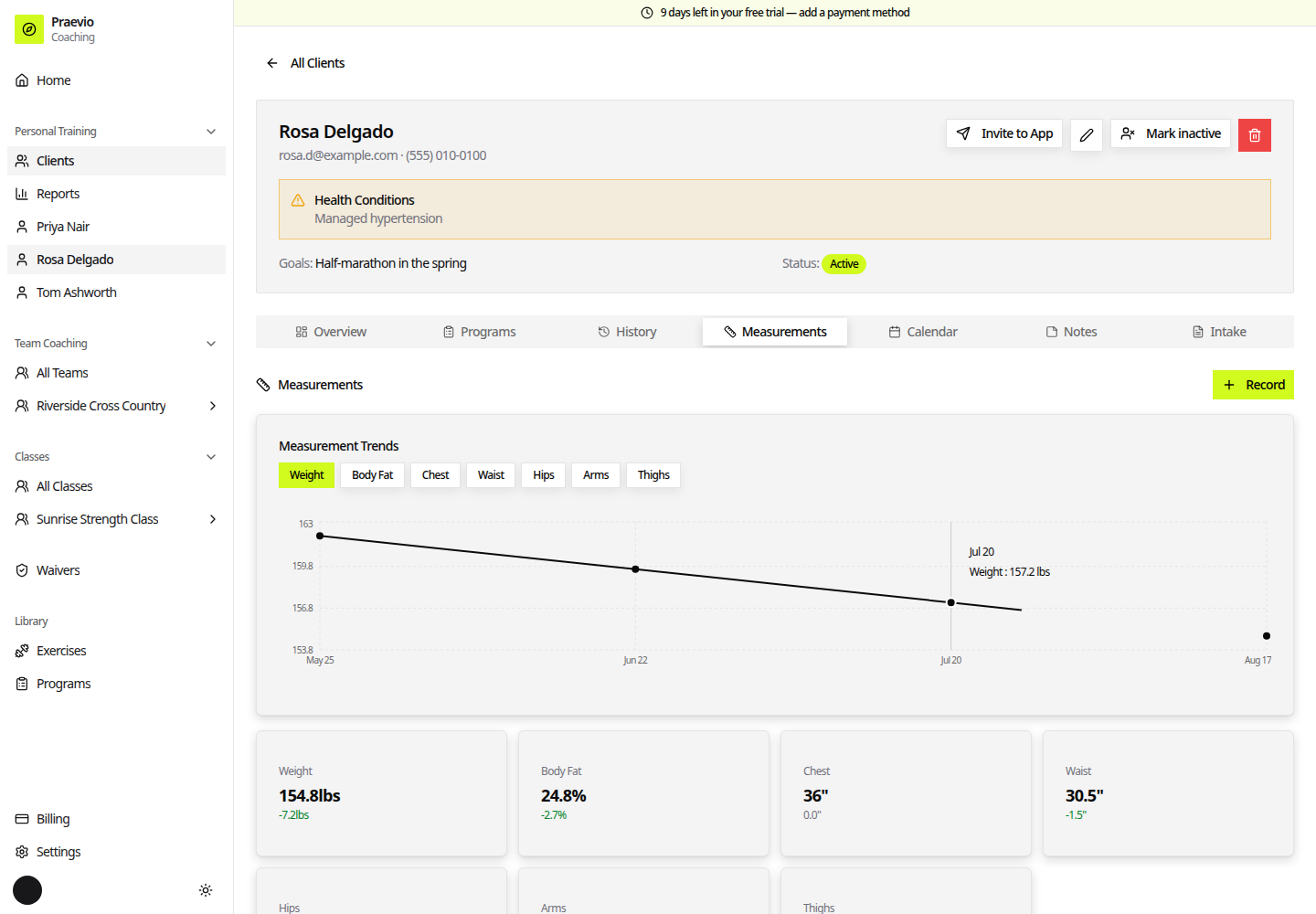
Above the log, a change card is shown for each field that has at least two readings. Each card gives the latest value and the movement since the previous one, coloured by direction: green where the number has come down and red where it has gone up. That colouring is a convention, not a judgement — read it alongside the client's actual goal.
Underneath, every measurement is listed newest first with its date and the values recorded that day. The trash icon on a row deletes that entry after a confirmation.
The client's progress page
Clients with an active account get a Progress page of their own. It shows:
- Measurement trends — the same values you log, as charts they can follow between sessions.
- Strength Progress — per-exercise charts built from what was actually logged during sessions, so the weights climb as they train. See Running a live session.
- Recent Sessions — a full history of logged sessions with sets, reps, and weights.
Nothing here needs separate publishing. Anything you record on the client record, and anything logged in a session, feeds their progress page.
Calendar and notes
Two neighbouring tabs round out the record:
- Calendar shows session dates in calendar form, which makes gaps and clusters obvious at a glance.
- Notes holds your own written notes on the client. Notes can be pinned, and pinned notes surface on the client's dashboard under Notes from your Coach — so pin the things you want them to read, and leave everything else unpinned for your own reference.
Measurements taken on a consistent schedule are far more useful than frequent ad-hoc ones. Pick an interval, put it in the calendar, and keep to it.
For a roster-wide view rather than a single client, see Reports & adherence.