 foxxcyber/docs
Results & metrics
Record meet results and team scoring, and track any number you care about over a season.
Both tabs are team-only — classes do not have them.
Results
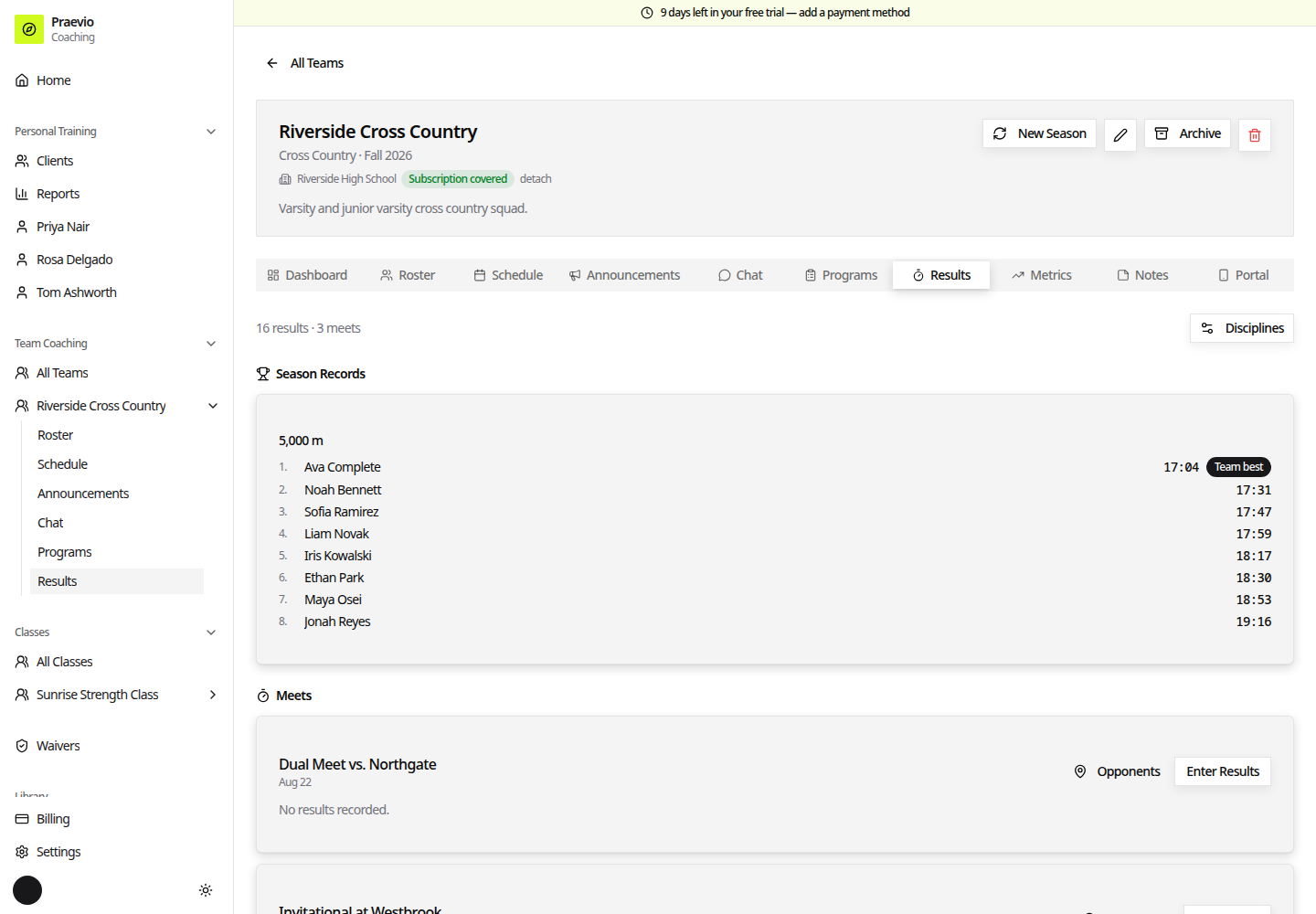
The tab header shows a count of results and meets, and a Disciplines button.
Disciplines
A discipline is a thing athletes compete in. In the Disciplines dialog each one has:
- Name — for example, "5K" or "3200m"
- Unit — Time, Distance, Weight, or Points
- Better is — Lower or Higher
- Distance (meters, optional) — for pace calculations
Season records
Under Season Records each discipline gets a card ranking every athlete by their best mark of the season, formatted for the unit, with a Team best badge on the leader. Until you enter something, the card tells you to add a meet on the Schedule tab and enter results.
Meets
Each meet on the schedule gets a card under Meets with its title, date, and two actions: Opponents and Enter Results (which becomes Edit Results once anything is recorded).
Enter Results opens a grid for one Discipline at a time, where you enter each athlete's mark and place, tick DNF where it applies, and add Splits where you track them.
Opponents records an opposing team's score for a squad group, so the card can show a win or loss.
Team scoring
Within each meet card, results are grouped by squad and gender, and each group is scored cross-country style:
- The group's Score, shown against the opponent's score with a W or L badge when you have entered one.
- Scorers and Displacers — the finishing places that counted and the places that pushed the other team's runners back.
- Pack — the spread between first and last scorer.
- Avg — the group's average.
A group with fewer than five finishers shows Incomplete team with the count instead of a score.
Metrics
Metric Definitions is where you decide what to track. Each definition has a Name (for example, "Sprint Time"), a Unit (for example, "seconds" or "kg"), a Scope of Team or Athlete, and an optional Description.
Record Entry logs a value: Athlete, Metric, Value, Date, an optional Link to Event, and optional Notes. Athlete-scoped metrics can also be recorded straight from an athlete's panel on the roster. Recent Entries lists what has been logged.
Team Analytics charts one metric at a time, with a picker when you have more than one, showing per-athlete series against the team average for athlete-scoped metrics.
Which one should you use?
A discipline has a "better is" direction, so Praevio can rank athletes and identify a best mark — use it for anything competitive. A metric is a plain tracked number over time, with no notion of a record — use it for bodyweight, attendance, wellness scores, or anything you want charted rather than ranked.