 foxxcyber/docs
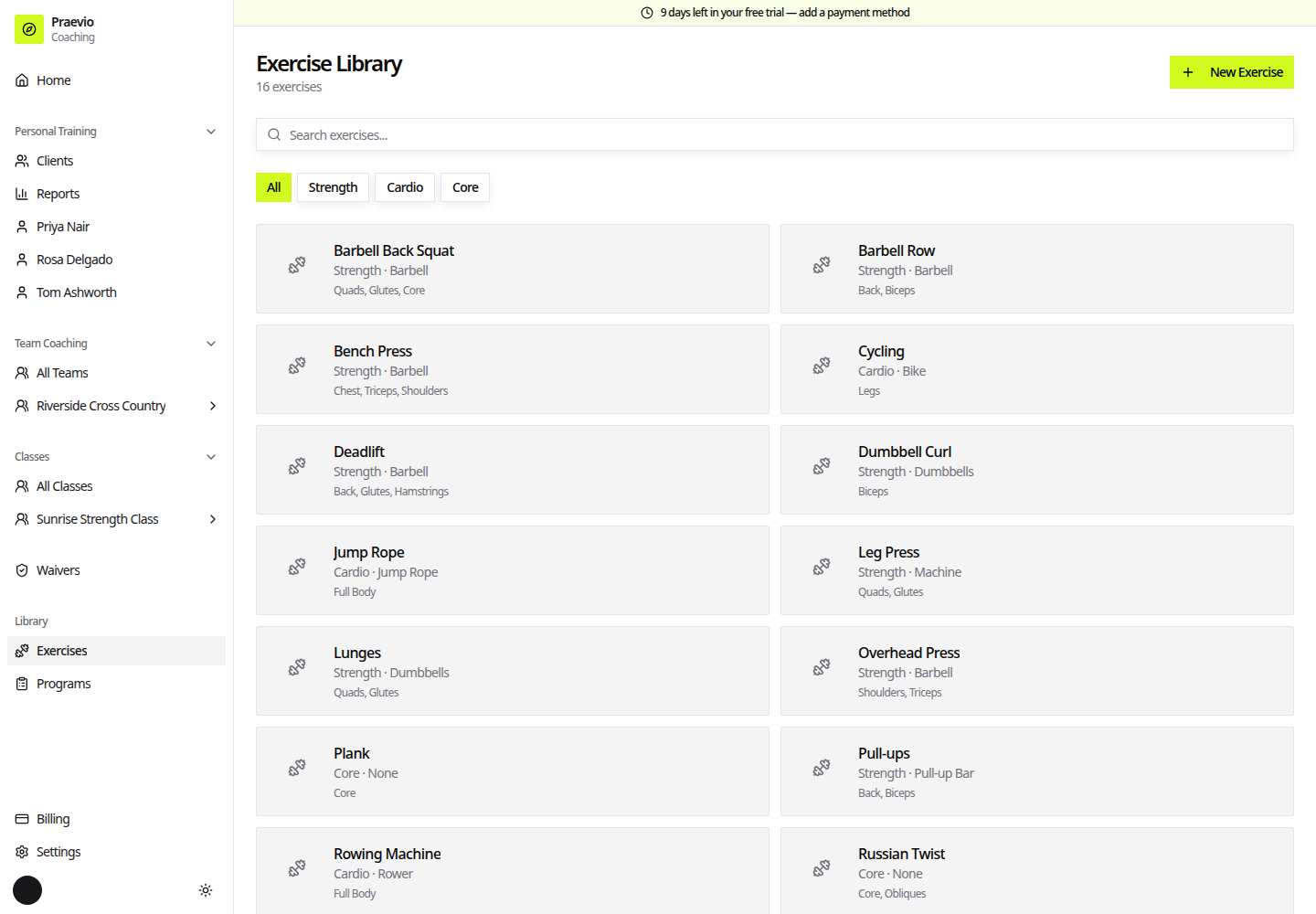
The exercise library
Build and organize the exercises every program draws from.
Exercises under Library in the sidebar is the catalogue every program is built from. It is shared across everything you coach — the same exercise serves a personal-training client, a team, and a class.
Praevio ships a starter library so you are not typing "Back Squat" on day one. Anything you add yourself is marked with a Custom badge.
Finding an exercise
Search exercises… filters by name as you type. Below it, category buttons — All plus one per category in use — narrow the list.
Adding or editing an exercise
- Exercise Name (required) — for example, "Barbell Back Squat".
- Category — Strength, Cardio, Core, or Flexibility. This is what the category filter uses.
- Type — Weight (sets/reps/lbs), Cardio (duration/distance), or Timed (duration).
- Equipment — free text, for example "Barbell, Dumbbells, None".
- Muscle Groups — a multi-select that drives the body map shown on the exercise, in programs, and during a live session.
- Exercise Image — an image upload for the exercise.
- How To Perform — step-by-step instructions.
- Coaching Tips & Common Mistakes — cues to give and errors to watch for.
Type is the field that changes behavior rather than presentation. It decides what gets logged: a weight exercise records reps and weight per set; cardio and timed exercises record duration or distance. Set it correctly and the live-session screen shows the right fields without any further configuration.
The exercise page
Opening an exercise shows its image, Category and Equipment, the muscle map, How To Perform, and Coaching Tips, plus the history of how the people you coach have actually used it — Client Performance Data and Recent Sessions — so you can see the loads being handled before you write the next block.
Next
Once the library has what you need, build a program from it: Building programs.