 foxxcyber/docs
Navigating the app
The sidebar, the avenue groups, and the home dashboard that follows what you last worked on.
The sidebar
The coach sidebar is organized by avenue, and all three groups are always present — you never have to switch a mode to reach something. Each group collapses on its own, and the group containing the page you are on stays expanded.
- Home — the dashboard, described below.
- Personal Training — Clients, Reports, and a direct link to each of your clients.
- Team Coaching — All Teams, plus each team. Expanding a team reveals its Roster, Schedule, Announcements, Chat, Programs, and Results pages.
- Classes — All Classes, plus each class, with the same expandable sub-pages.
- Waivers — the waiver documents and compliance area.
- Library — Exercises and Programs, shared across every avenue.
Below those, the sidebar footer has your billing page and settings.
Home follows your last avenue
Home is the one screen that changes shape. Praevio remembers the avenue you last worked in — clicking Clients, All Teams, or All Classes is what sets it — and renders the matching dashboard. Opening a link directly always wins over that memory, so a bookmarked or shared URL takes you exactly where it points.
Personal-training home
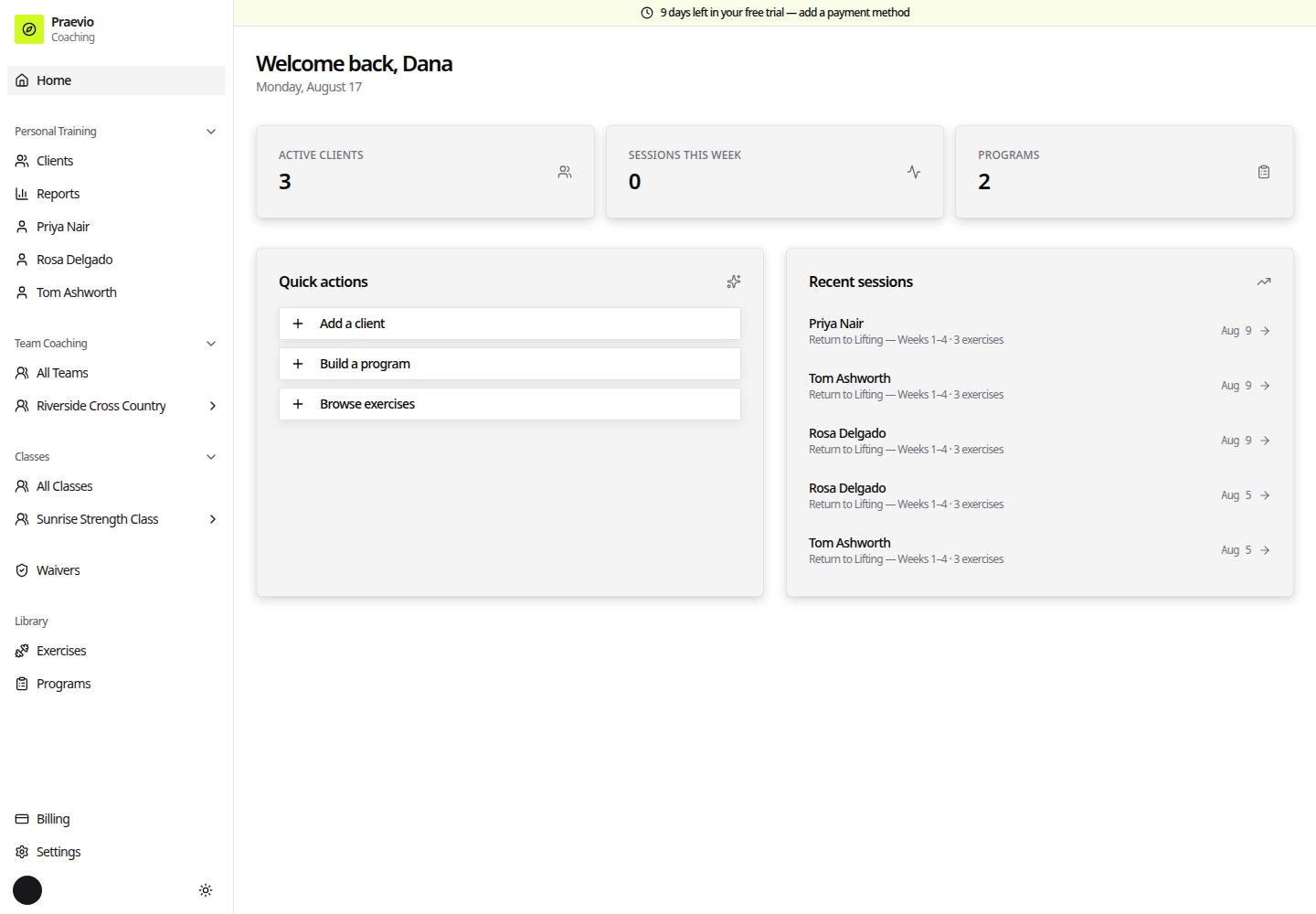
- Stat cards for Active clients, Sessions this week, and Programs.
- Quick actions: Add a client, Build a program, Browse exercises.
- Recent sessions — the latest logged workouts with client, program, and exercise count, each linking to that client.
Team and class home
- A New team / New class button in the header.
- A card per active team or class showing sport and season and the number of active athletes or participants.
- Upcoming schedule — the next events across all of your teams or classes.
Both versions show the setup checklist until it is complete or dismissed (see Setting up your practice).
Teams and classes are the same workspace
A class is a team with the competitive parts hidden. Both have a roster, schedule, announcements, chat, and programs; only teams get the Results and Metrics tabs and the position board. Everything in Teams and classes applies to both unless a page says otherwise.
Where things live
- Rosters, schedules, announcements, results — inside a team or class: Creating a team or class.
- Client records, intake, measurements — under Clients: Managing clients.
- Exercises and programs — under Library: The exercise library.