 foxxcyber/docs
Signatures & compliance
Tracking who has signed what, chasing the gaps, and pulling a formal record.
The Compliance tab under Waivers answers one question: who still needs to sign something.
The compliance dashboard
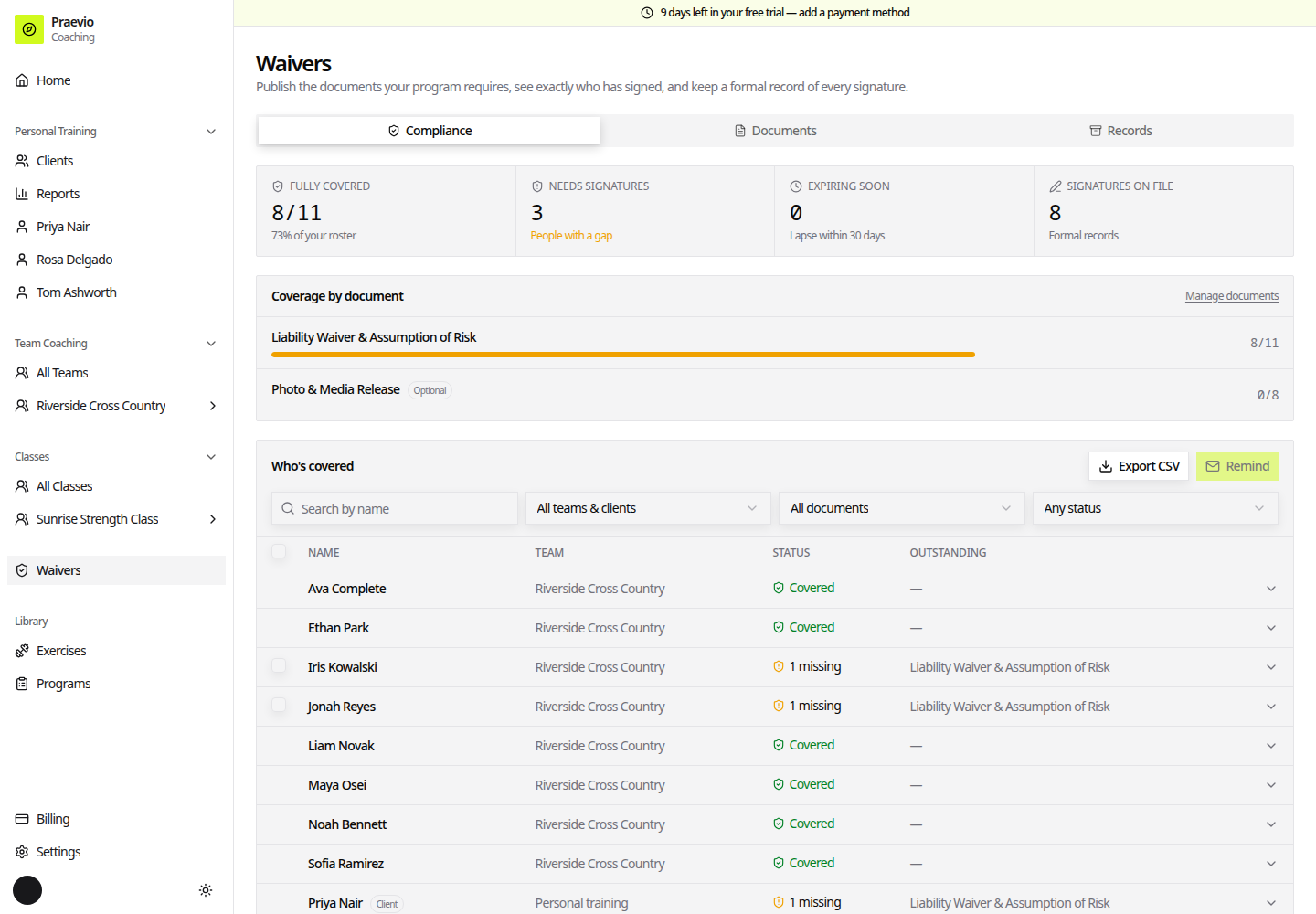
Four cards sit across the top:
| Card | What it counts |
|---|---|
| Fully covered | People with nothing outstanding |
| Needs signatures | People with a gap |
| Expiring soon | Signatures that lapse within 30 days |
| Signatures on file | Total formal records held |
Below them, Coverage by document gives a bar per published document, so you can tell a brand-new form that nobody has seen yet from an old one with three stragglers.
Who's covered
The Who's covered table lists every athlete and personal-training client against their required documents. Filter it with the search box (Search by name), the team selector (All teams & clients, a specific team, or Personal-training clients), the document selector (All documents), and the status selector (Any status, Fully covered, Needs signatures, Expiring soon).
Each row shows name, type (Athlete, Client), team, and status — Covered or Outstanding. View record opens the formal record for a signature already on file. Select all with gaps picks out everyone still outstanding, and Export CSV downloads the current view for chasing offline.
A team-scoped version of the same table is available from a team's own waiver page, which is usually the more practical place to work from when you are getting one squad ready for a season.
The records archive
The Records tab is the signature archive — every signature and decline across your whole roster.
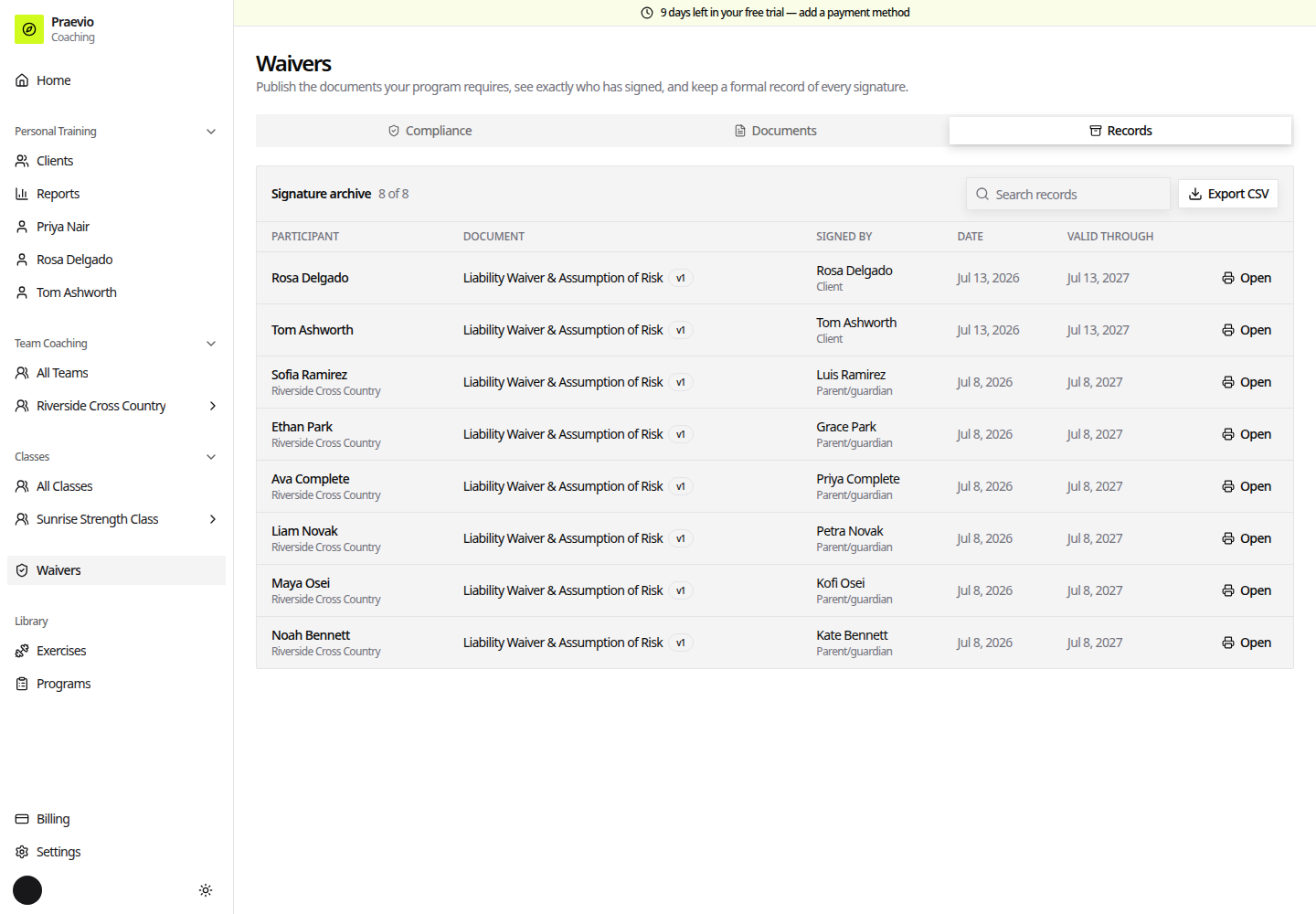
Rows show the participant, the document and version, who signed and their relationship, the date, and Valid through where the document expires. Declines are marked Declined and superseded signatures are labelled superseded where a newer version now applies.
Use the search box to find a person or document, and Export CSV for the whole set.
Open on a row produces the printable individual record: participant, signer and relation, signer email, the date and time signed, the document title and version, the signature method, the expiry, and the record id. That is the page to print or save if anyone ever asks for proof.
A superseded record is still a valid record of what was agreed at the time. It is marked superseded only to show that a newer version of the document now applies going forward.
How people actually sign
Athletes and parents see a banner at the top of their portal dashboard naming the document that needs signing, with Sign now. Documents are presented one at a time; each is signed by typing a full legal name, and optional documents can be declined. See How the portal works.
Personal-training clients sign as part of intake, before they can use their account at all. See Client intake.
If someone cannot see a document you expect them to sign, check its scope and audience in Waiver documents — a document scoped to specific teams will not reach anyone else.