 foxxcyber/docs
Help & support
The built-in guides for volunteers, and how to reach the people who build RailCompliant.
Help & Guides
Click Help & Guides in the sidebar for short, plain-language guides written for the people who actually do the work — a Saturday volunteer who needs to log a repair, not a compliance officer who reads the CFR for a living.
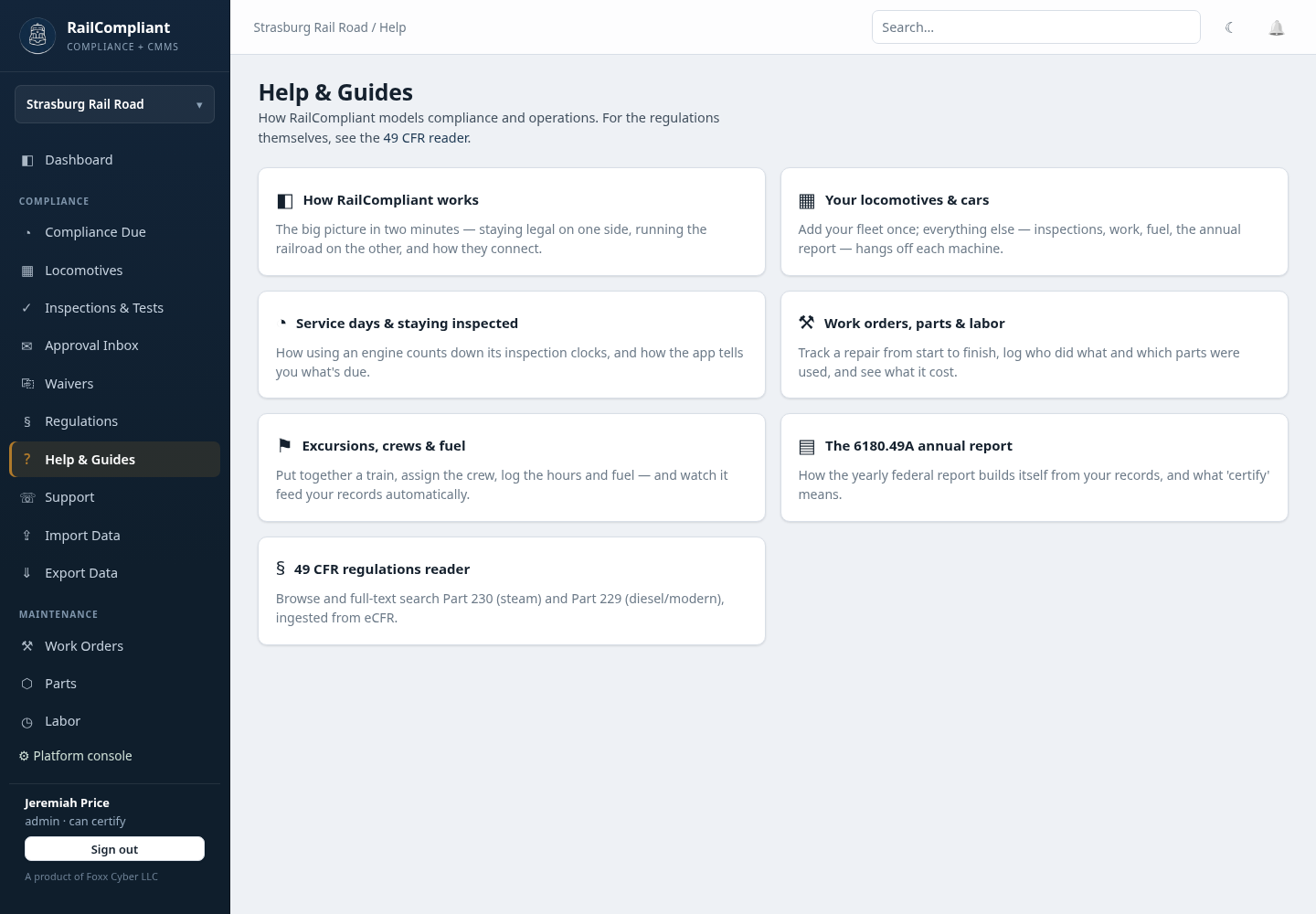
The set covers:
- How RailCompliant works — the big picture in two minutes: staying legal on one side, running the railroad on the other, and how the two connect.
- Your locomotives & cars — add the fleet once; inspections, work, fuel, and the annual report all hang off each machine.
- Service days & staying inspected — how using an engine counts down its inspection clocks, and how the app tells you what is due.
- Work orders, parts & labor — tracking a repair start to finish, who did what, which parts were used, and what it cost.
- Excursions, crews & fuel — putting a train together, crewing it, logging hours and fuel, and watching it feed the records.
- The 6180.49A annual report — how the yearly federal report builds itself from your records, and what certifying means.
These are guides to the app. For the regulations themselves — the text of 49 CFR Part 230 and Part 229, searchable, with citations you can link to — use the Regulations library. The help pages link across to it wherever a rule is involved.
The support desk
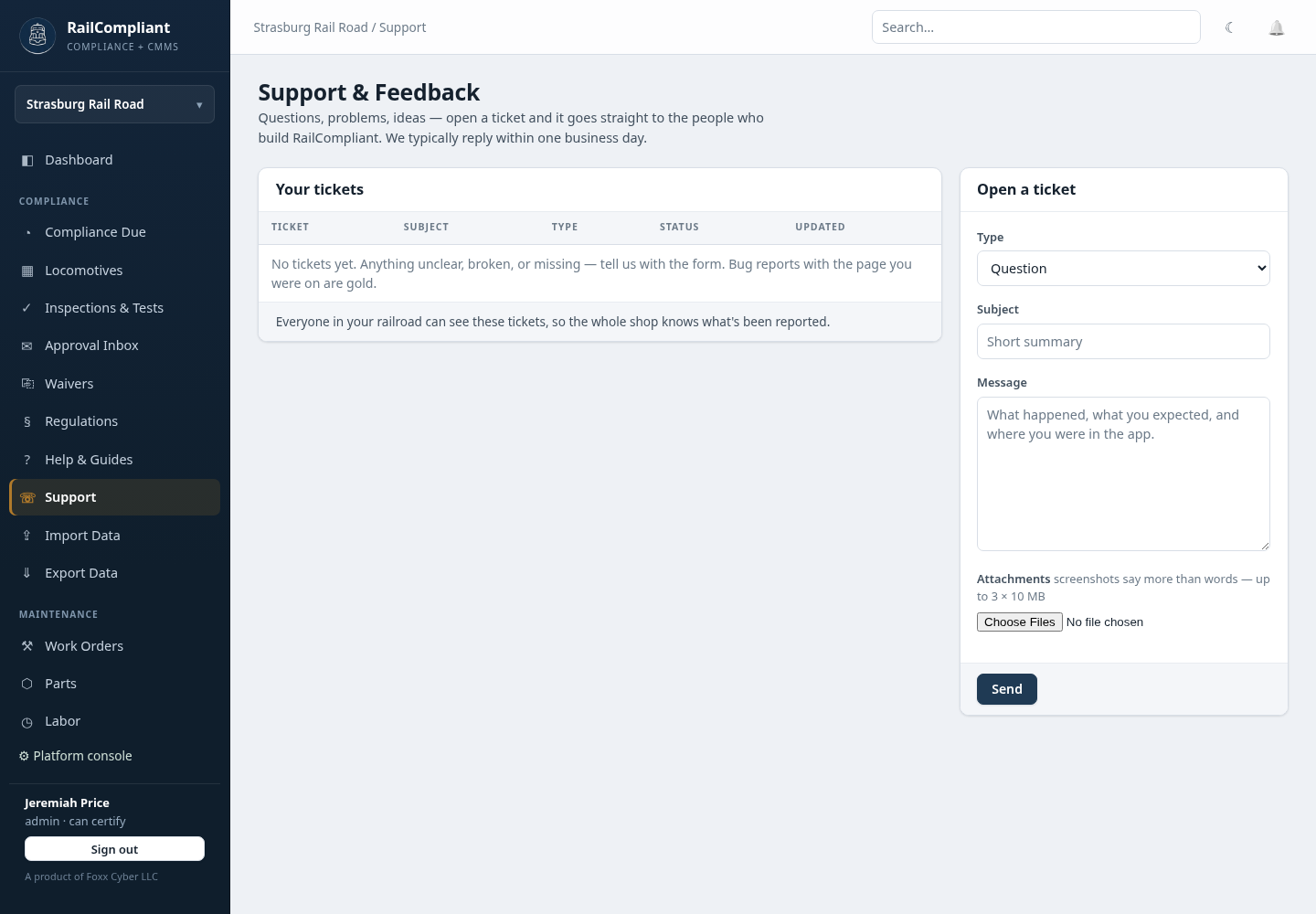
Click Support in the sidebar. Tickets go straight to the people who build RailCompliant, and you can normally expect a reply within one business day.
Opening a ticket
Fill in Open a ticket:
- Type — Question, Problem / bug, or Feedback / idea.
- Subject — a short summary.
- Message — what happened, what you expected, and where you were in the app.
- Attachments — up to three files of 10 MB each. Screenshots say more than words.
Click Send. The ticket is listed under Your tickets with a
reference (RC-1001 and up), its type, status, and when it was last
updated. Open it to read the thread, add a reply, or close it once the
matter is settled. Replying to a closed ticket reopens it.
Tickets are visible to everyone at your railroad, not only the person who opened them. If a volunteer reports something on Saturday, the shop foreman can pick up the thread on Monday without re-reporting it.
Writing a report worth answering
For a problem, include the page you were on, what you clicked, what you expected, and what happened instead. If a number looks wrong, say which number and what you believe it should be. A screenshot of the screen as you found it is usually enough on its own.
For a security concern, open a ticket the same way and say so in the subject.
New to the app? Start with Navigating the app.