 foxxcyber/docs
The regulations library
Read 49 CFR Part 230 and Part 229 inside the app, set out the way the CFR sets them, with your own bookmarks, saved searches and sticky notes.
Regulations holds a read-only reference copy of the two parts RailCompliant works against: Part 230 — Steam Locomotives and Part 229 — Railroad Locomotives (diesel/modern). It is there so that you can check the wording of an obligation without leaving the record you are working on.
Browsing and searching
Pick a part — Part 230 · Steam or Part 229 · Diesel and modern — to see its sections in order, grouped by subpart. Links beside the section count jump to a subpart. Two small marks appear on the list: tracked on a section RailCompliant schedules for you, and a bookmark on a section you have bookmarked.
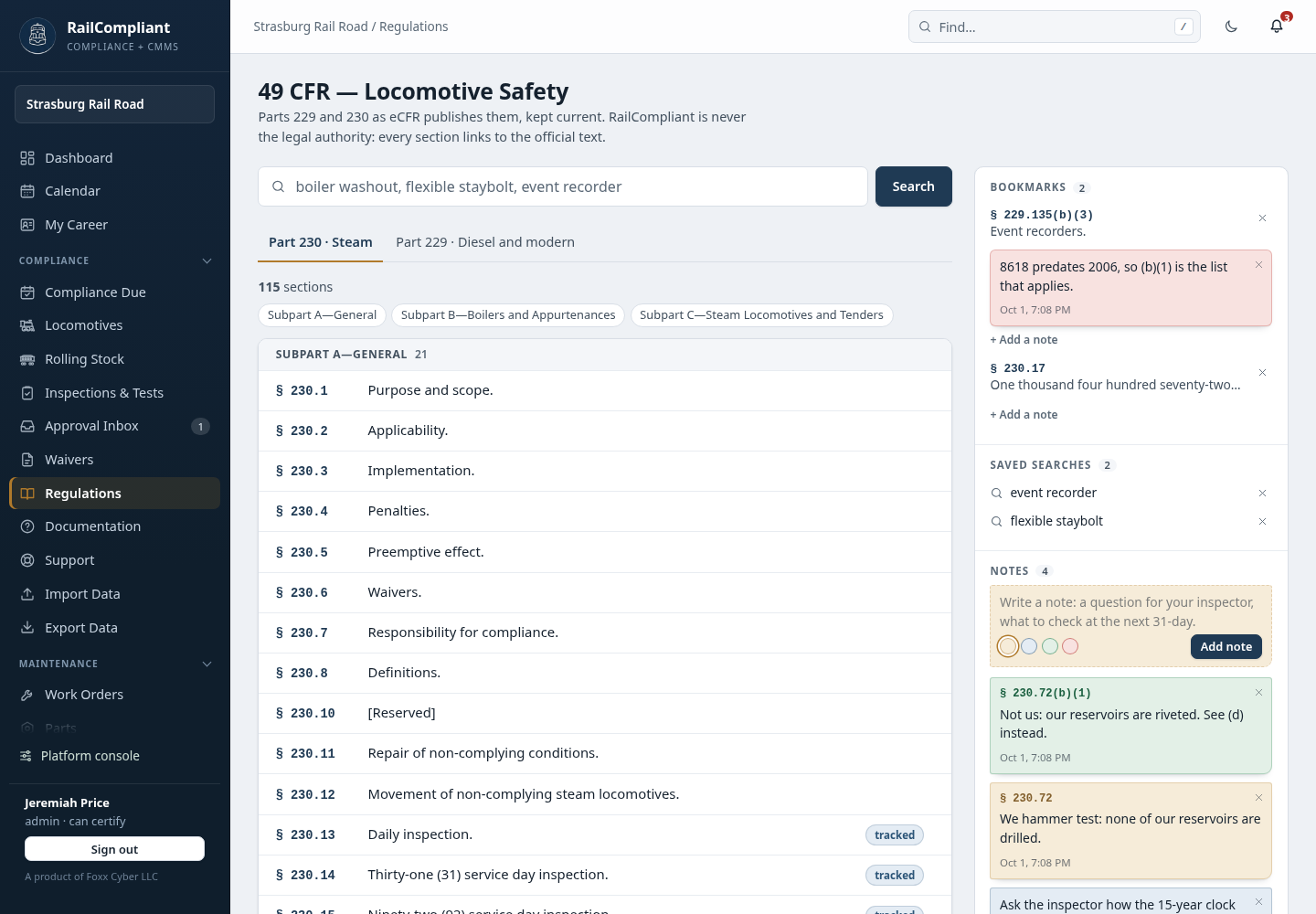
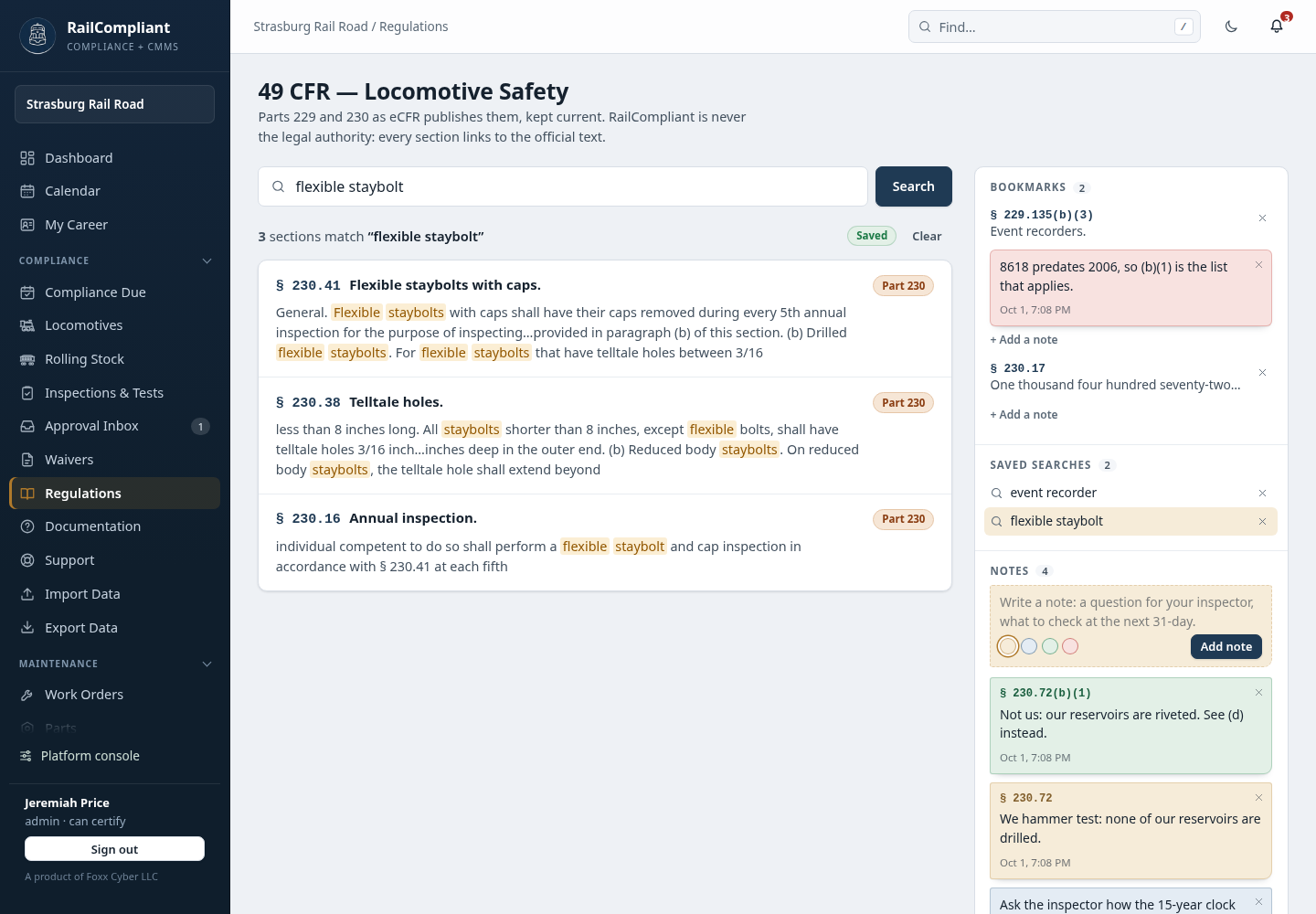
The Search box runs a full-text search across both parts and returns ranked results with the matching words highlighted in a short snippet, so you can tell which section you want before opening it.
Reading a section
A section reads the way the CFR sets it:
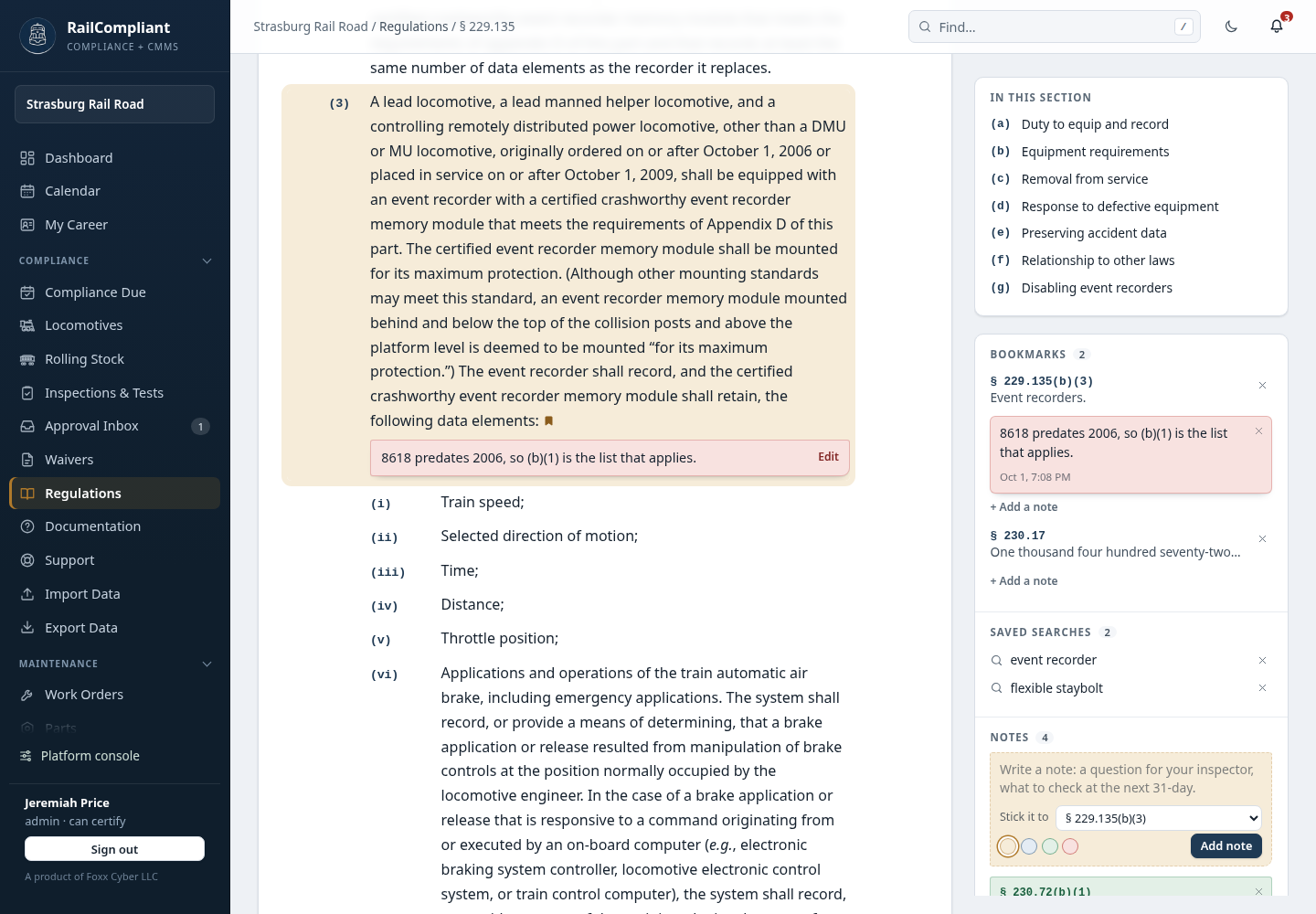
- Paragraphs are nested. (a), (1), (i), (A) each sit one step further in, with the designator beside the paragraph, so a long list under (b)(3) is plainly under (b)(3).
- Headings stand out. The heading that opens a paragraph ("General.", "Filing inspection reports.") is in bold, and in a definitions section each term is.
- Tables, formulas and notes are there. A table of values is a table; a formula and its "Where:" terms sit under the paragraph they belong to.
- References are links. A mention of another section in Part 229 or 230 opens it, and "paragraph (a)(2) of this section" jumps to that paragraph.
- Every paragraph has its own address. Click a paragraph's letter or number and the page address points at it, so you can send someone straight to § 229.135(b)(3).
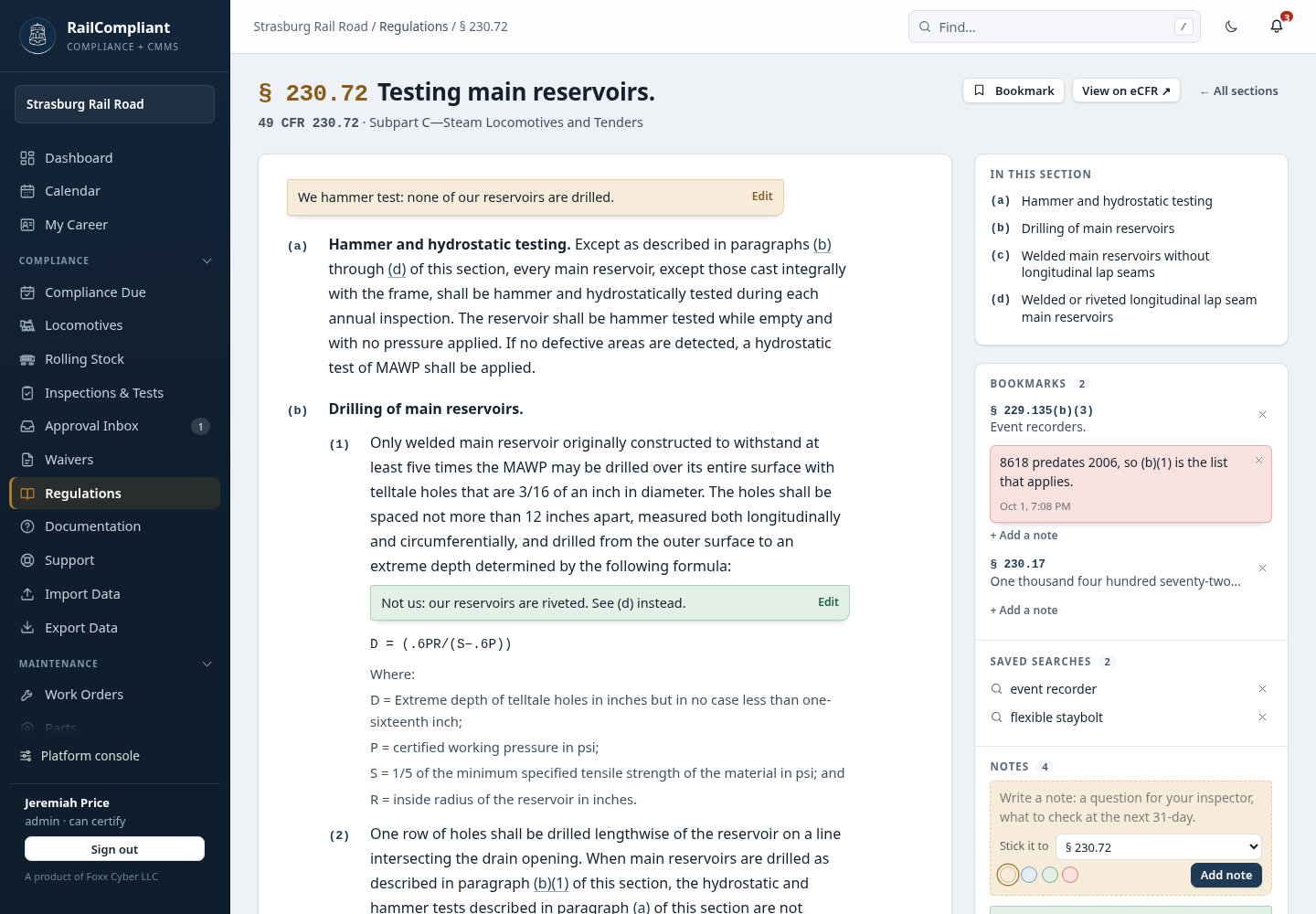
Long sections show In this section on the right, a list of the lettered paragraphs to jump to. Under the title are the citation and subpart, with View on eCFR for the official text; at the foot are the edition date the copy was taken from, the section's amendment history, and previous and next links so you can read straight through a subpart.
Bookmarks, saved searches and notes
The column on the right of every Regulations page is yours. Bookmarks, saved searches and notes are kept at your railroad, so a free crew account without one reads the regulations without this column. To hear when the regulations change, use Regulation watch.
- Bookmarks. Open a section and click Bookmark to keep it. To keep one paragraph, click its letter or number first: the button becomes Bookmark (b)(3). Bookmarked paragraphs carry a small mark in the text. Click a bookmark to go back to it; the × beside it removes it.
- Saved searches. Run a search and click Save search. It runs again from the list on any Regulations page.
- Notes. Sticky notes, described next.
Sticky notes
A note is a slip of paper for what you want to remember: a question for your inspector, why a paragraph does or does not apply to your engine, what to check at the next 31-day. You can keep as many as you like.
Write one on the dashed slip under Notes, pick a colour if you want one, and click Add note. Stick it to decides where it goes:
- On a section's page it is offered to that section. The note then shows at the head of the section whenever you read it.
- Click a paragraph's letter or number first and it is offered to that paragraph, shown as § 230.72(b)(1). The note then sits directly under the paragraph in the text.
- Choose Nothing: a loose note to keep it on its own. Notes written from the library or a search are loose.
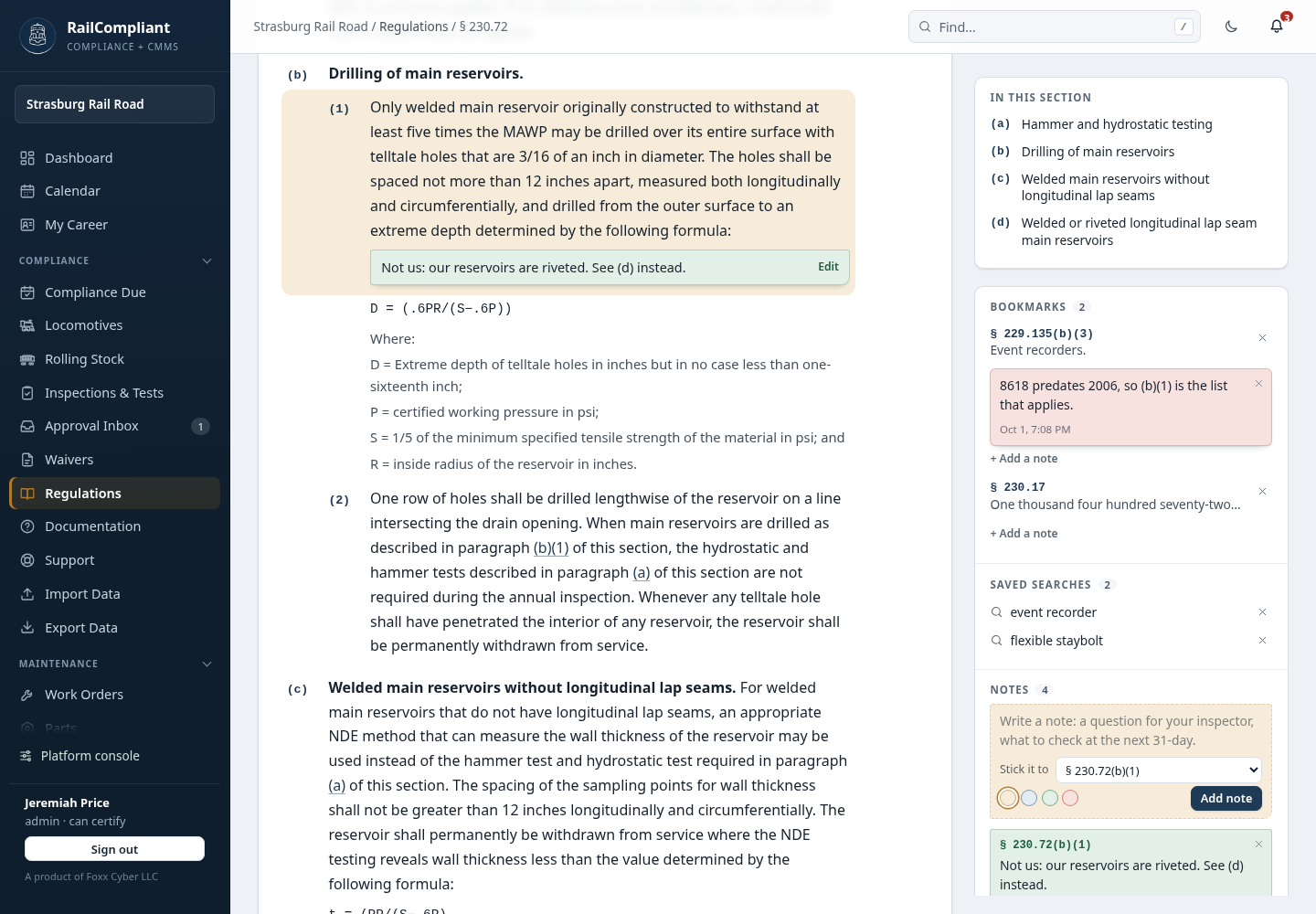
Notes and bookmarks go together. When the place a note is stuck to is also bookmarked, the note sits under that bookmark in the list, and every bookmark has its own Add a note. Removing a bookmark keeps its notes: they move to the Notes list.
Change a note by typing in it. Its text is its own editor and saves as you type; the line under it says when it was last saved. Edit beside a note in the text takes you to it. The × on a note removes it.
Only you can see your bookmarks, saved searches and notes. Nobody else at your railroad can, they are not part of the railroad's records or its data export, and they are not shown to a Foxx Cyber operator who opens your railroad in "view as" mode to help you.
The lists hold up to 200 bookmarks, 50 saved searches and 300 notes of up to 4,000 characters each.
Sections the app tracks
Where a section drives an obligation RailCompliant actually schedules — § 230.14, § 230.15, § 229.23 and the rest — it is marked tracked in the list, and the section itself shows a banner linking through to the compliance dashboard, so you can go from the rule to your own next-due dates in one click.
RailCompliant is not the legal authority
This point is deliberate and worth stating plainly. The copy in the app is a dated snapshot of the eCFR, kept so the text is searchable next to your records. It is not an official publication.
- Every section displays its citation, a link to the official eCFR text, and the eCFR edition it was copied from.
- Where a schedule, a form, or a binder cites a rule, the citation is shown so you can verify it against the source.
- The library looks after itself. RailCompliant ships with a copy of Parts 229 and 230 built in, so the library is never empty, and once a week it checks the eCFR for a newer edition and brings the copy up to date when there is one. Sections the eCFR no longer has are dropped at the same time. If a section still looks out of date, raise it through Support.
Do not rely on the in-app copy for a filing, a petition, or an argument with an inspector. Follow the link to the official text and check it there.
The plain-language companion
The regulations library is the reference text. This documentation is the plain-language companion: it covers the roster, compliance, shop work, running days, and the annual cycle for people who need to know what to do rather than what the rule says. Documentation in the app's sidebar opens it. Most people want the documentation first and the regulations library second.