 foxxcyber/docs
Parts inventory
Track discrete parts, receive stock, and let work orders draw it down so every movement has a job behind it.
Parts is the inventory of discrete, countable items — gauge glasses, staybolt stock, boiler plate, welding rod. Bulk material such as coal, diesel, or sand belongs in Consumable stores instead.
The list
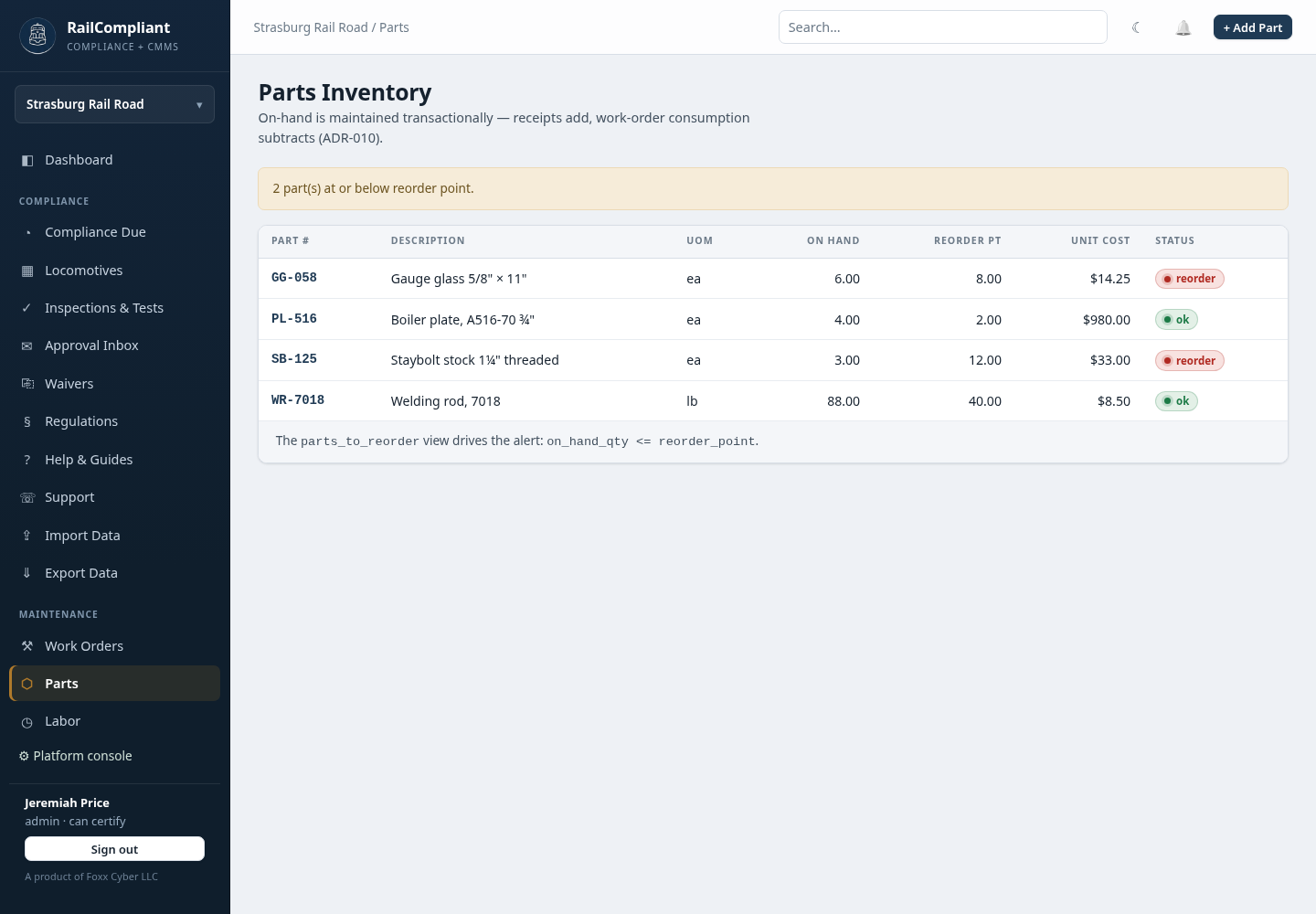
Each row shows the Part #, Description, unit of measure (UoM), On hand, Reorder pt, Unit cost, and a Status badge. A part whose on-hand quantity has fallen to or below its reorder point is flagged reorder, and a banner at the top of the page counts how many parts are in that state — the reorder view in one line.
Adding a part
Click + Add Part and fill in the Part number, Unit of measure, Description, opening On hand quantity, Reorder point, and Unit cost ($). Click Create part.
The detail page shows the current Stock figures, a Receipts table (date, quantity, unit cost), a Consumption table (date, quantity, cost, and the work order it went to), and the record history.
Receiving stock
On the part's page, use the Receive stock form: enter the Quantity and, if the price has moved, the new Unit cost ($) — it is optional — then click Receive. The receipt is recorded and on-hand is incremented in the same step, and the part's unit cost is updated when you supply one.
How stock leaves
Stock is only ever drawn down by consuming it from a work order. There is no hand-adjustment of the on-hand figure downwards, and that is deliberate: it means every unit that left the shelf has a job behind it, with a date, a cost at time of use, and a link back to the work order.
A consumption that would take stock below zero is refused, so the on-hand figure cannot go negative through normal use.
If the physical count and the on-hand figure disagree, correct it with a receipt for a found item, or by consuming the difference against the work order it actually went to. Reconciling that way keeps the movement history usable as evidence of what a job cost.
Editing and deleting
Edit changes the part's details. Delete removes a part that has never moved. If the part has receipts or consumptions against it, the deletion is refused with the message that the part has stock movements and the suggestion to adjust it to zero instead — deleting it would take the movement history, and the cost of past jobs, with it.
Getting parts in and out in bulk
A starting inventory is easier to load from a spreadsheet than to type. The current stock, and every consumption with its cost at time of use, can be exported as CSV from Export Data. See Importing & exporting data.