 foxxcyber/docs
Work orders
The operational hub where labor and parts accrue, costs roll up, and completed maintenance produces a compliance record.
A work order is the unit of shop work. Labor and parts accrue against it, cost rolls up from it, and finishing one is what produces the compliance record for the job you just did.
The list
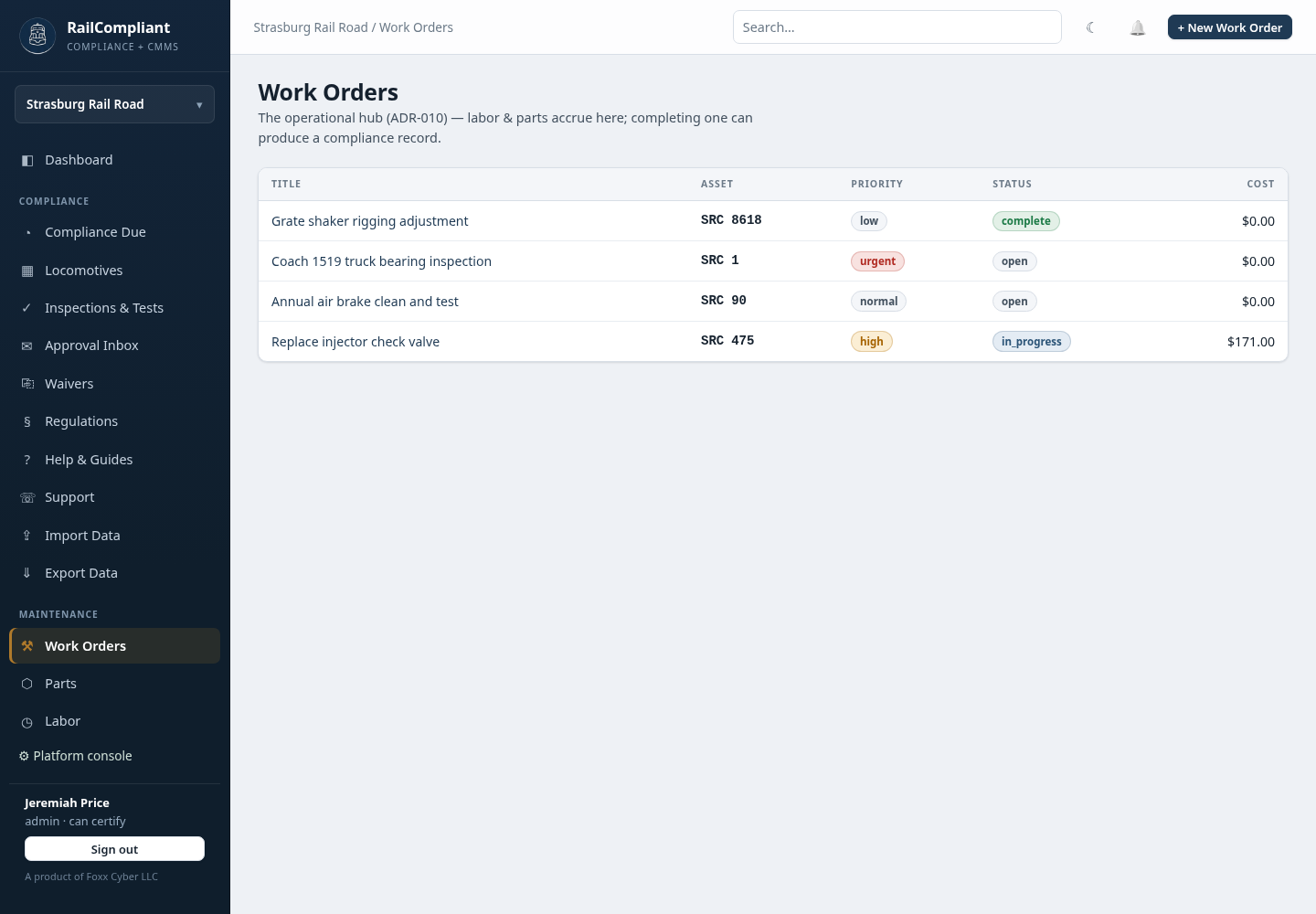
Work Orders lists every work order with its Title, Asset, Priority, Status, and accrued Cost. Click a row to open it.
Creating a work order
Click + New Work Order and fill in:
- Title and Description.
- Asset — one locomotive or one car, chosen from a single list, or — none (general / shop) — for work that is not against a particular piece of equipment. A work order targets at most one asset.
- Assigned to — a member of the crew roster, or — unassigned —.
- Priority —
low,normal,high, orurgent. - Status —
open,in_progress,on_hold,complete, orcancelled. - Due date.
Click Create work order.
Working the job
The detail page carries the title with its priority and status badges, the asset, and the opened, due, and completed dates. Edit and Delete are in the header, with ← All to return to the list.
Logging labor
The Labor table shows each entry's date, member, hours, rate, and cost,
with a subtotal. To add one, pick the Person, set the Date and
Hours, choose a Kind — person default, volunteer, paid, or
contractor — optionally override the Rate $/h, and click Log. The
cost is worked out from hours and rate. See
Labor & volunteer hours
for why the kind matters.
Consuming parts
The Parts consumed table shows date, part, quantity, and cost, with a subtotal. Pick a Part, enter a Qty, and click Consume. This is the only way stock leaves inventory: it decrements the part's on-hand quantity and records the unit cost at the time of use, in one step, so the job and the stock movement can never disagree. See Parts inventory.
Cost
The Cost panel totals labor, parts, and the combined figure. That total rolls up to the asset and to the railroad, which is what makes per-locomotive maintenance cost meaningful.
Record history
Every change to the work order is listed in the record history with the action, when it happened, who did it, and a fingerprint of the entry.
Completing a work order
Set the status to complete; the completion date is stamped on the work
order.
When the work order is against a locomotive, a Produce a compliance record panel appears with a + New inspection → button, prompting you to file the inspection or Form 19 that the maintenance produced. The resulting compliance record is immutable once filed, while the work order itself stays editable — they are deliberately different kinds of record.
Work orders raised for you
RailCompliant opens work orders on its own when a compliance obligation comes due. On the Compliance Due page, an overdue or due-soon row offers Open WO, and the page header offers Open WOs for all overdue to do the whole list at once. Once a work order exists for an obligation the row shows a WO open badge instead, so the same obligation never collects duplicates.
If a locomotive's maintenance cost looks too low, check that labor is being logged against work orders rather than tracked elsewhere — the rollup only knows about what was logged here, on an inspection, or on an excursion.