 foxxcyber/docs
Labor & volunteer hours
Log hours against the job they belong to, then turn documented volunteer time into grant-matching evidence.
Hours are logged where the work happened — on a work order, on an inspection, or on an excursion — and every entry belongs to exactly one of those three. There is no free-floating timesheet, because an hour that is not attached to a job cannot be evidence of anything later.
Logging an entry
Each of those pages carries the same short form: pick the Person, set the Date and Hours, choose a Kind, optionally override the Rate $/h, and click Log.
The Kind is volunteer, paid, or contractor, and defaults to
person default — the default labor kind set on that person's crew record,
so the common case needs no thought. The cost is worked out from hours and
rate; a volunteer entry with no rate simply has no cost.
The shop-wide view
Labor shows org-wide hours and cost across work orders and inspections for a date range. Set From and To and click Apply. You get Total hours, Total cost, and the number of Entries, then two breakdowns: By person (person, hours, cost, entries) and By locomotive (locomotive, hours, cost).
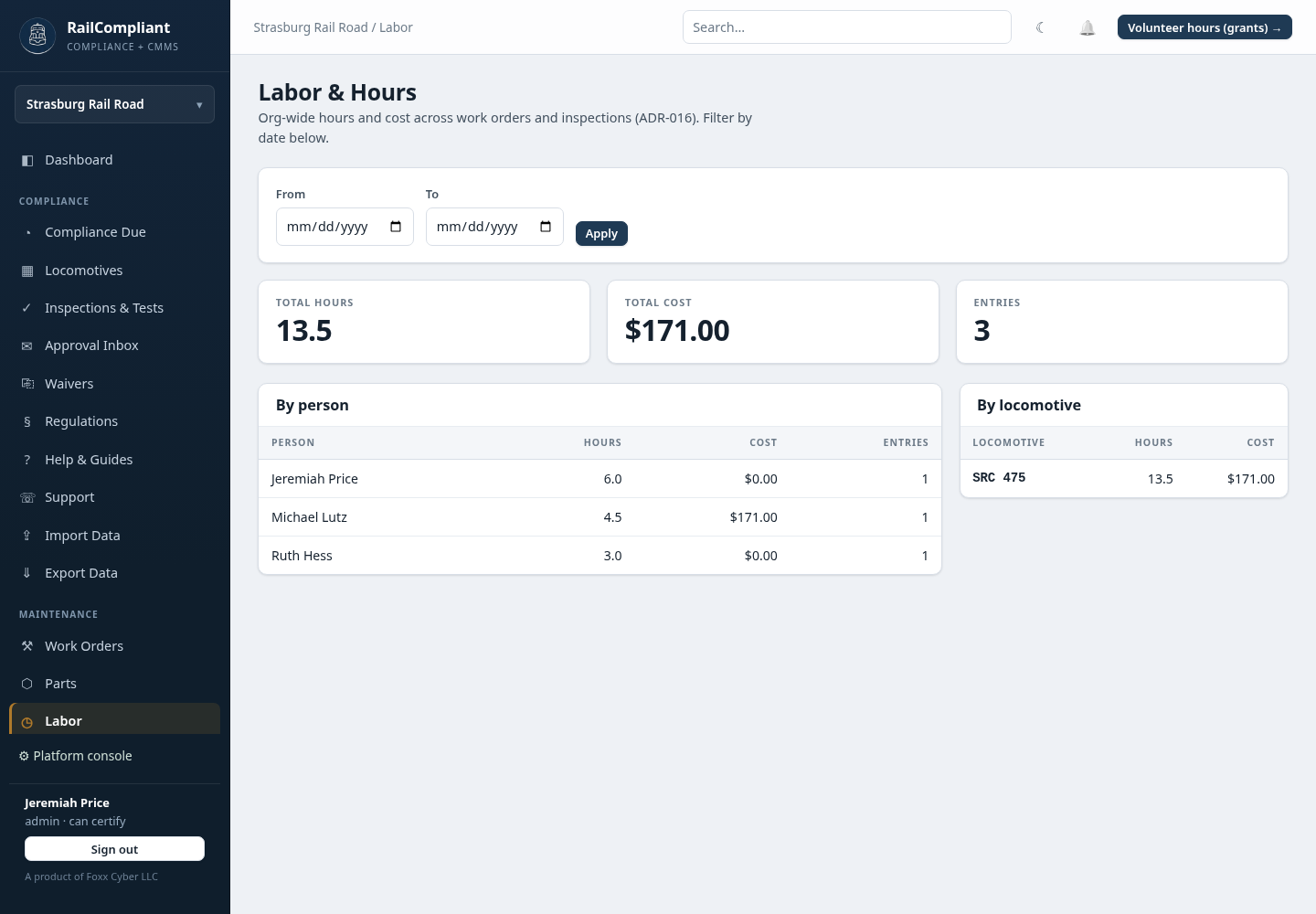
A person's own page carries the same total for them alone, with every entry listed and linked back to the work order, inspection, or run it came from.
Volunteer hours and grant matching
Click Volunteer hours (grants) → from the Labor page.
This report exists because of 2 CFR 200.306: documented volunteer labor can count toward the matching funds on a federal grant, provided it is verifiable from the organization's own records. For a heritage railroad, that is often the difference between being able to accept an award and not.
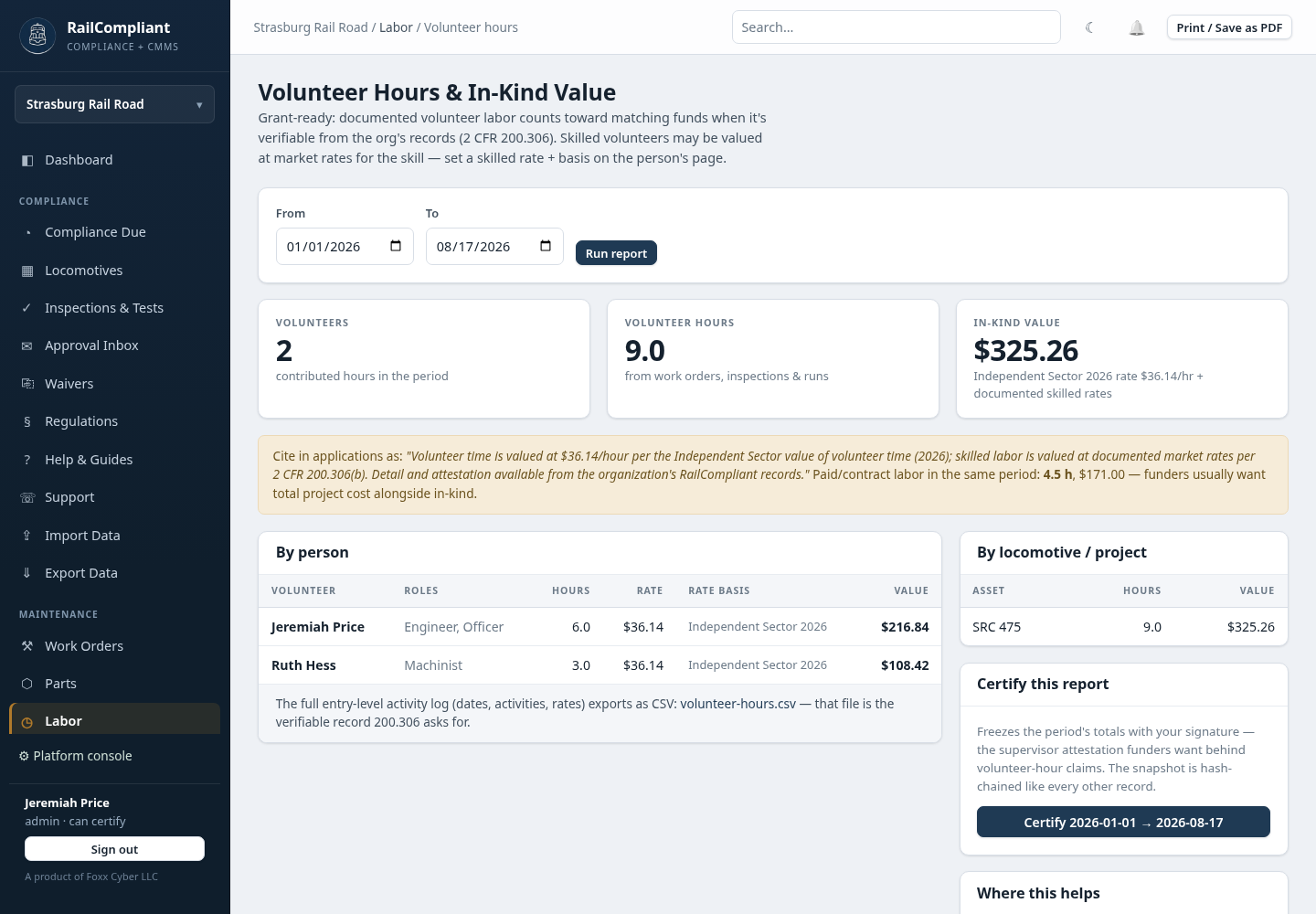
Set the date range and click Run report. You get:
- Volunteers — how many people contributed hours in the period.
- Volunteer hours — the total, drawn from work orders, inspections, and runs.
- In-kind value — the dollar figure, with the rate it was calculated at.
How an hour is valued
A volunteer hour is valued at the person's own skilled rate when you have recorded one on their crew record, together with a rate basis documenting where that rate came from — "BLS boilermaker median, 2026", for example. Where no skilled rate is recorded, the hour is valued at the national Independent Sector value of volunteer time for the report year.
The report prints the wording to quote in an application, naming both the national rate and the 2 CFR 200.306(b) basis for valuing skilled labor at market rates.
Set the skilled rate and its basis on the crew record before running a report you intend to submit. The rate is applied at report time, and a machinist's hours valued at the generic volunteer rate understate the match considerably.
The breakdowns
By person lists each volunteer with their roles, hours, the rate applied, the rate basis, and the resulting value — the basis column being the part a grant reviewer will look at. By locomotive / project attributes hours and value to assets, with labor logged against an excursion split across the locomotives that ran it.
A separate line reports paid and contract labor in the same period, because funders generally want total project cost alongside the in-kind contribution.
Certifying a report
Certify this report freezes the period, its parameters, and its totals with your signature. That frozen record is the supervisor attestation the grant documentation is asking for, and it is protected the same way as every other record in RailCompliant — see How your data is protected. Use Print / Save as PDF for the copy that goes in the application file.
Exporting the raw activity
The entry-level log — dates, people, kinds, activities, applied rates and bases — exports as CSV from Export Data as Volunteer hours (grant evidence). That file is the verifiable record 2 CFR 200.306 asks for, and it is what you hand over if the hours are ever queried.