 foxxcyber/docs
Free crew accounts
A free RailCompliant account for crew members and railfans: certifications with reminders, a railfan journey, the regulations, regulation watch, and starting a railroad.
A free crew account is a RailCompliant login for one person, a crew member or a railfan, with no railroad behind it and no card. It costs nothing. Railroads still pay per locomotive; a free account is for a person, not a railroad.
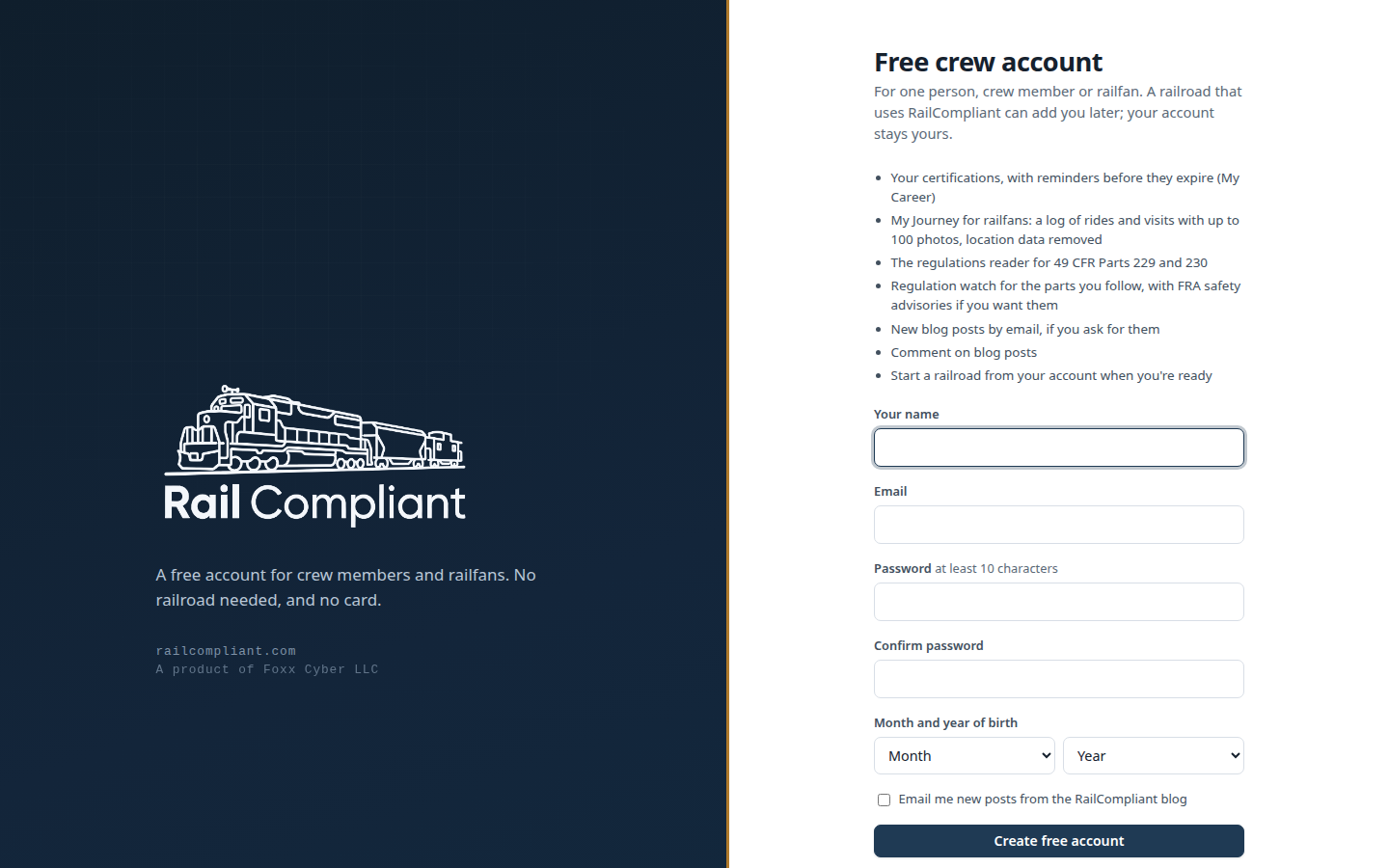
What a free account includes
- My Career: your certifications and their documents, with reminders before they expire, service before RailCompliant or at other railroads, and a profile.
- My Journey for railfans: a log of rides, visits, photo outings, events and volunteer days with up to 100 photos. Photos are stored at web size with their location and camera data removed. See My Journey.
- The regulations library for 49 CFR Parts 229 and 230.
- Regulation watch: eCFR changes, and Federal Register rules, proposed rules and waiver petitions for the parts you follow, with FRA safety advisories if you want them.
- New blog posts by email, if you ask for them, and commenting on blog posts.
- Starting a railroad from the account when you're ready, as below.
Creating one
- Go to railcompliant.com/join (the home page and the sign-in page link to it as Free crew account).
- Enter your name, email, a password of at least 10 characters, and the month and year you were born. Accounts are for people 13 and older. If you are under 18, the form also asks you to confirm that a parent or guardian has read and agrees to the Terms of Service. RailCompliant doesn't keep your birth date. Tick Email me new posts from the RailCompliant blog if you want them; it is off unless you do.
- Click Create free account. The page says to check your email, whether or not the address already has an account. If it does, that email says so and includes a link to set a new password.
- Open the link in the email to confirm your address, then sign in.
Until your address is confirmed you can sign in, read the regulations and change your password, but nothing you add to My Career is saved, and you can't start a railroad. The yellow bar at the top of each page can send the link again.
What you see
Signed in without a railroad, the sidebar holds your own pages: My Career (or My Journey), Regulations, Regulation watch, Start a railroad and Documentation. A railroad's pages (locomotives, work orders and the rest) need a railroad, so they aren't there. Your password and two-step sign-in are under your name at the bottom of the sidebar.
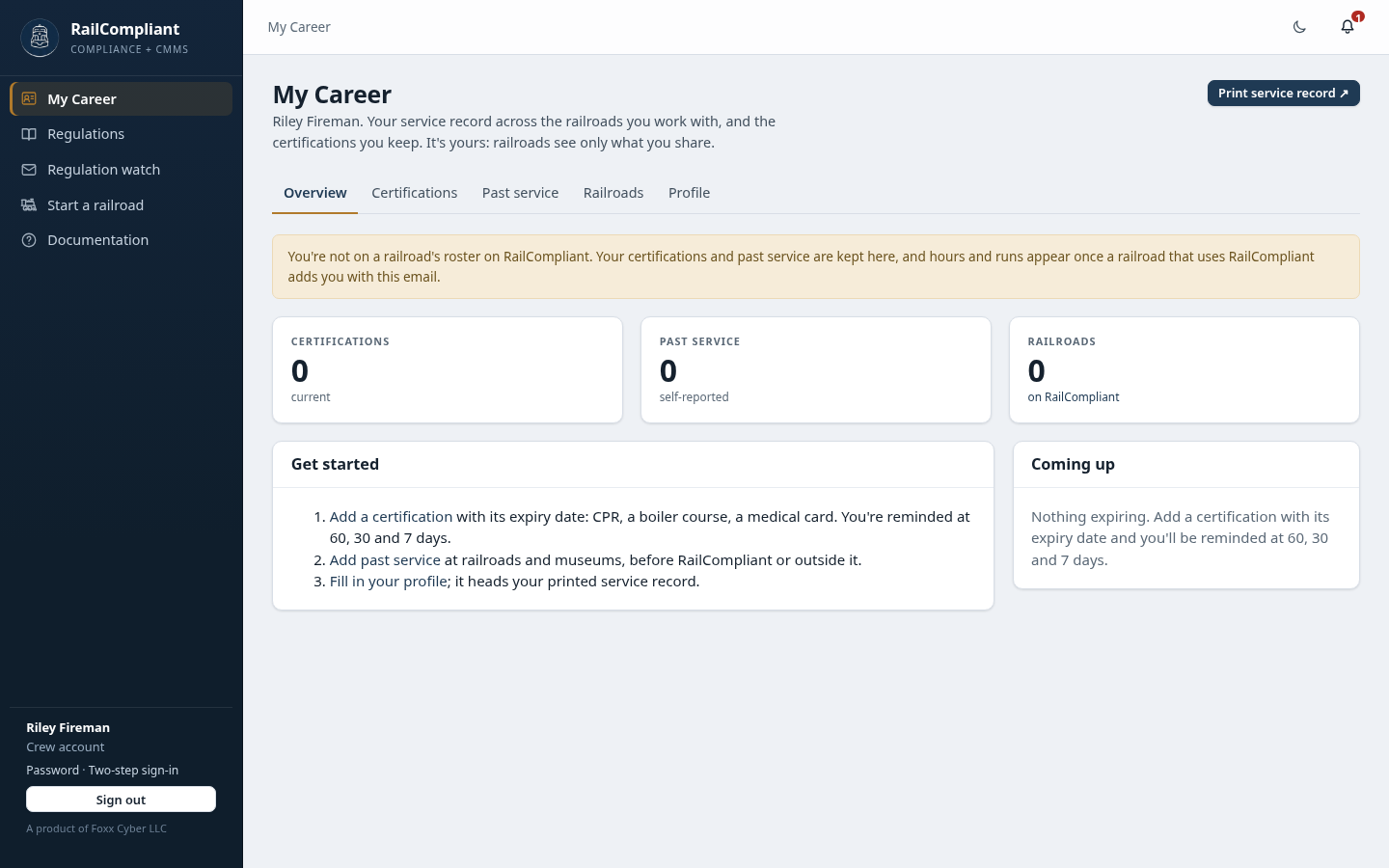
When a railroad invites you to link
If your railroad or museum uses RailCompliant, whoever keeps its crew roster can invite your email address to link to your entry there. You get an email, and the invitation waits at the top of My Career with Accept and Decline. No account yet? Make a free one with the address the invitation went to; it's waiting when you've confirmed it.
Accepting links your account to that roster entry. The hours, runs, inspections and designations the railroad records for you then show on My Career, marked as from its records, and you can ask it to verify history you've logged yourself. A link isn't a login there: you can't open the railroad's records, and it sees nothing of your account but your name and what you choose to share. The railroad shows on the Railroads tab with Leave, and you can leave whenever you like.
If the railroad also gives you an app account, it shows with an Open button that takes you into it. Your certifications, log, past service and journey stay yours either way; a railroad sees a certification only while you share it with that railroad.
Starting a railroad
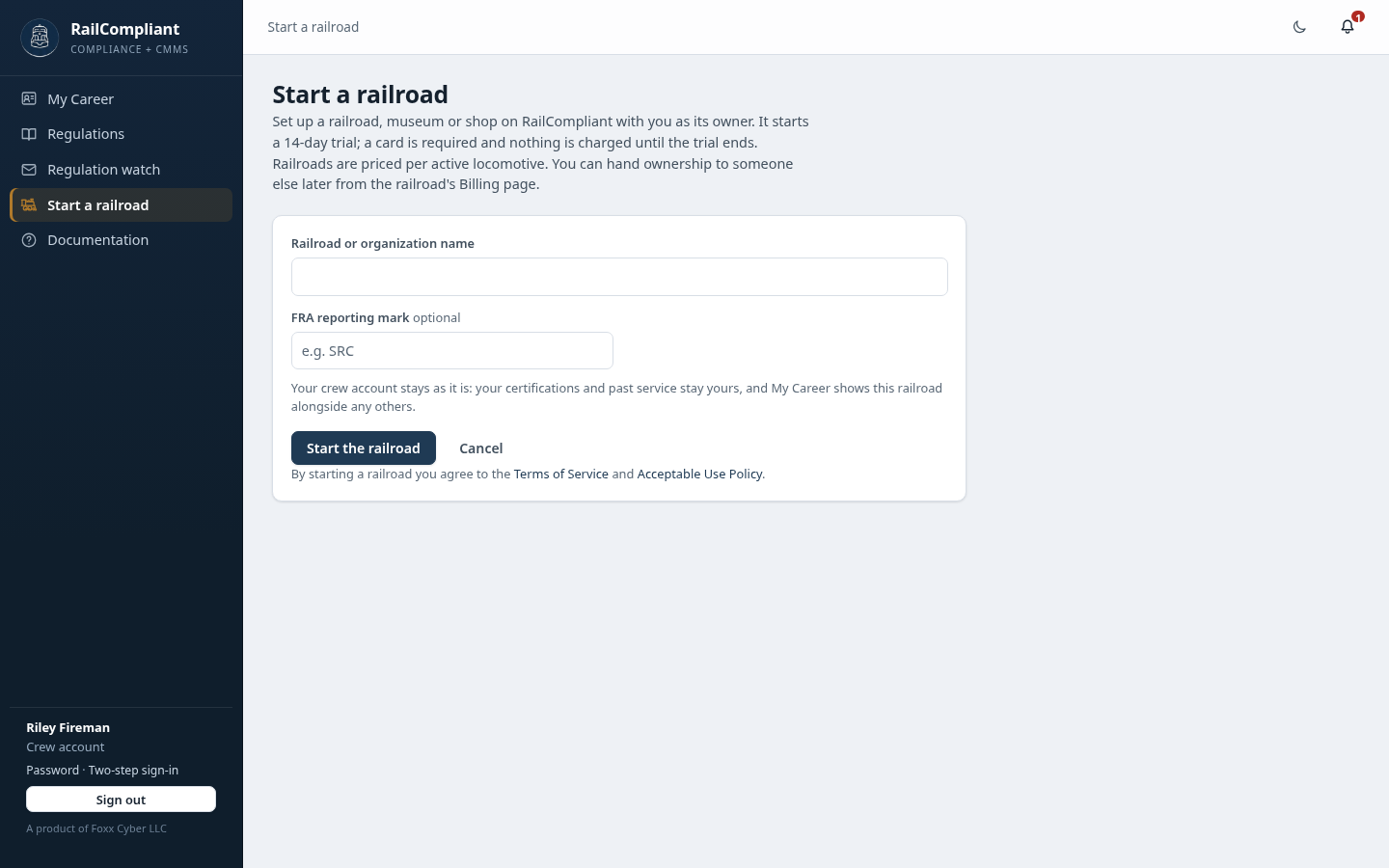
Click Start a railroad, enter the railroad or organization name and, if it has one, its FRA reporting mark, and click Start the railroad. You become its owner, and it starts the same 14-day trial as signing up a railroad: a card is required and nothing is charged until the trial ends. Starting a railroad accepts the Terms of Service and the Acceptable Use Policy.
Starting a railroad needs someone 18 or older. The first time, you're asked your month and year of birth; RailCompliant keeps only the fact that you confirmed you're 18 or older, never the date. If you're younger, ask an adult at your railroad to start it and add you.
Your account stays as it is, now with a railroad. You can hand the railroad to someone else later from its Billing page.
Closing your account
On the Profile tab of My Career, open Delete my account, enter your password, click Continue, and confirm. It deletes everything the account keeps: your profile, certifications and their documents, past service, career log and imports, journey and its photos, comments, regulation watch and email settings, and the record of railroads you have left. You are signed out, and it can't be undone.
If the account still belongs to a railroad, leave it first, or, if you own it, hand it to someone else from its Billing page. Where our audit records name the account, its record stays with the name and email removed and sign-in disabled. You can also write to support@foxxcyber.com from the account's address.