 foxxcyber/docs
Recording inspections & tests
File an inspection, test, repair, or alteration against a locomotive.
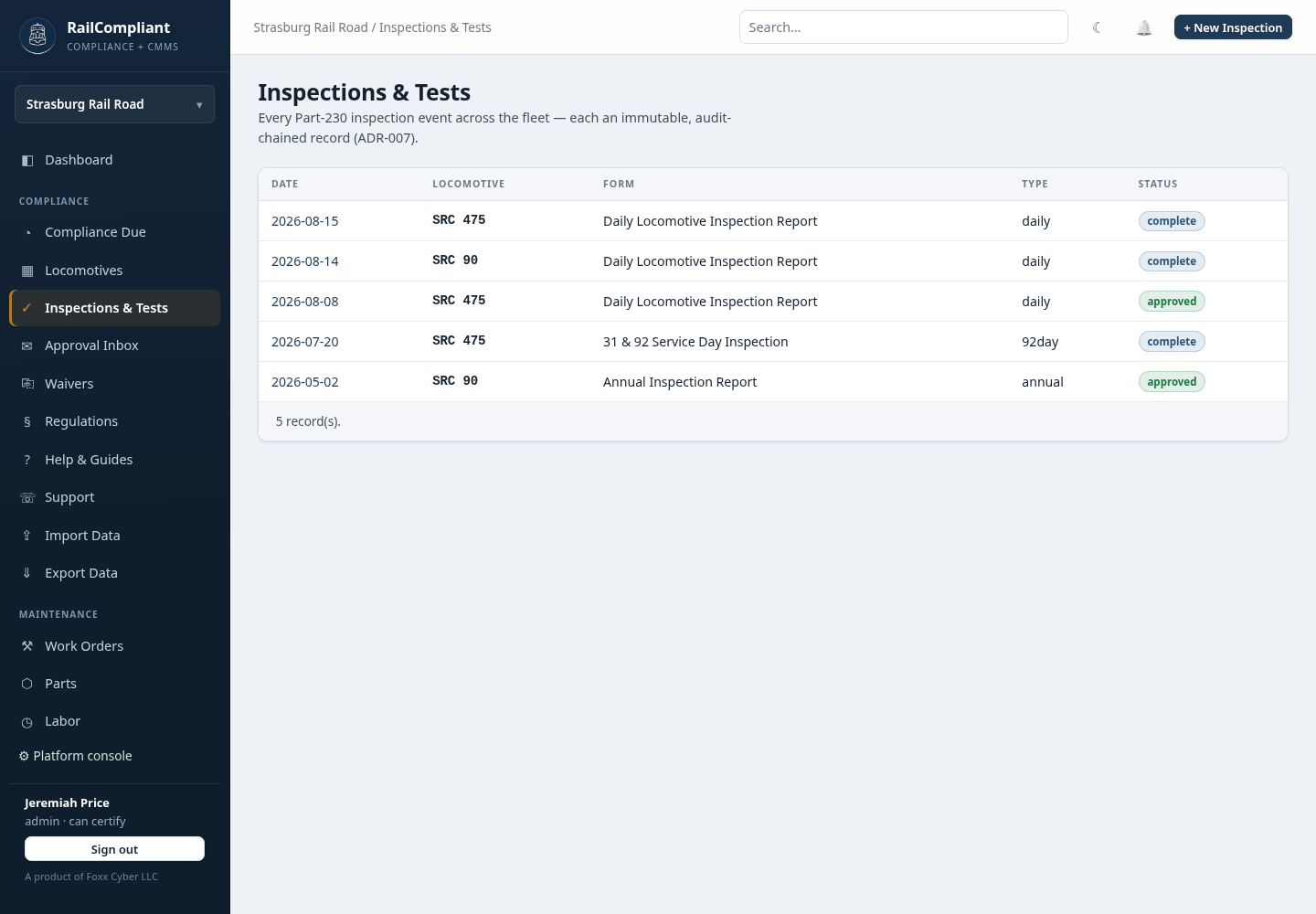
Inspections & Tests is the single list of everything that has ever been recorded against your fleet — daily and periodic inspections, tests, repairs, and alterations alike. They live in one place because that is how the regulations treat them: a Form 19 repair and a 92-day inspection are both events in the same maintenance history.
The list
Each row shows Date, Locomotive, Form, Type, and Status, with a record count underneath. Use the search box at the top of the page to narrow the list, and click any row to open the record. + New Inspection is at the top right.
Filing an inspection
Filing happens in two steps.
Step one — choose what you are filing. Pick the Locomotive and the Form. The form list holds the FRA forms that shipped with your railroad plus any your railroad has added, for example 31 & 92 Service Day Inspection (FRA-1), Daily Locomotive Inspection Report (FRA-2), Annual Inspection Report (FRA-3), and Steam Locomotive Repair Report (FRA-19). Click Continue →.
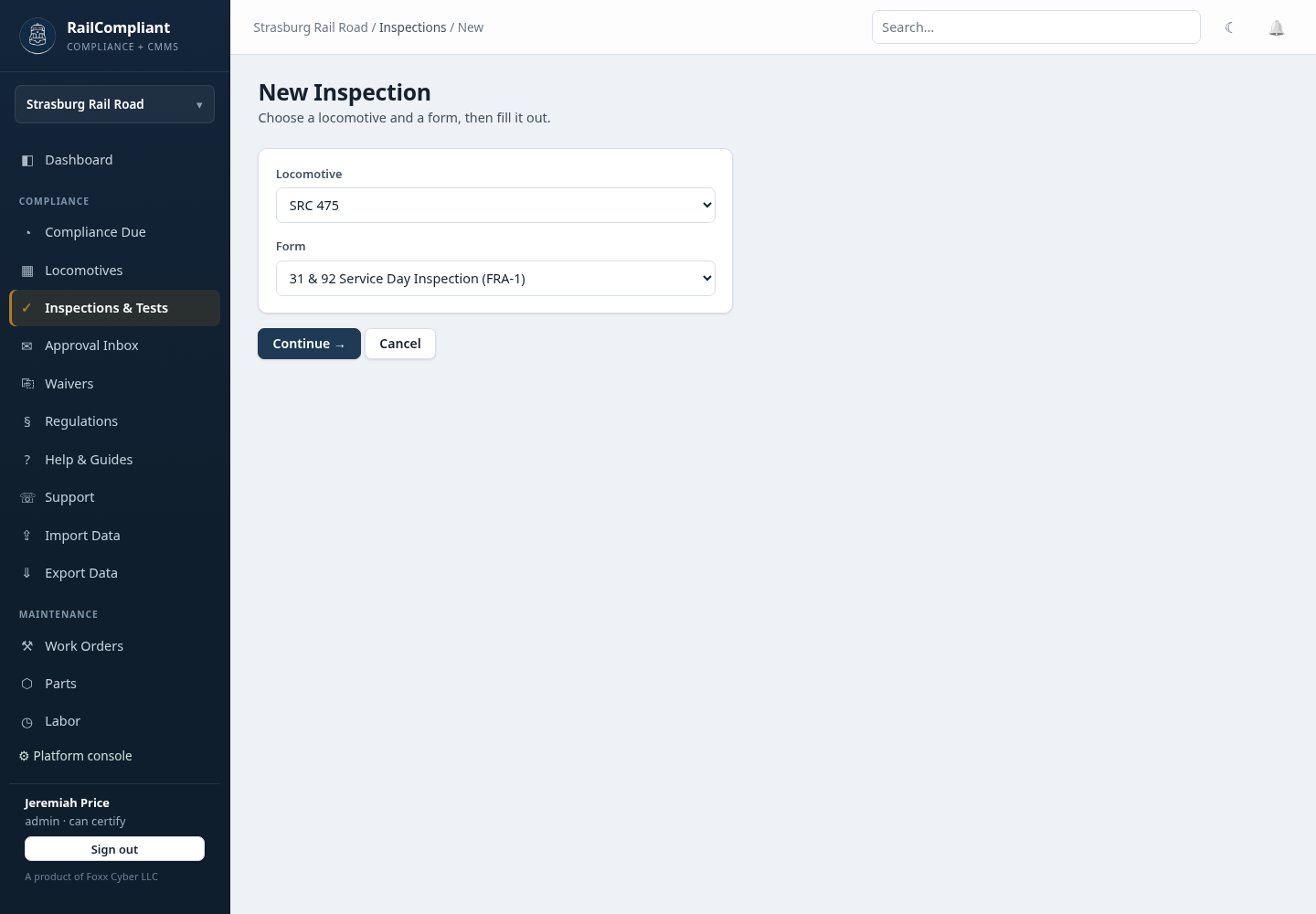
If you arrived from a File → link on the compliance dashboard, both choices are already made for you.
Step two — fill it in. The page is headed with the form's name, its citation, and the locomotive. Everything below the header comes from the form template, so the fields match the FRA form your inspector already knows rather than a generic questionnaire.
The header fields
- Inspection date.
- Type — the obligation this record clears:
daily,31day,92day,annual,1472,staybolt_caps,brake_valves, orrepair. This is what the interval engine reads, so it decides which clock resets. - Status — Draft while you are still working, Complete when the record is finished. Signing and submitting for approval is done from the inspection's own page afterwards.
- Performed by — who did the work, chosen from the crew roster.
- Certified by — who certifies it, chosen from the people with certifying authority.
The field types you will meet
- Condition codes — Good, Fair, Poor, N/A. Good means no defects; Fair means suboptimal but safe and in compliance; Poor means not in compliance; N/A means the item does not apply.
- Yes / No / N/A for pass-fail items.
- Measurements — a value with its unit, for example a thickness or a pop pressure.
- Numbers, dates, and free text.
- Signature fields for names recorded on the form itself.
- Multi-select for lists where more than one answer applies.
- Repeating groups for items you record several of, such as individual staybolts or courses.
Save the record when you are done.
What happens automatically
Filing does more than store the form:
- The previous 92-day date is pre-filled on the 92-day tier from the last one on record, so you are not looking it up by hand.
- A daily inspection records a service day for that date, which feeds every service-day interval.
- Completing a Part 230 inspection creates its FRA filing deadlines — the Form 1, 3, 4, or 19 that has to go to the FRA and by when. See FRA filings.
- The interval clocks reset, including every tier beneath the one you filed.
Labor, editing, and history
Log hours against the inspection from its detail page — the same labor record used elsewhere in the app, so inspection time counts toward shop totals and volunteer hour reporting. See Labor and volunteer hours.
The detail page shows the completed form, the labor logged, the inspector and certifying officer signature blocks with their timestamps, and the record history — every change, who made it, and when.
Editing a record is allowed and is itself recorded in the history, with the before and after values kept. Deleting is possible but records the deletion permanently; correcting and re-approving is almost always the right move instead.
A filed record is evidence. Amend it rather than deleting and re-creating it — an amendment leaves a traceable history, while a delete-and-retype leaves a gap that an FRA inspector will notice.
Once the record is complete, route it for signature — see Approvals & signatures. The forms themselves are described in Form templates.