 foxxcyber/docs
Queues and returns
Work the AODR's queues: approve or return categorizations and plans, with a note that says what to fix, and follow what came back.
The AODR shares three queues with the AO. Each one is a piece of work that the program office or the SCA has finished and is waiting on you.
| Queue (in My queues) | What you do with it |
|---|---|
| Categorizations to approve | Approve or return. |
| Plans to approve | Approve or return. |
| Recommendations to decide | Read the report and prepare the decision. |
You also see Obligations to validate and POA&Ms to validate when a package has no SCA team assigned, because then the AODR, DAO and AO validate in their place.
Approve or return a categorization
Step 1. Choose Categorizations to approve and open one.
- You see: the information types, the C/I/A levels, any raised levels and the justification the program office gave.
Step 2.
- To approve, choose Approve. In Approve this categorization, type your full name and choose Approve categorization.
- To send it back, choose Return. In Return this categorization, write what to change and choose Return categorization.
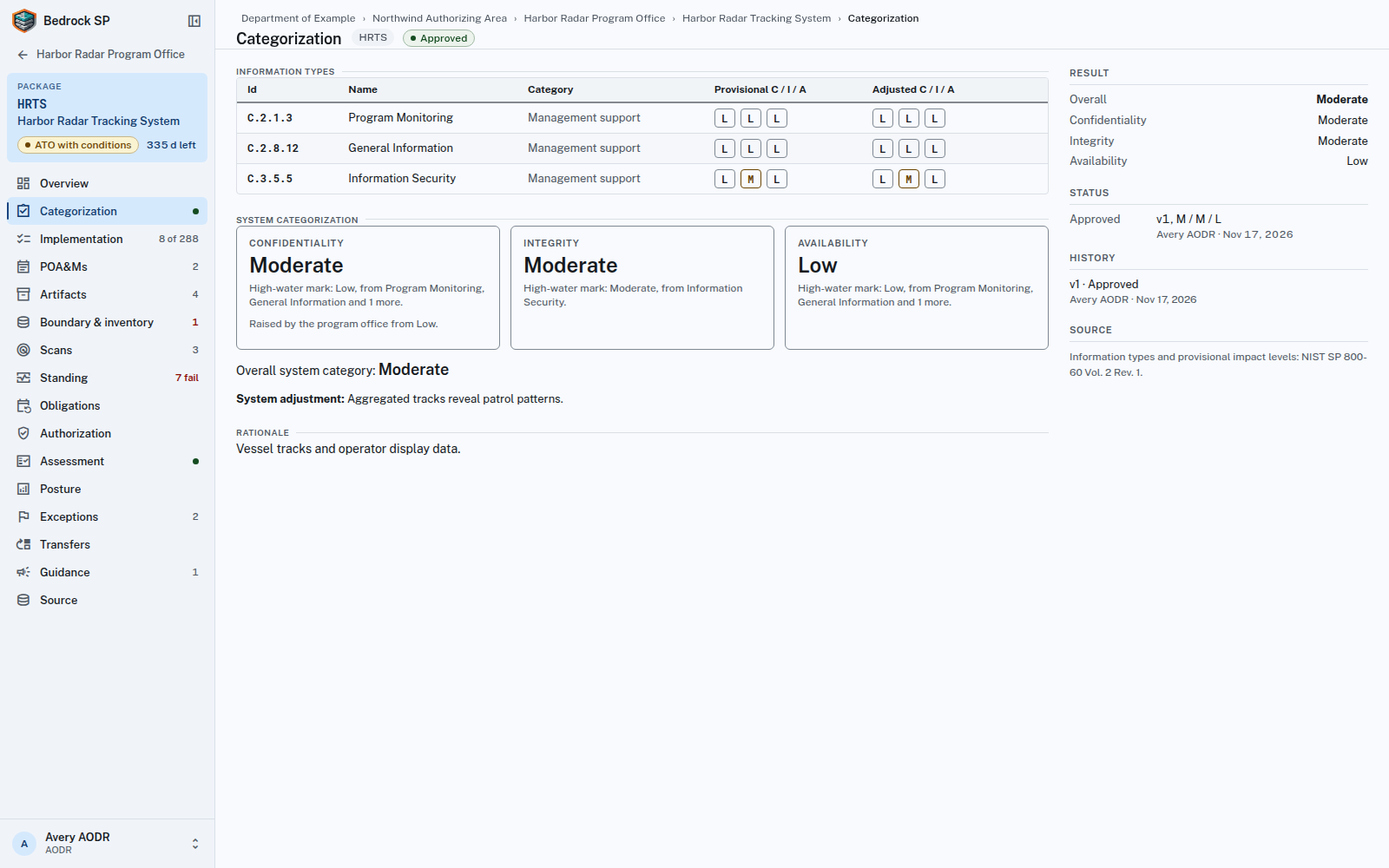
A good note names the information type and what is wrong. The program office sees the note on the categorization page, edits, and submits again. Your history of returns stays on the page under History.
Approve or return an assessment plan
Step 1. Choose Plans to approve and open one.
- You see: the Baseline, the controls In scope and any left out with reasons, the Schedule, the methods and the assessor for each control.
Step 2. Choose Approve (type your name in Approve this plan, then Approve plan) or Return (write what to fix, Return plan). The SCA reworks a returned plan and submits it again.
Prepare the decision
For a report in Recommendations to decide, open the package and choose Prepare decision. See Preparing decisions.
When the AO changes the rules
An AODR can write requirements, baselines and guidance for the area, as the AO can. Steps are in the AO guide: Requirements and ConMon items, Baselines and Guidance and CTOs.