 foxxcyber/docs
Decisions as the DAO
What the Designated Approving Authority can do: sign decisions, accept risk, decide exceptions and transfers. A short route through the steps, with links to the full ones.
The Designated Approving Authority (DAO) holds Authorizing Official authority for the area. In Bedrock SP a DAO can do everything an AO can do: sign authorization decisions, accept risk, decide exceptions, and release or accept transfers. The Executive (component leadership) cannot sign decisions. They set baselines and requirements and read the portfolio.
An AODR prepares decisions and recommends. Only the AO or DAO signs them.
Where your work waits
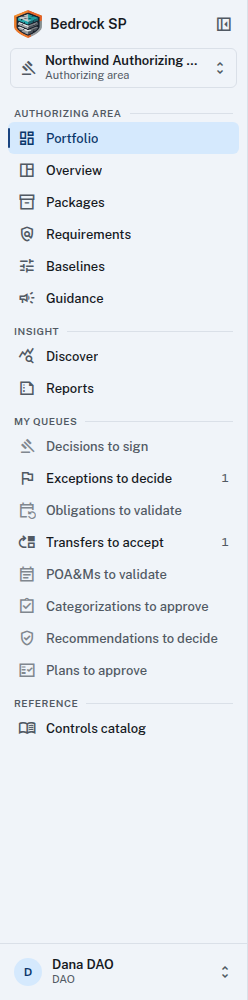
My queues, in the sidebar, lists what is waiting for you:
| Queue | Open it to |
|---|---|
| Decisions to sign | Review and sign a prepared authorization decision. |
| Exceptions to decide | Approve or deny an exception request. |
| Transfers to accept | Review a package released to your unit. |
| Categorizations to approve | Approve or return a categorization. |
| Plans to approve | Approve or return an assessment plan. |
| Recommendations to decide | Read an SCA's signed report and prepare the decision. |
Sign a decision
Step 1. Choose Decisions to sign.
- You see: a table of Authorization decisions prepared for you to review and sign: the Package, the Decision, Prepared by, Decision to expiry and how long it has been Waiting.
Step 2. Open the decision.
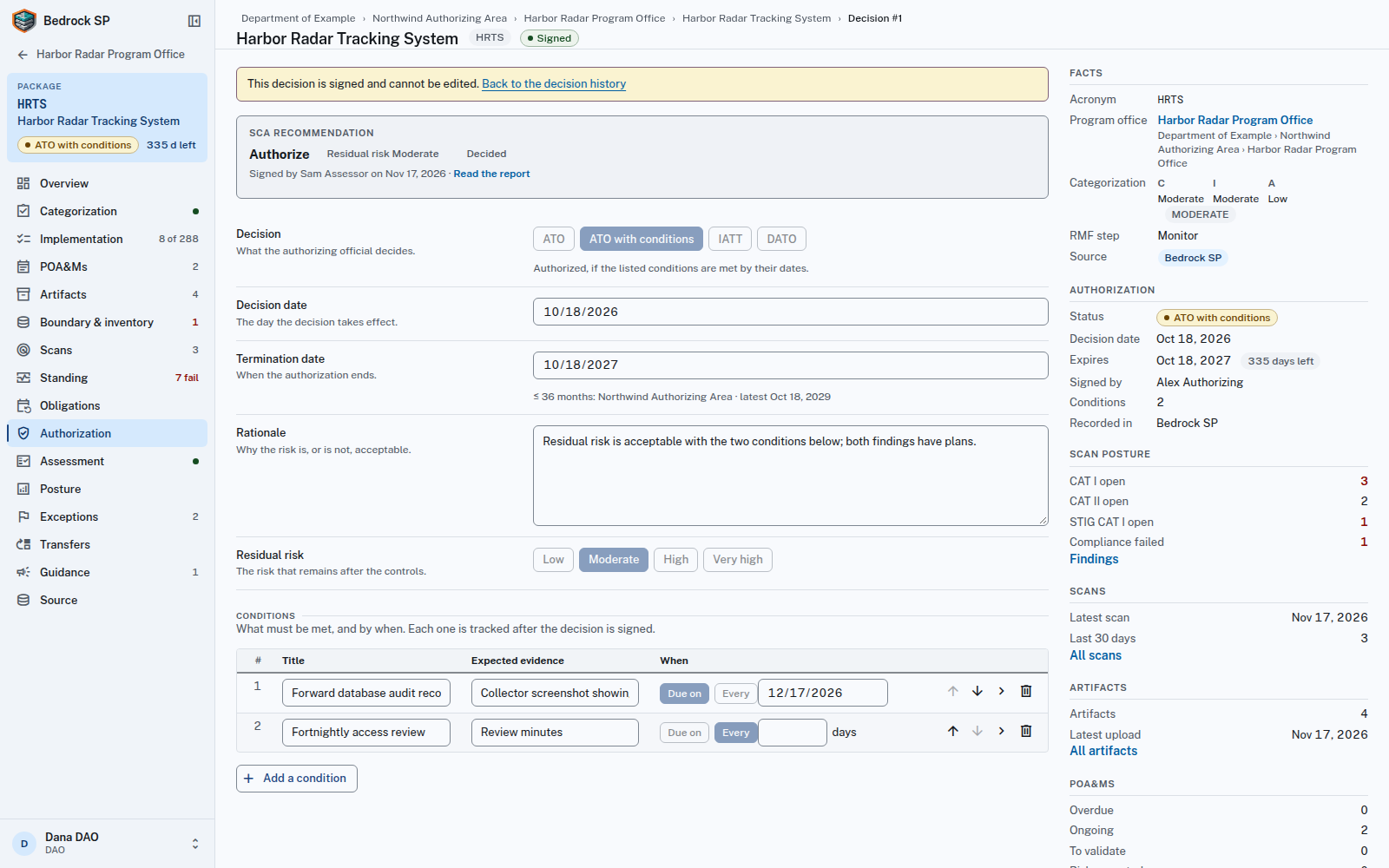
- You see: the SCA recommendation the SCA reported (with Copy into conditions if the SCA suggested any), the Decision, the Residual risk, the Decision date, the Termination date, the Rationale and any Conditions.
Step 3. Check the decision and its dates. Choose Sign.
- You see: Sign this decision. Type your full name to sign and choose Sign decision. Your typed name is your signature and is recorded.
- After signing: the decision becomes the package's authorization. The conditions become obligations for the program office. The decision it replaces is marked superseded.
The full walk-through, including conditions and the length limits your requirements set, is in Decisions and signing. Exceptions and transfers are in Exceptions, transfers and recommendations.