 foxxcyber/docs
Discover and Reports
Ask your own questions of the portfolio with the query language or the visual builder, chart the answer, export it and save it.
Discover lets you ask a question that no built-in page answers: how many Moderate packages hold an ATO? Which exceptions end this quarter? Which program offices have not acknowledged a piece of guidance? You write the question as a short query (with autocomplete) or build it with the visual Builder, which writes the same query.
A query only ever sees what you may see. A query shared with you runs with your permissions, so two people can get different numbers from the same query.
Ask a question
Step 1. Choose Discover in the sidebar, under Insight.
- You see: a box for the query, a Run button, and a row of starter queries such as Overdue obligations by office, Expiring in 90 days, Packages with CAT I scan findings and Overdue IAVMs by package.
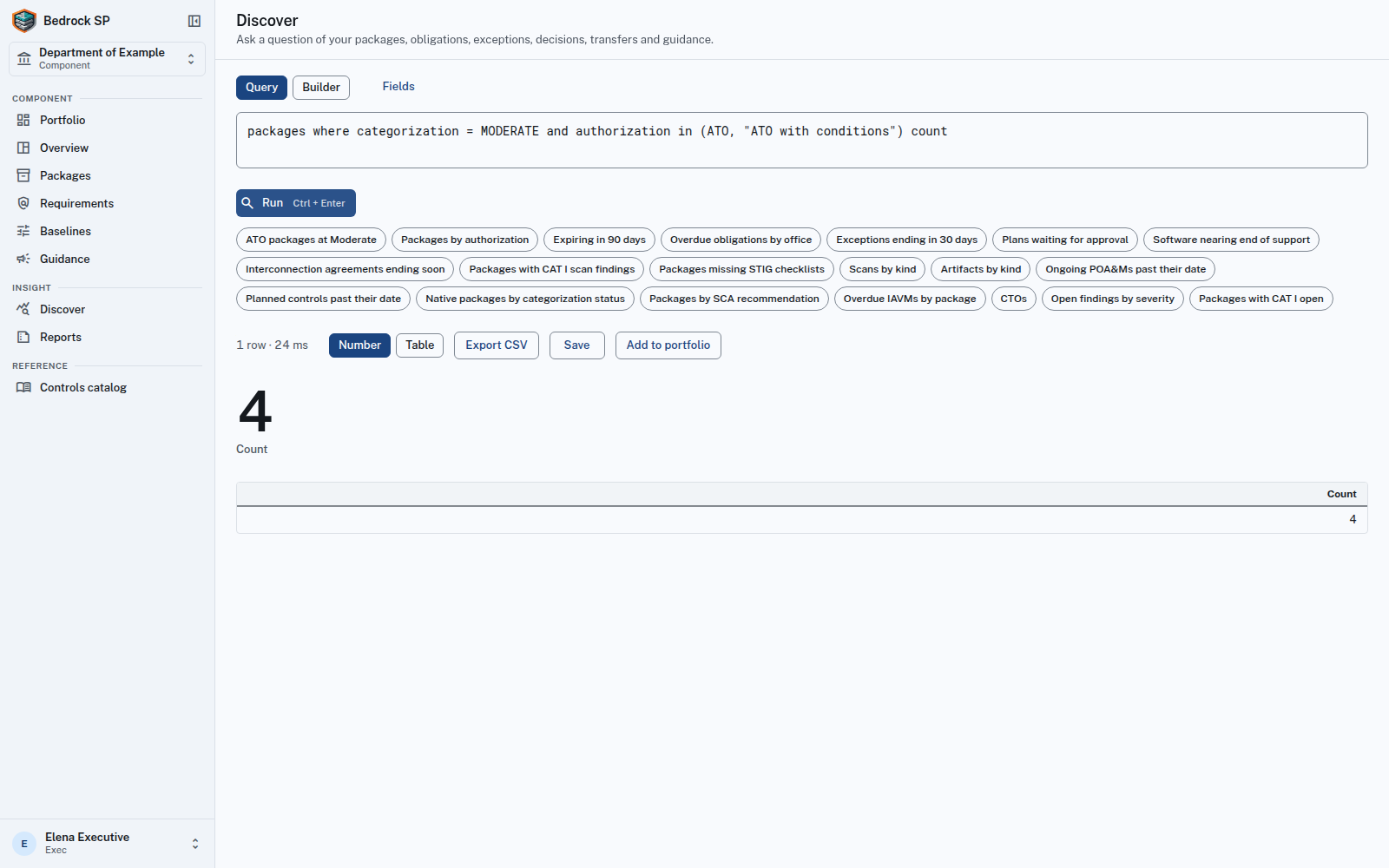
Step 2. Choose a starter, or type a query. Autocomplete suggests entities, fields and values as you type.
For example:
packages where categorization = MODERATE and authorization in (ATO, "ATO with conditions") countStep 3. Choose Run (or press Ctrl and Enter).
- You see: how many rows came back and how long it took, the answer as a number, a chart or a table, and a Chart type control when more than one suits the answer.
If the query does not parse, the page tells you where and in plain words, for
example Unknown field 'categorisation' on packages. Did you mean 'categorization'?
Use the builder
Choose Builder above the query box. Pick what to Look at, Add a filter, Group by, Add a measure, Sort by and Limit. The query it writes appears under the builder. Switch back to Query to edit the text.
Browse the fields
Choose Fields to see every field of the thing you are asking about, with its type and meaning. Choose a field to put it in the query.
Save, share and export
- Export CSV downloads the result.
- Save keeps the query under your name. Give it a Name, an optional Description (optional) and choose Share with a unit if others should run it too.
- Add to portfolio puts the result on your portfolio as a number, bar chart, table or timeline.
The full language is in the query language reference.
Reports
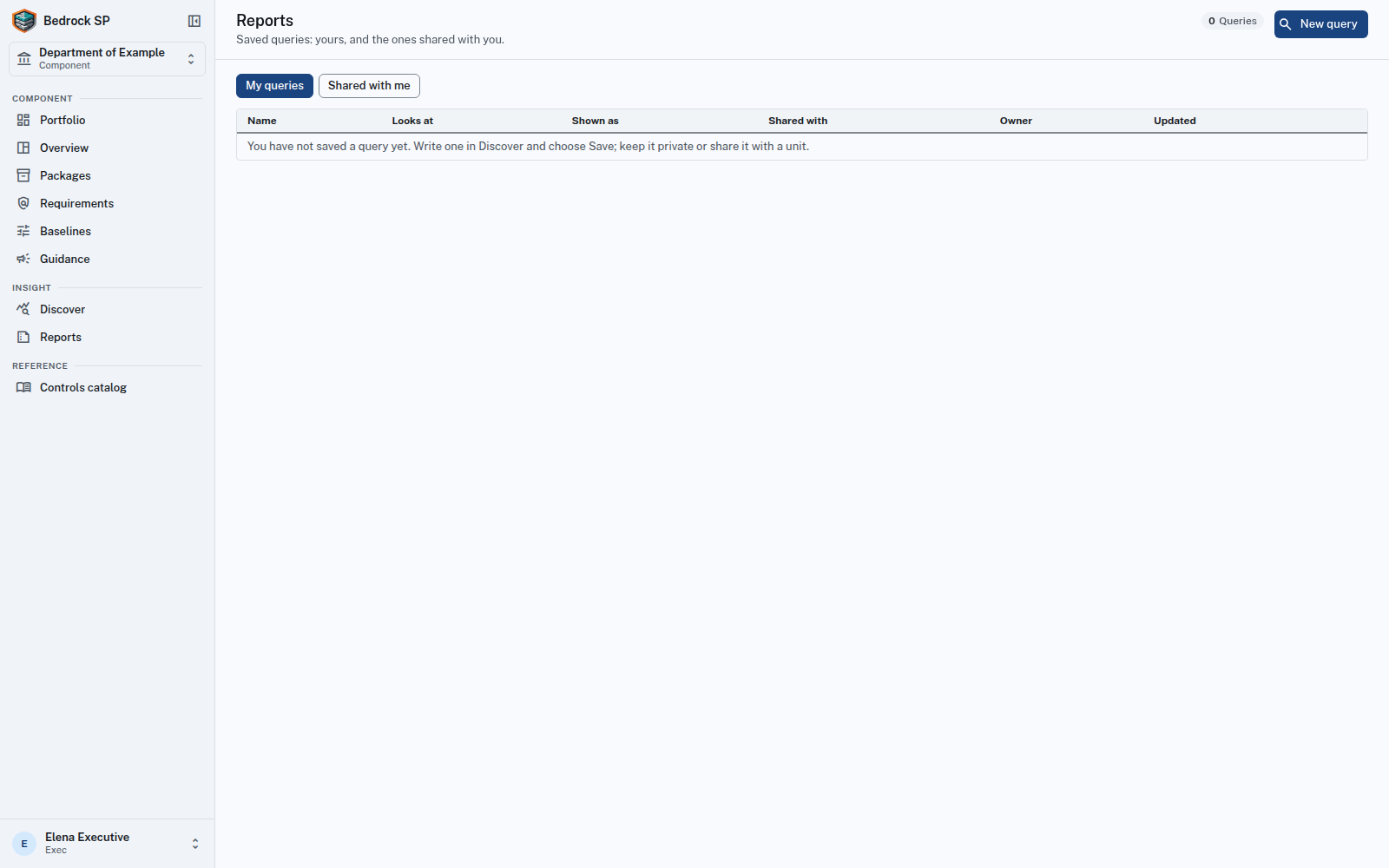
Reports (under Insight) lists your saved queries and the ones shared with you: Name, what it Looks at, how it is Shown as, who it is Shared with, the Owner and when it was Updated. Open one to run it. Use the row menu for Edit details, Share and Delete, or choose New query to start a new one.
Limits
A query runs for at most 2 seconds, and you can run 30 in 10 seconds. A result holds up to 5,000 rows.