 foxxcyber/docs
Scans and tokens
Upload STIG checklists and Nessus scans, read the findings, STIG coverage and IAVMs, and let your scanner push scans with a token.
Scans are the evidence that your system is configured and patched as the AO requires. Bedrock SP reads:
- STIG checklists (CKL, CKLB, or XCCDF as
.xml): compliance results per benchmark. A STIG is DISA's configuration checklist for a product. - Nessus files (
.nessus) from ACAS or Tenable: vulnerability findings and, when the scan used an audit file, compliance results.
You and the package's assigned assessors can upload. The Scans section has five tabs: Scans, Findings, STIG coverage, IAVM and Tokens.
Upload scans
Step 1. Open the package and choose Scans.
Step 2. Under Upload scans, drop one or more files or choose them.
- You see: each file move from uploading through scanning (checked for malware) to imported. A file Bedrock SP already has (same contents) is reported as a duplicate and not imported twice. A file it cannot read is refused with the reason and where in the file.
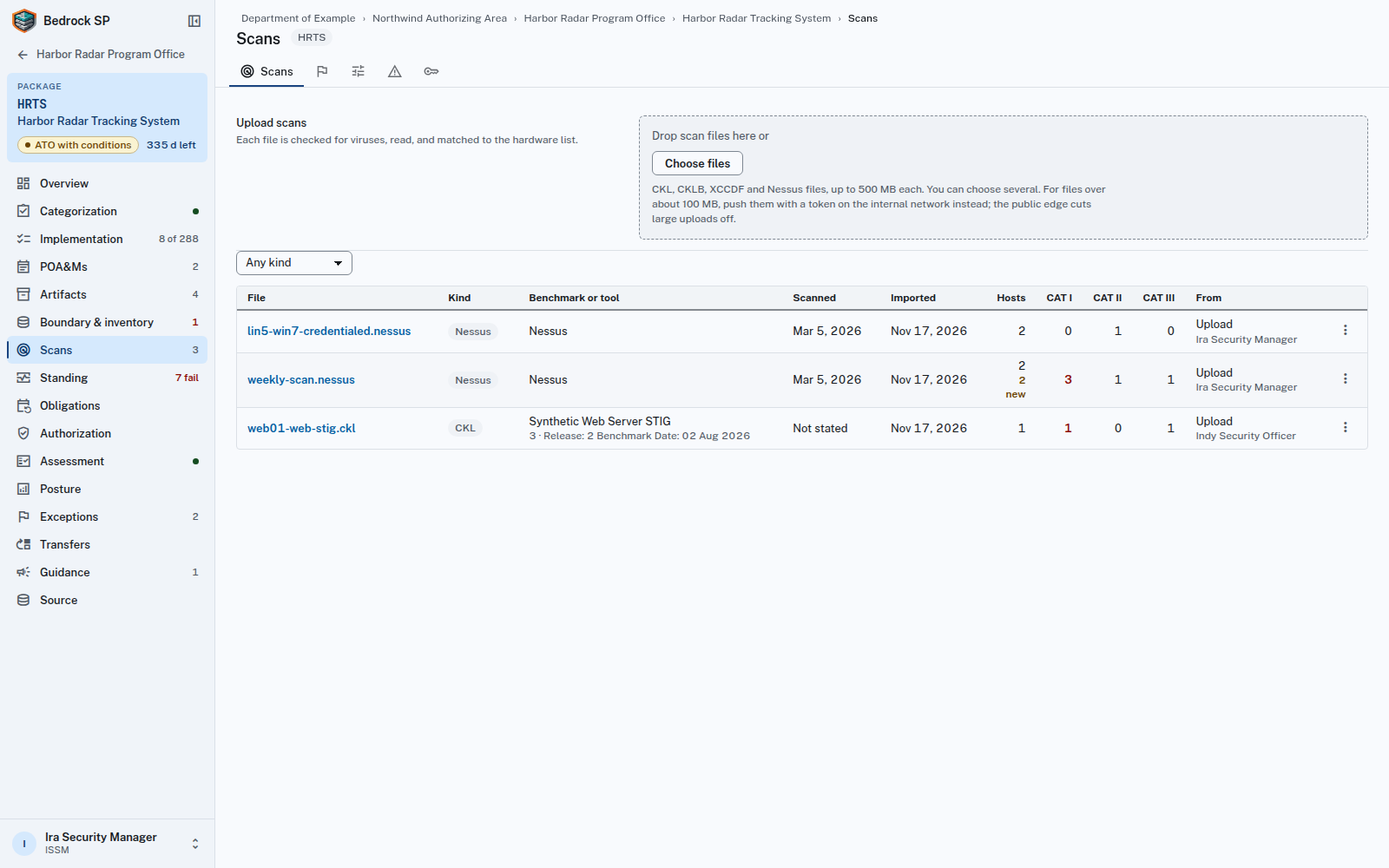
The list shows the File, Kind, Benchmark or tool, when it was Scanned and Imported, how many Hosts, the CAT I, CAT II and CAT III counts and where it came From (a person or a token).
Open a scan to see its Tool, Benchmark, Findings and each Host with its IP address, Operating system and the asset it matched. You can Delete a scan within 24 hours of importing it. After that the results stay.
Each host is matched to your hardware. Unmatched hosts are added for your review. See Inventory, ports and boundary.
Findings
Choose Findings.
- You see: three kinds: Vulnerabilities, STIG checklists and Compliance. Vulnerabilities show CAT, Plugin, Name, Host, CVEs, IAV, First seen with its age, and Last seen. Filters narrow by CAT, status and host. An age past the AO's fix-within limit is shown in red.
- Choose a finding for its detail: references, the solution, and its history across scans.
- A host shows the asset name from your inventory with the scan's host name under it.
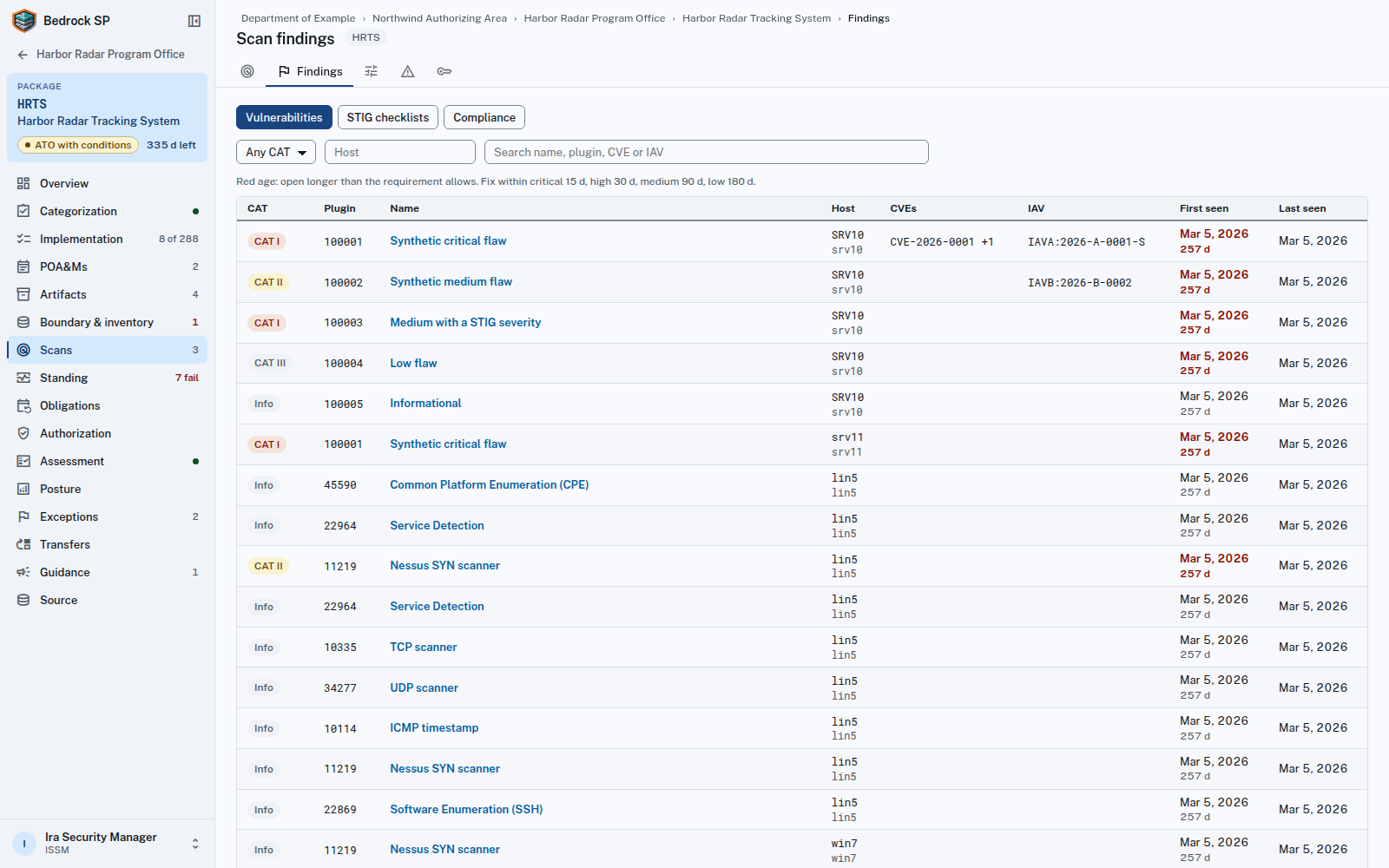
Here first seen is the start of the unbroken run of scans a finding has been in. The newest scan of each host wins, and hosts you put outside the boundary do not count.
STIG coverage
Bedrock SP works out which STIGs apply to each asset from its operating system and software. You do not choose them.
Step 1. Choose STIG coverage.
- You see: each asset with the STIGs it needs, Version, Matched by (its operating system, a piece of software, or added by hand), and Coverage: Covered, Stale (older than the AO's maximum age) or Missing. A note says when a newer release exists.
Step 2. To correct it, use the row menu: Not applicable… (give a reason), Add a STIG to this asset…, Undo not applicable or Remove this STIG.
IAVMs
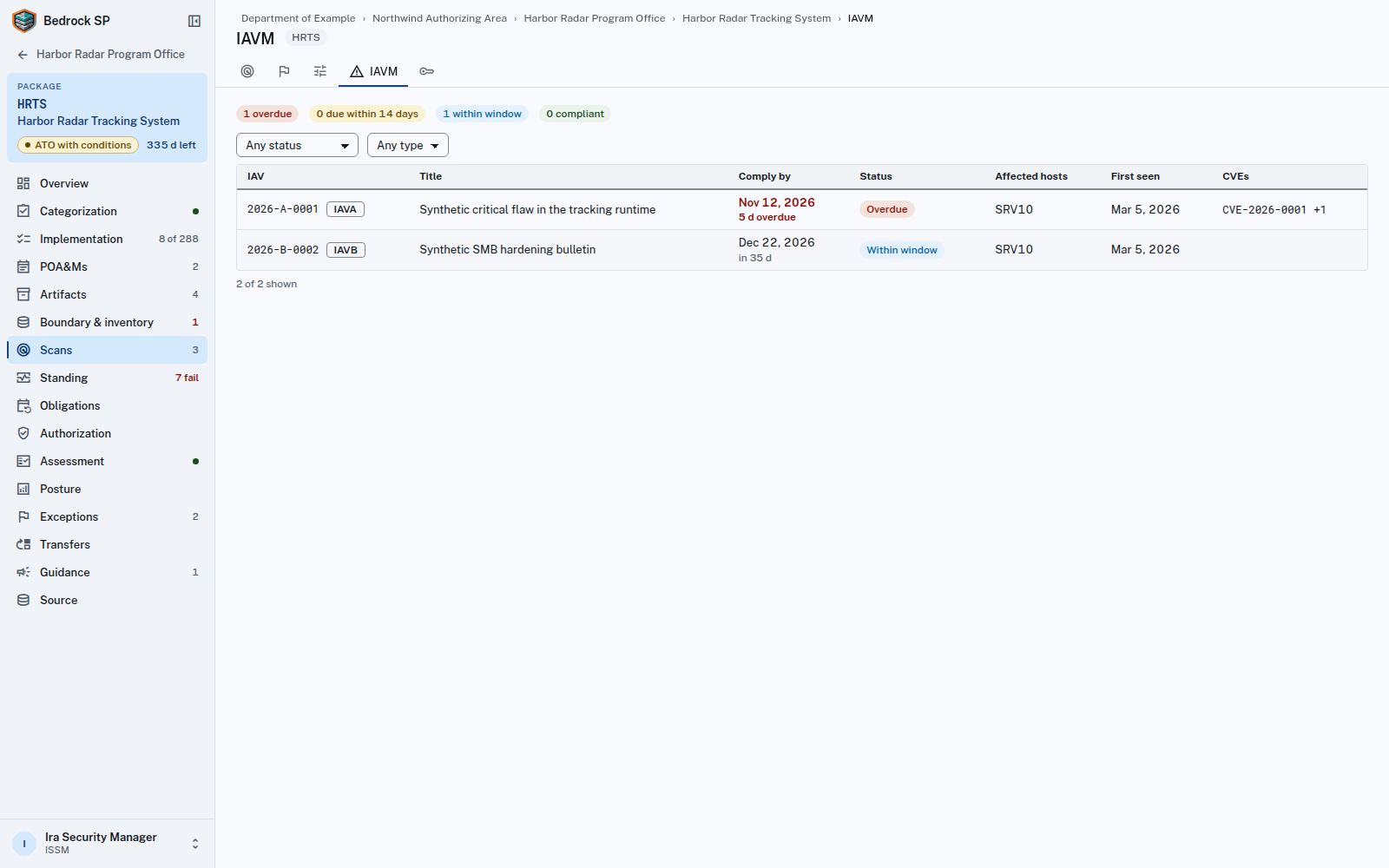
An IAVM (Information Assurance Vulnerability Management) is a numbered DISA notice, an alert (IAVA), a bulletin (IAVB) or a technical advisory (IAVT), with a date by which systems must comply. Your scans name them. The IAVM tab lists each one found:
- IAV with its type, Title, Comply by (overdue in red, within 14 days in amber), Status, Affected hosts, First seen and CVEs.
- Statuses: Overdue, Within window, Compliant (it was referenced before and no host has it now) and No bulletin entry (the scans name it but the bulletin does not).
If no bulletin is loaded the tab says so. The platform administrator uploads the bulletin. See IAVM bulletin.
Tokens: let the scanner push
A token lets a scanner upload scans without a person signing in.
Step 1. Choose Tokens, then Create token. Give it a Name and choose Create token.
- You see: Token created, with the secret (it starts
bspt_). It is shown once. Copy it now.
Step 2. Push a scan shows the command to upload with it. Choose Copy the command, then I have saved it.
- After this: only the token's start is shown. A token can upload scans to this package only, and nothing else. You can have up to 20 live tokens. Revoke a token and it stops working at once.
Treat a token like a password
Anyone who has the secret can add scans to your package. Keep it in your scanner's secret store, and revoke it if it leaks.