 foxxcyber/docs
Exceptions, transfers and recommendations
Decide an exception, release or accept a transfer, and act on an SCA's recommendation. Each is a risk decision with a typed signature.
Three kinds of request come to the AO. Each one, when it ends, is a decision you own.
Exceptions
An exception is relief from one standing check of one package. A program office requests it, an AODR may recommend, and the AO decides. An approved exception does not change the check's status. It shows the check as covered until the exception ends, and the package's overall standing ignores it.
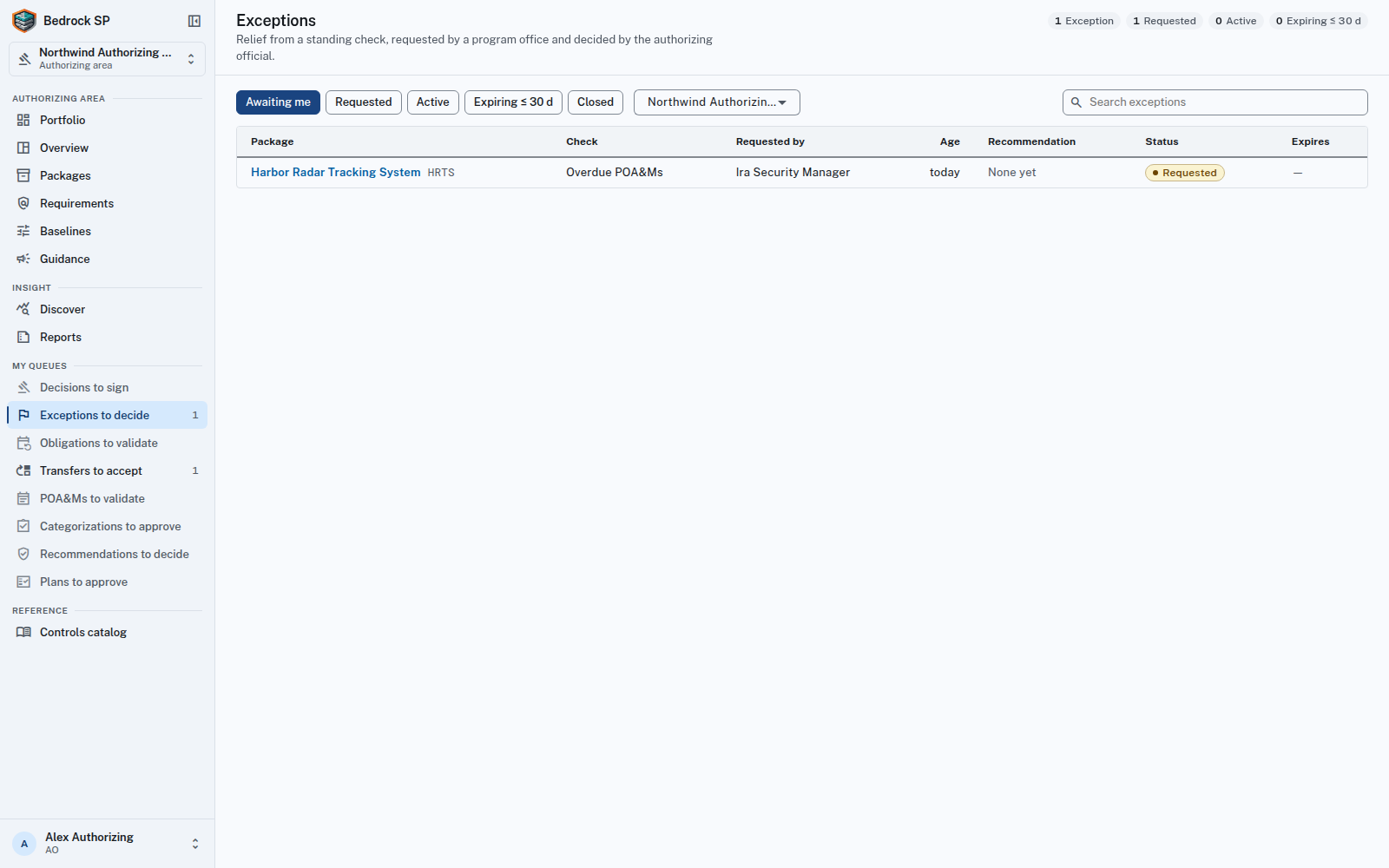
Step 1. Choose Exceptions to decide in My queues.
- You see: Relief from a standing check, requested by a program office and decided by the authorizing official. The table shows Package, Check, Requested by, Age, Recommendation, Status and Expires.
Step 2. Open a request.
- You see: the Check and its current reading, the Justification, the Compensating controls, any Attached files, Requested until, Requested by and the AODR recommendation if there is one.
Step 3. Choose Decide.
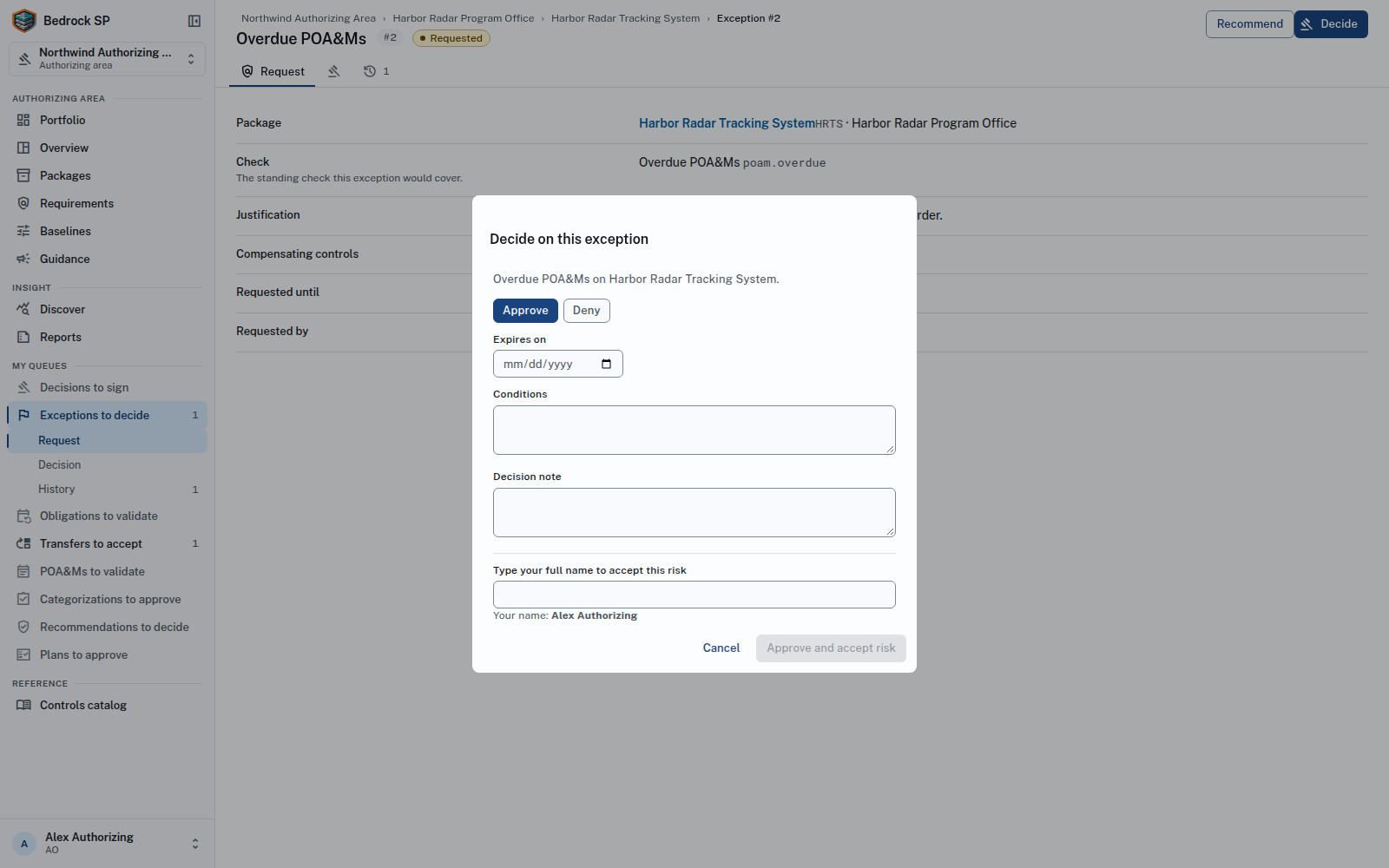
- You see: Decide on this exception, with Approve and Deny.
- Approve: set Expires on, optionally add Conditions, write a Decision note, type your full name where it says Type your full name to accept this risk, and choose Approve and accept risk. The button stays off until your typed name matches your account.
- Deny: write a Decision note and choose Deny.
Rules that apply:
- A requester never decides their own request.
- There is one requested exception per package and check. Approving a new one revokes any other approved one for that check ("superseded by").
- Revoke ends an approved exception early. Withdraw is for the requester.
- An approved exception that passes its end date becomes Expired, and the check reads as it really is.
Transfers
A transfer moves a package to another program office, often under another AO. Both AOs take part: the sending AO releases, the receiving AO accepts and takes the risk.
Step 1. If your area is sending: open the package, choose Transfers, and review the request. A program office or you can start one with Transfer in the package's side panel, which opens Request transfer with a Destination program office and a Reason). Choose Release, add a note and choose Release again.
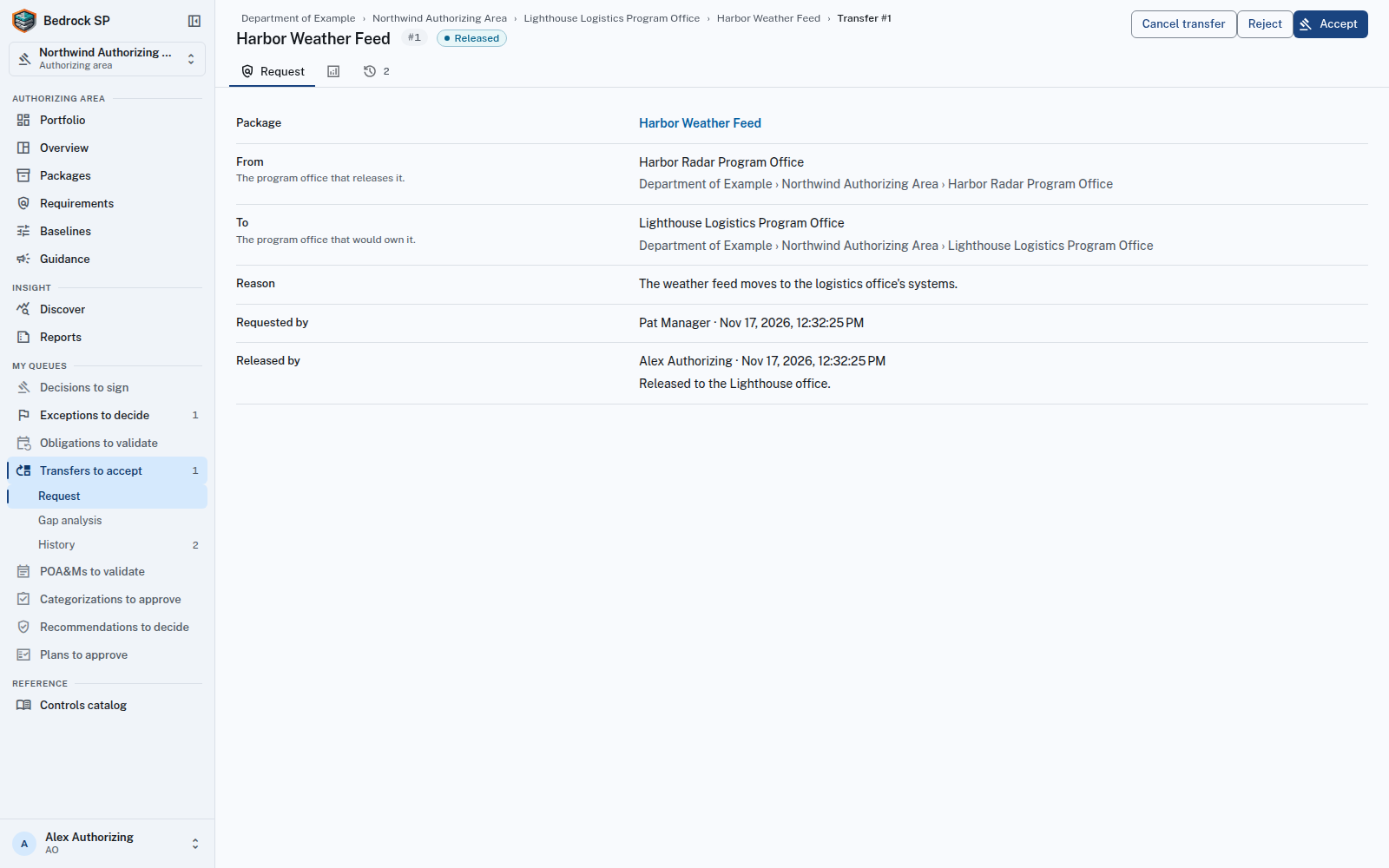
Step 2. If your area is receiving: choose Transfers to accept in My queues and open the transfer.
- You see: the Package, From, Reason, Requested by, Released by, and Standing, now and after: the package's Current standing against your requirements, the Enforced baseline on each side, the Exceptions that end, and the Checks against the receiving requirements with what each was and what your requirement is.
Step 3. Choose Accept and type your full name in Accept this package, then Accept ownership. Or choose Reject with a note. The requester or the sending AO can Cancel transfer.
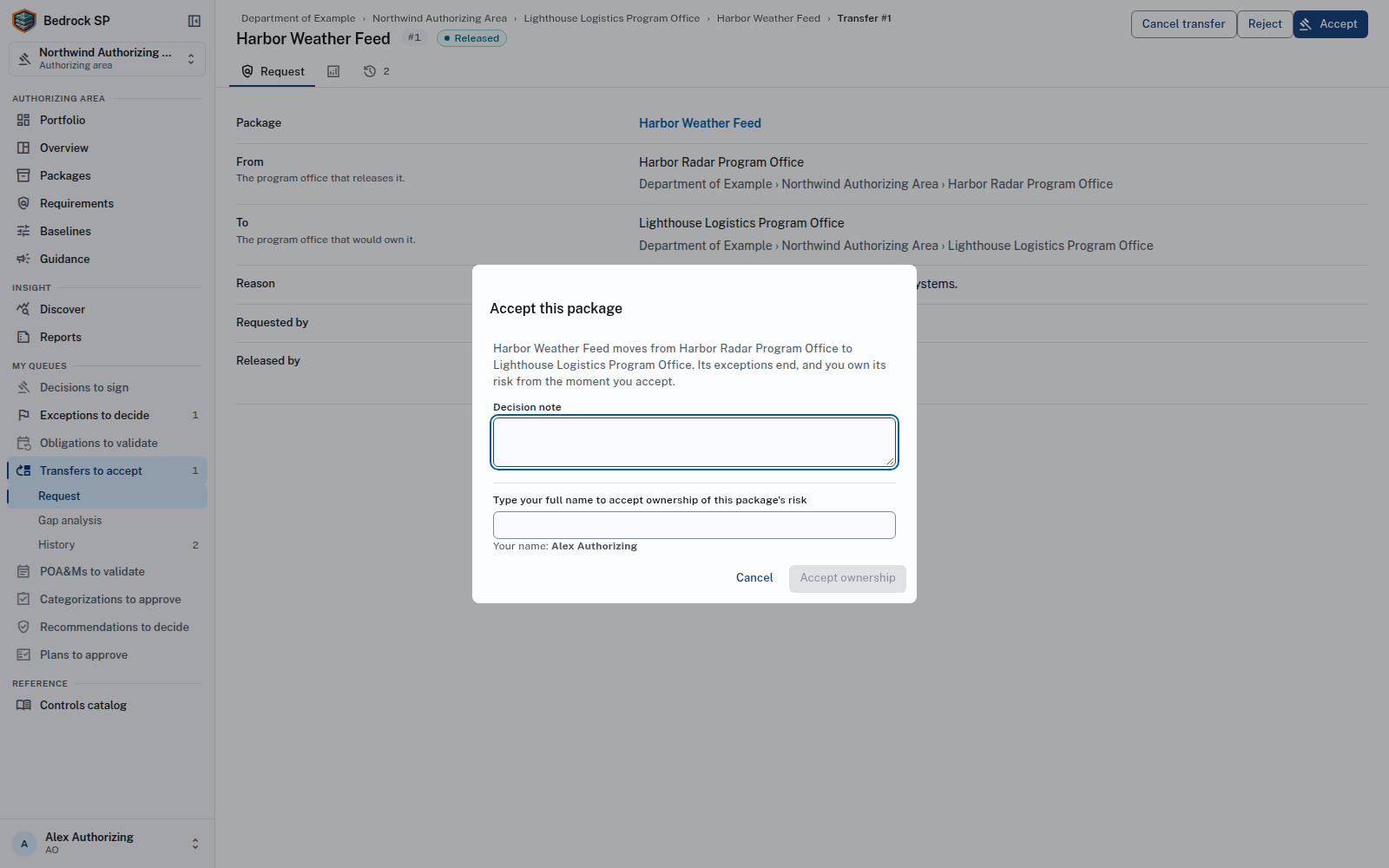
- After accepting: the package belongs to the receiving program office. Every exception on it is ended, because the receiving AO now owns the risk. The package's authorization data is kept.
Recommendations
When an SCA finishes an assessment and signs the security assessment report, it waits in Recommendations to decide.
Step 1. Choose Recommendations to decide.
- You see: Security assessment reports the SCA has signed and submitted, waiting for your decision, with the Recommendation (authorize, authorize with conditions, IATT or deny), the Residual risk, who Signed by and when.
Step 2. Open the report to read it, then open the package and choose Record decision (the AODR sees Prepare decision) to start the decision with the recommendation beside it. See Decisions and signing.
A recommendation is not a decision
The SCA recommends. You decide. The decision page shows the recommendation and its suggested conditions and lets you copy them across, but nothing is decided until you sign.