 foxxcyber/docs
Findings
See every finding the assessment opened, how each links to a POA&M, and what the program office still owes.
A finding is a non-compliant CCI. Findings are how your assessment becomes work for the program office.
Where they are
Open the package, choose Assessment, then the Findings page.
- You see: a table: CAT (I, II or III), Control, CCI, the Finding, its Status, the POA&M number, the Obligation and when it was Opened.
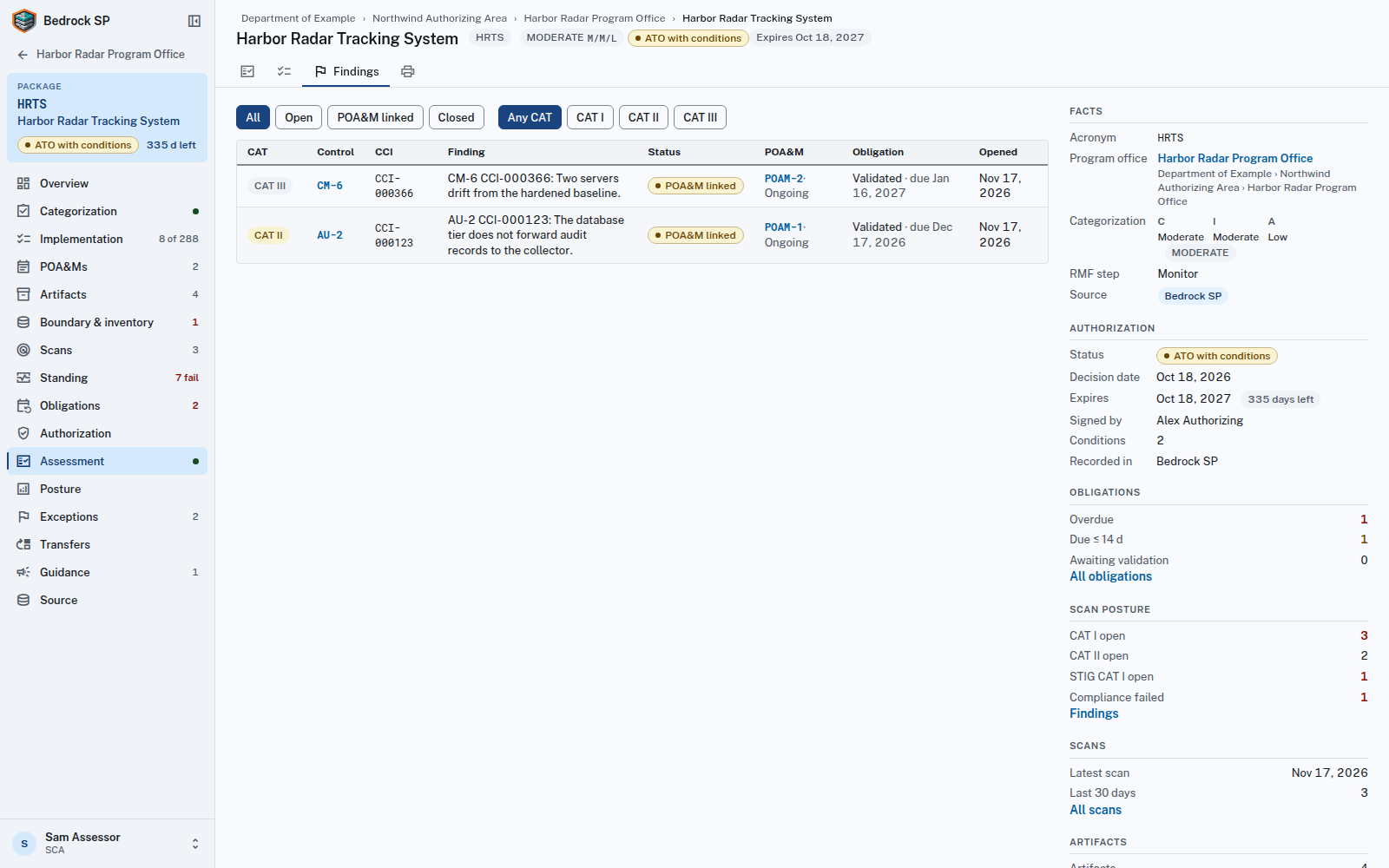
The statuses are:
| Status | Meaning |
|---|---|
| Open | The program office has not yet answered with a POA&M. |
| POA&M linked | A POA&M exists for it. |
| Closed | The result is no longer non-compliant. |
How a finding reaches a POA&M
On a native package: a non-compliant result creates a draft POA&M linked to the finding and an obligation Complete POA&M n for the finding. The obligation completes itself when the program office starts the POA&M with a schedule and milestones. The finding is then POA&M linked.
On a legacy package (until cutover): the program office answers the obligation Open a POA&M with its POA&M number as the evidence note. When you validate that obligation the finding becomes POA&M linked with that number.
Findings versus scan findings
Do not confuse these with scan findings. Assessment findings come from your assessment. Scan findings (the Scans section, with vulnerabilities, STIG checklists and IAVMs) come from imported files. They are separate lists with separate names.
You can also ask Discover about findings, for example findings where status = open group by severity count. See the query language.