 foxxcyber/docs
Importing a package (eMASS POA&M, OSCAL, ATO package zip)
Bring a system's records in from another tool: an eMASS POA&M spreadsheet, OSCAL SSP, assessment results or POA&M files, or a whole ATO package zip. Check the file first, read the report, then import.
If a system already has an authorization package somewhere else, you do not have to type it again. Bedrock SP can read:
| File | What it does |
|---|---|
| ATO package (zip) | Reads a whole package: the OSCAL documents, the SSP and SAR as Word or PDF, and the evidence files. Makes a new package, or adds to one you already have. |
| OSCAL system security plan | Makes a new package, or fills in an existing one: name, categorization, boundary, components, people and the control narratives. |
| eMASS POA&M spreadsheet | Creates or updates POA&Ms in a package, by their number. |
| OSCAL assessment results | Keeps an assessment another tool made as a read-only reference. Each result that is not satisfied opens a draft POA&M. |
| OSCAL POA&M | Creates or updates POA&Ms, by their id. |
OSCAL files are version 1.1.x. The PM, ISSM and ISSO can import, and only into a native package (one made in Bedrock SP). Every file is scanned for viruses first. See Import files and limits for what is accepted.
Where to start
- A new package: choose your program office in the unit switcher, then Import a package on the Packages page or your program office's Overview. You can choose an ATO package (zip) or an OSCAL system security plan.
- A package you have: open it and choose Import in the side panel, beside Edit package. All five kinds are offered.
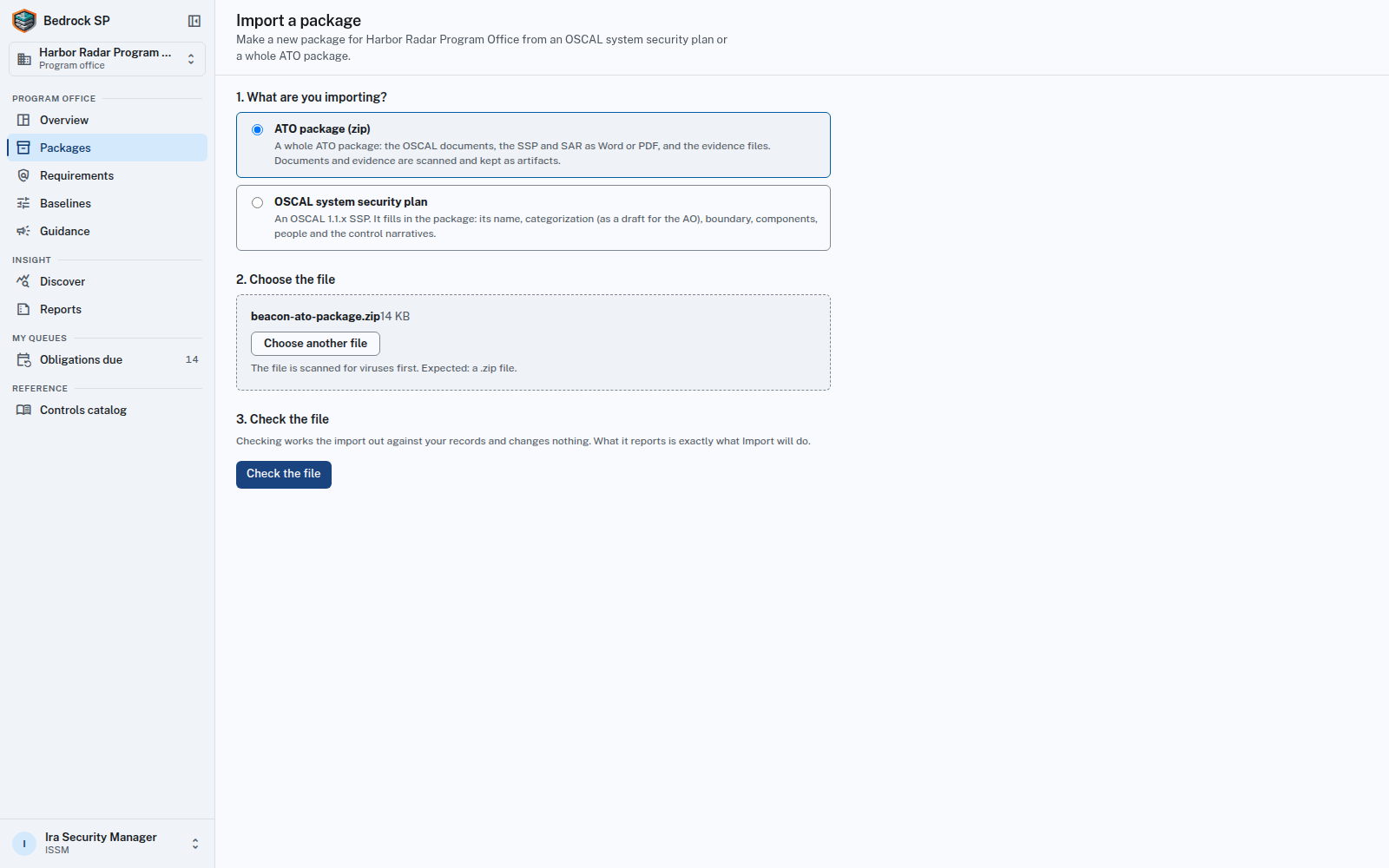
The four steps
An import always goes the same way. Nothing changes in your package until the last step.
Step 1. Choose what you are importing.
- You do: pick the kind of file. A line under each says what it does.
Step 2. Choose the file.
- You do: drop it on the box or choose Choose file.
- You see: the file's name and size, and the type expected.
Step 3. Check the file.
- You do: choose Check the file.
- You see: a progress bar while the file is sent, scanned for viruses and read. Then a report.
The check works the import out against your real records and then undoes it. So the report is exactly what Import will do, not a guess.
Step 4. Read the report, then import.
- You see: one box for each part of the file, with counts, and a row-by-row list of any errors with the row number as it is in your file (for a spreadsheet, the Excel row).
- You do: if there are no errors, choose Import. If any row has an error, Import stays off and a banner says Nothing can be imported until every row is valid. Fix the file and choose Check again.
- You see after importing: a summary and links: to the package, its POA&Ms, its implementation and artifacts, the imported assessment, and any differences to review.
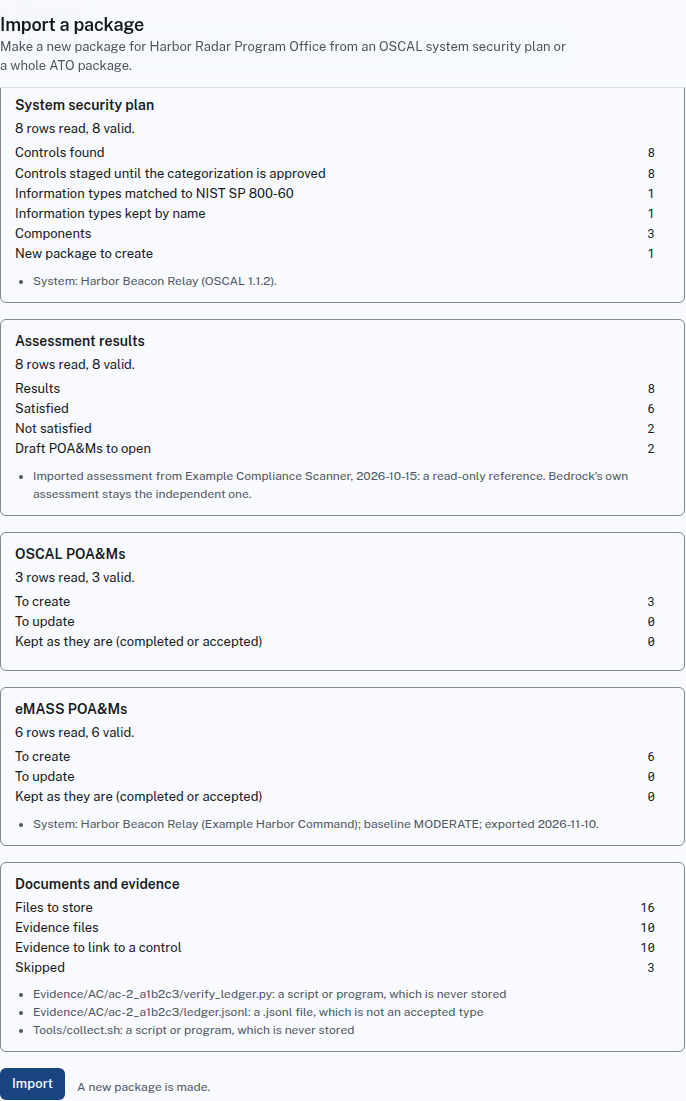
What each import does
An eMASS POA&M spreadsheet
The export has a block of labels (system name, component, baseline, date exported) and a table of POA&Ms.
- Each row becomes a POA&M whose number comes from the tag in the comments. A row with no tag takes the next free number.
- Severity: Very High and High become CAT I, Moderate CAT II, and Low and Very Low CAT III.
- The control is the Security Control Number, so
AC-2(1)is control AC-2.1. A control that is not in the catalog is a row error. - A milestone is a line in the milestone column that ends with a date (
2026-12-01,12/1/2026or1 Dec 2026). Lines with no date are kept in the notes. - On import, a POA&M that is still open takes the file's content and milestones. One that is completed, risk accepted or waiting for validation is kept as it is, and the report counts it as kept. So you can import the same export again and again.
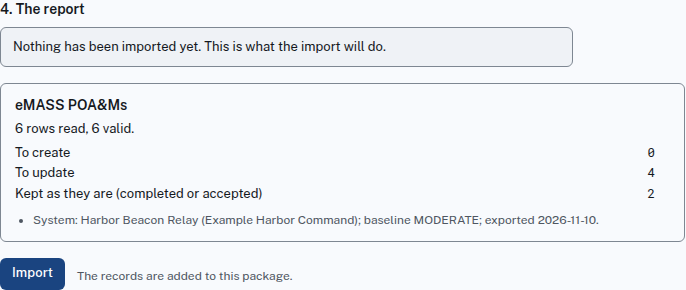
An OSCAL POA&M
Each item, with its risk, becomes a POA&M: severity, likelihood, impact, deadline, and dated
remediation tasks as milestones. Items are matched by poam-id, else by their id.
An OSCAL system security plan
It brings in the package's name and description, the FIPS 199 levels, a draft categorization, the boundary text, hardware and software from the typed components, the people by role, and the control narratives and statuses.
- New package: the SSP makes the package. The categorization is a draft: it is never approved for you. You submit it and the AO approves it as always. See Categorization. Information types are matched to NIST SP 800-60 by id, then by title. The rest are kept by name with the levels the SSP gave.
- Existing package: blanks are filled and a value that differs from what a person entered is not changed. It becomes a difference for you to review (below).
OSCAL assessment results
The results are kept as an imported assessment, a read-only reference. Each not satisfied result opens a draft POA&M (CAT II until you say otherwise), so the weakness is not lost. See The imported assessment.
An ATO package zip
The zip is searched by content. An OSCAL file is recognised by its first key, an eMASS workbook by its header row, and each is imported as above. Then:
- Word and PDF files in SSP/ and SAR/ become SSP and SAR artifacts.
- Files under Evidence/ become Evidence artifacts, linked to the control their
folder names (a folder called
ac-2_5f3ais control AC-2). - Everything else becomes an Other artifact.
- Every file goes through the same virus scan and type list as any upload. Scripts, programs and other types are skipped, and the report says why for each one.
Controls wait for the categorization
A new package has no control set until its categorization is approved, because the controls come from the categorization. So what the SSP said about each control is staged.
On the Implementation page the package says, for example, 287 control descriptions from the SSP are waiting; they'll fill in when the categorization is approved. When the AO approves the categorization, the control set is built and the staged narratives and statuses land in the controls that are still blank.
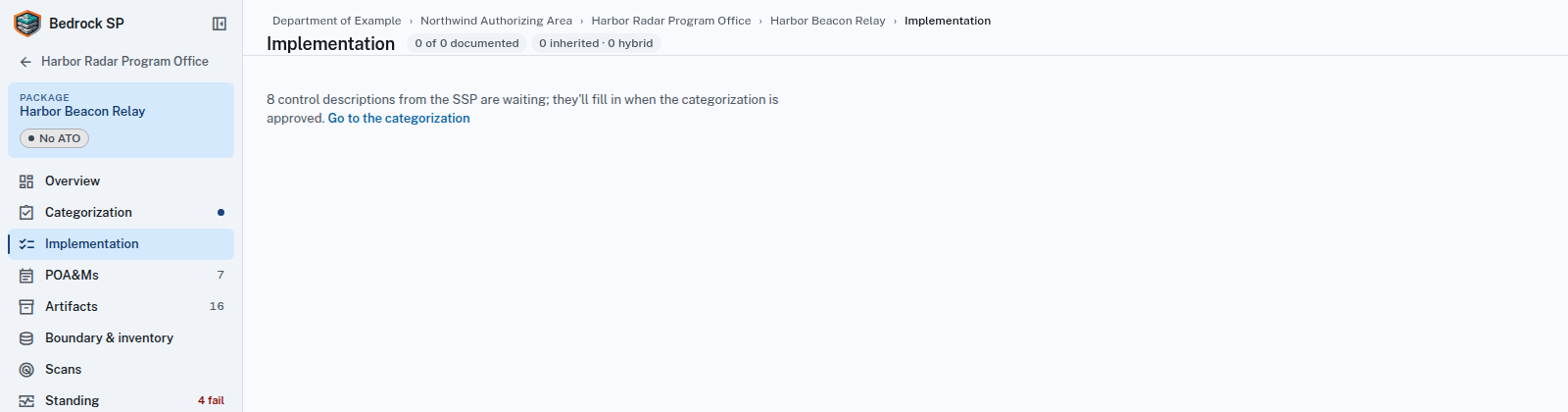
The imported assessment
An assessment another tool made is shown on the package's Assessment tab under Imported assessments, and opens as Imported assessment from tool, date. It lists each control's result (Satisfied or Not satisfied), a summary of what the tool said, and a link to the draft POA&M that a not-satisfied result opened.
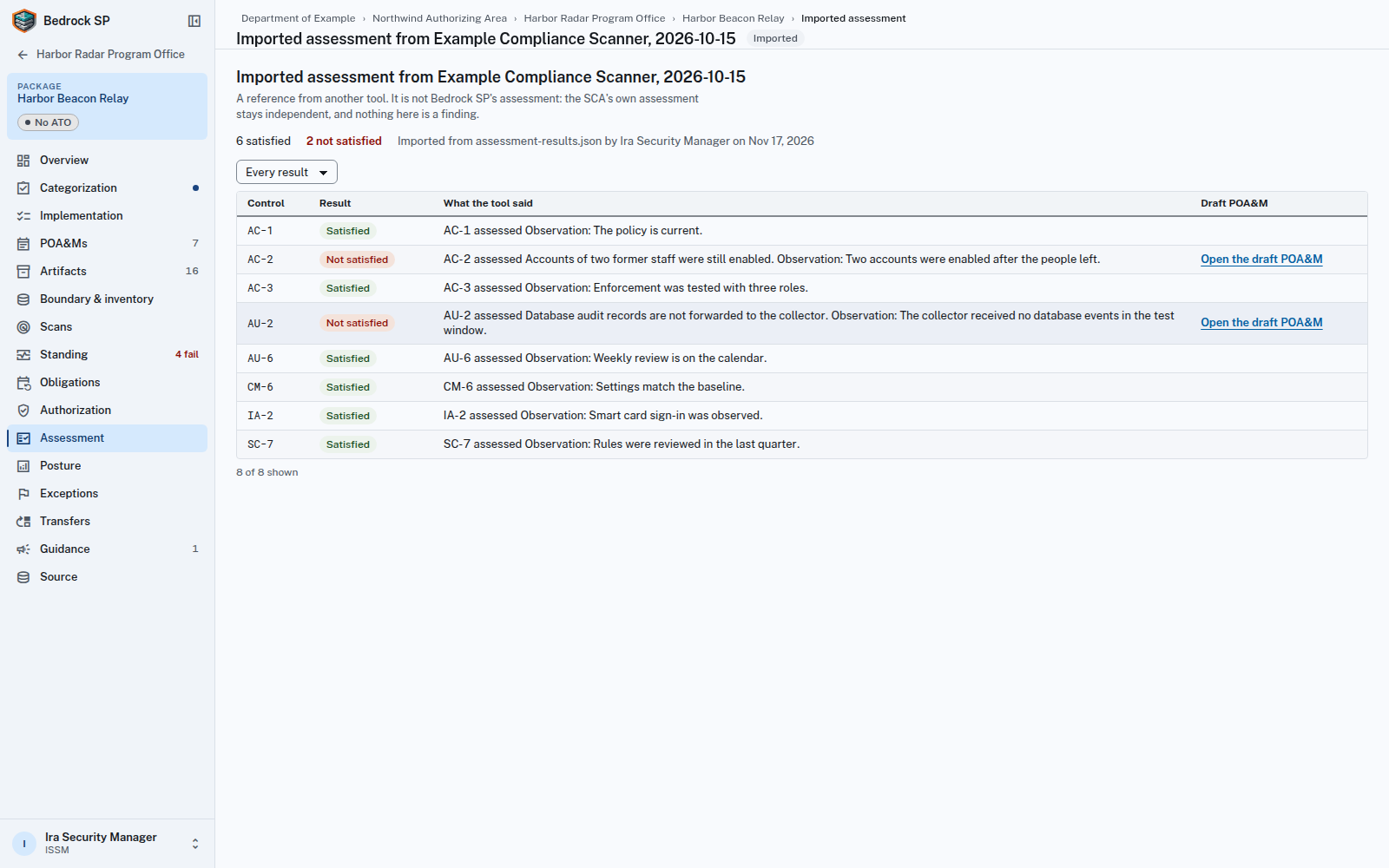
It is not your SCA's assessment
Bedrock SP's own assessment is made by the independent SCA, with its own plan and results. An imported assessment is a reference only: it carries an Imported chip, it is never a finding, and it does not change the package's assessment. The draft POA&Ms it opens have the source imported assessment.
Differences from an SSP import
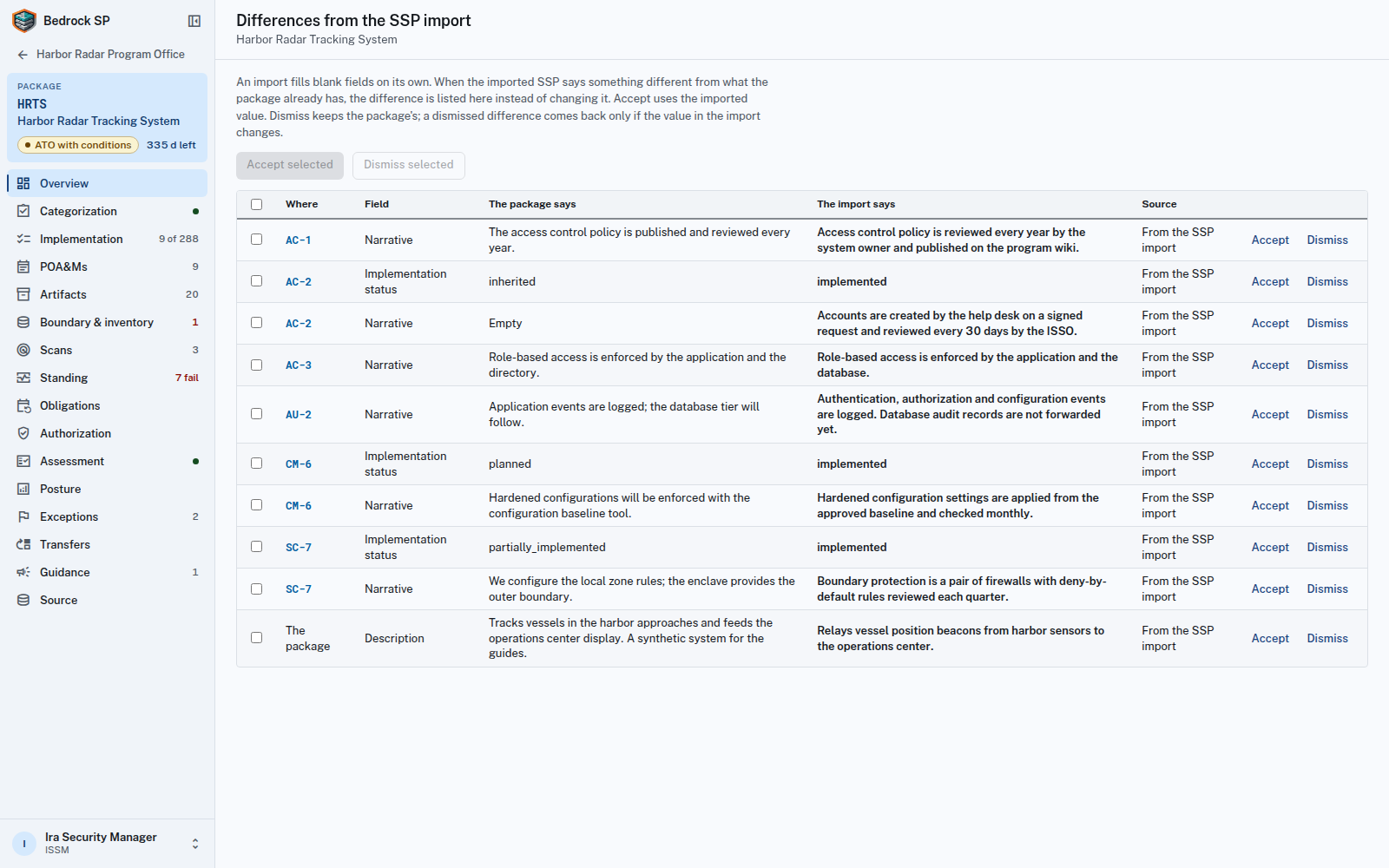
When an SSP is imported into a package that has content, a difference does not overwrite it.
- A banner on the package's Overview says N differences from the SSP import wait for review, and the rail's Last import fact says what was imported and when.
- Choose Review them. The table lists Where (the package, or a control), the Field, The package says, The import says and the Source, From the SSP import.
- Accept uses the imported value. Dismiss keeps the package's. Tick rows to do several at once.
- A dismissed difference comes back only if the imported value changes.
Evidence linked to controls
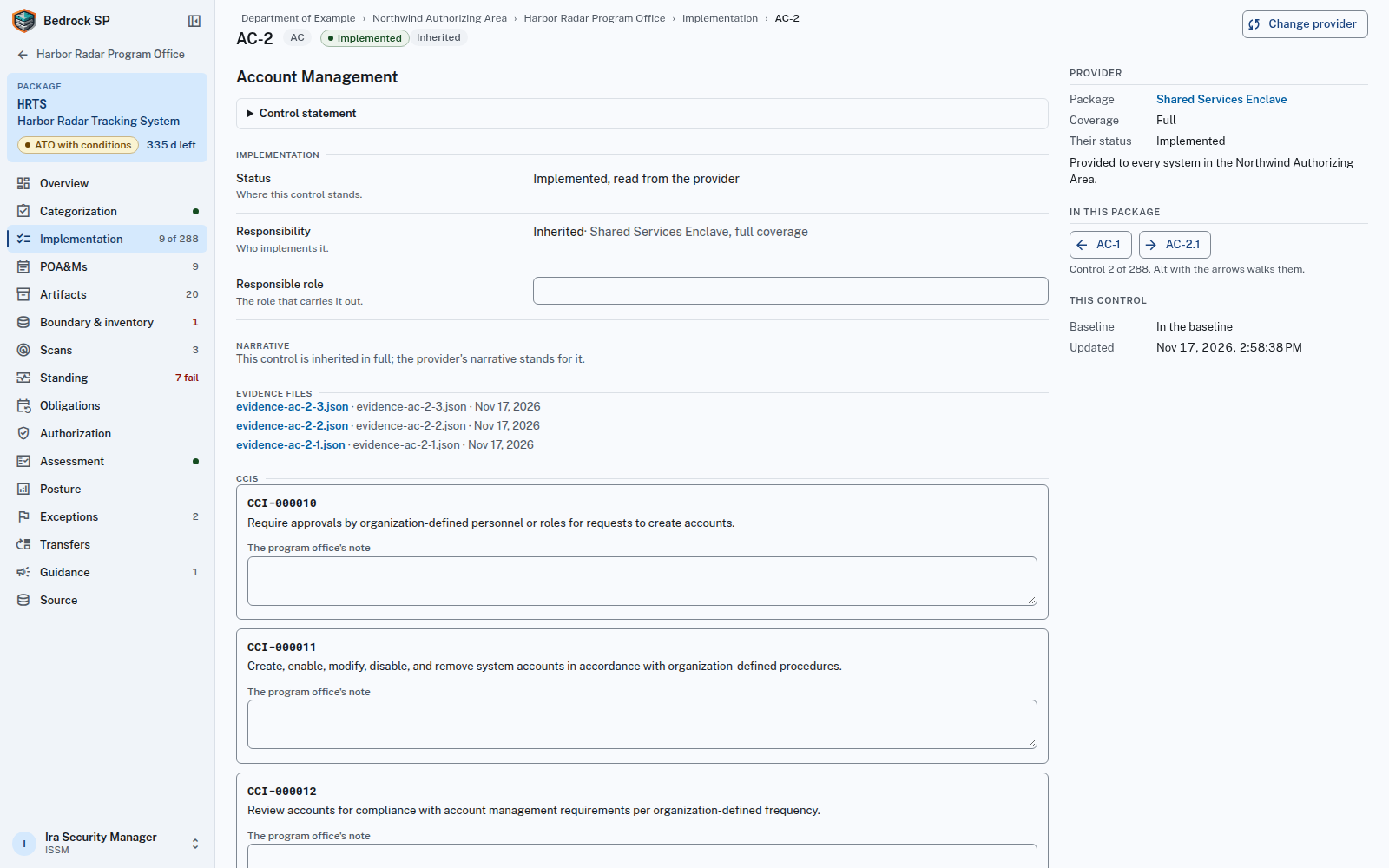
Evidence files from an ATO package keep their link to the control they belong to.
- On Artifacts, an evidence file shows Evidence for AC-2 (one link per control). Choose it to open that control.
- On the control's page in Implementation, Evidence files lists each file with a download link.
How the package shows where it came from
In the package's side panel, Origin says Began as an import from an ATO package (or an OSCAL SSP) with the date, if the package was made by an import. Last import says what was imported into it most recently, and when, for any import.