 foxxcyber/docs
Implementation and inheritance
Document how every control is implemented (the SCTM), mark controls inherited from a common control provider, and keep planned dates honest.
The SCTM (Security Control Traceability Matrix) lists each control a system must have and how it is implemented. In Bedrock SP it is the package's Implementation page. Once the categorization is approved the list is built for you from the enforced baseline: the AO's published baseline for your level, or the NIST baseline plus the privacy controls.
A control can be:
- Planned: not done yet. It needs a Planned completion date.
- Implemented.
- Partially implemented: it needs a planned date for the rest.
- Not applicable: it needs a justification, in Why it does not apply.
- Inherited: provided by a common control provider.
Each control also has a Responsibility: System (you), Hybrid (shared with a provider) or Inherited (the provider's).
Edit many controls
Step 1. Open the package and choose Implementation.
- You see: a table of controls with Control, Title, Status, Responsibility, Provider, Planned completion, Narrative (is it written?) and Flags. Filters narrow by status and responsibility.
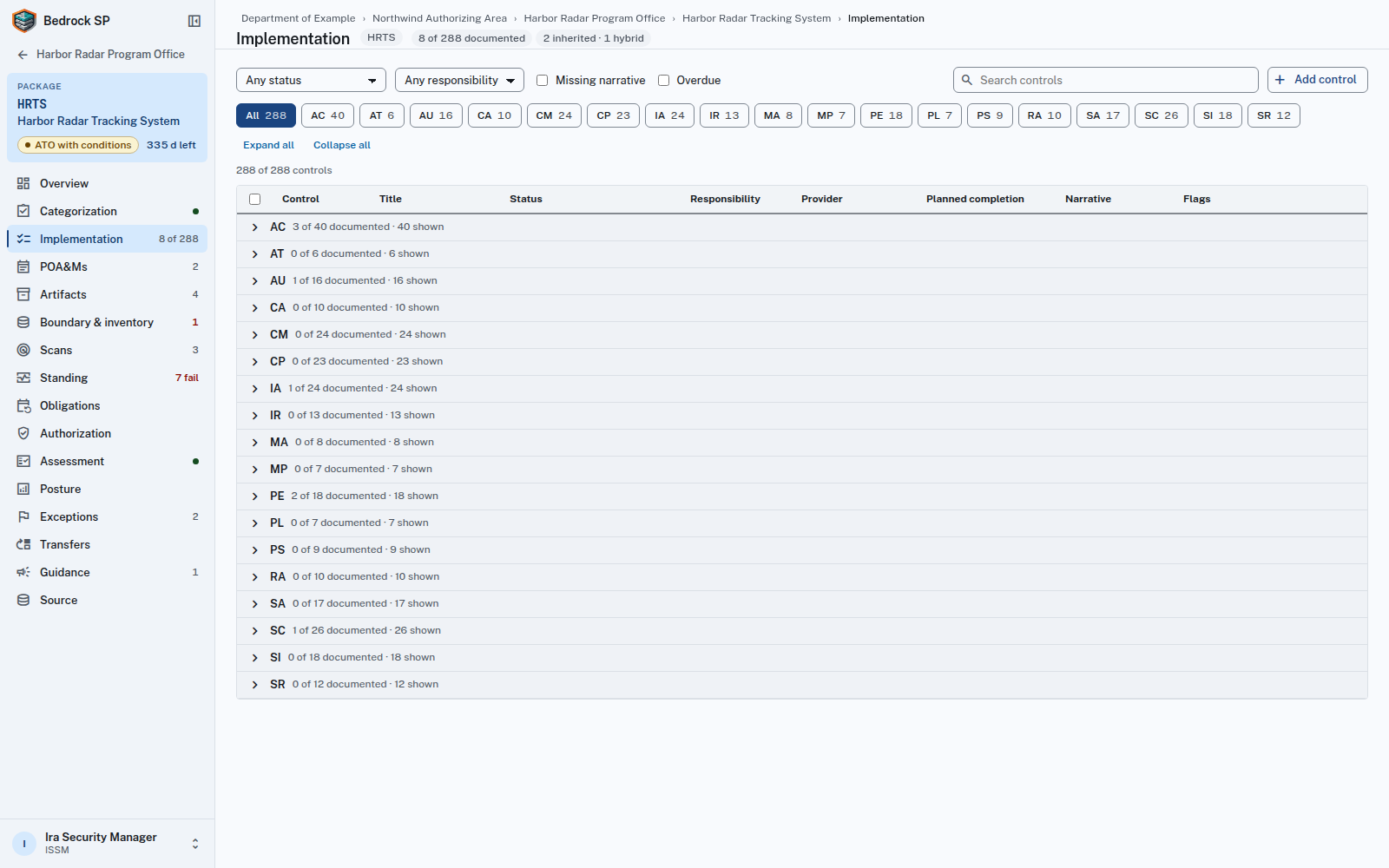
Step 2. Select rows, then choose Set status, Set responsible role, Set planned completion, Mark not applicable (with a reason) or Clear.
Step 3. Choose Save changes. Discard drops the pending edits. Add control adds a control that is not in the baseline. A control that later leaves the baseline stays, flagged as outside it.
Document one control
Step 1. Choose a control.
- You see: the control page with Provider, In this package, This control, Implementation, Responsibility and the CCIs.
Step 2. Set the Status, Responsible role, Planned completion and Implemented on as they apply, and write the narrative: how this system meets the control. If it does not apply, say Why it does not apply. Choose Save. Previous and next move through the list.
Inherit from a provider
Step 1. On a control's page choose Inherit from a provider. (The button reads Change provider when one is chosen.)
- You see: the providers that offer this control, how much of it each covers (full or partial) and the unit they offer it to.
Step 2. Choose a provider and confirm.
- Full coverage: the control becomes Inherited, takes the provider's status and needs no narrative from you. The page says it is read from the provider.
- Partial coverage: the control becomes Hybrid. You still write your own narrative for your part.
If a provider withdraws an offering, your control returns to Planned and System, and you see a change alert, inheritance withdrawn.
Providers
If your package provides common controls, see Common control provider.