 foxxcyber/docs
Offering controls
Offer the controls your system implements to other program offices, say how much each covers, and see who inherits them.
A common control provider (CCP) implements a control once and lets other systems inherit it. A hosting enclave that provides physical security, or a network that provides boundary protection, is a typical provider. The provider documents the control. The systems that inherit it do not write their own narrative for it, or write only their own part.
In Bedrock SP the provider's package is marked This package provides common controls (set when the package is created or edited). The Common Control Provider role, held in a program office or a component, edits the package's implementation and publishes offerings. The PM, ISSM and ISSO of the provider's program office can do the same.
Offer a control
Step 1. Open your package and choose Implementation, then the Offerings tab.
- You see: The controls this package offers to others. A table of Control, Title, Coverage, Offered to, State and Subscribers.
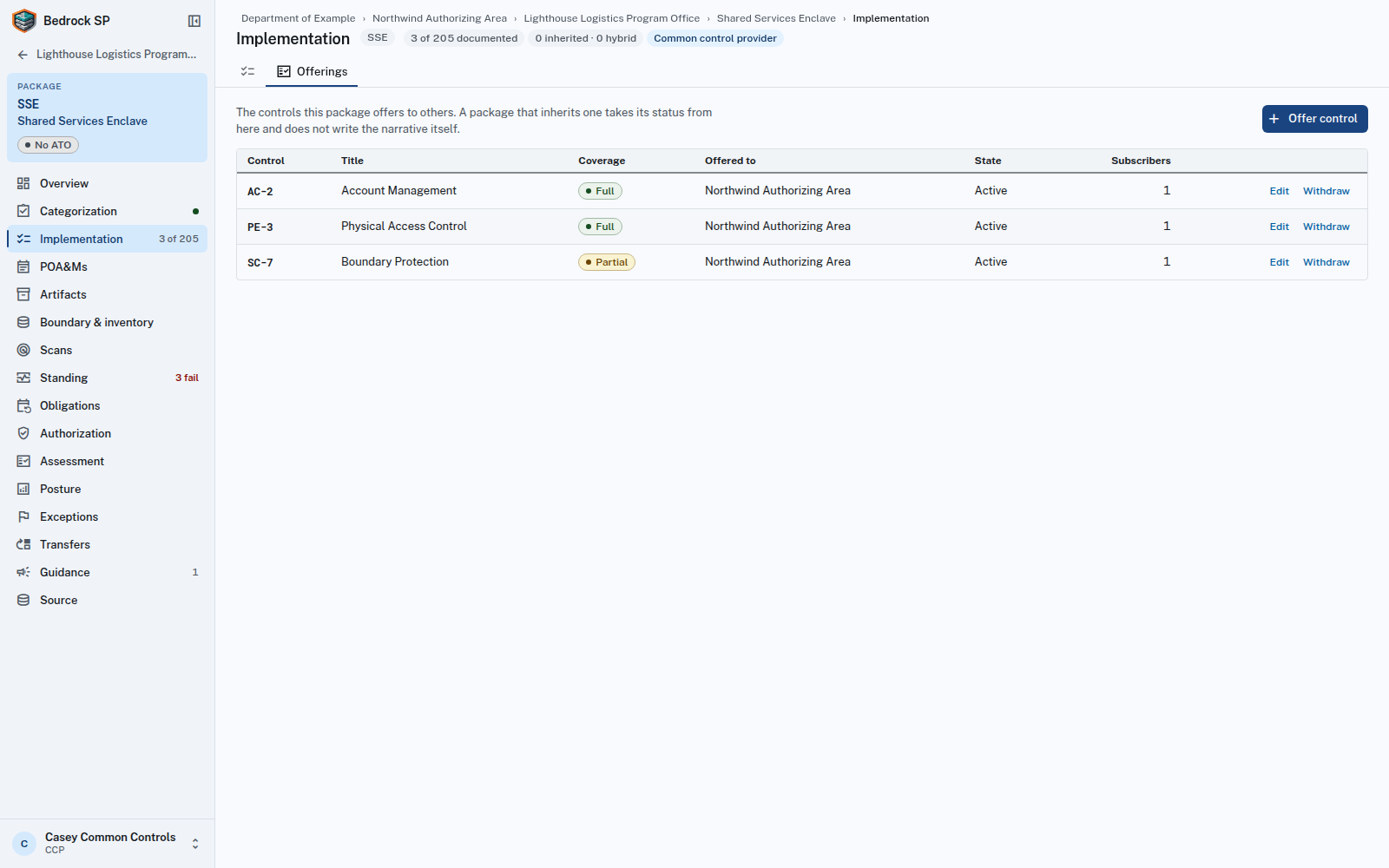
Step 2. Choose Offer control.
- You see: Offer a control: choose the Control (one of your package's own controls that you implement), the Coverage, Full or Partial, and Offered to: your own program office, or a unit above it so that every program office under that unit can inherit.
Step 3. Choose Offer.
- After this: the control is available to the packages at or below that unit.
Use the row menu for Edit and Withdraw.
What coverage means
| Coverage | What the subscriber's control becomes |
|---|---|
| Full | Inherited. It takes your status and narrative and needs nothing from them. |
| Partial | Hybrid. The subscriber still writes the narrative for their part. |
What subscribers see
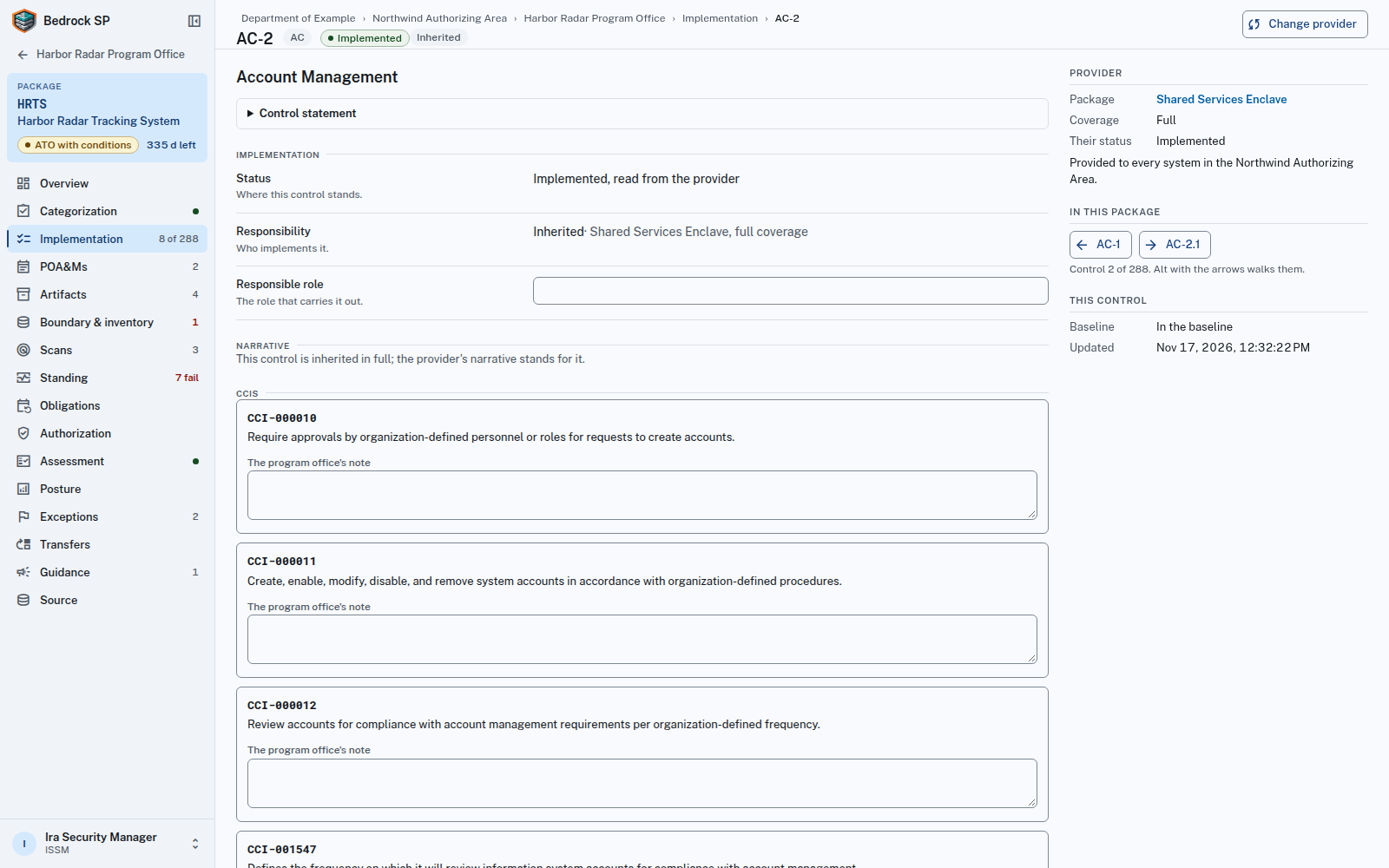
On a subscriber's control page, Provider shows your package, the coverage and the scope, and the control's status is read from yours. The Inherit from a provider dialog lists your offering for them to choose. A subscriber's Implementation table shows your package in its Provider column.
Withdraw an offering
Choose Withdraw on the offering. Each subscriber's control goes back to Planned and System, and their program office gets a change alert, inheritance withdrawn. The Subscribers column tells you how many that affects before you do it.
Keep your own narrative current
Subscribers' assessors read your implementation for the controls they inherit. If your status or narrative changes, theirs changes with it.