 foxxcyber/docs
Baselines
Start from a NIST baseline, tailor it with a justification for each change, publish numbered versions and name the baseline in your requirements.
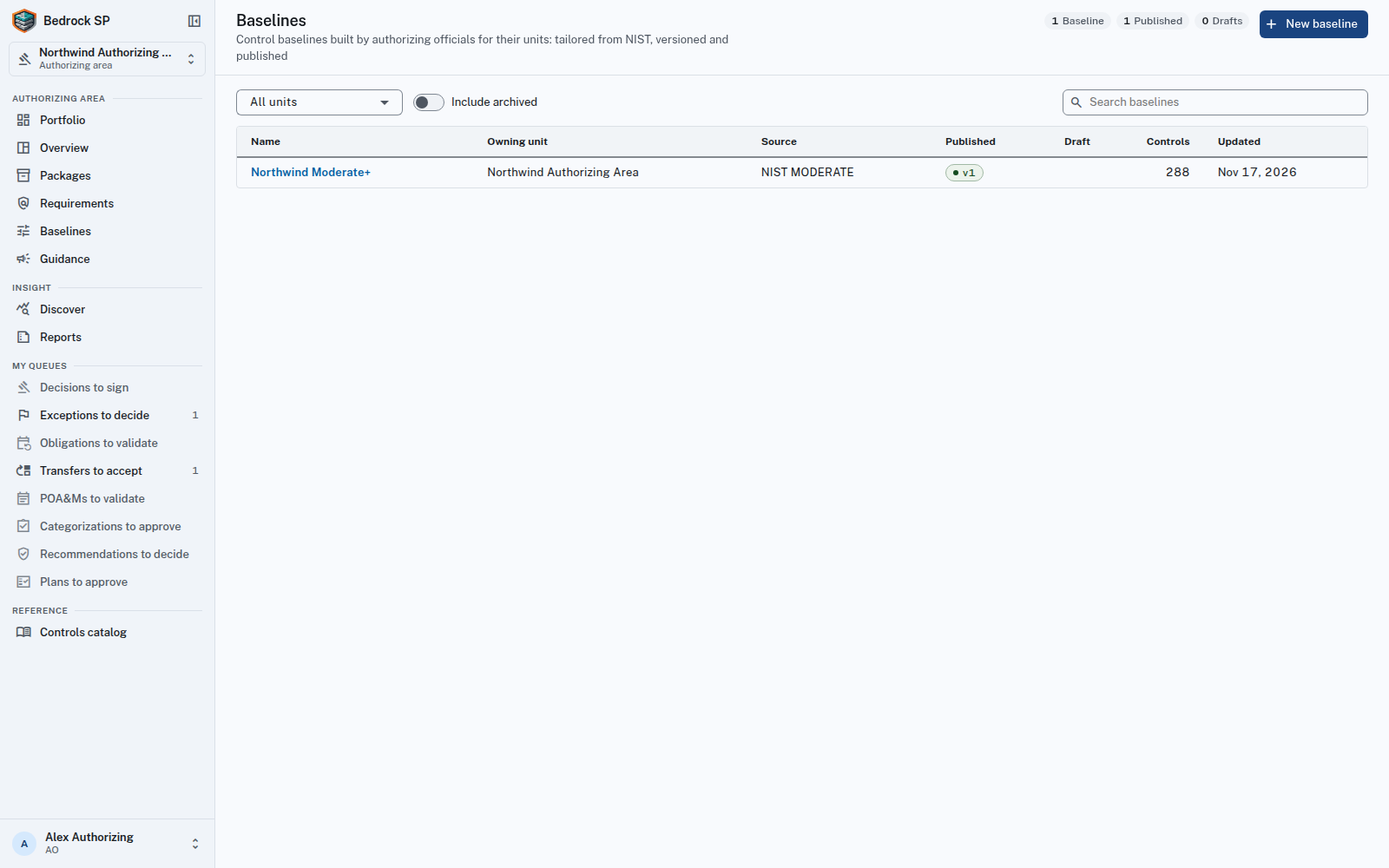
A baseline is the starting list of security controls for a system of a given impact level. Bedrock SP always carries the full NIST SP 800-53 Rev 5 catalog and the NIST Low, Moderate and High baselines. An AO can tailor a baseline: add controls it lacks, take out controls that do not fit, and set the values of control parameters. Each tailored baseline is versioned so you can see exactly what was in force on a given date.
You need to be an executive, DAO, AO or AODR on a component or authorizing area to create a baseline. Program offices and assessors below you can read your published versions.
Create a baseline
Step 1. Choose Baselines in the sidebar, then New baseline.
Step 2. Fill in the dialog.
- Owning unit: the component or authorizing area that owns it.
- Name and Description.
- Start from: a NIST level (Low, Moderate or High, with its controls and enhancements), a Baseline to copy (an existing baseline's published version), or empty.
Step 3. Choose Create baseline.
- You see: the new baseline with a draft of version 1.
Tailor the controls
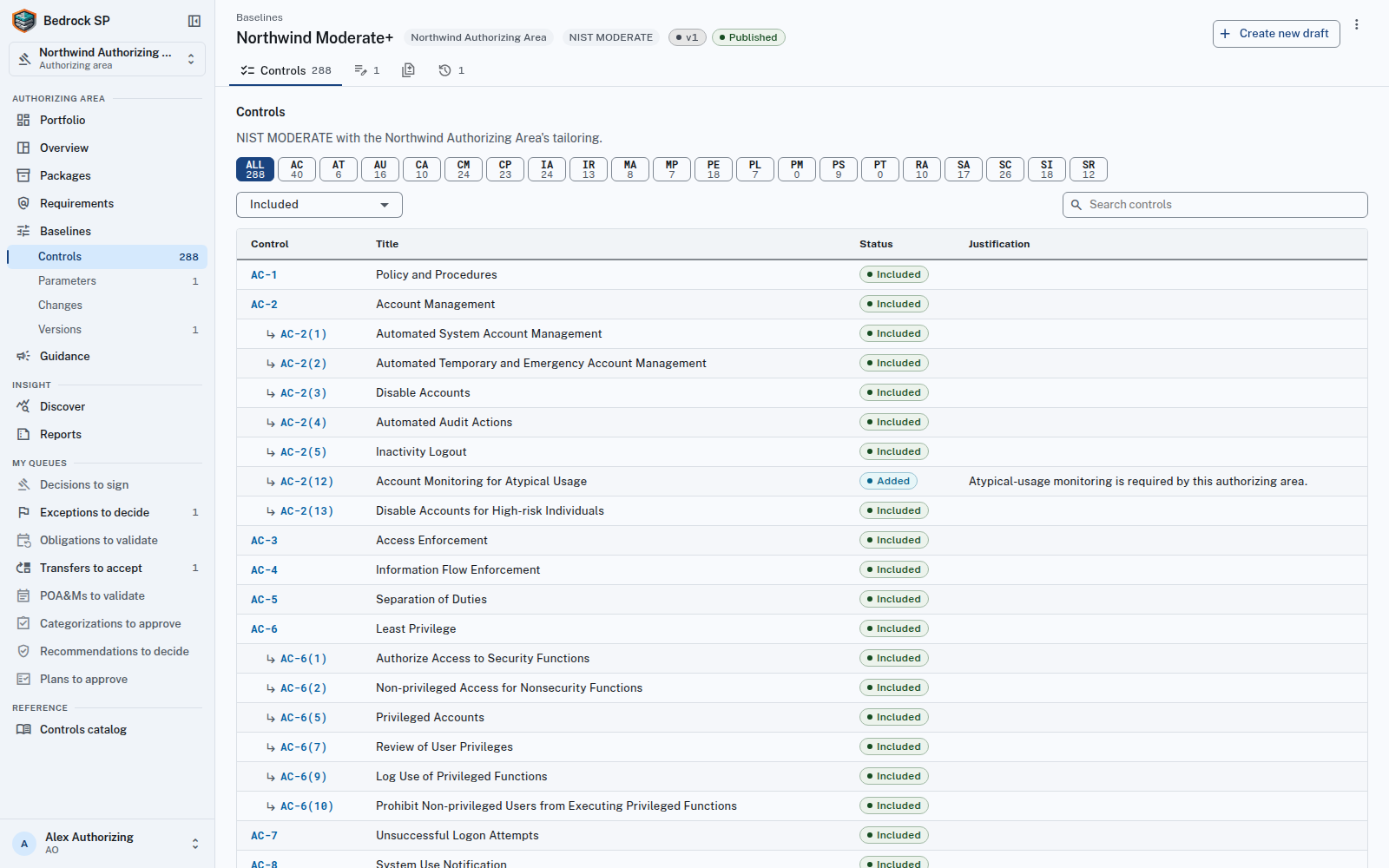
Step 1. On the Controls tab, find a control (use Search controls or the family chips) and turn its switch Include on or off.
- You see: if the control is not in the source, a dialog Add control to this baseline. If it is in the source, Tailor out control. Either way you must give a Justification, up to 2,000 characters. Re-including a source control clears its justification.
- Enhancements need their parent control in the baseline. Taking out a parent takes out its enhancements with the same justification.
Step 2. On the Parameters tab, set the value of a parameter, for example how many days before a password expires. A parameter belongs to a control that is in the baseline. Taking a control out drops its values.
Step 3. The Changes tab compares this version against its NIST source or the previous version: controls added, controls removed and parameters changed.
Publish a version
Step 1. Choose Publish.
- You see: Publish version n. Enter the Release notes, which are required, and choose Publish.
- After publishing: the version can never be changed. The Versions tab lists every version with its Controls, Release notes, Published by and Date.
Step 2. To change a published baseline, choose Create new draft. It copies the latest published version as the next one. Discard draft is not allowed when the draft is the only version.
Other actions: Rename or describe, and Archive or Unarchive.
Make packages use it
A baseline does nothing until a requirement names it.
Step 1. In Requirements → Authorization, find Baseline by categorization.
Step 2. For Low, Moderate or High systems, choose your baseline.
Step 3. Save the requirements.
- You see: for every package below you, the package's Implementation list and the assessment plan now start from the latest published version of that baseline for its categorization. Packages with no baseline named use the NIST baseline plus the controls flagged for privacy.
A package's Standing page says which baseline is enforced and which unit named it.