 foxxcyber/docs
Approving categorizations and plans
Approve or return a program office's categorization and an assessor's assessment plan. Each approval is signed with your typed name.
Two things must be approved before a package moves on. The program office's categorization says how serious the system is, and the SCA's assessment plan says what will be assessed. The AO, DAO and AODR approve both.
Approve a categorization
Categorization decides how much damage a loss of confidentiality, integrity or availability (C/I/A) would cause: Low, Moderate or High. The program office chooses the system's information types from NIST SP 800-60 and the levels follow. The overall category is the highest of the three.
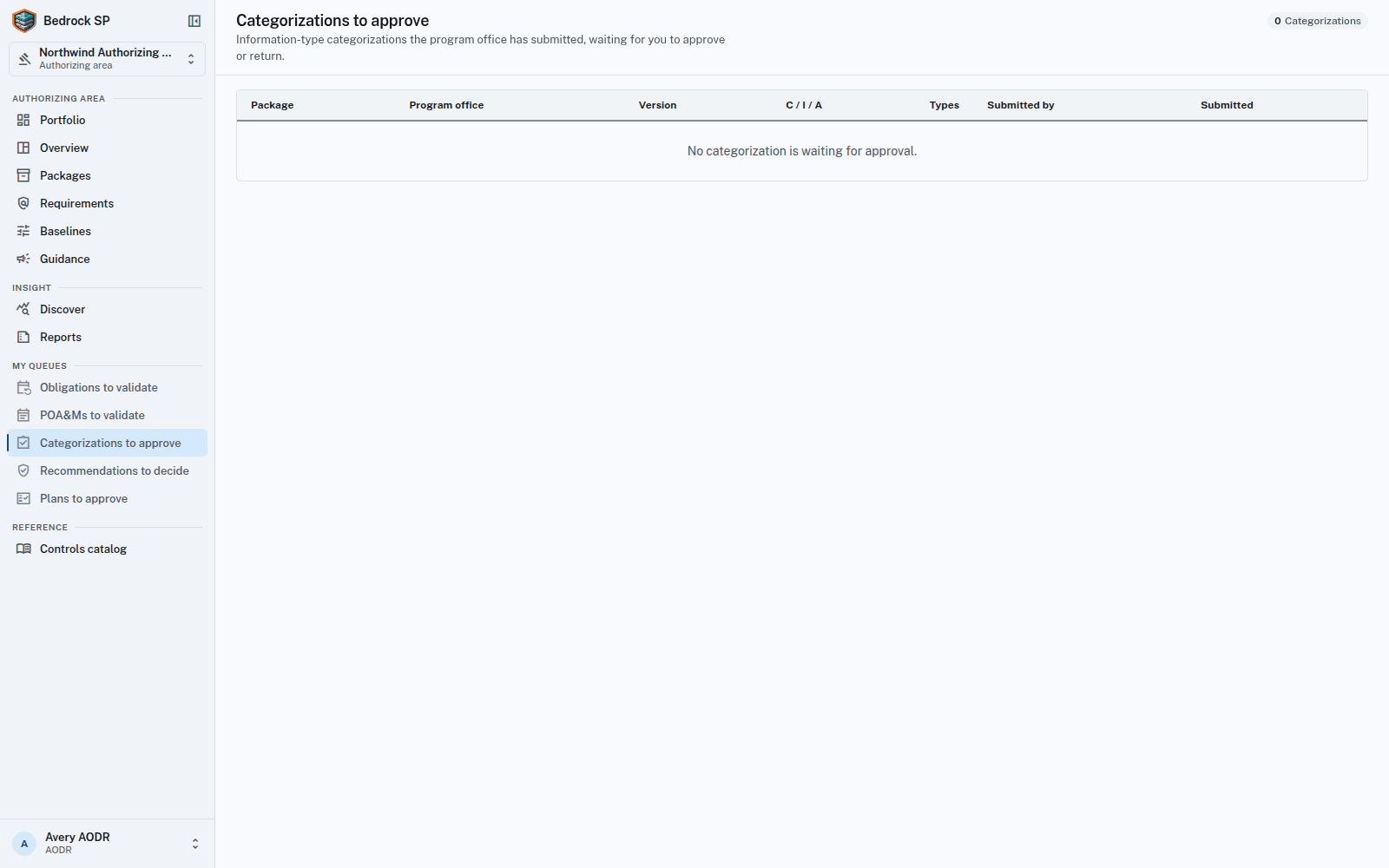
Step 1. Choose Categorizations to approve in My queues.
- You see: a table of categorizations the program office has submitted, waiting for you to approve or return: Package, Program office, Version, C / I / A, Types, Submitted by and Submitted.
Step 2. Open one.
- You see: the Result (the C/I/A levels), the Information types with their provisional and adjusted levels, the System categorization and the Rationale for any raise. Where a program office changed a level it had to give a justification, and you can read it.
Step 3. Choose Approve or Return.
- Approve: Approve this categorization. Type your full name to sign and choose Approve categorization. The package takes the approved levels, its baseline is worked out, and its Implementation list is built.
- Return: Return this categorization. Write a note that says what to change and choose Return categorization. The program office edits and submits again.
Approve an assessment plan
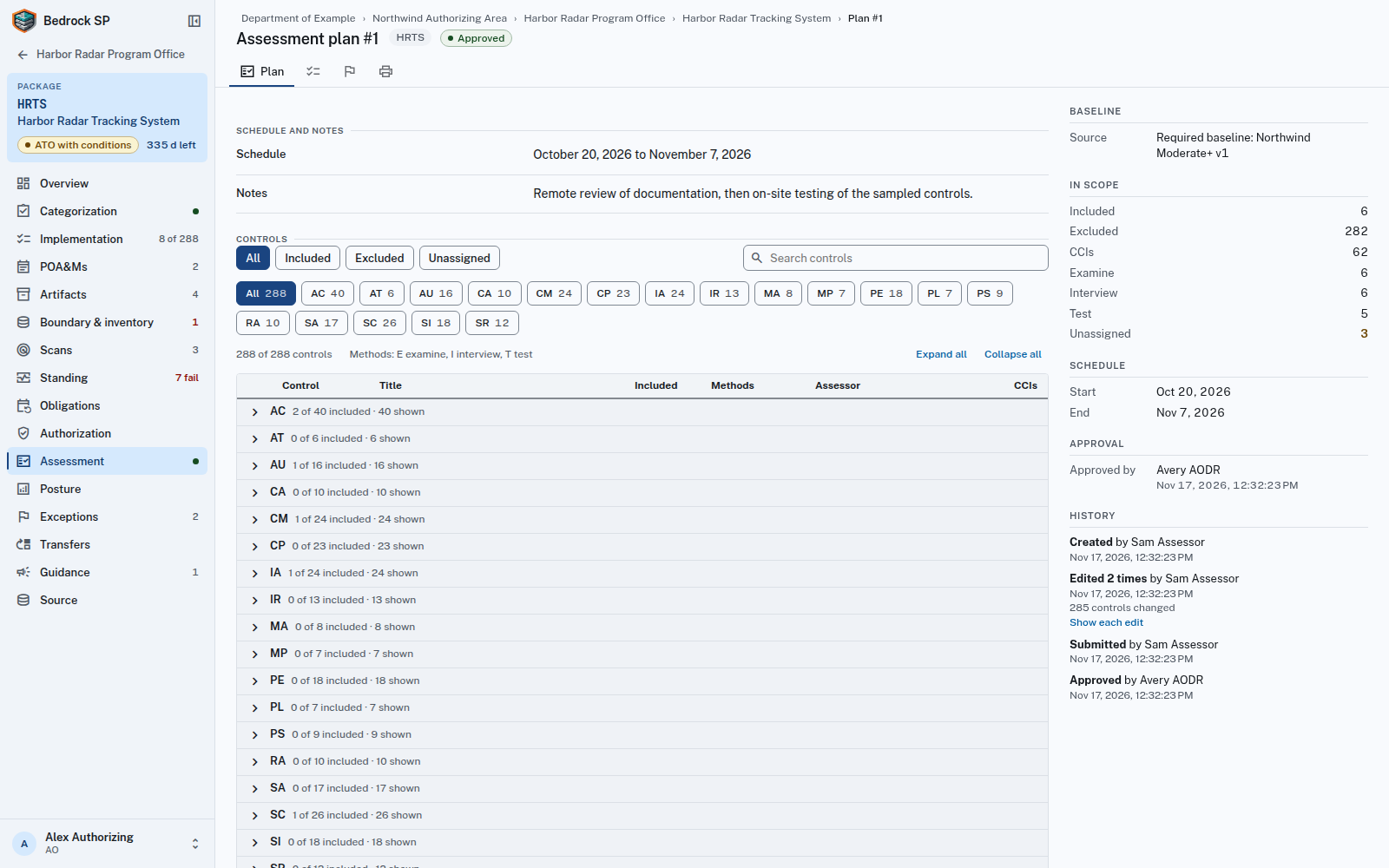
An assessment plan lists the controls the SCA will assess, the methods (examine, interview, test), who assesses each control and the schedule. The scope starts from the package's enforced baseline.
Step 1. Choose Plans to approve in My queues.
- You see: the plans submitted for approval: Package, Program office, Plan, Status, Controls, Drafted by and Submitted.
Step 2. Open a plan.
- You see: the Baseline, what is In scope, the Schedule, the Approval state and the Controls table with Included, Methods and Assessor. A control the SCA left out has a reason.
Step 3. Choose Approve or Return.
- Approve: Approve this plan. Type your full name to sign and choose Approve plan. The SCA can now start the assessment.
- Return: Return this plan. Write what to fix and choose Return plan.
One plan at a time
A package has one plan being worked on at a time. A re-plan copies the approved plan, and approving it replaces the old one.