 foxxcyber/docs
Audit log
Read who did what and when: sign-ins, changes to people, units and settings, uploads and decisions, newest first.
The Audit log records the actions that matter, newest first. It holds ids and counts, never the content of evidence or the secrets people used.
Step 1. Choose Audit log in Administration.
- You see: a table with When, Actor, Action, Target and IP.
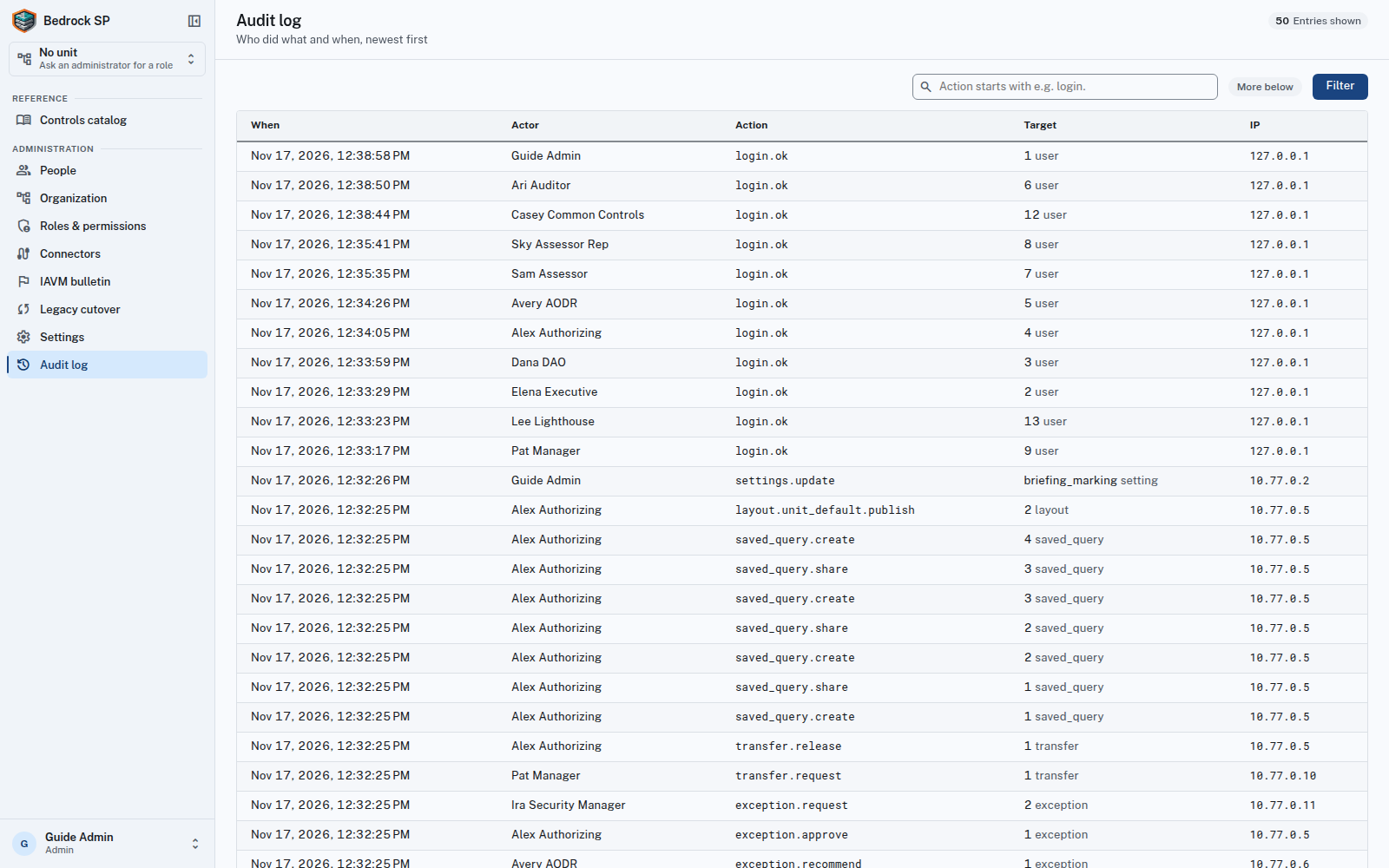
Step 2. To narrow it, type the start of an action in the filter, for example login.,
org_unit. or scan., and choose Filter.
Step 3. Older entries loads the next page.
Examples of what is recorded: sign-ins and failures, password changes and resets, units created, renamed or moved, roles added and removed, setting changes, scan uploads and deletes, infected-file refusals, token creation and use, bulletin uploads, decisions and every cutover step.