 foxxcyber/docs
The report and the recommendation
Write the security assessment report, state your recommendation and residual risk, sign it and submit it to the AO.
When the assessment is complete, the SCA team writes the security assessment report. It gives the AO your narrative and a recommendation. The report is computed from your results, so the numbers always match.
Write the report
Step 1. On the package's Assessment tab, choose Write the assessment report.
- You see: the report editor with these parts:
- Executive summary: what the AO reads first.
- Overall assessment: your reading of the results as a whole.
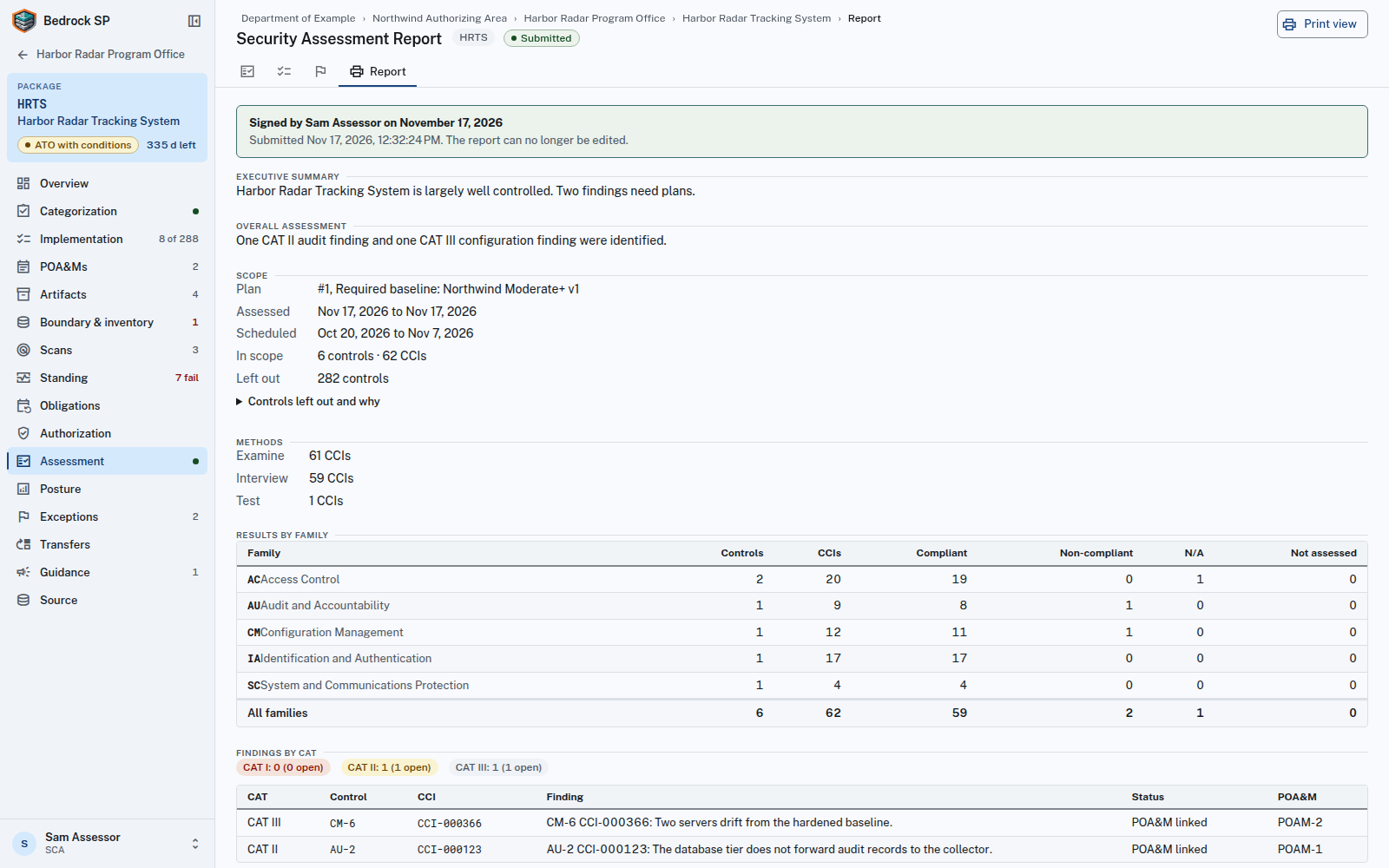
- Scope, Methods, Results by family, Findings by CAT and Exposure: worked out from your results and shown on every read. You do not type them.
- Recommendation: Authorize, Authorize with conditions, IATT or Deny.
- Residual risk: Low, Moderate, High or Very high.
- Rationale and Suggested conditions.
Step 2. Choose Save draft as you go. A draft is seen by the SCA team and the people who prepare decisions. Discard removes it.
Step 3. Choose Print view to see how it prints: it has the executive summary, the overall assessment, findings, exposure, the recommendation, suggested conditions, the signature, and an appendix of controls left out.
Sign and submit
Step 1. The SCA lead chooses Submit report.
- You see: Submit this report. Type your full name to sign and choose Submit report.
- After submitting: the report is final and everyone who sees the package can read it. It appears in the AO's Recommendations to decide, and the decision page shows your recommendation, residual risk and suggested conditions.
The AO decides
Your recommendation advises. It does not authorize anything. The AO or DAO makes and signs the decision.
Staying current
The AO's requirement Assess at least every sets how old the last completed assessment may be. The package's Standing shows Last completed assessment and warns when it is close to the limit.