 foxxcyber/docs
Portfolio, change alerts and the briefing
Use the portfolio as the AO's home: see what changed since you last looked, what needs you, and print the briefing.
The Portfolio is built for the AO. It is the one page that shows every package under you, and it is always current. The full tour is in The portfolio. This page is the AO's routine.
A morning routine
Step 1. Open the portfolio. You land on it when you sign in.
- You see: the chips in the header and, if anything changed, N new.
Step 2. Read "Since you last looked". Choose the N new chip to jump to it.
- You see: a list of changes. They are of two kinds:
- Things people did: a decision was drafted or signed, an exception was requested or decided, an obligation was submitted, returned or validated, a transfer was released or accepted, guidance was issued or withdrawn.
- Things that became true: a package's standing got worse or better, an authorization or exception is 90, 30 or 0 days from ending, an obligation or acknowledgment became overdue, a new CAT I finding arrived, a scan is overdue, an IAVM is overdue, a port was seen that is not registered.
- Each item is a link to the place to look: a package's tab, a record, or the findings list filtered to CAT I.
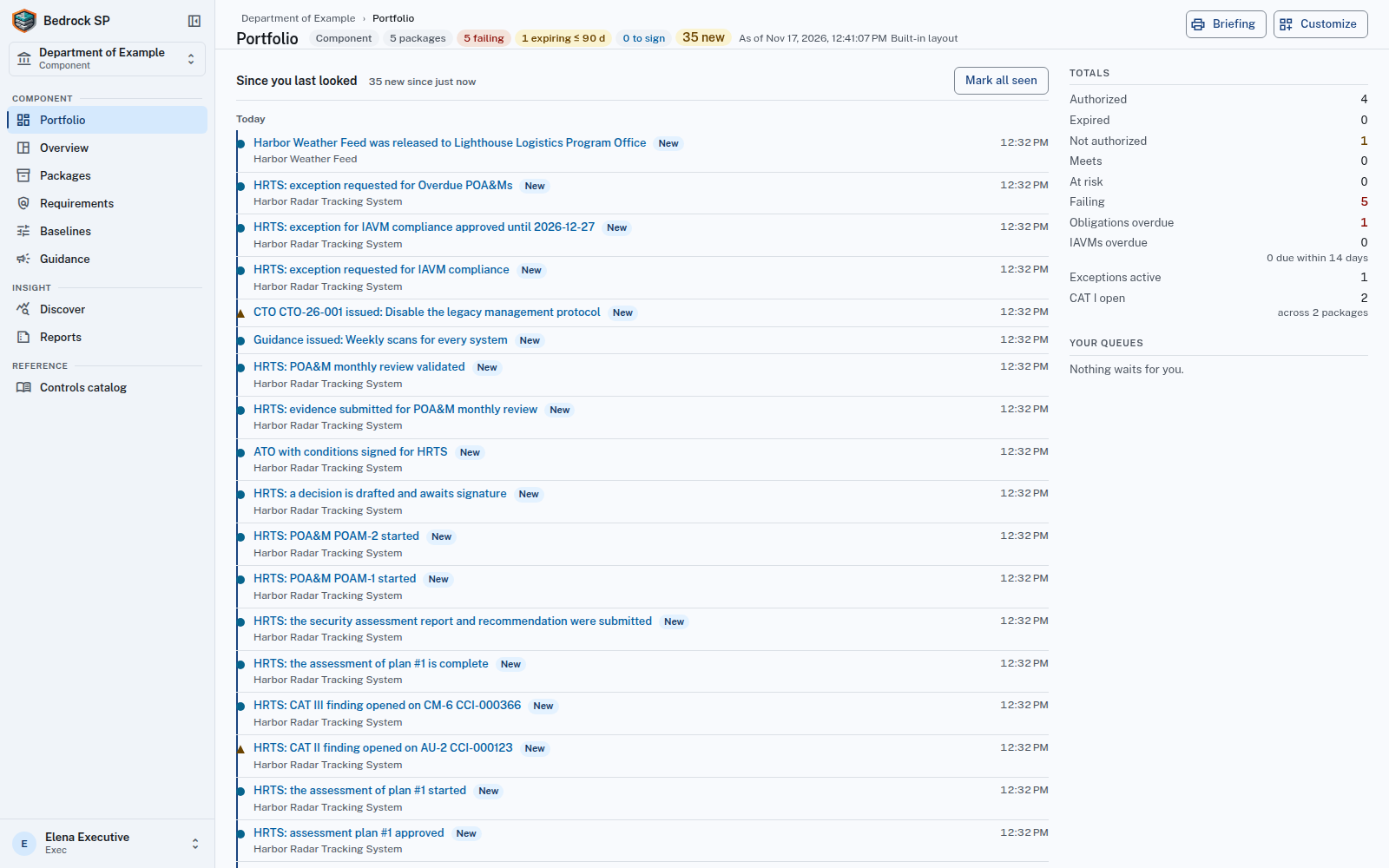
Step 3. When you have read them, choose Mark all seen. Only that button clears the count. Just looking at the page never does. Show earlier reaches older changes (they are kept for 400 days).
Step 4. Go to your queues. The right-hand rail lists Your queues, with a count on each, so you can go straight to the decisions, exceptions, transfers, plans and recommendations waiting for you.
Before a meeting
Choose Briefing on the portfolio to print it. See The briefing.
Set the layout for your area
If you want the people in your area to start from the same layout, arrange it and choose Publish as unit default. See The portfolio.
What a change alert never contains
Titles name the package and the check. They never hold evidence text.