 foxxcyber/docs
Assessment plans
Draft the plan for a package: which controls, which methods, who assesses each one and when. Submit it to the AO or AODR for approval.
The Security Control Assessor (SCA) is the independent middle of RMF. An SCA checks that a system's controls are really implemented and tells the AO what they found. The SCA Representative (SCA rep) records results for the SCA to sign. In Bedrock SP, SCAs and SCA reps see only the packages that were assigned to their organization, and can read them but change nothing in the program office's records.
Your work starts with an assessment plan: what will be assessed, with which methods, by whom and when. The AO or AODR approves it.
New terms in this guide:
- CCI (Control Correlation Identifier): DISA's finer unit. Each control breaks into CCIs. Each CCI is a single statement you test and mark.
- 800-53A methods: Examine (look at documents), Interview (ask people) and Test (try it).
Before you start
An AO, DAO or AODR must assign your SCA organization to the package. Until that happens the package does not appear for you. When it does:
- My assessments in My queues lists the open plans of the packages you assess.
- On the package, Assessment shows Current plan, Schedule, Baseline source, In scope, Assessment and History.
Draft a plan
Step 1. Open the package and choose Assessment.
Step 2. Choose Create assessment plan. (After a plan is approved, the same button says Re-plan, which copies the approved plan to change it.)
- You see: a draft plan. Its scope is the package's enforced baseline: the latest published version of the baseline the AO named for the package's categorization, or the NIST baseline plus the privacy controls when none is named. Each control has its 800-53A methods already filled in from the catalog.
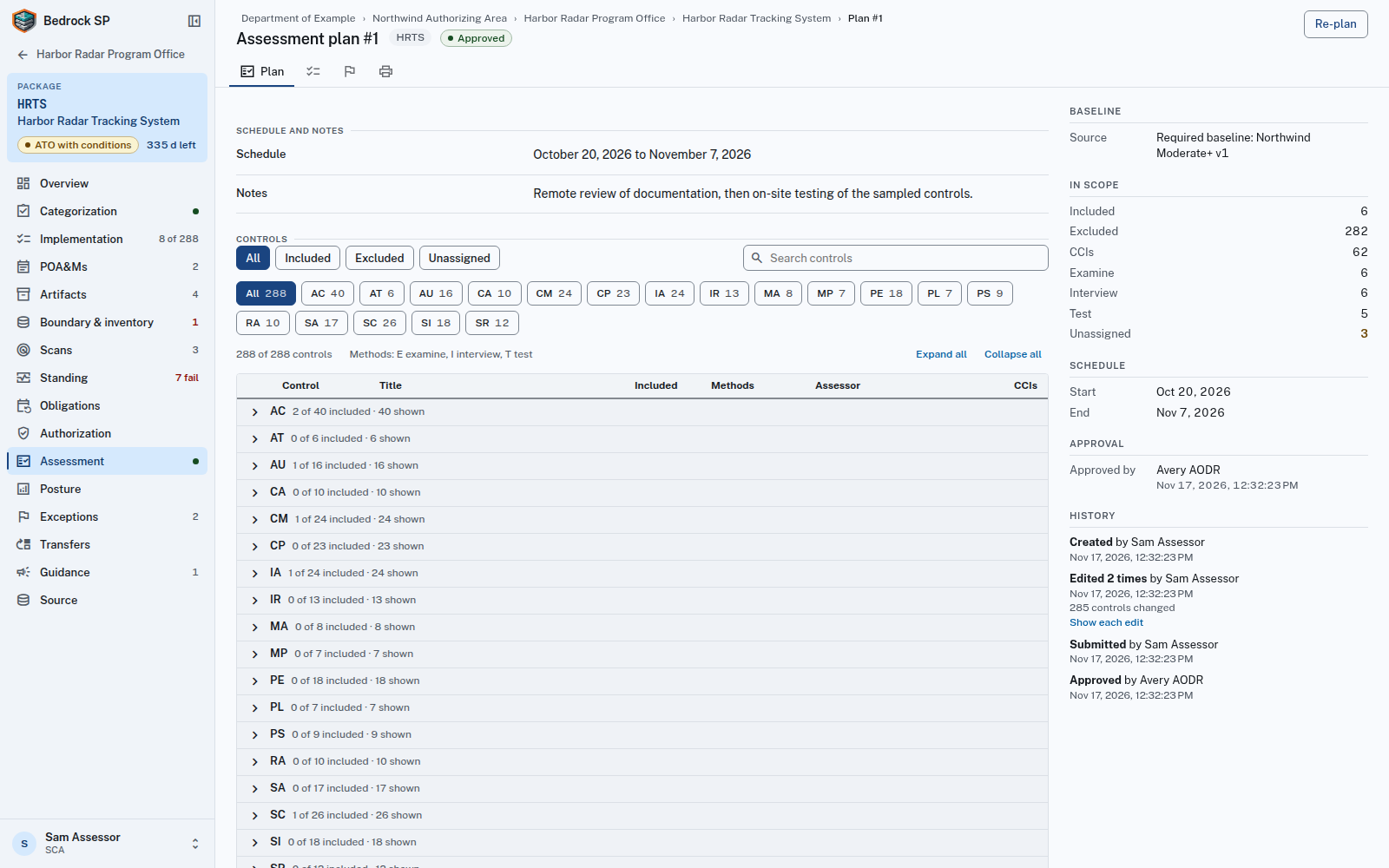
Step 3. Shape the scope on the Controls table. Select rows, then use the bar:
- Set methods: choose Examine, Interview and Test for the selected controls.
- Assign assessor: choose a member of the package's SCA team.
- Leave out and Include: a control you leave out needs a reason. Left out controls are listed in the report's appendix.
- Clear removes the selection. Expand all and Collapse all open and close the families.
Step 4. Under Schedule and notes, set Start, End and Notes, and choose Save schedule.
Step 5. The SCA lead chooses Submit for approval.
- You see: the plan's status becomes Submitted. A plan needs a schedule and at least one control to be submitted. The plan appears in the AO's and AODR's Plans to approve.
SCAs and SCA reps both edit the plan. Only the SCA lead submits it.
Approved or returned
- Approved: the plan's status is Approved. The package's RMF step moves to Assess. Start assessment is now available on the package's Assessment tab. See The CCI workspace.
- Returned: the status is Returned and the AO's note appears under Current plan. Choose Edit, fix it and submit again.
One plan at a time
A package has one plan in progress. Approving a re-plan supersedes the earlier plan.