 foxxcyber/docs
Finance overview
What the Finance, Procurement and Inventory & Assets areas cover, who can use each one, and how to switch them on for the right people.
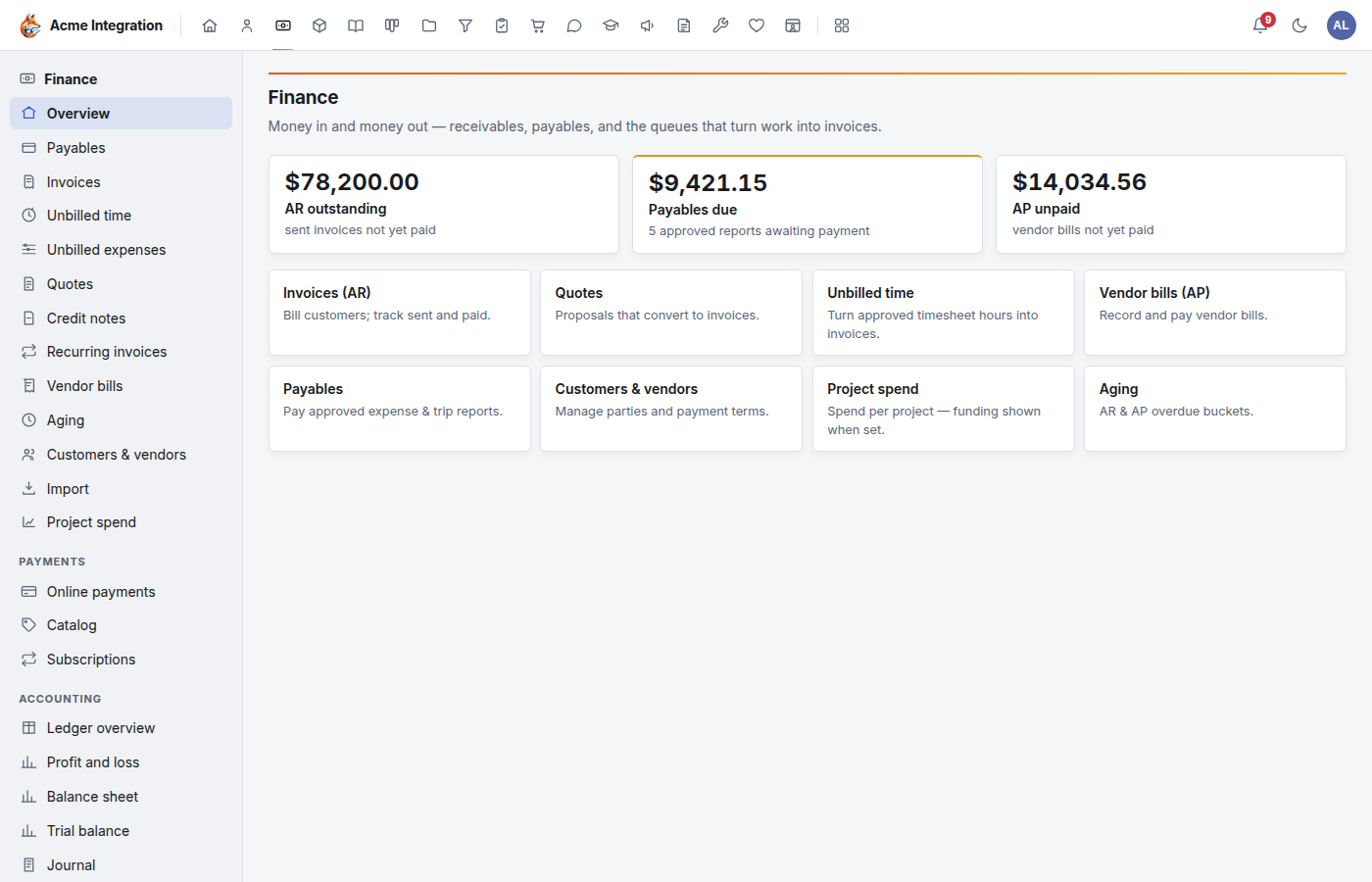
Finance and operations covers money in, money out, and the things you buy and keep. It is spread over three areas, each with its own icon in the bar at the top of the screen (hover an icon to see its name):
| Area | What it is for | Who can use it |
|---|---|---|
| Finance | Invoices, quotes, credit notes, payments, vendor bills, paying expense reports, online payments and the general ledger. | Members of a department with Finance turned on, Finance administrators and company administrators. |
| Procurement | Requisitions (purchase requests), approvals, purchase orders, receiving and budgets. | Everyone can file requisitions. Purchase orders, budgets and the reorder sweep belong to procurement owners (see below). |
| Inventory & Assets | The item catalog, stock levels, serialized equipment and software subscriptions. | Members of a department with Inventory turned on, and company administrators. |
Expense and trip reports are filed by each person under Human Resources → Expenses & trips. Finance pays them once they are approved. See Expenses.
Before you start
- The areas must be on under Administration → Modules. Finance, Procurement and Inventory & Assets start on. See Modules.
- Finance and Inventory are department-only: nobody sees them until a company administrator turns the area on for a department. A department called "Finance" gets nothing by its name alone.
- To take card or PayPal payments, a company administrator must first connect Stripe or PayPal (with its webhook) under Administration → Payments. See Payments setup.
Give your finance people access
- Open Administration → Departments and click the department your bookkeepers belong to (create one if needed).
- Under Feature areas, click Enable beside Finance. Do the same for Inventory & Assets on the department that looks after equipment and stock.
- Under Members, choose each Person, pick a Role (member or lead) and click Add member.
Being a member of a department with Finance on gives full use of Finance. There is no read-only finance role, so add only the people who should see the books.
To give one person Finance for the whole organization without putting them in a department, give them the Finance admin grant under Administration → Users → the person. See Access and permissions.
Who runs Procurement
Procurement is organization-wide, so everyone can file requisitions. Running purchasing (purchase orders, receiving, budgets, the reorder sweep) belongs to:
- the leads of a department with Procurement turned on (being a plain member is not enough);
- holders of the Procurement admin grant;
- company administrators.
Procurement → Settings (approval rules and the over-budget rule) is for company administrators and Procurement admin grant holders only.
Settings only administrators see
- Finance → Settings (under Accounting): where payments and expense reports post in the ledger. Company administrators and Finance admin grant holders only.
- Administration → Payments: connecting Stripe and PayPal. Company administrators only. No admin grant reaches it.
The pages in this section
- Invoices and billing: customers, invoices, recording payments, pay links, the online catalog, subscriptions, refunds and credit notes.
- Ledger and reports: the general ledger, accounts, journal entries and the reports.
- Expenses: filing, approving and paying expense and trip reports, and billing them back to clients.
- Procurement: requisitions, approvals, budgets, purchase orders and parts for work orders.
- Inventory and assets: the catalog, stock, equipment and subscriptions.
Troubleshooting
I don't see the Finance icon. Check three things, in order: Finance is on under Administration → Modules; Finance is turned on for a department under Administration → Departments → the department → Feature areas; and you are a member of that department (or hold the Finance admin grant, or are a company administrator).
A Finance link sends me back to my workspace. You do not have Finance access. Finance screens send anyone without it back to the workspace instead of showing an error.
The Payments section is missing from the Finance menu. Online payments, Catalog and Subscriptions appear only after a company administrator connects Stripe or PayPal under Administration → Payments. The catalog and subscriptions need Stripe specifically.
Accounting → Settings is missing. It shows only to company administrators and Finance admin grant holders. Department members do not see it.
I can't see Purchase orders or Budgets in Procurement. You are not a procurement owner. Ask a company administrator to make you a lead of a department with Procurement turned on, or to give you the Procurement admin grant.
Inventory says "No inventory department". No department you belong to has Inventory turned on.