 foxxcyber/docs
Monthly gifts
How donors start monthly gifts on the donation page, where to see them, how to cancel one, and what happens when a payment fails.
A donor who chooses Monthly on the donation page starts a subscription with Stripe (by card) or PayPal. Each month's payment becomes a gift of its own in Foxx HQ, receipted like any other.
Before you start
- The donation page is published and offers Monthly gifts (Giving → Donation page → How often, and where it goes). See The donation page.
- The Stripe webhook (or PayPal webhook) is set up under Administration → Payments. Monthly payments are reported only through the webhook: without it, no monthly gift or monthly payment is recorded.
- You hold the Giving admin grant or are a company administrator.
See the monthly gifts
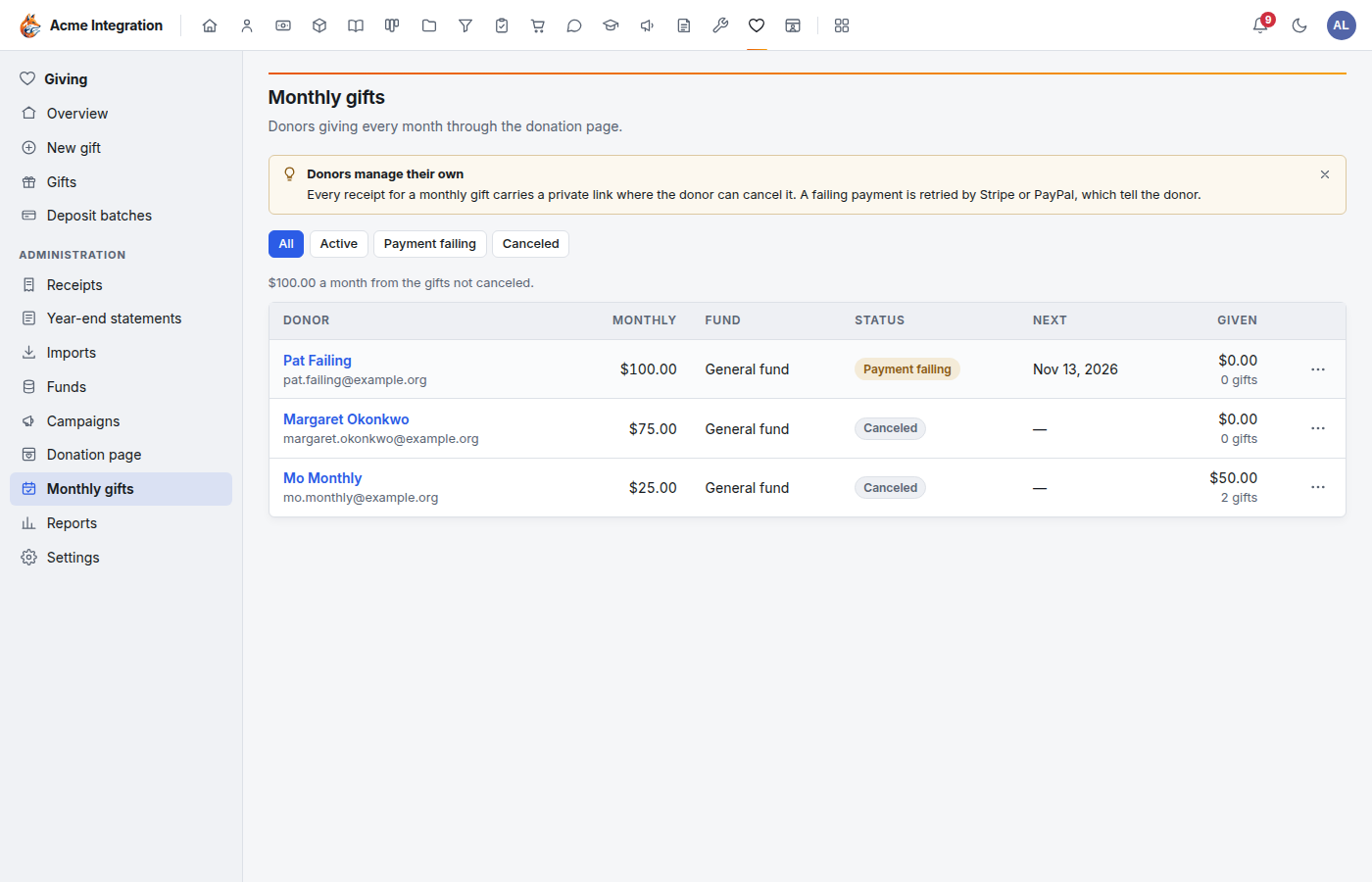
Open Giving → Monthly gifts. Each row shows the donor, the monthly amount, the fund, the status, the next charge date, and what has been given so far. The line above the table totals the money a month from the gifts not canceled. Filter with All, Active, Payment failing and Canceled.
Click a donor to open the monthly gift: when it started, the next charge, the campaign and tribute if any, and every monthly payment with its receipt.
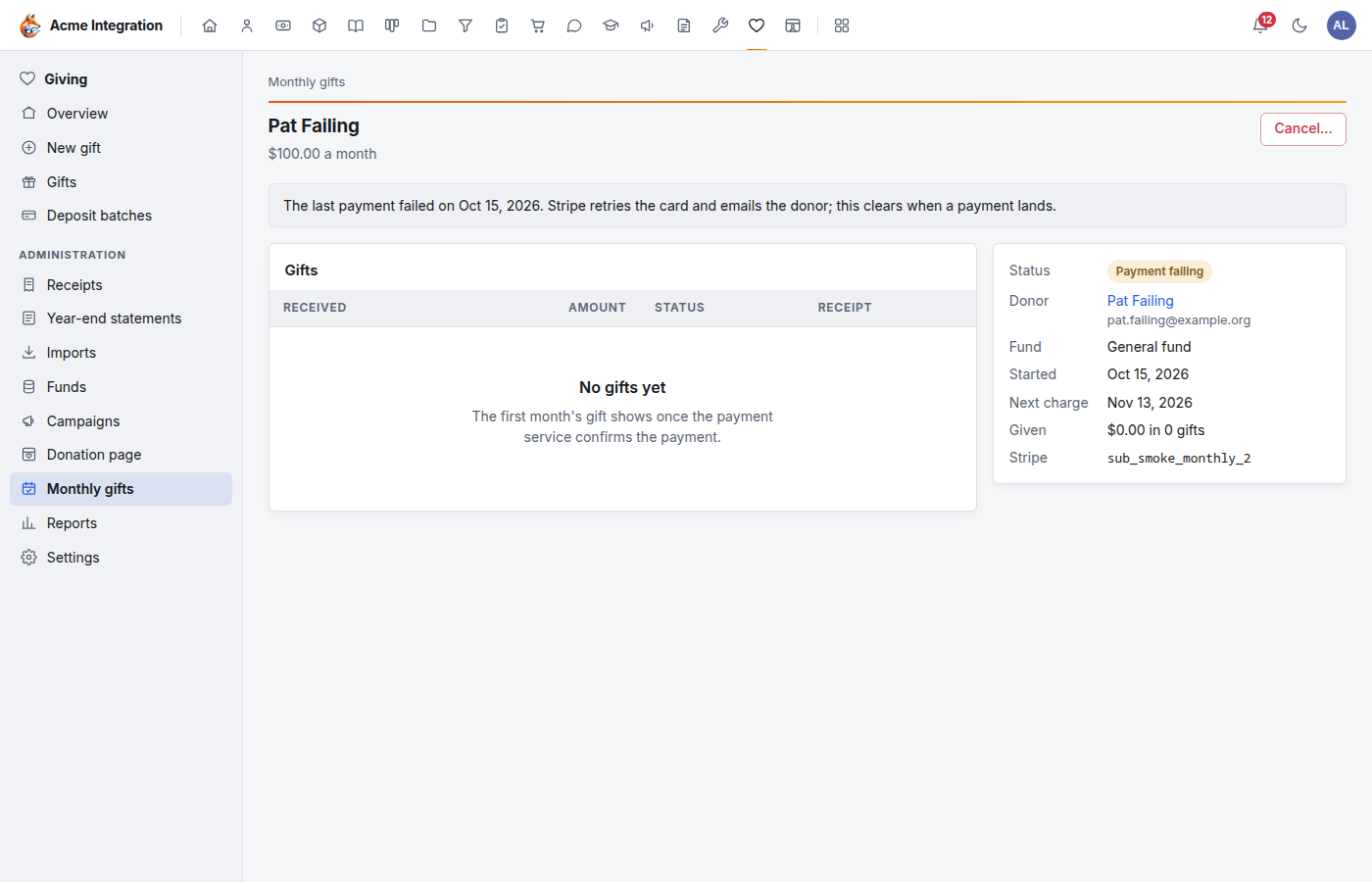
For PayPal, the monthly gift appears when PayPal reports the subscription active, and each month's gift when PayPal reports the payment. The first month's gift shows once the payment service confirms it.
Cancel a monthly gift
- Open the monthly gift (or use ⋯ on its row) and choose Cancel….
- Confirm with Cancel monthly gift.
Stripe or PayPal stops charging at once. The gifts already made stay. Foxx HQ does not email the donor about it, so tell them yourself.
Donors cancel their own
Every receipt for a monthly gift carries a private link to a page where the donor sees their gift (amount, fund, start date, next gift) and can click Stop my monthly gift. The link names that one gift only. If a donor's link no longer works, the page tells them to use the link in their latest receipt email or to contact you.
When a payment fails
The monthly gift shows Payment failing and company administrators get a notification. Stripe retries the card and emails the donor itself. PayPal bills the missed amount again at the next billing date and suspends the subscription after three failed payments in a row. The next successful payment clears the status.
Troubleshooting
| Problem | Fix |
|---|---|
| Donors can't pick Monthly | Tick Monthly gifts on the donation page and Publish. |
| A donor says they signed up but nothing is listed | Check the webhook on Administration → Payments, and Administration → Payments → Events for anything Foxx HQ couldn't match. |
| Monthly gifts isn't in the menu | You need the Giving admin grant. |